














Ask questions relating to Box here
Recently active
Box Apps permissions enable users to collaborate on Apps with other users and configure what actions and permissions are available for themWe are incredibly excited to announce enhanced collaborator permissions for Box Apps, enabling customers with the granular permissions settings they have come to love in other popular Box products, like Box Hubs! With this new feature, Box Apps users have access to the following collaborator permissions when sharing Apps with other users:Two new enterprise level permissions: Enterprise Admin Box Apps Manager Four new permissions that apply to specific Apps: Owner Co-Owner Editor Viewer The following Enterprise level permissions are available for Enterprise Admins and box Apps Managers: Admin Console Actions: Enterprise Admin Box Apps Manager Enable Apps access for certain users or groups of users ✓ Enable Apps management for certain users or groups of users ✓ Create metadata templates ✓ Box Apps Actions: Enterpris
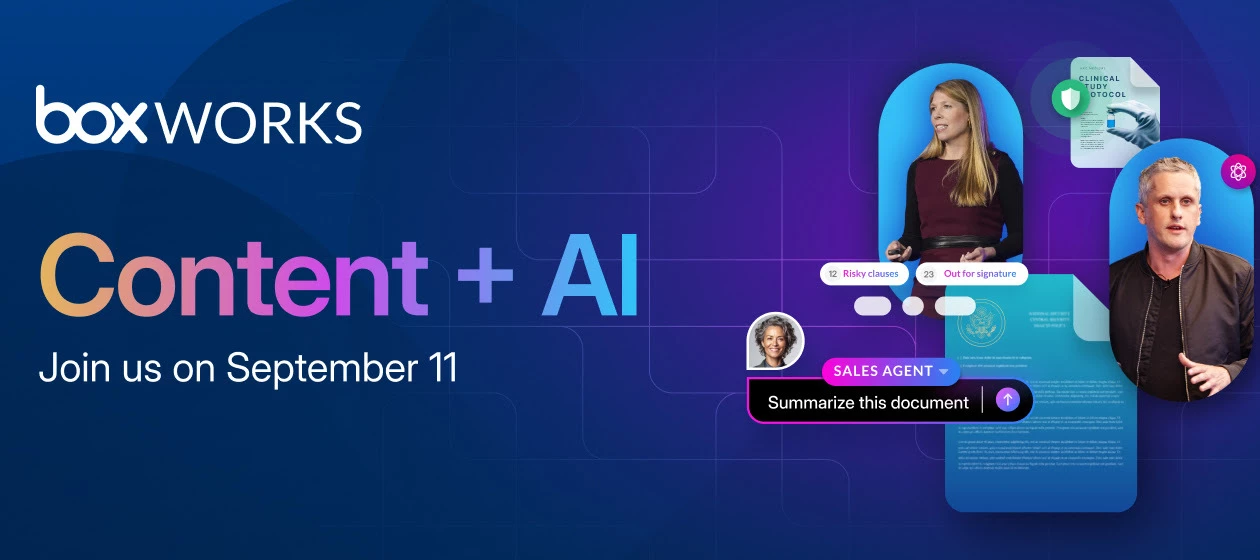
Welcome to this week’s edition of the Box Community Weekly Digest! We’ve got exciting updates, new announcements, and a spotlight on some amazing contributions from our vibrant community. BoxWorks 2025 is coming to you live and in-person in San Francisco from September 11-12!Dive into hands-on demos, extract actionable insights from customer success stories, and network with peers while mastering the latest in Intelligent Content Management. Don't miss the opportunity to hear from our exciting line up of speakers! Every session delivers practical strategies to transform your organization’s approach to AI. 📢 Register today for this game-changing event: BoxWorks 2025 Becoming an AI-first company isn’t just about automating what you already do. It’s about reimagining what’s possible. At Box, we’re here to help you understand the ever-evolving landscape so your business can move at the speed of AI. Read on for some of the key recommendations from our brand-new white paper, Becoming an AI
Welcome to this week’s Community Round-Up!From exciting events and product updates to spotlighting outstanding guests and contributors, here’s everything that’s been lighting up the Box Community this week. Discover the latest Box AI innovations, and see how organizations are unlocking insights and extracting data from their most critical documents. Join our live webinar on June 26th to learn practical steps for getting started, scaling adoption, and bringing intelligent automation to your content workflows.📢 Don’t miss this opportunity to transform the way you work with content. Register today! 🚀 Your front-row seat to Aaron Levie’s latest insights, bold ideas, and game-changing updates. “We are entering an AI-first era of business, which will transform everything about what work looks like in the future. This shift in work is being defined by our ability to tap into the full value of our unstructured data with AI for the first time ever — from research & development documents
Thanks to special guest Vikram Jahhav CIO, Lacers along with @MMasood Box and Mark Talley for Wednesdays overview of LACERS digitization journey for their retirement systems. Highlights, video clips and slides below.Lacers digital transformation journey. Recording clip hereDemo of retirement systems. Recording clip here Digital Transformation at LACERs: Vikram, the CIO for the City of LA's pension system, shared his journey transitioning LACERS retirement services from paper-based to fully digital operations, with @MMasood Box Core areas of IT scope include customer experience, administration, contracting process (vendors, partners, etc) Advent of cloud enabled beginning of digitization journey, which accelerated during COVID Once staff were comfortable with digital flows such as e signature, began expanding into functions such as project management and retirement portal and now looking at AI enabled pension admin software Change management for digitization and ho
Thanks to @sparkgridsoftware Jackie Wucher, and @amandanielsen Box for yesterday’s overview of the Box Partnership with SparkGrid software and also the demo of the latest enhancements to the Box and HubSpot connector. You can find the recording here and summary below: SparkGrid & Box Connector: What You Need to KnowChris and Jackie from SparkGrid introduced the Box Connector for HubSpot, a game-changing tool for managing files and workflows directly within HubSpot. Their presentation centered on its features and potential to boost productivity. Key functionalities showcased include: File Management: Organize and interact with Box files seamlessly within HubSpot. Workflow Automation: Automatically trigger actions and streamline business operations without manual intervention. Box Sign Integration: Send dynamic documents for electronic signatures directly within HubSpot, saving time and ensuring a smoother workflow. File Requests: Easy creation and management of requests to
Admins and co-admins can enable or disable the ready-sign link validation email for all ready-sign links initiated across their account or for specific users and groups when creating or modifying ready-sign link templatesWe are incredibly excited to announce the ability for admins and co-admins to configure email validation settings for recipients who initiate signature requests when using ready-sign links in Box Sign! By default, when a ready-sign link is enabled through a reusable template, the recipient who initiates the ready-sign link signature request is required to validate themselves via a one time password that is sent to them via email before they can gain access to the signature request to complete it and enable the request to continue to the next step. This can create a number of different potential issues for organizations that are looking for a quick, self-serve way to create fillable and signable documents that they can embed anywhere they choose to collect e-signature o
Is your team drowning in manual tasks that drain time and resources? It's time to level up with Box's AI-powered automation tools and transform the way your business works. In this 20-minute session, discover how you can streamline your workflows, increase productivity, and save money — all without the need for IT support. Learn how small businesses are accelerating onboarding, processing documents in a flash, and boosting team efficiency using Box AI-powered tools. Ready to work smarter? Register here:Automate the work that slows you down Topics we’ll cover:Win back hours a week with automated forms, document generation, and unlimited e-signatures Stay in control of your data with drag-and-drop dashboards — no code, no headaches Protect your business with enterprise-grade security and automated archiving Unlock AI superpowers to streamline tasks and boost team efficiency Work smarter, not harder by taking advantage of integrations with tools you already use
Check out this week’s Box Community Weekly Digest—featuring the latest announcements, product highlights, member spotlights, and upcoming ways to get involved. Don’t miss what’s new! 📣 We’re thrilled to announce the AI Zone demo submission page for BoxWorks 2025 is now live!Are you a Box Partner who is building an innovative AI-powered solution on Box? If so, now’s the time to step into the spotlight at Boxworks this September.🔗 Submit your application here: BoxWorks AI Zone 🤝 Join our Box Community User Groups!Connect with peers and Box experts to share insights, explore best practices, and get the most out of your Box experience. Whether you're focused on security and governance or in financial services, there's a group for you!👉 Join the Finserv Community User GroupCollaborate, share industry-specific insights, and unlock the full potential of Box to streamline workflows, enhance security, and drive compliance. 👉 Join the Security & Governance User GroupMaximize the securi
Thanks to Box Chief Customer Officer, Jon Herstein, Product Manager Steve Chiou and Product Marketing Manager, Michelle Syu for yesterdays overview and demo of Box Hubs and the Box support portal on Box Sensei. Thanks to all our guests who joined and participated in the Q&A. Topics: Overview of Box Hubs - Recording clip here Demo of Box Customer Support portal on Box Hubs with Customer Q&A plus Box Apps overview - Recording clip here Please see here for the full recording and full slide deck here (temporary link)
現在作成しているシステムを複数のPCに導入し、AccessDBを使用し通信をしようとしています。今回はBox内にDBを設置し、Box Driveでローカルに落とし、共有しようとしています。皆さんはどう思いますか?
I am trying to creat a new task from the iOS app and there is no option to do so in the comment/activity screen like I’m used to seeing in the web version. Furthermore, I can use the web version to create the task on my mobile device but when I try and log in to the web version it automatically opens the box app instead of loading the web interface.
Hi everyone,I’m Prakash Hinduja, a strategic advisor based in Geneva, Switzerland. My work focuses on global finance, sustainable innovation, and digital transformation. I'm exploring new tools to streamline collaboration and secure data management across teams and clients—and that's what brought me to Box.I’m just getting started with the platform and would love your input: How can I best use Box.com to support business operations such as secure file sharing, team collaboration, and client data organization?More specifically: How do you set up folder permissions for different client groups or departments? What are the best practices for collaborating with external partners securely? Is there a way to integrate Box with tools like Outlook, Salesforce, or DocuSign for a smoother workflow?I’d appreciate any suggestions, examples, or tips from your experience. Excited to learn more and get the most out of Box for my work.Thanks in advance!
Welcome to our latest roundup, packed with exciting announcements, upcoming events, and the hottest topics from across our vibrant Box ecosystem. Stay informed, inspired, and connected with everything Box has to offer! The AI Era is Here! 🤖We had an incredible time at BoxWorks London, connecting with our European customers and partners at the iconic 180 Studios.💥 Stay tuned for more updates! 🚀 Your front-row seat to Aaron Levie’s latest insights, bold ideas, and game-changing updates. Aaron Levie will join as a Day Opener at Six Five Summit: AI Unleashed 2025!Don’t miss his keynote: “Becoming an AI-First Enterprise” — for a look at how AI is driving real enterprise transformation.📢 Register now and be part of the conversation! Want to stay in the loop with all things Box? Head over to our latest posts for exciting updates and insights. Don’t miss out – click the links and get the full scoop! 📲💬 ❄ The Snowflake Openflow connector for Box is now LIVE! Turn each of your contracts
The Box Doc Gen Template Creator Add-In for Microsoft Word enables users to upload images when dynamically generating documentsWe are incredibly excited to announce full image support for Box Doc Gen templates! This feature enables users to dynamically merge PNG and JPEG images directly into Box Doc Gen templates when leveraging the Box Doc Gen Template Creator Add-In for Microsoft Word. Previously, in order to populate Box Doc Gen templates with images, users can only request a Base64 string, which limited their ability to generate well-formatted custom documents with images. This feature streamlines the Box Doc Gen template creation process and provides a much more user friendly and frictionless experience.Box Doc Gen empowers teams to automatically generate custom, error-free documents ina matter of seconds — reducing turnaround times, mitigating risk, and eliminating manualdata entry while improving operational efficiency. With just a few clicks, you can leveragedata from any data
Thanks to Chirine Chartouni, Micajah Dudley, Fernando Cerenza and Johnathan Horton from our product, marketing, and partnership teams for yesterday’s great overview of the Box and Microsoft partnership and integrations. Thanks to our customer guests who joined and participated in the Q&A. You can find the full recording here or segments and slides below. Agenda item 1 - Overview of Box and Microsoft Partnership and major integrations with M365 plus customer Q&A. Recording clip hereBox and M365 Office App Box for M365 Co authoring on Desktop Box for Microsoft Teams Box for M365 OutlookAgenda item 2 - Box integrations with Microsoft AI. Recording clip hereBox for Microsoft Copilot (via Microsoft Graph) Box AI Agent for M365 Co pilotAgenda item 3 - Customer questions on Box and Microsoft integrations. Recording clip herelive customer Q&A on all aspects of the integration If you are Enterprise Plus or Advanced and are interested in our Box Agent for M365 Copilot beta please l
Anyone, is there any article explain/show and compare in details about, the API (API Access/Creation) and Application integration (Maximum App Integrations) limits between Box Business Starter and Box Business Plus?
This week’s edition is packed with exciting updates from our vibrant community! From hot product announcements and industry trends to spotlighting amazing community members—let’s dive in and see what’s happening at Box! 🚀 We’re announcing Box’s State of AI in the Enterprise report. With AI rapidly transforming businesses across industries, new AI models are emerging daily, running faster and more efficiently. AI agents are joining the workforce, automating tasks, boosting productivity, cutting costs, improving customer satisfaction, and driving revenue growth.This report:➡️ Has insights from over 1,300 global IT leaders (SMBs to large enterprises) about trends across the market➡️ Includes how our customers are transforming their business to address the challenges of keeping up in the AI-first era➡️ Shares AI best practices that leading organizations are following to gain a competitive advantage 🚀 Your front-row seat to Aaron Levie’s latest insights, bold ideas, and game-changing up
Box is emerging as an AI First company. We have an initiative to share how we, as Boxers, are using Box AI in our day-to-day work to improve efficiency. Here is the presentation that I gave on using Box AI as a Solutions Engineer at Box to answer customer questions and produce convincing demo content. Let me know what you think!
Users can invite collaborators to specific Apps, including the ability to customize the email message sent to each inviteeIn January 2025, we introduced Box Apps, enabling teams to streamline business processes and accelerate daily work with no-code, purpose-built apps that include custom dashboards, metadata views, and integrated content workflows. As a follow up to the release of Box Apps, we are incredibly excited to announce enhanced email notifications in Box Apps, enhancing communication between Box Apps admins and end users by automatically alerting end users when an App is shared.With this new feature:Email notifications will automatically be sent to end users whenever they receive permission to use a specific App. Users will be promptly informed about their access, enhancing overall user experience and engagement with the App without delay. Users save significant time with a reduction in manual effort in communicating App access to other users.With Box Apps, teams can work wit
We’re thrilled to share that Box AI is now more widely accessible through the Box mobile app, bringing secure, enterprise-grade AI capabilities directly to the hands of our users! Admins and end users alike will gain instant, context-aware insights—whether they’re on iOS or Android—without any extra cost or configuration hassle.Box AI for Mobile gives yo a way to easily access Box AI even while on the go. You can instantly query their content and receive answers about you files—including documents, images, presentations, and more. This feature streamlines workflows by enabling quick information retrieval, supports decision-making with accurate insights, and enhances productivity without needing to switch between different apps or devices. Whether you work out in the field, or are catching up on tasks between client meetings, Box AI for Mobile helps you get the most of your content securely and efficiently from your mobile device. What you can do with Box AI on Mobile? Ask natural-langu
Stay in the loop with hot topics, exciting announcements, standout community members, and upcoming events. Let’s celebrate the amazing collaboration happening across our Box Community! 📢 Catch the Highlights from the Box Financial Services Summit—from the big picture vision shared by Box’s leadership to the practical ways AI is being built into the Box platform to transform how you manage and leverage your most important asset: your content.🔔 Join us on June 10, 2025 — Community Roundtable: Getting Started with Intelligent Content Management in Financial Services Discover the power of Intelligent Content Management — and the new Box products that’ll help you harness the full potential of AI. Join an exclusive webinar series covering everything, from document generation and metadata extraction, to agentic AI and compliance.📢 Watch the Compliance: Box Archive webinar (part of the A Series to Master Intelligent Content Automation) on demand here. 🚀 Your front-row seat to Aaron Levie
I know you can trigger a Relay event when a file is uploaded but is there a way to do so when a file is update/new version uploaded to an existing file?
How do I upload paper filed returns so I know that they will be included if we receive notices?
Thanks to Doug Barbin,, President and National Managing Principal, Schellman, Tom Cowles Chief Compliance Officer, Box, and Jason Lorber AVP, Box, for yesterday’s expert session on managing Controlled Unclassified Information (CUI): and Strategies for Federal Contractors. Please see below for recording and highlights. ResourcesCMMC Resources and Documentation. Link Topic Slides/Notes Introduction and goals of Community from Jason Lorber and Tom Cowles Recording clip here CMMC Program Introduction by Tom Cowles Recording clip here CMMC Implementation overview with Tom Cowles and Doug Barbin Recording clip here Customer Q&A with Tom, Doug and Jason on CUI and CMMC Recording clip here Wrap up and next steps Recording clip here
Thanks @DonHammons @RobBlain for yesterday’s overview of secure content management with email for Northern Rockies Municipality and also to @Meena Ganesh Box for sharing her perspective on AI for public sector. Please see below for recording clips and highlights. ResourcesmxHERO and Box linkBox AI Agent announcement link Topic Slides/Highlights Overview of Northern Rockies content and email integration with Box and mxHERO Recording clip here Advantages of using mxHERO with Box with customer Q&A: Improved Collaboration Automation Interoperability Value and Digital Hygiene Recording clip here Why AI now for State and Local Government (SLED)? Overview of AI benefits Box Hubs Box AI Studio - playground and choose your own model Building blocks of AI agent instructions SLED use cases with AI custom agents Customer use cases Recording clip here Evolution of AI What is an AI a
Already have an account? Login
No account yet? Create an account
Enter your E-mail address. We'll send you an e-mail with instructions to reset your password.

