



A community space to collaborate on Box APIs, explore SDKs, and build powerful applications
Recently active
hi,everyone the api : List enterprise users is not work from yesterday. the api is ok before yesterday .why and how to it work? I want to get user id by login email. API link: developer.box.com List enterprise users - API Reference - Box Developer Documentation Explore the Box APIs and SDKs to use for app development, API documentation, developer support resources, and access the Box Developer Console
Question about the Collaboration Limit Is the maximum number of collaborators that can be invited to a file 500 people? When trying to invite collaborators with 500 already present, the following response is returned: Unexpected API Response [403 Forbidden | xxxx ] access_denied_insufficient_permissions - Access denied - insufficient permission I have confirmed that more than 1000 people can be invited to a folder, but is there a limit on the number of collaborators that can be invited to a folder?
Hi, I am trying to use box-ui-elements in my custom built react app project but keep getting the same errors about box-ui-elements not being installed correctly. Any help would be appreciated.
I want to create my custom app on Box and have it look like the image below.
I cannot upload to the Box by calling API in the Azure Data Factory. I can not use SDK and I got HTTP 400 error , “Malformed stream” following is the Body that I created in the Azure pipeline:( it should be in JSON format) @concat('--------------------------9fd09388d840fef1 content-disposition: form-data; name=“attributes” {“name”:“testdev.xlsx”, “parent”:{“id”:“0”}} --------------------------9fd09388d840fef1 content-disposition: form-data; name=“file”; filename=“testdev.xlsx” content-type: text/csv ‘, variables(‘varFileContents’),’ --------------------------9fd09388d840fef1– ')
I have a ui which I manage authorization via Okta. So for a user to access the box files it creates a temporary shared link that expires after an hour. This link is opened by the UI and this has worked great for past month and lets me manage more advance authorization and such on my end rather than adding people to our folders directly. However, out of no where my code stopped working and its drawing an error at the creating the shared link and the stack trace doesnt give much info. Here is my code: public async Task<string> GetSharedLink(string Id) { try { BoxClient adminClient = _session.AdminClient(await token.FetchTokenAsync()); var sharedLinkParams = new BoxSharedLinkRequest() { Access = BoxSharedLinkAccessType.company, Permissions = new BoxPermissionsRequest { Download = true, Edi
Hello, I would like to know if it is possible to prevent an employee from being able to sign a document or to request a signature. Eventually I would like some help with the java sdk. Sincerely
Is there any way to differentiate the two types of file locks, as explained below?? A user can manually lock a file. A user can click the custom application’s web-integration and it can lock the file using BOX-APIs. I have a custom application with OAuth2.0 and Web Integrations. OnClick of a web-integration, I use node-sdk (Initialised with user’s auth-code) to lock the file. Later, I used the search API to get all files in the folder., Is there any way to identify the files locked via my application, using NodeSDK? I want to unlock them only, if it is locked by the application itself. I couldn’t find anything to achieve this. Can you help me find a workaround for this?? Is there any fields in lock object, that i can re-purpose for this use-case? Thanks, Sarin
Hello - I am working on a custom application that requires the use of annotations on files. I am consistently running into issues with annotations. Our application utilizes JWT for authentication. When attempting to downscope the access token with scopes needed for the UI elements + annotations, I consistently get “Insufficient permissions” for the downscoped token. Upon looking at the permissions for my file using the downscoped token, I notice that there are additional permissions that are not enabled despite following the scopes outlined in the documentation: Downscoped access token (scopes: base_preview item_download item_upload annotation_edit annotation_view_all base_sidebar item_comment item_preview) { "type": "file", "etag": "0", "permissions": { "can_download": true, "can_preview": true, "can_upload": true, "can_comment": true, "can_rename": false, "can_delete": false, "can_share": false, "can_set_shar
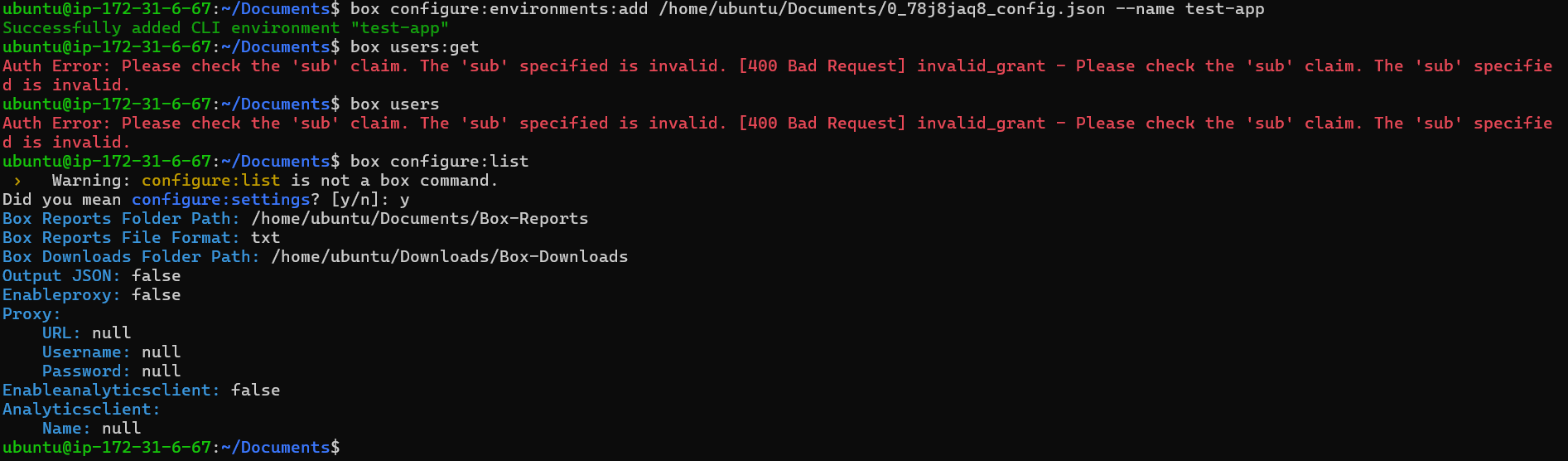
Made changes to the permission of my application and I cannot submit a review for our administrator to take a look at: Please note: This application has already been authorized, but subsequent authorizations are failing. I am receiving a 404 for a failed authorization as the response. { "error": "Authorization Failed", "message": "", "statusCode": 404 }
I have been using the same call for some days but since a couple of days we started getting 400 responses when using offset in a /search call. For example: {'type': 'error', 'status': 400, 'code': 'bad_request', 'context_info': {'errors': [{'reason': 'invalid_parameter', 'name': 'offset', 'message': "Invalid value '2'."}]}, 'help_url': 'http://developers.box.com/docs/#errors', 'message': 'Bad Request', 'request_id': 'gcvgk4hqlhels3di'} The original call was to the url https://api.box.com/2.0/search?limit=11&offset=2&content_types=name,description&ancestor_folder_ids=250469971042&type=folder&fields=name,description,path_collection&query=%2232%22 Are we composing the URL right? Thanks in advance!
I have been struggling to get a thumbnail representation through the .net sdk. I am able to get the url for the download but everytime I try to download it through an httpclient request to return a stream, the stream results and memorystream converted to base64 are unusable. I am unsure if my approach is not correct or if there is an issue with the sdk. My code is as follows: public async Task<string> GetThumbnailImageById(string Id) { BoxClient adminClient = _session.AdminClient(await token.FetchTokenAsync()); var requestParams = new BoxRepresentationRequest() { FileId = Id, XRepHints = "[png?dimensions=1024x1024]" }; BoxRepresentationCollection<BoxRepresentation> representations = await adminClient.FilesManager .GetRepresentationsAsync(requestParams); var url = representations.Entries.FirstOrDefault().Info.Url.ToString();
I am using Box-Node-SDK to fetch details of a file in my drive. As you can see in the below screenshot, I created the file and modified it multiple times. We can clearly see that I am the owner of the file., in the file details. But, when I fetch the File-Info using Node-Box-SDK. The “Permissions” object in the response shows “can_upload” as “false”. I have created a Custom-Application to use Auth2.0. Added a Web-Integration, I used the auth-code Received from web-integration to Initialise BoxClient and Fetch FileDetails. Am I missing something obvious here? Why is “can_upload” show “false”, When I have access to the file, and uploaded a new version multiple times? Thanks, Sarin
The documentation at https://developer.box.com/guides/embed/box-embed/ briefly mentions that postMessage() is used to retrieve status, but I can’t seem to make it work. I’ve setup an event listener for the message event, but it does not fire. I’ve also tried calling postMessage on the iframes contentWindow property, but to no effect.
Hi Team, I got stuck when I tried to run the script from the repository Mini Box MediaInfo Video Metadata Uploader on GitHub. I followed the README instructions step by step, and I also check the Video on YouTube. When I ran the following command: python3 src/main.py -c I got the following error: ImportError: cannot import name ‘appengine’ from ‘urllib3.contrib’ Can anyone help me understand why I got this? Thanks.
i am using the boxnet integration with moodle as found on GitHub - moodlehq/moodle-repository_boxnet: Boxnet repository that was removed from standard package in Moodle 4.0 and finding some environments failing on the download (while others continue working). i am wondering if there are any tools to let me see what is happening from the box end of things? thx for any help.
Hi team!We submitted the app for approval around 2 weeks back but haven’t received any reply till now about our approval status.App details:Name: CobaltEmail: <removed personal information>User ID: <removed information>Can you please expedite this as it’s an urgent requirement?Looking forward to a positive response.
We are actively builidng a Box Integration. Developed a custom-application to use Authentication as OAuth2.0. We have added multiple web-integrations and everything works as expected. When Any action is triggered from Box-Cloud using a Web-Integration – We use the authCode to generate the access-token with NodeSdk. – We perform the required task and Workflow is Completed without any issues. We are storing {access_token, refresh_token, ttl} in our backend database… The Problem is when we Try to refresh the Token: The Refresh Token is used for the first time. The Refresh Token is not expired (I tested within few minutes, after getting the refresh-token). I tried using the Authentication flo: Contructing AuthenticationUrl, Allow Access from BOX, Exchange Code for Token. etc. It also failed when I try to Refresh the Token. I tried using CURL, POSTMAN and NODE-SDK. Everything is throwing the same error related to "Invalid-grant" “invalid_grant”, “Invalid grant_type parameter”, etc T
Copy pasting this from another question that was never answered: When I attempt to perform a preflight check with a file with the same name in the same folder and run into a naming collision, I have code that accounts for the conflict error Box API Exception with code: “item_name_in_use”. I expect the JSON object to have an array of conflicts inside context_info as per the documentation https://developer.box.com/reference/resources/conflict-error/ However, sometimes conflicts is an object instead of an array, breaking my deserialization process. Example: When calling boxFolder.canUpload(filename, fileSize), I receive this error: { "type": "error", "status": 409, "code": "item_name_in_use", "context_info": { "conflicts": { "type": "file", "id": "1545199568548", "file_version": { "type": "file_version", "id": "1697444235748", "sha1": "da39a3ee5e6b4b0d3255bfef95601890afd80709" }, "sequence_id": "0", "etag": "0",
Hi, What is the use of using the SDK when we already have API. We can directly use those API. I am trying to do chunk file upload. For that it initially creates a session and then uploads parts of a file (https://upload.box.com/api/2.0/files/upload_sessions/:upload_session_id) this the API to upload parts of a file. I checked in SDK how they uploading the parts of a file, in that they have handled all the file splitting and every required. But when I tried the https://upload.box.com/api/2.0/files/upload_sessions/:upload_session_id API in postman, I am not able to upload file. My question if SDK are handling these splitting functionalities, Does API also handle all the scenarios? What is the benefit of using SDK if we already have API?
Hello, We are trying to bulk create Box folder/subfolders for existing Person Accounts in Salesforce. We have different Record Types available in Salesforce and our Box folder structure will be slightly different for each of those Record Types. Is there any way we can bulk create these folders in Box without consuming too many API callouts? Thanks Deepak
After a lot of simultaneous user delete and group_membership delete operations, some group_memberships are stuck. In admin console, it shows that there are users in the group, but not showing them inside, also users are already deleted. If checking via API, they are shown in group/GROUP_ID/memberships endpoint, but attempting to delete them via DELETE on /group_memberships endpoint causes this error: { “type”: “error”, “status”: 404, “code”: “not_found”, “context_info”: { “errors”: [ { “reason”: “invalid_parameter”, “name”: “group_tag_user”, “message”: “Invalid value ‘group_tag_user_36356814675’. ‘group_tag_user’ with value ‘group_tag_user_36356814675’ not found” } ] }, “help_url”: “http://developers.box.com/docs/#errors”, “message”: “Not Found”, “request_id”: “fdm4k5hpziqx9of5” }
If I have my own logger+handler and not using BasicConfig… so like this… chandler = logging.StreamHandler() chandler.setFormatter(logging.Formatter('[%(levelname)s] %(asctime)s %(message)s')) logger = logging.getLogger("my_custom_logs") logger.setLevel(logging.DEBUG) logger.addHandler(chandler) I’m getting weirdness with client.uploads.upload_file_version where it hangs for 10mins, then the created version is blank. It’s not throwing any Exceptions and nothing lands in my logger What’s the correct way to get debug logs from the BoxClient?
Hi ! I’m using java1.8 version and trying to get the Token using Java SDK , but we got the below exception. Exception in thread “main” com.box.sdk.BoxAPIException: Error parsing PKCS private key for Box Developer Edition. at com.box.sdk.BoxDeveloperEditionAPIConnection.decryptPrivateKey(BoxDeveloperEditionAPIConnection.java:568)* at com.box.sdk.BoxDeveloperEditionAPIConnection.constructJWTAssertion(BoxDeveloperEditionAPIConnection.java:503)* at com.box.sdk.BoxDeveloperEditionAPIConnection.authenticate(BoxDeveloperEditionAPIConnection.java:327)* at com.box.sdk.BoxDeveloperEditionAPIConnection.getAppEnterpriseConnection(BoxDeveloperEditionAPIConnection.java:182)* at com.box.sdk.BoxDeveloperEditionAPIConnection.getAppEnterpriseConnection(BoxDeveloperEditionAPIConnection.java:216)* at com.arondor.flower.tools.box.util.BoxAPI.setAPI(BoxAPI.java:54)* at com.arondor.flower.tools.box.util.BoxAPI.getAPI(BoxAPI.java:33)* at com.arondor.flower.tools.box.service.ServiceFolder.createBaseFolder(Ser
Hi @rbarbosa, I am also trying to fetch files and folders in content explorer, using metadata query in node/react. I am facing 2 issues: getting back all files and folders for a sponsorCode metadata as a response. But only files are getting displayed in content explorer. Folders are not getting displayed. I have 3 folders with different values for sponsorCode metadata(Folder 1- TESTF metadata, Folder 2- TESTR metadata, Folder 3- TESTM metadata. I am only able to fetch files/folders for TESTR metadata. Other searches are resulting in no data in response. I have waited for more than 48 hours after applying metadata. Can you pls help solve this?
Already have an account? Login
No account yet? Create an account
Enter your E-mail address. We'll send you an e-mail with instructions to reset your password.