















A community space to collaborate on Box APIs, explore SDKs, and build powerful applications
Recently active
In this article we are going to explore how to electronically sign a document from a template using the Box Platform. This is a companion discussion topic for the original entry at https://medium.com/box-developer-blog/working-with-box-sign-templates-35ef3f12e3fc?source=rss----a995c24848a3---4
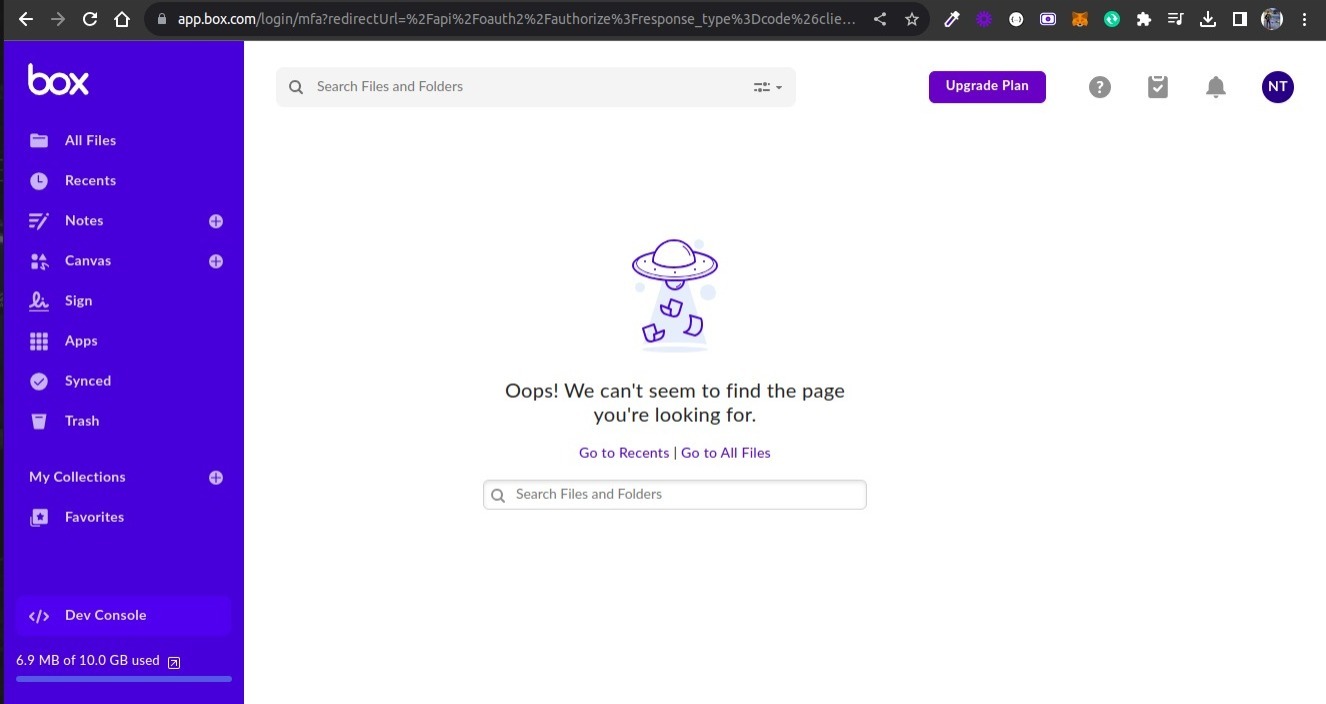
I created an Embedded widget and included it into a page. The shared link that is used for the widget is restricted to users with access. When I need to sign in, it opens a new tab, I sign in and it refreshes the original widget. However, when it refreshes, it still asks to sign in. This issue only happens in Firefox. I have cleared my cache and cookies, tried using a different Box environment for the shared link, used Firefox on a server (separate from my local machine) and tried rebooting. None of these have worked. However, I do believe that it was working at some point and then within the widget, I tried to sign out of my account. Ever since then it hasn’t worked. However, I don’t know if this is a cause/coincidence or mis-remembering how it was working before. It doesn’t seem like logging out within the widget would cause it to break for different Box environments and different servers. I have included a screenshot of the view I see before and after it refreshes
Hello, I have a question about the box API when OAuth 2.0 is used. My end goal is to upload a file to box using a bot. The first part of my test is to set up the API and do this manually for now. With this goal in mind, I created a personal box account (my organization suggested doing this) to do testing. Then, I created an application and followed the instructions from box to authenticate using Python and SDK. The problem that I’m facing is that I cannot view my root folder. I get a message saying <Box Folder - 0 (All Files)>. I can create folders, search for files, and upload file to box root folder. I read some of the posts on the forum and I already discarded the possibility that I am using a service account because when I look at my client.user() i see my user ID and email. Also, I’m using a developer token and to my understanding, a developer token is associated with the user who’s logged into the developer console. The code that I’m using is below, thank you! from boxsdk
We know that getting started with a new SaaS product can be challenging, but starting today, your journey learning how to use the Box API just got a little simpler. The Box Developer Relations team is proud to launch the brand new Learn Box Platform section of our developer site. This is a companion discussion topic for the original entry at https://medium.com/box-developer-blog/new-box-platform-learn-section-d66364c9cdfc?source=rss----a995c24848a3---4
Hi, When I use the metadata-query command and try to add more options to query more data about the file creation date using the Fields option or the Extra-Fields option, no results show up, only file name and file id Here is the command box metadata-query enterprise_******.department 1736501103 --fields=created_at ----- File 1342427526557 ----- Type: file ID: ‘1342427526557’ Also need to know the list of options that I can use under Fields and Extra-Fields as the Box CLI is not showing any help or examples for it. Thanks
Hi teams, We are facing an issue with the search API of Box. For example, if I have files named ‘image-1’, ‘image-2’, and ‘image-3’ in Box, and my search term is ‘image,’ I noticed that the ordering of results is not consistent. The order of results varies each time I invoke the API. This inconsistency affects the API results, especially when we use pagination. For instance, if I query to get the first 20 results and then use the ‘offset’ value to retrieve the next page of results, I observe that there are repeated results from the previous API call. Please consider this issue and provide us with a resolution. Thank you
Hi! I noticed in the docs that there’s a limit to 10 enabled box skills per enterprise instance. Box Support Enabling and Configuring Box Custom Skills This article presents the basic information Box administrators must know to enable, maintain, and manage Box Skills for their enterprise. You must be upgraded to the latest version of the Admin Con... I’m new to box, so I’m not sure what an enterprise instance is. Is that a billing or organizational concept? Here’s our use case: our customer is a subsidiary of another company that runs events. Our customer drops their assets into a folder per event. There are other subsidiaries that also run events and at some point we’d also like to get them as customers. What do I need to ask them about their installation so I can figure out how many custom skills we can add? If each subsidiary has its own box instance then it’s 10 per subsidiary. But if they have one enterprise instance (l
In my previous post, I explored our newly released Box TS and used it in a simple Node.js app. As we get more and more questions regarding the usage of this SDK in a browser-based project, here is a very quick tutorial. No frameworks, no bundlers — just a simple static page enhanced with the capabilities of Box Platform. This is a companion discussion topic for the original entry at https://medium.com/box-developer-blog/use-box-ts-sdk-in-browser-based-projects-41fce49d24f5?source=rss----a995c24848a3---4
Hi, We would like to implement a flow to delete folder after 30 days of case being closed. Support have advised we should use the Send Request Action in a flow however it isn’t visible to us, any ideas why this may be? We are using Version 4.28 Thank you
We are integrating using SF and would like to assign a zone to files depending on the region on the account record. Does anyone have any suggestions on how we can achieve this using SF flow? Thank you
However you celebrate this season of harvest, the Box Developer Relations team wishes you a warm and happy thanksgiving. This is a companion discussion topic for the original entry at https://medium.com/box-developer-blog/from-our-developer-relations-family-to-yours-181ba24e20b4?source=rss----a995c24848a3---4
Hello everyone, I’m integrating Box.com into my React application. When I redirect users to this URL for Box login, const boxAuthUrl = `https://account.box.com/api/oauth2/authorize?response_type=code&client_id=${encodeURIComponent(CLIENT_ID)}&redirect_uri=${encodeURIComponent(BOX_REDIRECT_URI)} i’m facing an issue with some accounts. Often, when the user is redirected, they end up at a different URL. How can I resolve this issue? Can anyone help?
Box released a generated Python SDK a couple of months ago for beta testing. With these new SDK’s you get full API support, fast API updates, embedded documentation, and enhanced convenience methods. This is a companion discussion topic for the original entry at https://medium.com/box-developer-blog/box-python-next-gen-sdk-getting-started-with-ccg-81be0abc82d9?source=rss----a995c24848a3---4
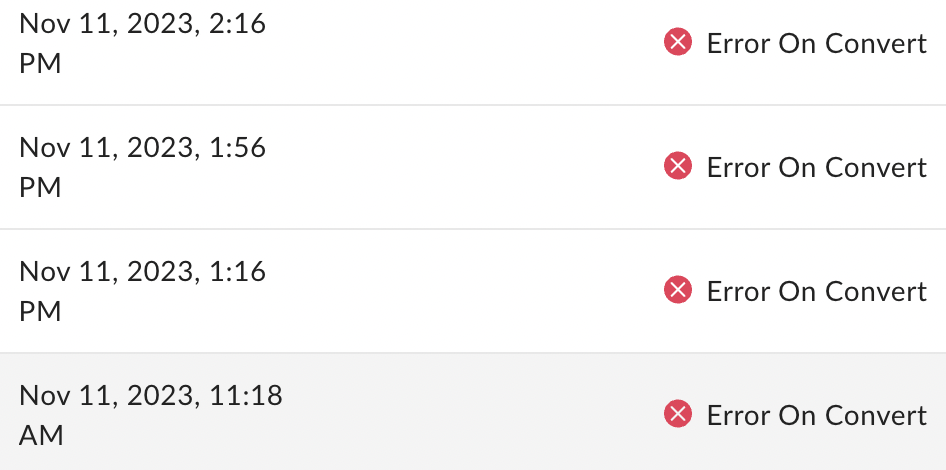
Anyone seeing this pop up again? Starting on Nov 10th I began seeing large increase in “Error on Convert” Same issue as Create Box Sign Request API results in failure while converting though that one is marked as Solved. It’s the same outcome, though perhaps could be a different cause. My guess would be there is an issue again on the Box side, because nothing has changed in my API calls and like with last time, some calls succeed while others result in “Error on Convert”.
I’m trying to check with an API how many times a file has been accessed. Since there is no API to obtain the insight information provided on the web screen, I think that the FILE (Full) objects shared_link.download_count and shared_link.preview_count are appropriate alternatives. However, these values always remain 0 whether I preview or download the file. When are download_count and preview_count updated?
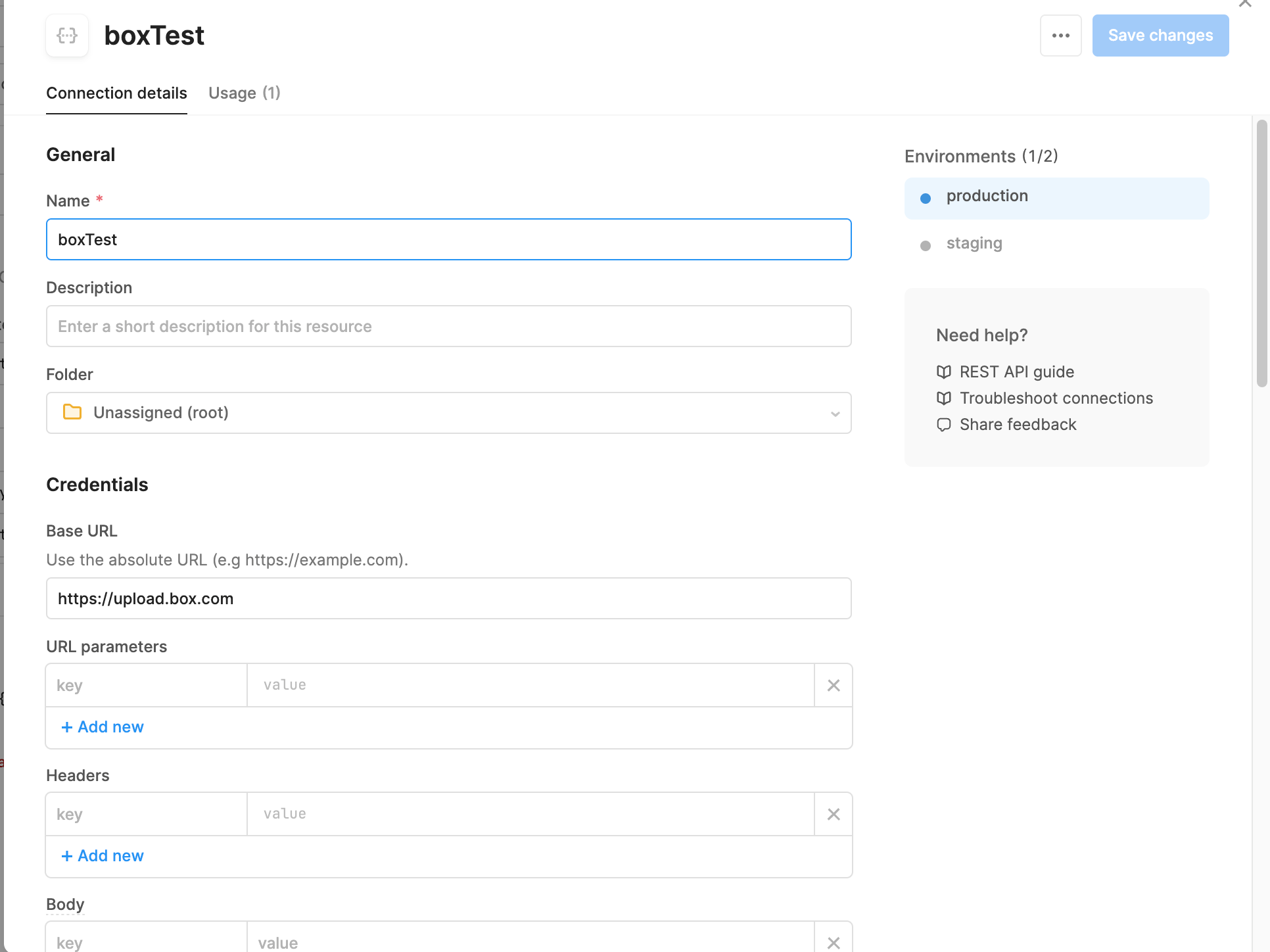
Hi all, I am trying to test out connecting my retool web-based application to take an uploaded file and send it to my box drive via the upload PUSH. The below screenshots show my settings for setting up the API connection, and then the form information for the PUSH. However, when I run it I get a 400 code with a blank message (“”). When I look in the response, It also states a 415 error of invalid file type (see attached). The file is stored encoded with base64 (not sure if that is the problem since the documentation states a string or binary. I am not sure if this is a box issue, retool issue, or user issue (or a combination).
In this article we are going to explore how to sign documents using the Box Platform. Specifically unstructured documents, and also cover most of the Box Sign features common to all use cases. This is a companion discussion topic for the original entry at https://medium.com/box-developer-blog/working-with-box-sign-d76dc4918235?source=rss----a995c24848a3---4
The Users & Groups section of box admin shows that I have a managed user that is using 95% of the storage of my account. I am unable to see that content in the Content section of box admin because I don’t see a Content Browser tab (in both Firefox and Microsoft Edge). I have tried deleting the user and transferring their content to me, but when I click the Continue button it shows a busy animation and never goes to the next screen. When I login to box admin later, no additional content has shown up in my account, and the user I tried to delete is still there and is still using 95% of the storage. The problematic user was originally the account admin, but has an email address from a domain that box doesn’t allow, so a couple years ago I created a new user (the user I’m logged is as now) and made it the admin. I had to file ticket #2455825 to get the account reactivated. The problematic user is now shown as Co-Admin and listed as Active, but I am unable to login using that email
I’m using the /recent_items to identify the following: item_modify, where a user has modified a file in Box item_preview, where a user has viewed a preview of a file item_upload, where a user has uploaded a file item_comment, where a user has added a comment to a file I have created a folder & file, created a folder & uploaded a file, and added comments to the file in my box account. However, the response only lists files interacted with interaction_type = “item_preview”? I was expecting the API to return the interaction_type = “item_uploaded” when the file was uploaded; and return the interaction_type = “item_comment” when a comment was added the file? Any help is greatly appreciated. Thx
Hi, I have created a folder inside my enterprise account and shared the content with an individual user outside my organisation. The user created a free account to access the content, and he trying to automate that content download using SDK. While trying to create an app with limited access to download the content the user can’t generate “Primary Access Token” Is the free account have any limitations to create an app to download contents?. Thanks, Aneesh
Hi, We’ve been using the Python SDK to run a nightly job that gives us a list of all the files (and some metadata) in our account. That job historically took about 30 minutes to complete, recursively going through all the directories, etc. As of a few days ago (11/5), though, it suddenly doubled in length, even though the number of files/folders in our account hadn’t changed. So two questions: Has anyone else noticed anything similar over the last few days? Is there a better/different way to get to that data? Our current function looks something like this: def get_recursive_files(settings, client, folder_id, path_prefix=None): file_list = [] folder = client.folder(folder_id).get() for item in folder.get_items(): if item.type == 'folder': file_list += get_recursive_files(settings, client, item.id, path_prefix) else: file = item.get(fields=['id', 'name', 'created_by', 'created_at', 'modified_by', 'modified_at', 'path_collection', 'ver
We plan to develop a Box app using .Net. But apparently, .Net seems to be not a popular option based on the traffic here. Are there any reasons for that?
Do I need paid account to utilize the file upload feature using .NET SDK? Also where to find authorization code for my app in the interface? Please let me know and I am stuck on this
Lots of customers upload videos to Box and Box offers a great preview experience for most video formats. Often customers want to direct the viewer to a certain time in the video and this is mostly done via email/Slack/Teams with with a given time for the viewer to jump to. Like this… This is a companion discussion topic for the original entry at https://medium.com/box-developer-blog/lets-talk-about-video-bookmarking-864d5c68e3c0?source=rss----a995c24848a3---4
I have a Box enterprise account, and I want to create a client object that can perform various operations on behalf of enterprise users. My goal is to access and manage files and folders. To achieve this, I’ve explored two authentication methods: developer tokens and JWT authentication. Is it true that developer tokens should not be used for production? If yes then I am left with JWT Authentication. JWT Authentication: I’ve looked into JWT authentication, which appears to be suitable for server-to-server communication. However, I’m unsure about how to set up the following JWT authentication parameters: jwt_key_id rsa_private_key_file_sys_path rsa_private_key_passphrase Additionally, I would like to know how to create a client object using JWT authentication to access enterprise users’ data and perform operations as the Service Account or individual App Users.
Already have an account? Login
Enter your E-mail address. We'll send you an e-mail with instructions to reset your password.