






Ask questions relating to Box here
Recently active
Hello, I am an individual with an individual box account. I got a new iPhone and lost my Authenticator App and all the tokens. Now I cant login to my box account and there is no admin to reset it. Support.box.com is unhelpful and sent me here. Can anybody please help me? I have no IT background and Ive been locked out for a few weeks already.
Hello, I have a client that implemented Box for Salesforce. We have enabled seamless login, but it is still requiring users to login into Box each time to access files in Salesforce. Most users are reporting they see the error message below: I’ve logged a case with Box and they are having issues figuring it out. Has anyone ever experienced this issue? Any help would be greatly appreciated. Thank you, Alisha
I am not able to access all folders created with my account in my created app.
GOAL: I would like to retrieve the document URL from the box-sign api request and have the e-signature email sent out. Option 1: Option 1 sends a e-signature request email but no URL in the request payload = { “template_id”: template_id, “email_message”: ‘message’, “email_subject”: subject, “days_valid”: 5, “parent_folder”: { “id”: folder_id, “type”: “folder” }, “signers”: [ { “email”: email, “role”: “signer”, }, ], “prefill_tags”: prefill_tags } Option 2: Option 2 DOES NOT send a e-signature request email but there IS* a URL in the request payload = { “template_id”: template_id, “email_message”: ‘message’, “email_subject”: subject, “days_valid”: 5, “parent_folder”: { “id”: folder_id, “type”: “folder” }, “signers”: [ { “email”: email, “role”: “signer”, “embed_url_external_user_id”: ‘1234’, }, ], “prefill_tags”: prefill_tags } response = client.make_request( ‘POST’, endpoint, data=json.dumps(payload), headers={‘Content-Type’: ‘application/json’} ) response_data = response.json() iframea
url=f'https://api.box.com/2.0/files/{file.file_id}?fields=representations' headers = { "x-rep-hints" : "[extracted_text]", "Authorization": f'Bearer {user.box_access_token}' } ext_text = requests.get(url,headers) print(ext_text.status_code) url_template = str(ext_text["representations"]["entries"][0]["content"]["url_template"]) url = url_template.replace("{+asset_path}", "") resp = requests.get(url, headers={"Authorization": f"Bearer {user.box_access_token}"}) resp.raise_for_status() print( resp.content) The same call made through postman return success.
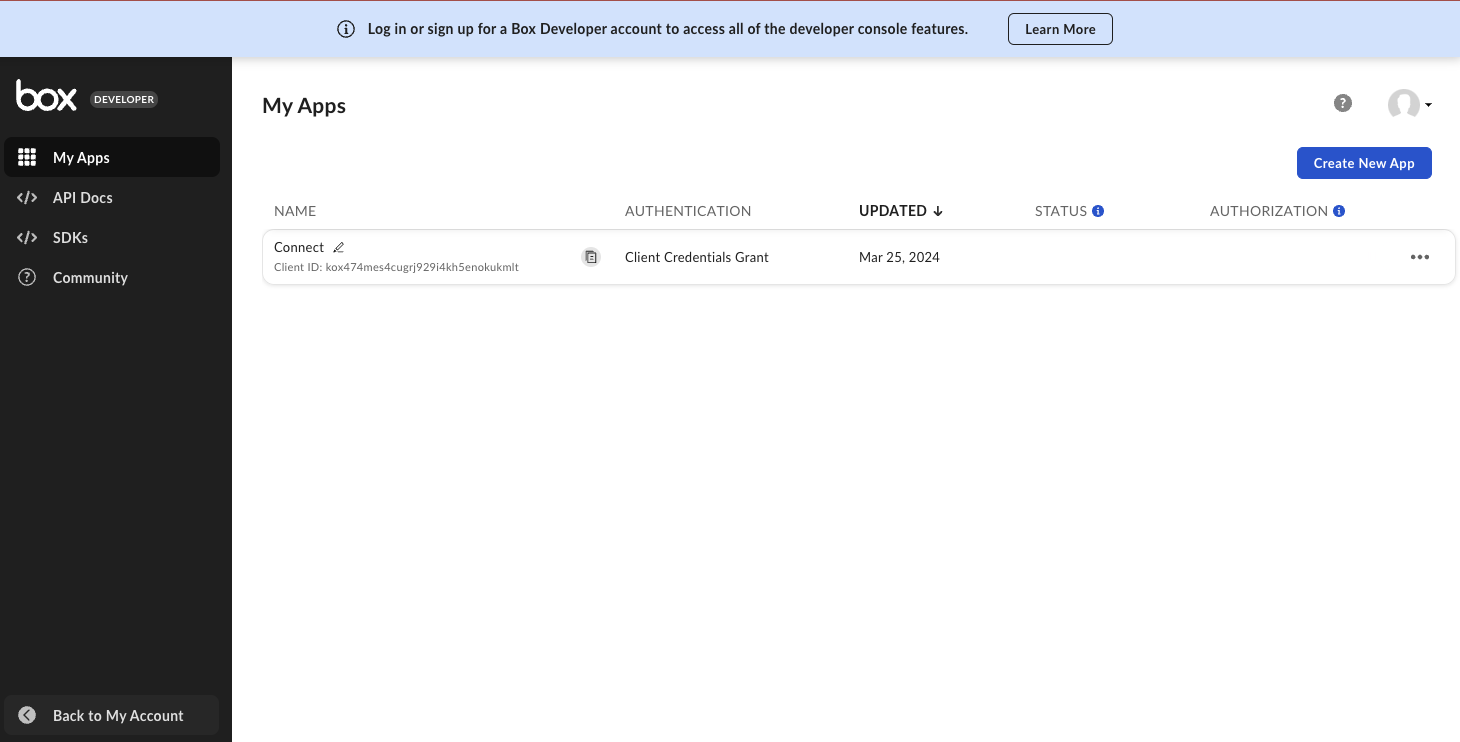
We are enriching the application management experience by providing a list view for you to find key information about your applications. With the enhanced “My Apps” page within the Developer Console, you will be able to: Access quick actions from the main page such as editing application name, configuring applications, and generating developer tokens View client ID, application description, and application status We’re always looking for feedback on new features and functionality - so post below to let us know what you think! Thanks, Mike Grytsai
Hello, We are a platform that allow user setup a webhook and download file automatically from Box to our platform on behalf of user via their app credentials. We have an issue as bellow: We received webhook event from Box FILE.UPLOADED We started downloading the file. But sometime we got error “The archive entry was compressed using an unsupported compression method” After 10 minutes we retried and we can successfully download Please help us know why the error occurred in the first time. Thanks Here is detail log (time in UTC) [2023-12-05 01:16:38.217] 0HMVA8NTOJJO1:00000002 [HookedByBox] data: { "type": "webhook_event", "id": "cc23f5d1-74c3-40ee-8083-2f98dd94c227", "created_at": "2023-12-04T17:16:36-08:00", "trigger": "FILE.UPLOADED", "webhook": { "id": "1850240637", "type": "webhook" }, "created_by": {... }, "source": { "id": "1379611876151", "type": "file", "file_version": { "type": "file_versi
Hello, I have created a box connector application for one of my client who is an Enterprise user. I have used the CCG and approved the application I have created through the Box dev console. So now I have a service account and the requirement is that they will be providing some box urls and based on which we fetch the contents for them. Now as we use the CCG my understanding is that either we need to use the user id who has access to the said URL folders/files to authenticate so that my application can fetch the details Or, use the enterprise id but share the said folder/files in box with the service account email so that our application can use. I currently use this method please confirm if I’m doing it correctly or is their any other way that one account has access to all or my understandng of service account is wrong? @ajankowski , @mwoda, @rbarbosa
Hi there! We partnered with Developer Nation survey to track trends, experiences, and insights across platforms, languages, revenue models, tools, and regions. Developer Nation survey, an independent initiative by SlashData, engages over 30,000 developers annually from 165+ countries. Take the survey and win premium gear, licences and subscriptions to help grow your coding skills!
Hello Community, I’m relatively new to the platform and could use some guidance on the most effective approach to conduct load and performance testing using the Box API. My objective is to simulate substantial traffic from diverse users simultaneously, each with varying rights and permissions that need to be pre-configured. These users are expected to perform basic CRUD operations and execute various searches on the platform. I am seeking advice on the appropriate method to implement such a scenario on the Box platform. Specifically, I would appreciate insights into the recommended box application type and any other pertinent details that could facilitate the successful execution of these tests. Thank you in advance for your valuable assistance.
I want to change my primary address with the REST API https://api.box.com/2.0/users I would like to change the primary email address of the target user by using login as a parameter in the “login” section, but I cannot do so because of a 400 error. It is a bad_request, but can’t I change the primary address using info? {“type”: “error”, “status”:400, “code”: “bad_request”, “context_info”:{“errors”:{“reason”: “invalid_parameter”, “name”: “new_primary_ email”, “message”: “Invalid value ‘change-test@test.com’.”}]} , “help_url”: “http:/developers.box.com/docs/#errors”, “message”: “Bad Request”, “request_id”: “nwogfbhkcvt2r3mk”}%.
Hello I need contact with support team as soon as possible, we’ve talking with support but they stopped answering so I need some help about this issue, thanks
It appeared that since end of last week, our API calls from server to api.box.com has been failing. On further investigation opening https://api.box.com using browser, there appeared to be issues with the site certificate itself. and browser returned HTTP ERROR 401.
Hello. Box is reporting warnings and errors in the console when I use the “download” link exposed after I click the “…” in a file’s row when browsing a folder. The error is a 403 (Forbidden) error. I’m pretty sure this isn’t what used to happen. I have my cache disabled, and my browser was restarted today. The warnings and errors in the console make it sound like Javascript is not matched with the resources the browser is fetching from CDN. Here are the console contents. The 403 error appears when I click “download” after clicking the file’s row’s ellipsis. vendors~observability.5ad568aac3.js:1 rumAccessToken will be required in the future … runtime.013a6bc02d.js:1 Initialization of sharing external failed: Error: No remote path is available for the remote name box_docgen_client! … As a workaround, I am able to download if I click on the row for the file, then Box shows me the page for the file, and I can successfully download the file via the “download” button at the top right. So t
I’m attempting to use the Box Embed widget to serve as a file uploader – from the parent application, I would like to listen for events for things like onFileUpload, onFileDelete, etc. I’m wondering if the widget broadcasts any messages that would allow me to do this? The problem I am trying to solve is to upload a file to the Box embed widget, and then store the file path of the newly uploaded file in the parent applications backend. But currently I do not receive any information back after the onFileUpload event, so the parent application does not know what the uploaded file path is. I’m open to any and all other approaches that might unlock that. Thanks in advance for any guidance.
I misconfigured my application within developers.box.com and deleted it to create another one and start the correct configuration. When deleting the app, I forgot to remove the public key from my bubble.io app. When creating a new application, I can no longer use the public key of my bubble.io application because it says that it is being used. However, I no longer have access to the application that I deleted on developers.box.com to remove the public key. How to resolve this?
Hi @matt.riley Our integration developer is trying to apply metadata in production but getting the following error ‘‘[404] not_found - Specified Metadata Template not found While it is working in sandbox, also I have tried using Box CLI to add the metadata using the “as-user” for the developer account and it is giving this error “Unexpected API Response [403 Forbidden | kvmbobhjn3tf8x1g.049584c0275b75bfb5775df5fa19eac6c] access_denied_insufficient_permissions - Access denied - insufficient permission:” while I have invited the user to the folder with an Editor permission. Let me know if you need more details. Best Regards
When I create a developer account and I try to create an app, but there is no way for me to approve it. The admin console is no longer available, and I cannot find a way to test anything of what I do. Because of the admin account not existing I cannot use JWT authentication to do tests or any of that.
I have a client who is an Enterprise user. I need my application to get the enterprise users details and folder in my app. Currently as part of development as there is no enterprise account avaialable for developers we are using our personal client id and secret to access our files. To access the entire Enterprise, request Enterprise access and submit your app for authorisation. Then for our enterprise client , how should we go about? Where should we request the enterprise access.
My storage was full. I deleted the biggest past and nothing happened. It says that my storage is still full. There is nothinh in the trash past. I don´t understand what is happening.
Hello, I am using Box CLI Box folders:download in GitHub Actions, and I want to download it to a specific path. When I trigger action, it downloads it to C:\Users\Administrator\Downloads\Box-Downloads I can’t believe this is not already thought off - maybe I am missing something but I couldn’t find the flag for this in https://github.com/box/boxcli/blob/main/docs/folders.md#box-foldersdownload-id thank you ~Laith How to achieve this?
Can I add query params to redirect-uri. I am using box oauth2 python sdk.
Currently I want to use the “Open With” function of the box and follow this docs https://developer.box.com/guides/embed/ui-elements/open-with Currently I’m stuck at the add-integration-to-user step. developer.box.com Content Open With - Box Developer Documentation Explore the Box APIs and SDKs to use for app development, API documentation, developer support resources, and access the Box Developer Console Like the image I shared, it seems like I got the wrong authenticate but the error code is 404 so I can’t predict the specific error. I see that the Open with UI is displayed but is disabled and error 500. Pls help me.
I am trying to get the some folder information from my box folder but when I am executing the code getting this error “{“type”:“error”,“status”:404,“code”:“not_found”,“context_info”:{“errors”:[{“reason”:“invalid_parameter”,“name”:“item”,“message”:“Invalid value ‘d_167383943946’. ‘item’ with value ‘d_167383943946’ not found”}]},“help_url”:“http://developers.box.com/docs/#errors”,“message”:“Not Found”,“request_id”:“dlcl7ahjegv6pt82”}” I’ve even searched in the box support and found the same error ( Not able to get folder info using access token - SDKs & Tools / Python - Box Developer Community and followed the same but those guidelines mentioned in that chat is not supported by our organization. can anyone help me on this error.
File exist in BOX folder and points to itself in BOX. this issue show up. I don’t know why “404 message file doesn’t exist or folder -1”
Already have an account? Login
No account yet? Create an account
Enter your E-mail address. We'll send you an e-mail with instructions to reset your password.

