All things API and SDK related
Recently active
We have several upcoming opportunities for you to engage with the Box Developer Relations team and learn about Box Platform! Below is a round up of the currently scheduled events, but stay tuned — we have even more coming soon. This is a companion discussion topic for the original entry at https://medium.com/box-developer-blog/box-platform-upcoming-events-09adf5d04151?source=rss----a995c24848a3---4
I have an intermittent problem where the Python Box SDK is raising the following exception when generating a down scoped token. The code works most of the time but occasionally will stop working for a few minutes. Do the JWT tokens need to be expired or released? The code is being run from an AWS Lambda and the downscoped token only needs to be used once. Is there API rate limit. I don’t think I’m near it usage would be less then 30 an hour but maybe multiple in quick succession. Our Box Account is Business Plus. boxsdk.exception.BoxAPIException: Message: The subject_token provided is invalid The code that is generating the error is in the used to create a downscoped token that can be used by a Box Preview embed: config = JWTAuth.from_settings_file('cert/abcd_1234_config.json') client = Client(config) target_file = client.file(file_id=file_id) token_info = client.downscope_token(['item_preview', 'annotation_view_all', 'annotation_edit'], target_file) Full Error Trace Traceback (most
Hi, I’d like to make a request to have the dll in Nuget package signed by Box. The package itself is signed, but Box.V2.dll. Microsoft is introducing Smart App Control and having dlls signed gets more important.
Hello developers,We are thrilled to announce the release of our new dedicated resource page Working with the Box Sign API. This comprehensive guide is designed to help you seamlessly integrate Box Sign into your applications, providing you with the tools and knowledge to make the most out of this powerful e-signature solution. This is a companion discussion topic for the original entry at https://medium.com/box-developer-blog/announcing-the-release-of-box-sign-dedicated-resource-page-for-developers-9f910c2f795d?source=rss----a995c24848a3---4
Dear Forum, When running BoxAPI through an internal proxy, I am having trouble because [EE certificate key too weak] SSLError has occurred. Internal proxy information is set in Python-BoxSDK, Skipping certificate validation will prevent SSLError from occurring. Please let me know the cause of the above problem and how to resolve it. My personal opinion is that the security strength of the certificate sent from the internal proxy is too weak. 【SSL Error】 requests.exceptions.SSLError: HTTPSConnectionPool(host=‘api.box.com’, port=443): Max retries exceeded with url: /oauth2/token (Caused by SSLError(SSLCertVerificationError(1, ‘[SSL: CERTIFICATE_VERIFY_FAILED] certificate verify failed: EE certificate key too weak (_ssl.c:997)’)))
Hello there I am developing an integration for a customer that uses BOX. I have created my own box account to develop and test the integration. Today i wanted to test it out on the customers enterprise. They could add and authorize the app easily via the client id. However the app service account needs to be added as a collaborator to the folder it needs to see. This is where we ran into trouble, as BOX refused to add the service account since it was from a different enterprise. Is it possible to add a serviceaccount from a different enterprise at all? I am going at this the wrong way or is there some trick that i have missed. Best regards Malte
Watermarking serves as a deterrent to unauthorized sharing of content. When a file or folder is watermarked, the email (or ip address) and a time stamp of the user, are added to the preview of the content. This is a companion discussion topic for the original entry at https://medium.com/box-developer-blog/box-python-next-gen-sdk-watermarks-0def26fc34ef?source=rss----a995c24848a3---4
Hi, I’m a little stuck on this. We use box for our storage for clients (organisations) and with each client, we open a new folder. The functionality I’m looking for is for an internal admin webapp. When a user logs in to the admin app, I want to retrieve a service account token so then when they create an organisation, it triggers a new folder created in the enterprise account. All the client_ids etc are in the .env and in the dev console, the custom app is fine. Here is a copy of my server.js: const BoxSDK = require('box-node-sdk'); // Box configuration app.get('/api/box-access-token', cors(corsOptions), async (req, res) => { const sdkConfig = { boxAppSettings: { clientID: process.env.BOX_CLIENT_ID, clientSecret: process.env.BOX_CLIENT_SECRET, }, enterpriseID: process.env.ENTERPRISE_ID, } const sdk = BoxSDK.getPreconfiguredInstance(sdkConfig) const client = sdk.getAnonymousClient(); // Extract the necessary information con
Hello , do we have a sample to get the refresh token in Python Gen SDK ? and those any rule to using refresh token ? like i am a Dev account can we using the refresh token ? and where can get the authorization code ? if Enterprise account do we need refresh token ? Many thanks !
Box UI Element, the Content Explorer, is now extended with the metadata view! By following this article, you’ll learn how to add the component to your custom React-based project. This is a companion discussion topic for the original entry at https://medium.com/box-developer-blog/metadata-view-in-box-content-explorer-4978e47e97e9?source=rss----a995c24848a3---4
Basic Box UI Elements resources Developer guide: https://developer.box.com/guides/embed/ui-elements/ Installation of BUIE: box-ui-elements - npm Readme for using Content Preview Element: box-ui-elements/src/elements/content-preview/README.md at b3f57ff04fc3b7b03da29408f74f1cebe4c4edfd · box/box-ui-elements · GitHub Prerequisites : Node version >=18.x AI UI Element resources What is the AI UI Element (UIE)? The AI UIE enhances the Content Preview UI Element with AI Q&A functionality. Developers can build AI-enabled chatbot-type functionality in their custom portals using this UIE. The AI UIE is capable of answering questions and taking actions like summarization of a given document. Content Preview element top bar including the AI UI Element icon: AI UI Element Q&A modal: The latest version of BUIE package including the AI UI Element: 19.0.0-beta.34 The AI UI Element is currently available only by installing the npm package. The CDN version is not yet supported. How to ad
Hi @rbarbosa we have created app with CCG and were trying to get access token with client credentials (client id,secret ,box service id ,box sevice type)in POSTMAN. WE got following error : "error":“unauthorized_client”,“error_description”:“The grant type is unauthorized for this client_id”} " And also “Authrozition” tab is also not active (no clickable).it is my doubt that we logging to site with diff user then Admin user.If that is the case , how can we know the admin user name
We’ve integrated Box with Apache NiFi, there is a processor which puts files to Box folders. In case the folder does not exist, it is created by NiFi. Usually there are several nodes in NiFi cluster so two or more NiFi instances try to create the same folder in Box parallel. Normally Box returns 409 (conflict) in case the folder is being created while another request arrives for the creation of the same folder, the NiFi processor handles this case. Although we experienced intermittent failures during our system tests when subfolders are created in Box (e.g. folder1/folder2/folder3) . Sometimes the folder is created twice with the same name, e.g. we have two “folder1” which is considered illegal since folder names are unique in Box. It seems Box does not throw an error in some cases and creates a folder with an existing name. Is it a known issue maybe? We use box-java-sdk, 4.4.0.
With Groups, you have the ability to add multiple users to folders and assign access permissions quickly and easily. When implemented effectively, groups streamline deployment and make long-term user management much simpler. This is a companion discussion topic for the original entry at https://medium.com/box-developer-blog/box-python-next-gen-sdk-groups-8099f2fc3274?source=rss----a995c24848a3---4
Hi Team, I am facing issue while uploading file to folder, I am having collaborator access for uploading file to a folder. My colleague has added me as collaborator (Admin) in app. When using Developer Token of that app I am able to upload file on folder, but when generating Access Token and using it to upload it gives me below error: Error when uploading using Generated Access Token: { “type”: “error”, “status”: 404, “code”: “not_found”, “context_info”: { “errors”: [ { “reason”: “invalid_parameter”, “name”: “parent”, “message”: “Invalid value ‘d_244280116703’. ‘parent’ with value ‘d_244280116703’ not found” } ] }, “help_url”: “http://developers.box.com/docs/#errors”, “message”: “Not Found”, “request_id”: “6sq71ghlvfufpj1r” } I am generating token using client credentials and authentication for my app is OAuth 2.0 Can someone tell me what is issue or what i am missing in this implementation? Thanks
We have a new city to announce for our Box Platform Developer Day series.☀️🌴 Miami 🌴☀️ This is a companion discussion topic for the original entry at https://medium.com/box-developer-blog/box-platform-developer-day-miami-01ccb4dc911f?source=rss----a995c24848a3---4
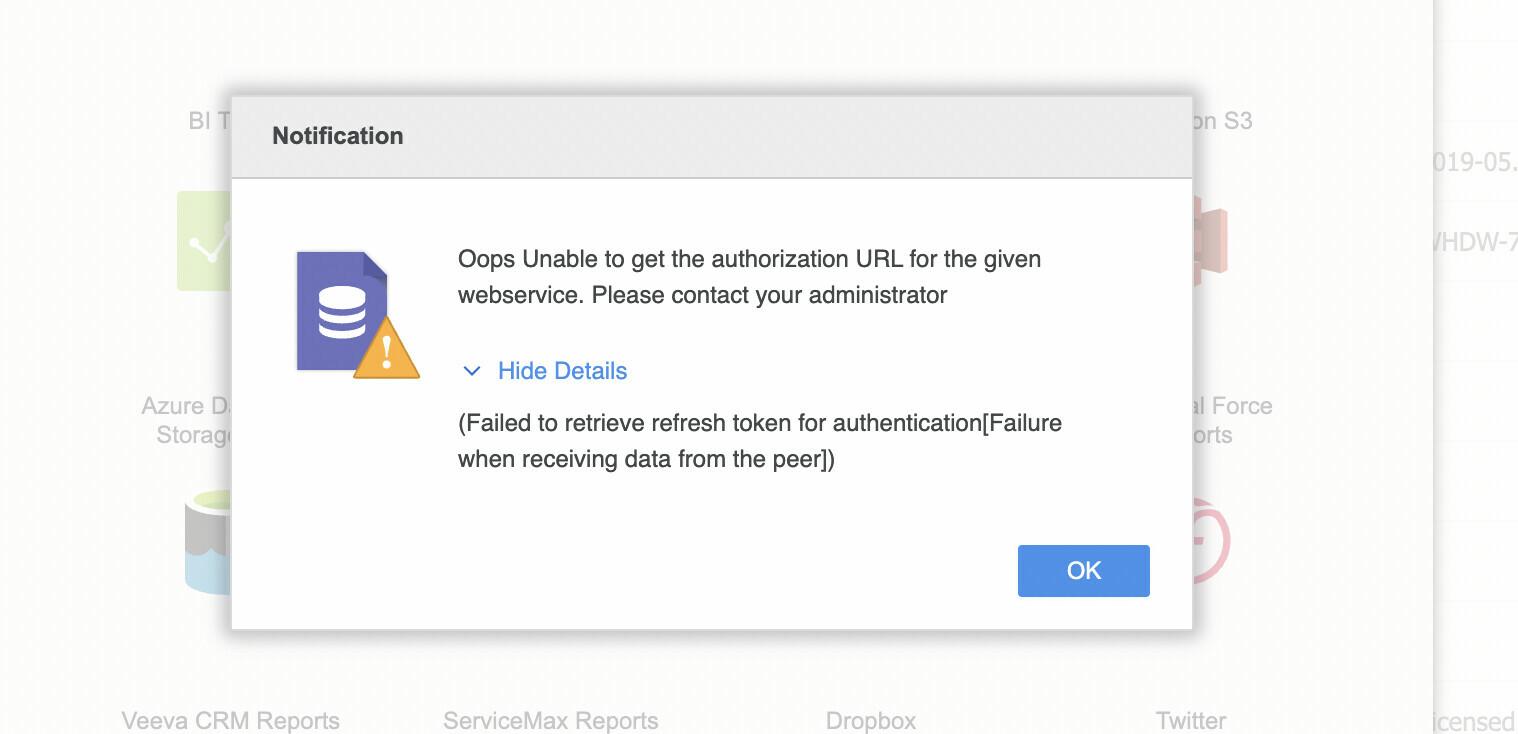
Hi Team, I am planning to connect Box application using O-Auth method with a BI tool. However, while doing so I am running into some errors which should not be the case. Could someone help explain why this is happening. Attached are few screenshot for reference.
Hi Team, I am using Box Toolkit for Salesforce; I have authenticated one service account. But I don’t want add user account in user settings as we are having users in large number. So, we can’t add users every time. Is there any other way of using Box Toolkit to upload files on box folder without providing user account? Thanks Jahanvi
I’m trying to download the files of the publicly shared KUL fall simulation dataset (Box), as I access the server I want to run my AI training on via ssh and of course don’t have a browser there. Also I’d like to avoid copying 20GB of videos via ssh or something. My app successfully authenticates and obtains the folder ID from the shared link using client.get_shared_item(shared_link), it returns “44028703597” as the folder ID. Then I call folder_items = client.folder(folder_id).get_items(), no problems here. Now when I try to iterate over that, I get an error message that the folder with the ID “d_44028703597” can’t be found, which is weird because in the same message I can see that the SDK calls GET https://api.box.com/2.0/folders/44028703597/items?offset=0, without the d_ prefix. Any idea what I’m doing wrong? My app has read permission, I can’t see anything else it might need to read public files.
Hi, I’m new using Box.com’s Java SDK. The application I’m working is trying to use Java to connect to Box.com in order to download a file. The application is a Spring Boot project, version 2.5.9, compiled using Java 8. The code below “fails” in method: BoxDeveloperEditionAPIConnection.getAppEnterpriseConnection(boxConfig, tokenCache). The method does not throw an error and never comes back from the call. The thread this process is in Stops. try { Reader reader = new FileReader("D:/Box/xxxxxxx_config.json"); BoxConfig boxConfig = BoxConfig.readFrom(reader); IAccessTokenCache tokenCache = new InMemoryLRUAccessTokenCache(100); BoxDeveloperEditionAPIConnection api = BoxDeveloperEditionAPIConnection.getAppEnterpriseConnection(boxConfig, tokenCache); BoxFile file = new BoxFile(api, "1081XXXXXXXXX"); BoxFile.Info info = file.getInfo(); FileOutputStream stream = new FileOutputStream(info.getName()); file.download(stream); tr
Hi, I am running this API call. ‘https://api.box.com/2.0/workflows?folder_id=FOLDER_ID’. When I run it, I am getting a 404 error. Here’s what I’ve done so far. I know it’s not an authentication issue because I can run ‘https://api.box.com/2.0/folders/FOLDER_ID/items’ just fine. I know it’s not an issue of there not being a workflow in the folder. I was able to successfully make this call yesterday. And I can SEE the workflows on the front end. I had our company box admin run this API call with his root account and got the same 404 error. What am I missing? Again, it’s super odd to me because I ran this just fine yesterday morning.
Hi I’m building a PHP app and I implemented the OAuth flow described in the documentation developer.box.com OAuth 2.0 without SDKs - Box Developer Documentation Explore the Box APIs and SDKs to use for app development, API documentation, developer support resources, and access the Box Developer Console however, after I successfully receive my refresh token, it only works for one request, the following request always fails Any reason why it won’t allow me to use the refresh token again in offline mode? Thanks
I want to to know if there is a webhook that can notify similar information that following: status.box.com Box Status Welcome to Box's home for real-time and historical data on system performance. because this status usually has too much delay. What do you think about, as a workaround, just use some general webhook, and finally if I didn’t receive a response it sounds like the service is unavailable?.
Box file requests provide a nice interface to collect files from anyone, and place them in a Box folder of your choice. This is a companion discussion topic for the original entry at https://medium.com/box-developer-blog/box-python-next-gen-sdk-file-requests-fb4aaf17f1ef?source=rss----a995c24848a3---4
error: package org.apache.poi.ss.usermodel does not exist import org.apache.poi.ss.usermodel.*; i meet above error when i coding , i has add the poi dependencies in build.gradle as below implementation “org.apache.poi:poi:3.17” i am using IntelliJ IDEA , anyone can help to this ? thanks!
Already have an account? Login
No account yet? Create an account
Enter your E-mail address. We'll send you an e-mail with instructions to reset your password.