




















Q&A, Updates for Box Partners
Recently active
We've watched enterprise content management evolve from simple shared drives to sophisticated cloud platforms, and Box has been at the center of that shift for thousands of organizations. But even the most well-organized Box environment has the same limitation: the documents sitting inside it are static. They can't answer questions, route themselves, or synthesize insights on demand.That's exactly why we're proud to announce the Box integration on StackAI.You can now connect Box file storage directly to StackAI's no-code workflow builder to: Ingest documents from Box folders into AI-powered knowledge bases Route, classify, and process files automatically based on content Build conversational assistants that answer questions from your Box-hosted documents Trigger AI workflows when new files land in specific Box folders Write back results (summaries, extracted data, generated reports) directly to Box Authentication takes minutes and stays secure. No IT nightmares, no months-long
When can we expect a Workday integration with Box for content and esignature?
DryvIQ’s latest eBook offers a practical guide with real-world strategic actions to help your organization make enterprise content AI-ready.DryvIQ recently put together an eBook that we hope will be useful to the Box community.It’s a step-by-step guide to helping teams understand what it actually takes to prepare enterprise content for AI – with concrete actions, checklists, and worksheets you can use to assess where you are today and what to tackle next. We compiled this real-world guidance based on work we’re doing with large organizations managing content in Box and beyond.If you’re thinking about how your content can support future AI initiatives (or just trying to make sense of the data you have), we hope this gives you a helpful place to start.Download the eBook here (no sign up required!)If you found this eBook helpful or have any questions, let us know!
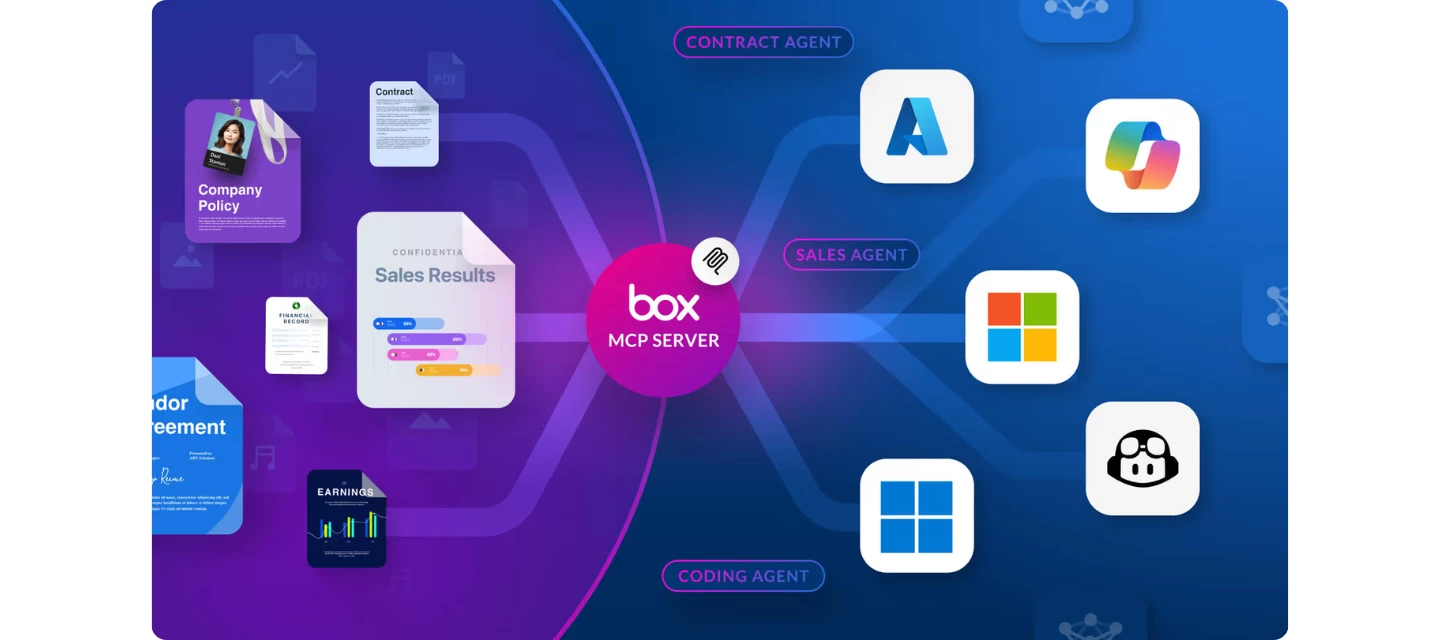
Box is thrilled to announce that the Box MCP server is a launch partner for the newly branded Microsoft Foundry and Windows on-device registry. This deepens our collaboration with Microsoft, giving enterprises a secure, unified content layer across Azure, GitHub, Copilot Studio, and more—so teams can innovate without compromising security. With Box + Microsoft, every user gets a secure, governed entry point to leverage content with AI. That impact looks like:👉 Engineers building AI agents grounded in proprietary data—without moving sensitive IP👉 Developers coding faster with secure access to specs and requirements👉 Analysts automating workflows using insights from contracts, reports, and more👉 Employees querying and summarizing Box content directly from their desktop We’re focused on one thing: making AI usable and secure for the enterprise. Read our latest blog to see what this unlocks for Microsoft-native organizations:Box MCP server support for Microsoft Foundry and Windows On-D
Now, with the VEED integration, you can easily add subtitles to your Box videos in minutes instead of hours. Here’s a video tutorial: Follow the step-by-step below if you’d rather read 😀Enable the VEED integration in Box Admin Console. Right-click on your video in Box. Move your cursor over Integrations and select Auto-subtitles by VEED from the list. Click on Okay on the pop-up menu, after which you will be led to a welcome screen. There, click on Continue. At this point, if you already haven’t signed up for VEED, you will be prompted to do so (it only takes a minute, we promise!). Or you will be led inside the VEED editor, with your Box video locked and loaded. Select the language being spoken in the video from the dropdown menu (there are over 125 options). Next, select if you’d like to translate the subtitles as well. Once all set, click on the blue button, and VEED will generate your subtitles in minutes. At this point, you can choose to tweak your subtitles and
In the last few days our organisation has started to experience the Box link ‘storage account’ within Microsoft Office disconnecting for multiple users and then repeatedly disconnecting even after adding the storage account again.This was something that we saw many months ago but the problem went away and Microsoft were unable to get anywhere even after months of supplying them logs.Has anyone else experienced this problem in the last few days or so?
Hello Box Community!I am the community manager for CI HUB and we will be attending Boxworks 2025 and I was wondering where I can find more info prior to BoxWorks 2025 about roundtables, who’s hosting them and where to sign up for them? If anyone here is hosting an activity related to BoxWorks then give me a shout! We would hopefully be interested in joining.Have a great rest of your week!Kevin Persson
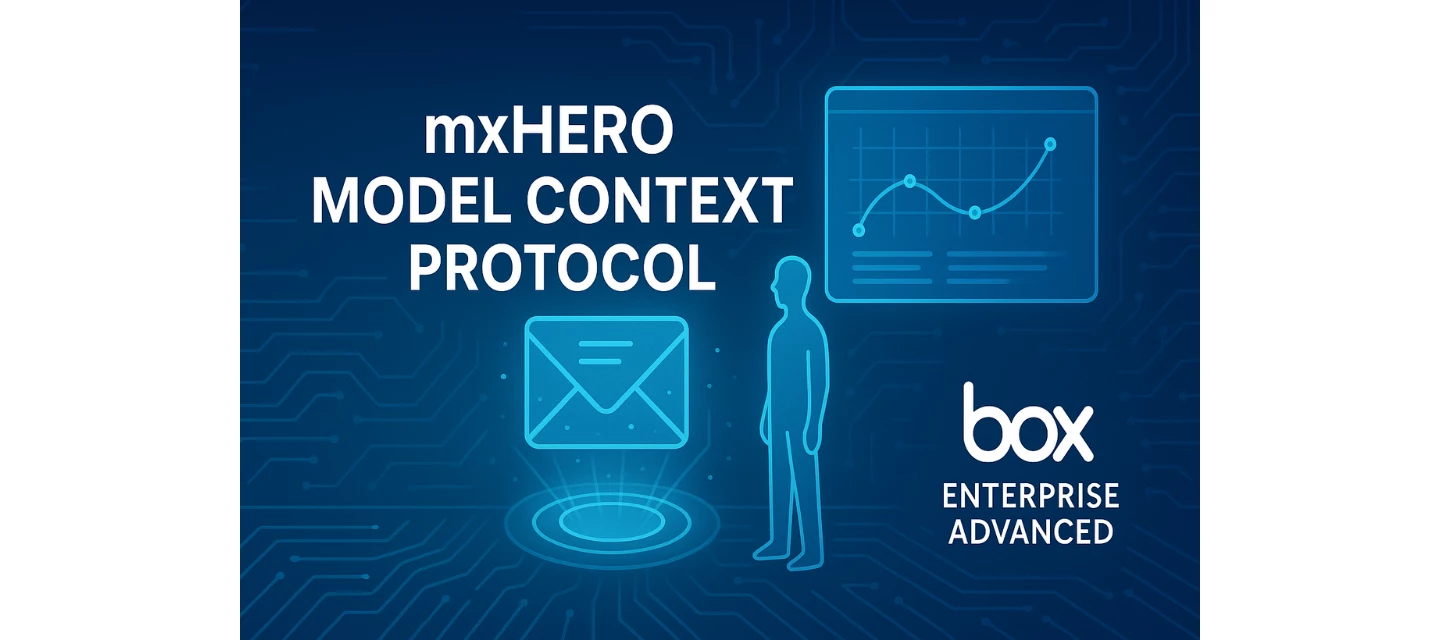
mxHERO allows for automated inbound or outbound email content to be automatically placed into Box's Intelligent Content Cloud. Once that happens, it serves as an unlock for Box AI innovation. Using Box AI, insights from email's unstructured data (including context from the email body between human actors, metadata and attachments) can be captured to accelerate outcomes and inform Agentic AI powered workflows. mxHERO is also able to support enterprise users of OpenAI's GPT5 or the leading Model Context Protocol (MCP)-powered AI platforms (e.g. Claude from Anthropic). For a DEMO example, in the left pane GPT selector in OpenAI's GPT5 (type in Mail2Cloud) - we have setup a demo account with approximately 2,000 sample emails - all optimized for AI performance supporting queries and insights from that DEMO content. It's free and showcases the value of being able to gain insights from uniquely provisioned, guardrail-aligned and mxHERO-optimized email content. So, check it out (using DEMO acc
We need assistance with allowing the Box integration with Okta. Please see screenshot for reference. We don’t know what we need to enable in box to do the integration and bypass the attached error.
Would like to see a Box “Explainer” webinar on the AI Blog between Box and ServiceNow:https://blog.box.com/box-integrates-servicenow-ai-agent-fabric-optimize-enterprise-workflows
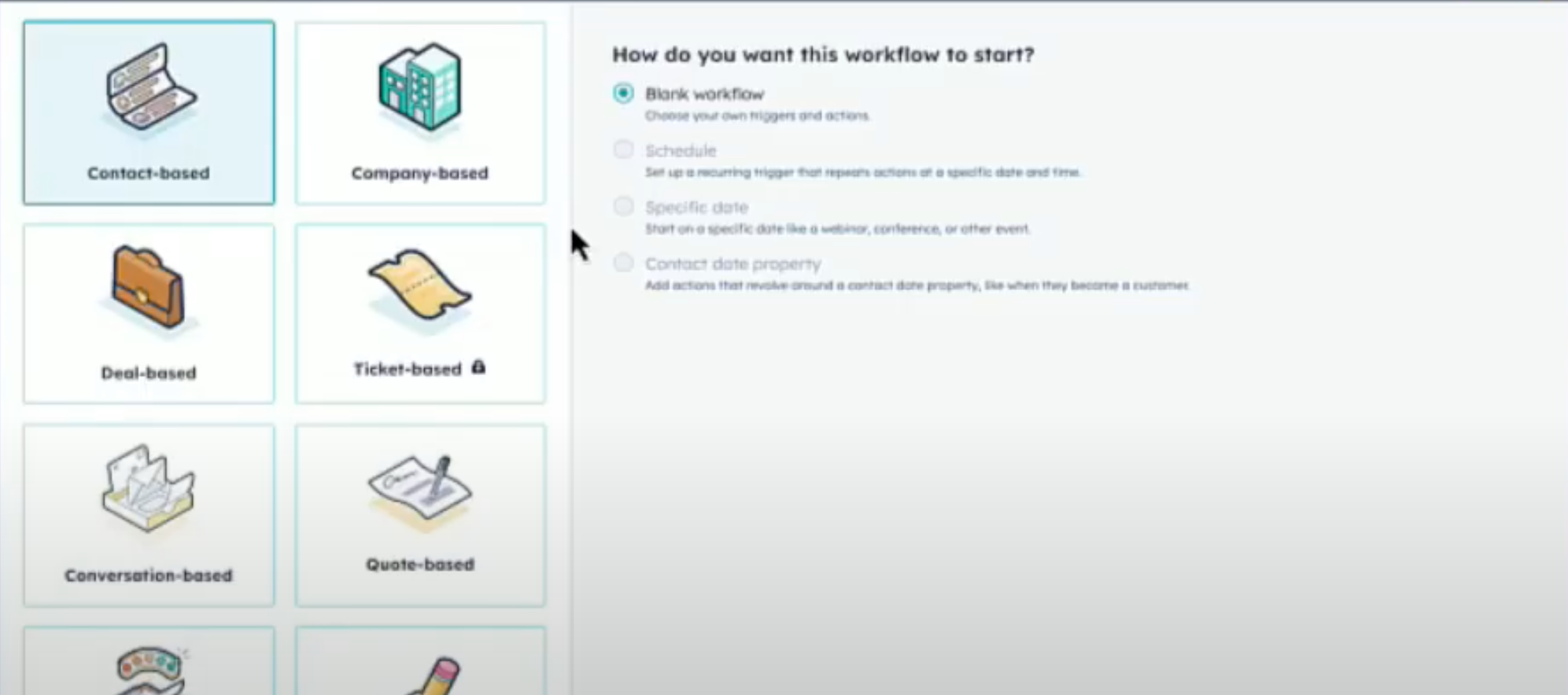
We’re excited to announce that SparkGrid Software has officially launched enhanced HubSpot Box integration with full custom object support on sparkgridsoftware.com. This milestone represents a significant leap forward in workflow automation capabilities, empowering businesses to streamline their operations across both standard and custom HubSpot objects. What’s New: Custom Object Support Our latest release extends beyond traditional HubSpot objects like contacts, companies, and deals. Now, businesses can leverage the full power of HubSpot’s custom objects within their Box integration workflows. Whether you’re managing custom product catalogs, specialized service records, or unique business entities, SparkGrid Software seamlessly bridges the gap between your HubSpot CRM and Box file management system. Workflow Automation That Adapts to Your Business Custom Object Workflow AutomationWith custom object support, you can now create sophisticated automation workflows that respond to changes
Customer Success operations are foundational for today’s enterprise. An enterprise’s engagement with customers occurs in various ways (omni-channel) inclusive of email communications between stakeholders, multiple actors, across shared email accounts (e.g. support) and other email-centric avenues. In order to gain a 360 degree view of our communication interactions with a client that might inform the health of an account, AI can play a powerful role in achieving these valuable customer success insights. In this demo, we spotlight an Account Manager’s aim of gaining cross-actor and cross-account insights specific to her customer’s risk profile or inherent opportunities to achieve CS outcomes. Amy uses her organization’s AI Agent (Claude in this example) to run a cross-actor and cross-email account AI query to obtain valuable customer success insights including a summary report that will allow her to prepare for an upcoming customer meeting. Here's the demo and it leverages three key tec
Building secure, user-friendly membership sites often comes with the challenge of managing file access. How do you provide members with easy access to documents, resources, and downloads while maintaining security and avoiding the complexity of multiple logins? We’ve solved this problem with our new Box CMS module for HubSpot Content Hub. The Challenge: Secure File Access in Membership Sites HubSpot’s Content Hub Memberships feature is powerful for creating private, authenticated areas of your website. Whether you’re running a customer portal, partner resource center, or premium content library, members expect seamless access to the files they need. However, traditional file management approaches often fall short:Multiple login friction: Requiring users to authenticate separately for file storage creates unnecessary barriers Limited file organization: Basic file uploads lack the robust folder structures and permissions that businesses need Security concerns: Storing sensitive documents
Security is Mission #1 for the Box Intelligent Content Cloud. When Box’s security advantages (inclusive of Box Shield) are extended to an attack channel end-point such as email, customers gain significant defensive advantages on the security front. From an email attack vector perspective, Box AI Partner mxHERO provides the mxHERO Mail2Cloud Intelligent Email Management platform allowing for security improvements via a native integration with the Box Intelligent Content Cloud. 💥 The Problem: Email remains as the #1 Vector of Attack by bad actors. Average cost of a data breach: $4.8m USD (IBM -2024) Ransomware attacks – double digit YoY growth (CyberInt) 73% of reported cyber-security incidents involved Business Email Compromise (DarkTrace – 2024) $4.8 billion in losses specific to Business Email Compromise (BEC) attacks in 2024 (FBI) 💡 Addressing the Challenge: While there are no firm security guarantees that provide a 100% confidence level against bad-actor exploits, securi
For tax preparers, accountants, and other service professionals, collecting sensitive documents from clients has always been a challenge. Traditional secure portals require clients to remember passwords, navigate unfamiliar interfaces, and often create more friction than convenience. But there’s a better way. The Box File Requests Integration Changes EverythingSparkGrid Software’s HubSpot integration brings Box’s powerful file request feature directly into your CRM workflow. Instead of directing clients to a separate portal, you can now request documents through a seamless, branded experience that feels natural and secure. How It WorksThe process is beautifully simple. From any HubSpot contact or company record, you can generate a secure file request link with just a few clicks. Your client receives a professional email with a direct link to upload their documents—no login required, no portal navigation, just drag, drop, and done.What makes this particularly powerful is the automation
The getting started as box tech partner (here) mentions about keeping an integration ‘unpublished’ - I am struggling to find any extra information about what this means exactly. Aside from discoverability, are there any differences between the an unpublished and published integration? Are unpublished integrations just a platform app defined in our tenancies dev console (with purpose set to integration), where we then provide the client id to customers so they can add and enable the platform app in their admin console?Thanks in advanceA
Unlocking new possibilities in legal discovery—this innovation showcases the power of mxHERO Mail2Cloud Advanced with Box's Intelligent Content Cloud. With this innovation, law firms and legal business units can initiate cross-actor email metadata and content discovery (without email volume limitations) to run a legal discovery efficiently! The solution not only renders a rapid output in report format — it also shows the cited email source files, which are automatically saved into Box's Intelligent Content Cloud by mxHERO! 📽 Watch mxHERO CEO, Alex Panagides, in a quick 2-minute demo to see it in action:https://mxhero.app.box.com/s/1s7mz916mr6iz7kweey346ksg09aeu59 This highlights the capabilities of OpenAI’s GPT-4.1 model, the value of mxHERO's Mail2Cloud Advanced with MCP, and how cited sources seamlessly link emails into Box via the core Mail2Cloud platform. Definitely a win-win for law firms and legal teams looking to streamline discovery and boost productivity!
Last week, Box AI Partner and former Box Elite Partner of the Year, mxHERO - released mxHERO Mail2Cloud Advanced - extending their core Mail2Cloud Intelligent Email Management (IEM) platform’s capabilities to support our partner and customer eco-system’s Agentic AI initiatives. With this new release, mxHERO Mail2Cloud Advanced (generally available today in North America and Europe) will provide:Real-time email ingestion with full metadata and source transparency AI-optimized architecture supporting robust AI-powered interactions with email content including redundancy pruning and smart deduplication Secure vector storage with multi-tenant isolation and robust access controls including zone residency options Attachment, metadata, email body and image processing with contextual linking to parent messages Native support for GPT, REST APIs, and Model Context Protocol (MCP), including mxGPT and mxMCP integrations Built to meet modern compliance and operational requirements, mxHERO’s Mail2Cl
Case StudyBefore partnering with DryvIQ, Kaufman was locked into their legacy, outdated ECM system, and unable to digitally transform their data landscape. By taking this foundational step to modernize their content platform with Box and Salesforce, Kaufman has achieved seven-figure cost savings and direct revenue impact. 🎥 Watch the video below! 🎥Company Profile H.W. Kaufman Group is a global leader in specialty insurance. Its offices span North America, the U.K., Europe and UAE. The company employs thousands of professionals who conduct business in more than 90 countries worldwide. Privately held and operating under its third generation of family ownership, Kaufman has built its reputation on a longstanding belief in building mutually beneficial partnerships, while operating with integrity and committing to innovation. Kaufman is organized in a manner that enables the company to swiftly adapt to market shifts, while consistently embracing cutting-edge technology that drives effic
From Salesforce services to HubSpot app stardom! 🎯 In this episode of built hapily, I and Jackie Wucher, from the SparkGrid Software team, dive into an insightful conversation about the official Box + HubSpot integration. 💬 We had an exciting discussion about: ✅ What it takes to build a real app—not just an integration✅ How Jackie Wucher went from design to HubSpot dev master✅ The difference between Salesforce and HubSpot app development✅ Tips for staying ahead with UI extensions✅ What it’s really like selling SaaS vs. services Our app brings deep Box functionality inside HubSpot, including document management, workflow actions, and e-signatures! 🎥 Don't miss out—watch the full video here!
Model Context Protocols (MCP) provides a future-orientation under a new integration protocol structure allowing AI Agent-to-Agent (A2A) interoperability and AI Agent access to valuable email-based unstructured data. 💥 mxHERO now supports MCP and A2A protocols. 💥 Check out mxHERO's latest MCP Data Sheet packed with powerful capabilities and insights here:mxHero-AI-MCP Data SheetResources:Official website: www.mxhero.comNews: www.mxhero.com/newsBlog: www.mxhero.com/blog
AI is rapidly reshaping the business landscape, and enterprise content management is at the forefront of this evolution. Managing unstructured data, modernizing workflows, and maintaining the quality of enterprise content are critical challenges for organizations adapting to the AI-driven era. This is where the powerful partnership between DryvIQ and Box comes into play, providing businesses with solutions to stay ahead of the curve. Unlocking the Power of AI with DryvIQ and BoxDryvIQ and Box are revolutionizing how organizations approach Intelligent Content Management (ICM). DryvIQ can help organizations accelerate their adoption of ICM by analyzing data to inform the migration strategy and then transferring files with full fidelity at unparalleled speed and scale. Together, Box and DryvIQ ensure businesses can unlock actionable insights, optimize workflows, and prepare their content ecosystems for AI adoption. Intelligent Content Management is the FutureLegacy enterprise content mana
Bubo Defense, a leader in intelligent email management and AI-driven security solutions, today announced a strategic partnership with DryvIQ, a leader in unstructured data management, to enhance enterprise and public sector agency capabilities for unstructured data ingestion into Box’s Intelligent Content Management platform. This collaboration will drive advancements in compliance, data security, digital hygiene, and AI-powered business transformation. Through this partnership, Bubo Defense extends mxHERO's Intelligent Email Management Platform, Mail2Cloud, to customer use cases requiring intelligent mapping of real-time inbound and outbound email communications—encompassing email body content, metadata, and attachments—into Box's Intelligent Content Management platform. This integration empowers organizations to enhance their compliance posture, fortify email security, and optimize content workflows for collaboration and Agentic AI use cases enabled by Box Enterprise Advanced
Exciting New Features: HubSpot + Box Integration 1. Powerful Workflow Automation That Works for YouOur Box integration with HubSpot Workflows goes far beyond basic folder creation:Deal Management: Auto-generate tailored folder structures at key deal stages with custom permissions Client Onboarding: Create and share personalized document packages when deals close Document Lifecycle: Schedule automatic file archiving based on age or status changes Approval Processes: Notify team members when documents need review Content Updates: Keep Box documents in sync with HubSpot property changesAny trigger in HubSpot can now initiate sophisticated document actions in Box, seamlessly connecting your CRM and document management. 2. Save Costs with Unlimited Box Sign IntegrationWhy pay premium prices for DocuSign when you can get unlimited eSignatures through our Box Connector? We've enhanced this feature with dynamic data merging — pull contact details, deal specifics, and custom field values direct
HALO is an AI-powered agent that automates insurance workflows. It uses Box Enterprise Advanced and mxHERO’s Mail2Cloud to streamline insurance policy management. HALO simplifies managing digital content, strengthens compliance, protects sensitive data, and reduces reliance on outdated email processes.Insurance companies face strict regulations from authorities like FINRA, HIPAA, and standards for handling personal information (PII). Many still rely on legacy email systems, which are slow, inefficient, and risky. The recent Landmark Admin data breach, affecting 800,000 customers, highlights the urgent need for secure, automated workflows.HALO addresses these challenges by automatically monitoring and managing document flows to ensure compliance and security. It breaks down digital content silos and improves email security using advanced features from mxHERO’s Mail2Cloud platform. Read the full article here: https://bubodefense.com/insurance-workflow-automation-using-ai-a-policy-managem
Already have an account? Login
No account yet? Create an account
Enter your E-mail address. We'll send you an e-mail with instructions to reset your password.