












Ask questions relating to Box here
Recently active
At Cannes this year, one thing became increasingly clear:The conversation is no longer AI versus creators.It's becoming AI plus creators.Just months after public debates around copyright, training data, and the impact of AI on creative work dominated industry headlines, the tone on the Croisette felt noticeably different. Not because the concerns have disappeared—they haven't—but because the industry is confronting a new reality.Across Media & Entertainment, the discussion is evolving from whether AI will be part of the future to how it will be adopted responsibly.Studios, agencies, broadcasters, streamers, publishers, and rights holders are all asking similar questions:How do we accelerate workflows without sacrificing creative control? How do we protect intellectual property while enabling innovation? How do we govern AI access to content? How do we maintain provenance, rights, permissions, and compliance at scale? How do we ensure creators remain at the center of the process?Can
Thanks to @protella @Marc Box Paige Vermeer and Bhaskar from Guidewire for this week’s overview of the Box and Guidewire partnership and live demo of claims automation. You can find the recording and summary below.Powerpoint slides here Recording Summary of the roundtable The session focused on how Box and Guidewire integrate to streamline insurance claims operations, with a specific emphasis on workers' compensation workflows, medical document extraction, and future roadmap developments like Agentic AI. Highlights: A live demo showcased how Box AI (powered by Gemini 2.5 Flash and Gemini 2.5 Pro) extracts structured metadata from complex medical reports and automatically populates core Guidewire forms. Real-time polling revealed that while most organizations are currently in the "partially automated" stage of claims processing, medical document reviews represent their biggest operational bottleneck. Consequently, there is interest in leveraging AI for key data extraction directly
Here’s your snapshot of what’s new, what’s trending, and what’s inspiring across the Box ecosystem. This edition highlights fresh product insights, standout community contributions, and upcoming events where you can learn, connect, and build together. Box Community Headlines To lead in an agentic world, you need AI that harnesses the powerful context that lives in your content. Join Box CEO and Co-Founder Aaron Levie to learn how you can transform your business by automating workloads on a scale never seen before, bringing together your people, AI agents, and content in a single secure file system built for the future. Acknowledging Excellence! @Jakub Piech PM Mobile Thank you for thoughtfully sharing customer roundtable Q&A on Box AI for Mobile and helping keep the community informed with clear, forward‑looking insights.📌 Recording and Summary: Hear the latest on Box AI for Mobile@Scott Picanco Box A sincere thank‑you for delivering practical guidance through your Box Sign co
Thanks to @Scott Picanco Box @Sue-at-Box @Roman Shevtsov @daria for today’s overview of Box Sign updates and features, also thanks to our guests who joined and shared in the Q&A. Please find the recording and highlights below. ResourcesPlease find attached the deck here Recording Box Sign and Workday demo Recording Question for the community...What would you like Box to prioritize next for Box Sign? Please comment in the replies...
Hi Community Members,We’re pleased to share the Q&A from our recent community roundtable on the latest on Box Sign, including the Box Sign and Workday integration. This post brings together the key questions from the session along with expert answers 🕵You can find the session recording and highlights here:📌 Hear the Latest on Box Sign Including the Workday + Box Sign IntegrationWe gathered a list of the frequently asked questions and answers from this Community Roundtable. Check them out below: Question Answer Over 400 signatures for fitness center guest access pass waiver forms. We have some users that like the ready sign link. If we use batch send, the sender sends out an email in advance giving everyone a heads up on what might look like a phishing email from an external sender noreply@box.com. Ready sign link prevents 2 separate emails. found this - https://support.box.com/hc/en-us/articles/10198995559699-Enabling-Custom-Brandin
Thanks @Jakub Piech PM Mobile and @msyu Box for today’s overview and demo of Box for Mobile and thanks to our guests for joining in the Q&A. Please see below for highlights and recording. Which is your favorite feature, or are there other features you would like please comment in the replies!
There’s been a lot happening around the community lately, from lively discussions to helpful tips shared by members. Here’s your roundup of what’s been trending and inspiring across Box this week. Box Community Headlines We’re excited to share that Box has once again been named a Leader in the 2026 Gartner® Magic Quadrant™ for Document Management — marking the third time we’ve received this recognition.This milestone reflects the AI transformation across our business and reinforces our commitment to building the most secure, AI-powered enterprise content platform in the industry.Want to learn more? Read the report for Gartner’s assessment of the document management market and see why Box was named a Leader:What it means to (again) be named a Leader in the Gartner® Magic Quadrant™ for Document Management Join us for the Content + AI Virtual Summit on May 20, 2026, and see how Box is helping organizations unlock the power of AI with their content.The event will feature live demos of Bo
Hey Box Community!We're excited to announce the Content + AI Virtual Summit on May 20th, a live, online event designed to show you how Box AI transforms the way your business works with unstructured data.Join us for live demos of Box Agents, Box Extract, and Box Automate, real customer success stories, and insights from industry IT leaders on using Box as a secure agentic-AI platform.You'll also connect directly with Box product experts who can provide practical answers tailored to your business needs. Whether you're exploring AI for the first time or scaling existing workflows, this summit will give you the tools and inspiration to move faster with confidence. 📅 Mark your calendar and register today:📌 Content + AI Virtual SummitSee you there!— The Box Team
Configure additional signer authentication for added security when sending signature requests in Box Sign for SalesforceWe’ve rolled out new enhancements to Box Sign for Salesforce, including additional recipient authentication, recipient groups, and expanded extensibility with API support for CAC/PIV smart card authentication, giving teams, including federal government agencies, and contractors, more flexibility, stronger security, and streamlined signing workflows directly within Salesforce. Recipient groups in Box Sign for Salesforce: Introduces the recipient groups feature in the native Box Sign web app within the Box for Salesforce integration, enabling senders and signers with the ability to progress a signature request forward as soon as a single recipient from a selected group of recipients signs or approves a signature request. Recipient authentication in Box Sign for Salesforce: Allows senders to select the right level of identity assurance for each recipient when configur
Join the Box for Higher Ed Team for a live webinar on May 7th and learn how higher education teams can simplify the faculty promotion & tenure tracking process with Box—reducing version sprawl, improving visibility across siloed teams, and working more securely across different offices.During the session, we’ll cover best practices and demo two real-world use cases:Faculty Promotion & Tenure Application Development (using Box AI for faster discovery and insights) Promotion & Tenure Workflow Process enhanced with AI (using advanced Box workflow tools to streamline forms, approvals, and tracking.)We’ll also touch on the governance and compliance features that are must-haves for the sensitive faculty and academic content. Register here to claim your spot!And if you haven’t already, please join our Box Higher Education User Group.
We are incredibly excited to announce the general availability of Box Automate, enabling organizations to automate content-driven work end to end, from document intake and AI extraction to approvals and final output.Every business runs on content. Contracts, invoices, onboarding packets, claims forms, compliance files, and reports all contain the information teams need to make decisions and move work forward. But the workflows built around that content are still often manual. Teams spend hours reading documents, extracting data, routing files, updating systems, and chasing approvals across disconnected tools. The result is slower cycle times, inconsistent outcomes, and work that is difficult to scale. Box Automate changes that. Built for the age of AI, Box Automate is a new product designed from the ground up for agentic, content-powered workflow automation. It turns AI from something teams use one-off into something that runs business processes continuously. Instead of treating docume
What is Box Automate?Box Automate is a no-code tool that helps teams automate workflows. It connects triggers (like file uploads) to actions (like approvals or document generation) to streamline business processes. It also uses AI agents to handle complex tasks and reduce manual work. What Box AI Agents can I use in Box Automate?You can use the Box Agent and Extract Agent, or build your own custom agents to automate tasks and support your workflows. What triggers and actions does Box Automate support?Workflows can start from events like file uploads, folder changes, tasks, metadata updates, form submissions, or manual triggers. Actions include assigning tasks, tagging metadata, sending notifications, generating documents, and requesting signatures. Does Box Automate support flexible workflow routing?Yes, Box Automate includes flexible workflow routing options such as conditional branching and parallel routing, allowing users to create dynamic workflows that adapt based on specific cond
Here’s a look at the latest discussions, insights, and standout activity across Box and our community. Take a moment to catch up on what’s driving engagement and innovation this week. Box Community Headlines Attend the upcoming Virtual Summit to see how Box AI innovations like Box Agents, Box Extract, and Box Automate turn data into actionable insights and automated workflows at scale. You'll explore live demos, hear real customer success stories, and connect directly with Box product experts through live Q&A for tailored business solutions. Don't miss this opportunity to discover how Box Intelligent Content Management transforms the way enterprises work today. Register now to secure your spot. The Levie Edge: Box, Business & Beyond Your front-row seat to Aaron Levie’s latest insights, bold ideas, and game-changing updates. Aaron Levie recently shared an important perspective on what enterprise AI conversations often overlook: agents don’t just need access to data — they need
Thanks to @naor Box @msyu Box and Megh for today’s overview and demo of contract lifecycle management in Box. Also thanks to our guests who joined and shared in the Q&A. Please find the recording and highlights below. If you are interested to signup for our design partner program for Contract Lifecycle Management, please just comment in the replies or reach out to your account team! Full recording Demo of NDA contract reviews https://players.brightcove.net/6291496955001/UuYNWK0aF_default/index.html?videoId=6393741931112
You can now copy an existing Box Hub to quickly recreate its structure, layout, and branding for a new project, team, or use case.Whether you're building a knowledge base for another team, launching a new project workspace, or standardizing Hub experiences across your organization, copying a Hub makes it faster to get started without rebuilding everything from scratch.What gets copiedWhen you copy a Hub, the new Hub includes the original Hub’s:Hub name and description Pages and page hierarchy Logo and background image Text blocks (paragraphs, section headers, callouts) Embeds (link previews) DividersThis allows you to preserve the structure, layout, and branding of an existing Hub while creating a new version tailored to a different audience or purpose.What doesn’t get copiedSome elements are intentionally excluded from the copied Hub:Collaborators Hub settings (copy permissions, collaboration restrictions, shared link settings)This helps ensure that access and governance settings are
Thanks to @Scott Sugimoto at Box @asubramanian Box @Mayuri Chowdhary for yesterdays overview of Box Automate, also thanks to our guests who joined and shared in the Q&A. Please find recording and highlights below. You can find recording and highlights below. We will be sending an FAQ from the roundtable soon, please share your feedback and questions in the replies!
Thanks to Jack Robbins for yesterday’s overview and demo of Box Extract. You can find the recording and highlights below. AgendaOverview of Box Extract Recent releases Prompting best practices for metadata extract with customer Q&A Iterative Prompt Refinement Upcoming features Challenges with metadata extract? Please share in the reply… We will also share some of the resources asked for yesterday here...
Welcome to the latest edition of the Box Community Digest, where we spotlight what’s new, what’s trending, and what’s worth your time across the Box ecosystem. Dive in and catch up on the latest conversations, insights, and community‑driven moments shaping how we work with content today. Box Community Headlines The Box Agent is here. Time to put your content to work. Join Matthew Terrell (Director, Product Management, Box Agents) and Micajah Medrano Dudley (Senior Director, Al Partnerships) as they demonstrate the transformative power of the new Box Agent.In this in-studio demo, you'll see how Box Al is evolving from answering simple questions to orchestrating complex, high-stakes workflows. We dive deep into a real-world example: streamlining the tedious RFP (Request for Proposal) process.Unlock the full power of secure, scalable AI—sign up for the webinar and see how Box Agents transform the way your organization works:Deploying Box Agents: From Governance to Scale The Levie Edge:
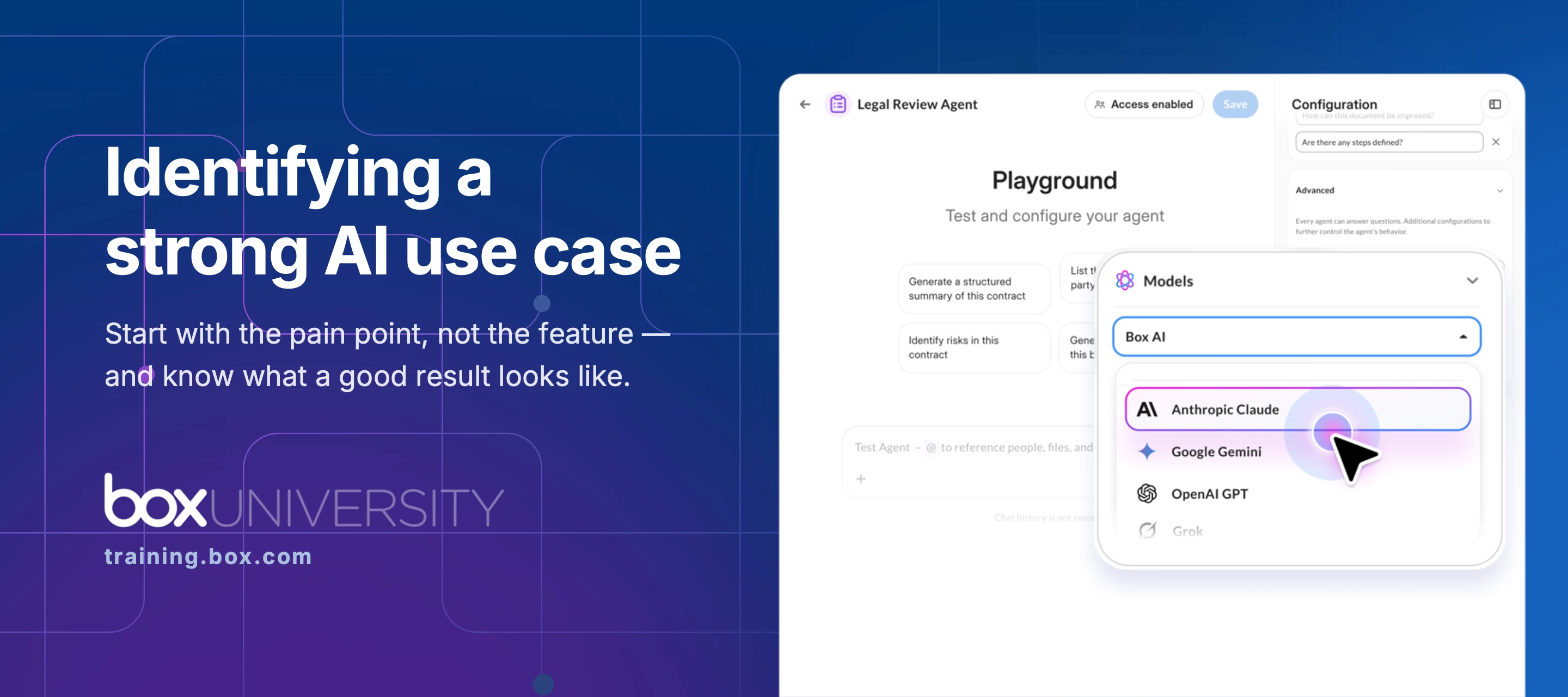
We are incredibly excited to announce the general availability of the Box Agent, enabling enterprises to transform their content into the exact context AI needs to reason, create multi-step plans, and complete complex work with simple, natural language direction. The majority of enterprise data is unstructured, and harnessing actionable insights can mean hours of manual searching and analysis. The Box Agent addresses these challenges by shifting from simple keyword search to true, action-oriented intelligence that understands intent and delivers grounded answers. It combines multi-step reasoning with Secure RAG (retrieval-augmented generation) to ensure every outcome is grounded in your actual enterprise files, folders, and metadata. We do this with a combination of: The latest AI models, from Open AI, Anthropic, Google Deepmind, and more to power diverse reasoning tasks Multi-step reasoning and planning that allows the agent to create a plan, execute multiple steps, and iterate on
Hi Community Members,We’re pleased to share the Q&A from our recent community roundtable on Box Extract for metadata extraction. This post brings together the key questions from the session along with expert answers 🕵You can find the session recording and highlights here:📌 Mastering Box Extract for Metadata Extraction at ScaleThe summary of recent enhancements—including the prompt that helps Box AI improve extract prompts—are in the comments section of the post. Question Answer do you have a link to the 20+ feature enhancements? Refer to the comment section of the event summary for details. which license level(s) are required for this functionality? UI-based Box Extract features are Enterprise Advanced only, while API-based Extract capabilities are available on Business and higher plans Is there a recommend guide available on how to structure the prompts? Refer to the comment section of the event summary for details.
Watermarking is now fully supported for video files, allowing organizations to extend the same level of content protection to multimedia as they already do for documents. We are also supporting download of the watermarked video.This release of video watermarking capabilities includes:Applying default or customized watermarks to content, manually or via classifications Preview videos with watermarking, both in webapp and mobile Watermarking on downloaded video content for users with Viewer level permissionsCheck out the product announcement for more details.Additional resources:FAQ link Watermarking Files Support Article If you’re planning to use video watermarking, what workflows or scenarios are you hoping it will support? Feel free to share questions or use cases in this thread so we can help you get the most out of the feature.
What is the new Box Agent?The Box Agent is a task-executing AI that transforms content into the exact context needed to reason, create multi-step plans, and complete complex work. Unlike previous single-step tools, it can iterate to provide high-quality outcomes directly within the Box ecosystem while leveraging enterprise-grade security and compliance. What makes the "Box Agent" different from a regular AI chat assistant? Multi-Step Reasoning: Unlike a basic chatbot, the Box Agent can create a plan, execute multiple steps, and iterate on its own to solve a complex problem. Content Grounding: The agent doesn't just "chat"; every answer is grounded in your actual enterprise content in Box—files, folders, and metadata. Task Execution: It is designed to be a "teammate" that handles time-consuming tasks like summarizing thousands of files or identifying legal risks across entire Hubs based on terms playbooks What is Box AI Studio?Box AI Studio is an administrative tool that allows Box
Here’s your latest edition of the Box Community Digest, packed with updates, insights, and highlights from across the community. Box Community Headlines Attend the upcoming Virtual Summit to see how Box AI innovations like Box Agents, Box Extract, and Box Automate turn data into actionable insights and automated workflows at scale. You'll explore live demos, hear real customer success stories, and connect directly with Box product experts for tailored business solutions. Don't miss this opportunity to discover how Box Intelligent Content Management transforms the way enterprises work today. 📣 Register now to secure your spot. Leave a review, earn a reward!Your experience matters, and we’d love to hear it. If Box has helped streamline your work or made collaboration easier, consider sharing your thoughts on Capterra. Your feedback not only helps others discover the value of Box—it also helps us continue improving the tools you rely on every day.As a thank‑you for taking a moment to s
Video files aren’t supported yet. For photos, it should work as long as they’re in one of the supported formats: JPEG, JPG, TIF, TIFF, or PNG This could be along the lines of EXIF data too, which isn't really an AI thing, but rather just a data layer Box could scrape. https://photographylife.com/what-is-exif-data Box Consulting has a custom offering for both one-time EXIF scrape from a set of existing files and go-forward application of EXIF data. A workaround is extract from the video transcript, although you don’t get the full context of the video.
Thanks Olya and Marek from Box for today’s overview and demo, also thanks to our guests who joined and shared in the Q&A. You can find the recording and highlights below.
Already have an account? Login
No account yet? Create an account
Enter your E-mail address. We'll send you an e-mail with instructions to reset your password.