Thank you to everyone who joined our Community Roundtable hosted by
1. Summary & Core Pillars
As organizations rapidly deploy generative AI and custom agents across daily workflows, enterprise admins face a common governance challenge: understanding how AI is being utilized, by whom, at what scale, and at what cost.
Without centralized visibility, organizations risk:
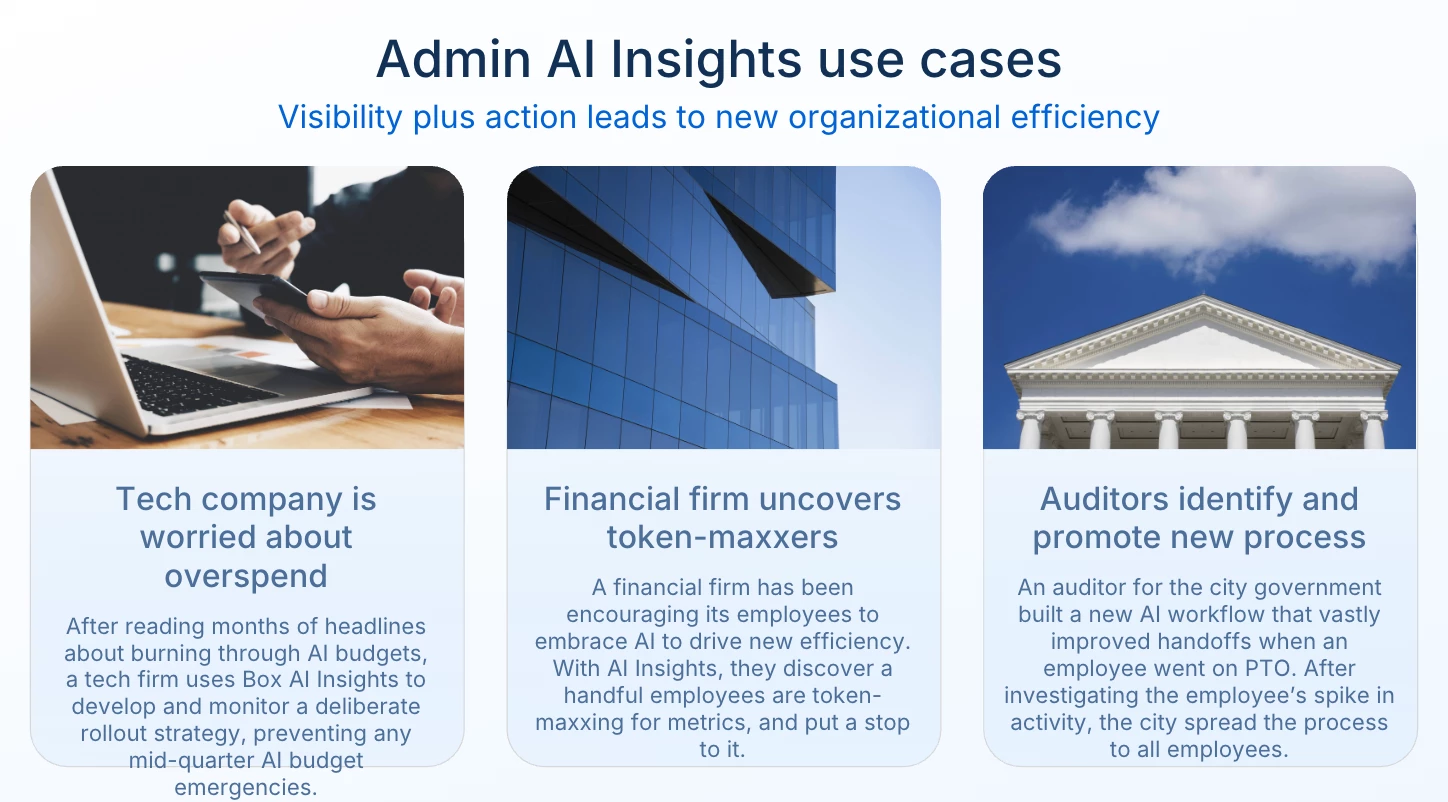
- “Token Maxxing” / Waste: Runaway consumption and inefficient prompt designs without clear business alignment.
- Budget Surprises: Inability to forecast monthly AI Unit allotments accurately.
- Siloed Innovation: Missing out on powerful custom agents and automations developed by individual teams.
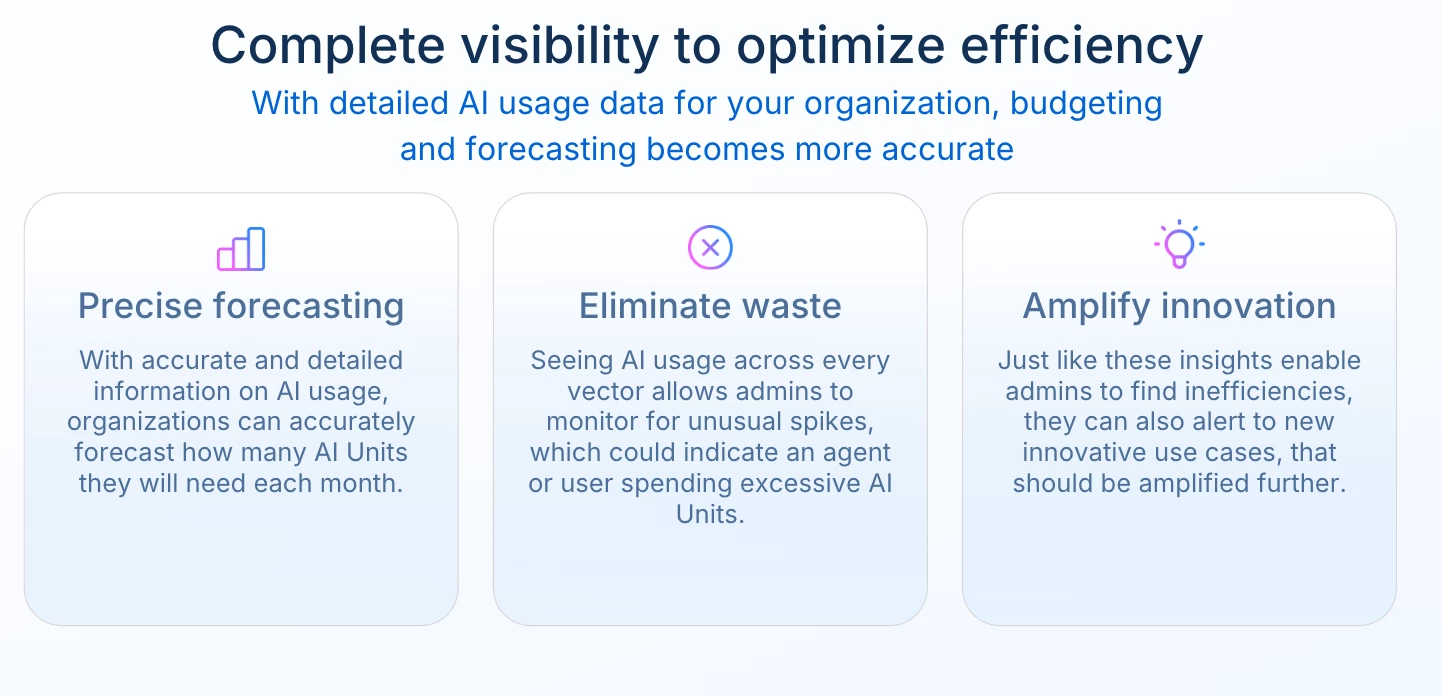
To bridge this governance gap, Box introduced the AI Insights Dashboard built around three core pillars:
- Precise Forecasting: Replacing guesswork with hard consumption data (via AI Units usage tracking and trend analysis) to project future resource needs accurately.
- Eliminating Waste: Providing granular visibility across Box products (Box Web App, Box Automate, Box AI Studio/AI Center) to pinpoint inefficient workflows and establish guardrails.
- Amplifying Innovation: Surfacing “innovation heroes” and power users whose custom agents and automated workflows can be standardized and scaled enterprise-wide.
2. Deep Dive: The Box AI Insights Dashboard
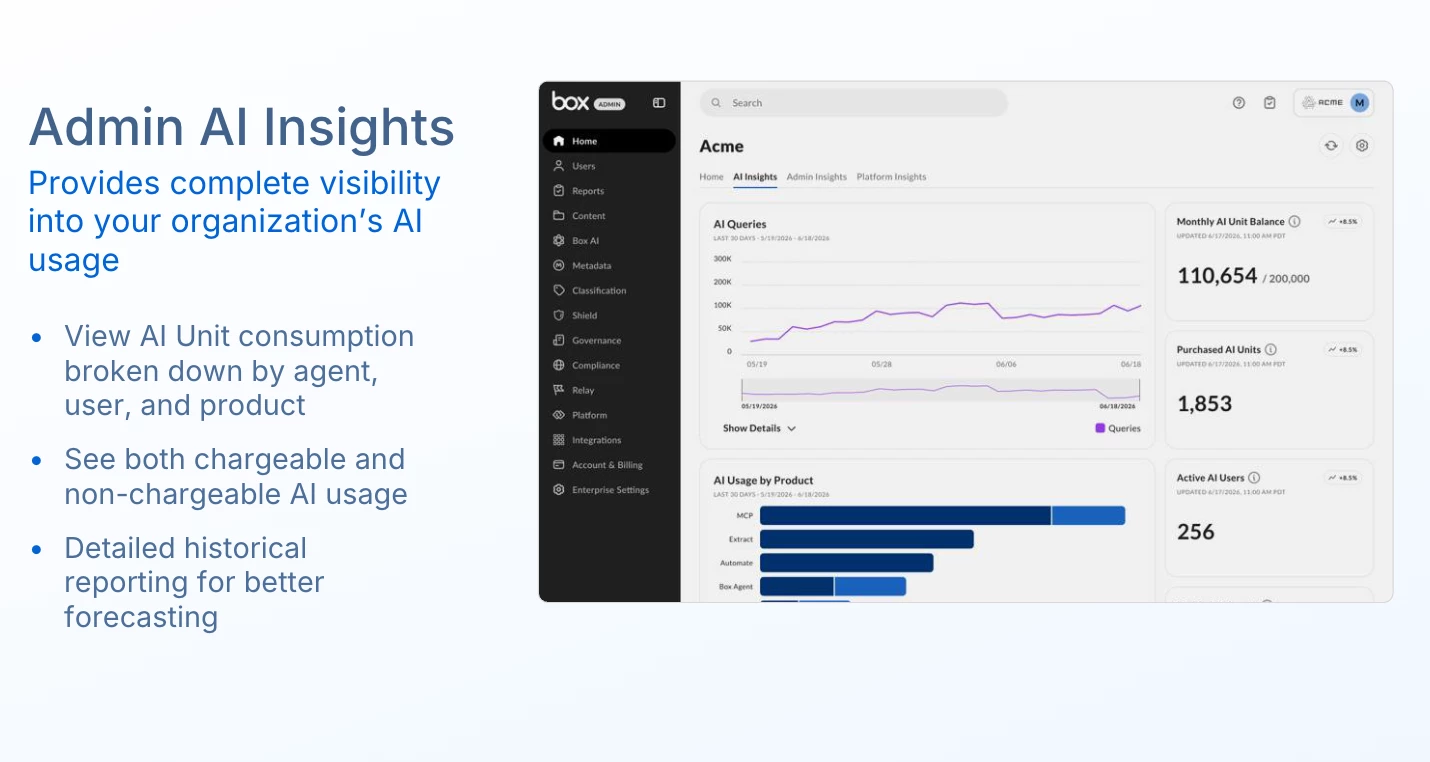
During the live demonstration, the product team walked through the primary components of the command center located directly within the Box Admin Console:
- Customizable Dashboard Layout: Admins can drag, drop, and rearrange visualization cards and graphs to prioritize the metrics most critical to their organization.
- Executive KPI Cards: At-a-glance visibility into Month-to-Date (MTD) Usage vs. Enterprise Quota, Total AI Activities, Active AI Users, and Active AI Agents.
- AI Units Usage Chart: A time-series graph tracking daily and cumulative AI Unit consumption against established enterprise quotas.
- AI Queries Trend Analysis: Real-time query volume monitoring that helps admins detect usage patterns, peak operational hours, and anomalous spikes.
- Product & Capability Attribution: Granular breakdowns showing where consumption originates (e.g., Box Web App vs. Box Automate vs. Custom Agents) and by capability (Q&A, Document Summarization, Text Generation, and Metadata Extraction).
- Top Agents & Power Users Leaderboard: Identification of high-usage custom agents and leading user accounts driving adoption across departments.
3. Industry Context & External Frameworks
Managing enterprise AI adoption is an industry-wide imperative. Gartner notes that by 2026, organizations without dedicated AI governance and FinOps frameworks will experience up to 50% higher operational costs due to uncontrolled usage and redundant tooling. Aligning the AI Insights Dashboard with established industry best practices empowers IT leaders to:
- Adopt AI FinOps Principles: Treat AI Unit consumption as a dynamic cloud resource requiring unit-cost economics, anomaly detection, and continuous optimization.
- Foster Human-in-the-Loop Enablement: Industry research underscores that technology rollout succeeds only when paired with user education. Identifying usage patterns enables targeted coaching for under-utilizing teams and scaling successful prompts from power users.
- Balance Governance and Innovation: Shift from restrictive AI blocking to proactive guardrails that safeguard organizational data while rewarding productivity gains.
4. Customer Q&A & Discussion
Custom Agent Evaluation & Unit Consumption
Q: While building custom agents, how can we evaluate the AI Unit consumption for a single-shot query with Expanded Mode enabled? This will help determine which LLM to apply and how many units to allocate (up to the 2,400 unit limit in AI Studio).
A (Box Team / Stuti Tandon): The product roadmap includes near real-time unit consumption evaluation directly within AI Studio during development. Currently, admins can evaluate agent efficiency by monitoring agent performance cards and downloading the AI Units Admin Report to analyze query complexity and token costs.
Budget Alerts & Overage Controls
Q: Can we set custom threshold alerts (e.g., alert at 15k units consumed before hitting a 20k monthly quota) to review and approve overages in advance?
A (Box Team): Configurable threshold alerts and admin-defined overage caps are an active priority on the product roadmap. The goal is to provide automated email/console alerts as enterprises approach predefined budget milestones.
Query-Level Granularity & Metadata Extraction
Q: In the AI Unit report, can we collect deeper contextual metadata about queries? For instance, if one Metadata Extraction uses 3 units and another uses 15 units, can we see the extracted template or referenced file to understand why one cost more?
A (Box Team): Granular query attribution - including associated file sizes, extraction templates, and token intensity breakdowns - is being incorporated into future iterations of the admin reporting tools.
In-Dashboard Agent Analytics & Sentiment
Q: Can org admins access specific custom/Box agent usage stats (queries run, sources applied, units consumed) and user sentiment (thumbs up/down, failure reports, comments) directly in the dashboard without generating manual reports?
A (Box Team): Agent-level metrics are accessible within the Top Agents cards. Direct integration of qualitative user feedback and sentiment telemetry into the dashboard interface is part of the ongoing agent management roadmap.
Public Records, Auditing & Prompt Tracking
Q : How can organizations audit or respond to public record / FOIA requests regarding prompts entered and responses generated?
A: Box provides comprehensive audit logs and reporting tools within the Box Admin Console that capture user interaction events, timestamps, and activity logs in accordance with enterprise compliance and governance standards.
User Adoption, Enablement & Best Practices
Q: What are common pain points for new rollouts, and how can admins translate dashboard usage patterns into targeted training?
A (Box Team & Community): Community members highlighted that user interaction and prompt design are the primary hurdles rather than technical tooling. Admins can use the dashboard to identify teams with low adoption or high error rates and provide targeted enablement.
- Resource: Box offers the Box Certified AI Strategist Pathway to help administrators and power users master enterprise AI implementation.
User Quotas & Throttling
Q: When will individual daily quota extensions be available, and are users throttled today?
A (Box Team): Feature enhancements allowing admins to adjust individual power-user quotas dynamically are currently in development to prevent throttling for critical automated workflows.
5. Future Roadmap
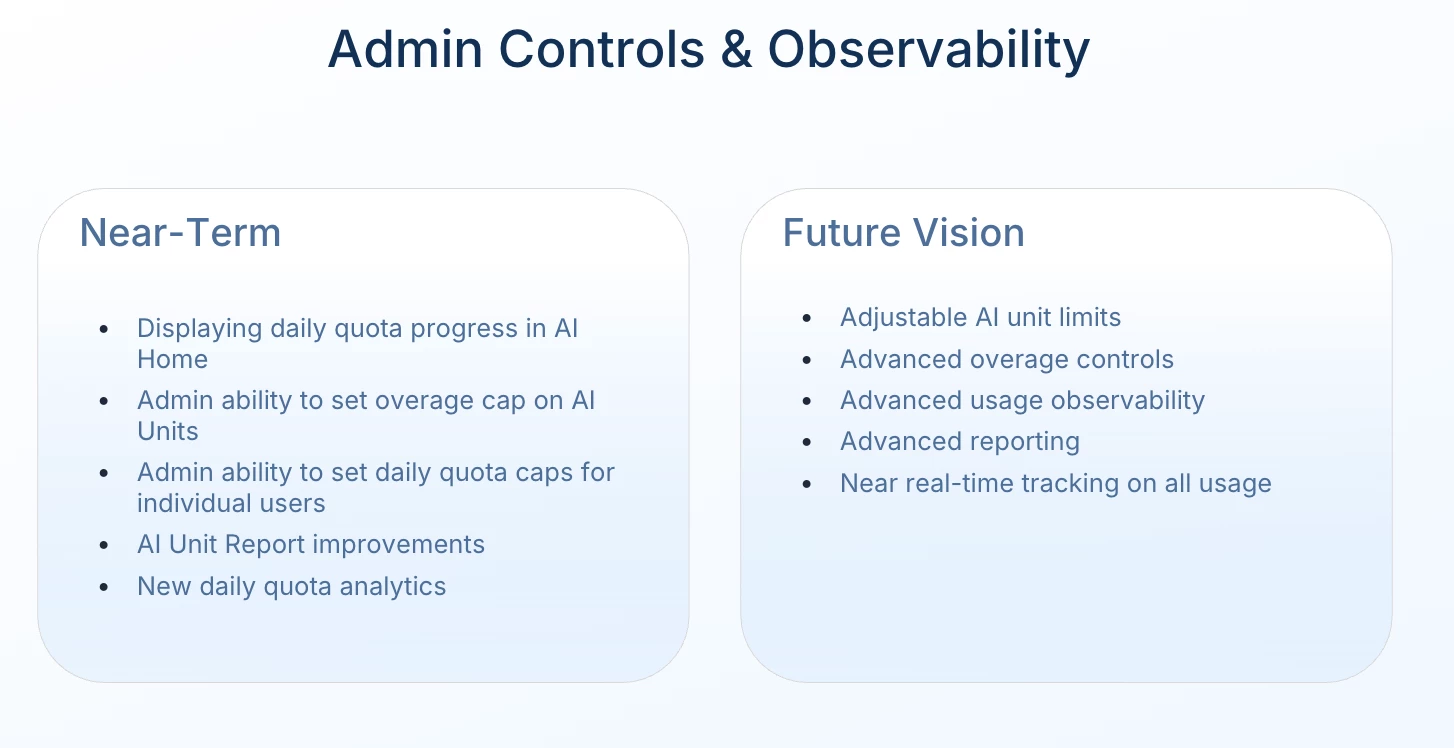
Stuti Tandon presents the future vision for AI management at Box:
- Near-Term: Features rolling out in the next few months include displaying daily quota progress for users, the aforementioned admin-set overage caps, and the ability for admins to grant individual power users higher daily quotas.
- Long-Term Vision: The ultimate goal includes more advanced observability, adjustable AI unit limits, and near real-time tracking of all AI usage to unlock greater control and potential.
6. Next Steps & Resources
- Get Certified: Upskill your team with the Box AI Strategist Certification.
Share Your Feedback: What custom agents are you building? Join the discussion thread below and let us know what metrics you want to see next on the AI Insights Dashboard!