


-
Recently active
I’m following these instructions and I am struggling to decrypt the private key in ColdFusion/Lucee. Here’s how it’s done in PHP: $private_key = $config->boxAppSettings->appAuth->privateKey; $passphrase = $config->boxAppSettings->appAuth->passphrase; $key = openssl_pkey_get_private($private_key, $passphrase); Has anyone managed to get it working?
Hello team, I’m currently engaged with the Box Platform and Box Webhook. I have a question regarding the folder creation event – does it trigger when all files within the folder are uploaded, or does it happen immediately upon creating the folder? Furthermore, is it possible for me to promptly make an API call to retrieve the list of files in the folder and download them right after receiving the folder created event? Thanks,
can anyone help me by getting an esign request Id using the folder Id? I did try requesting extra fields on listing out the esign requests but no luck. Thank you
I’m calling the Box API directly from JavaScript to upload a new file. As the docs suggest, I run a preflight check first, and that check succeeds (200). The code for the preflight check looks like this: const preflightResponse = await fetch(url, { method: "OPTIONS", headers: { Authorization: `Bearer ${this.#token}`, "Content-Type": "application/json", }, body: JSON.stringify({ name, parent: { id: parentId, }, }), }); After that step succeeds, I move on to the next step of uploading the actual file. For this text, I’m just sending the text “Hello, world!” to a file named hello.txt. The parentId is the folder to upload to, and it exists (otherwise the preflight check would fail). The code to upload the file looks like this: const form = new FormData(); form.append("attributes", JSON.stringify({ name, parent: { id: parentId, }, })); form.append("file", new Blob(["Hello, world!"])); const response = await fetch(url, { method: "POST", headers: { Authorization:
Hi. I’m trying to find the best way to give a consumer using my mobile app a set of files created by my app when they click a button. Most of my users will not have a desktop computer or a printer. They will need to either (a) forward the documents to a FedEx email for printing or (b) upload the files to an online e-filing system. I don’t want the user to create a Box.com account, because that would be confusing to consumers using a mobile app. The simplest thing would be to email the attachments to the user, but I’ve gathered Box.com can only email share links that cannot be easily forwarded to FedEx for printing or uploaded to an online e-filing system from a mobile device. Any suggestions on the best way to go about this? Need a secure way to make it easy for a user to email the docs to a FedEx printing email or upload them to an online portal, from their phone.
It use to be easy but i do not see an option anymore on how too see how many folders I have.
Is it possible to configure the non-private custom URL in Shared Link Settings using the BOX API? I want to automate the process of linking files from local storage to BOX and setting a non-private custom URL using the BOX API. Since I couldn’t find information in the API reference, I would appreciate your guidance.
I’m running an API call to /files/[fileid]/content with just the file id in the URL and the access token in the header. It says the api call is completing successfully, but it does not actually prompt a download in the browser. It worked a while back, but I’m not sure what I changed causing it not to work any more. Any tips on what I can check would be helpful. Thanks in advance for any assistance.
When attempting to extract tracking codes for a particular user via Python script, I am receiving an AttributeError as follows: ‘User’ object has no attribute ‘tracking_codes’. Based on the documentation I’ve read, I should be able to pull tracking codes using the ‘tracking_codes’ attribute. Any input on addressing this issue would be greatly appreciate.
Hi, I can query for various thumbnail representations of an uploaded image, but is there any endpoint/query that will return the original dimensions of the file? Thanks
I want to give users of my FlutterFlow mobile/web app full access to a dynamic folder path from within my app, without the user knowing they are in Box. This means a custom app using JWT authentication using key pairs and the config.json for authentication: https://developer.box.com/guides/authentication/jwt/without-sdk/ However, FlutterFlow does not have native support for SDKs, python, or any of the languages supported in the documentation. I was wondering if anyone else has any experience using Box.com integrations with Flutter/FlutterFlow apps and if so how they did it.
Hi there. I’m looking for a way to download a watermarked file using the API with a viewer user. I saw the platform docs mentioning that when using a Viewer user to download a watermarked file, you need to first open the file for preview and then the download becomes available. How can I do the same thing using the API instead of the UI?
Our app is currently under review. Even though it is in the review process, is it okay for our customers to use it? Are there any restrictions, such as a maximum number of connections?
Hi, We have issue where we want to get all the collaborators for file, however, we are not getting all the collaborators. If I call list folder collaboration Api, I am getting all the collaborators whoever have access to that file. If it is waterfall permission model, I should have all the collaborations from the file endpoint, if that file under the parent folder. So why I am not getting all the collaborators when I use list file collaboration API? ref: - List file collaborations - API Reference - Box Developer Documentation
Hello there I am developing an integration for a customer that uses BOX. I have created my own box account to develop and test the integration. Today i wanted to test it out on the customers enterprise. They could add and authorize the app easily via the client id. However the app service account needs to be added as a collaborator to the folder it needs to see. This is where we ran into trouble, as BOX refused to add the service account since it was from a different enterprise. Is it possible to add a serviceaccount from a different enterprise at all? I am going at this the wrong way or is there some trick that i have missed. Best regards Malte
Hi Team, I am facing issue while uploading file to folder, I am having collaborator access for uploading file to a folder. My colleague has added me as collaborator (Admin) in app. When using Developer Token of that app I am able to upload file on folder, but when generating Access Token and using it to upload it gives me below error: Error when uploading using Generated Access Token: { “type”: “error”, “status”: 404, “code”: “not_found”, “context_info”: { “errors”: [ { “reason”: “invalid_parameter”, “name”: “parent”, “message”: “Invalid value ‘d_244280116703’. ‘parent’ with value ‘d_244280116703’ not found” } ] }, “help_url”: “http://developers.box.com/docs/#errors”, “message”: “Not Found”, “request_id”: “6sq71ghlvfufpj1r” } I am generating token using client credentials and authentication for my app is OAuth 2.0 Can someone tell me what is issue or what i am missing in this implementation? Thanks
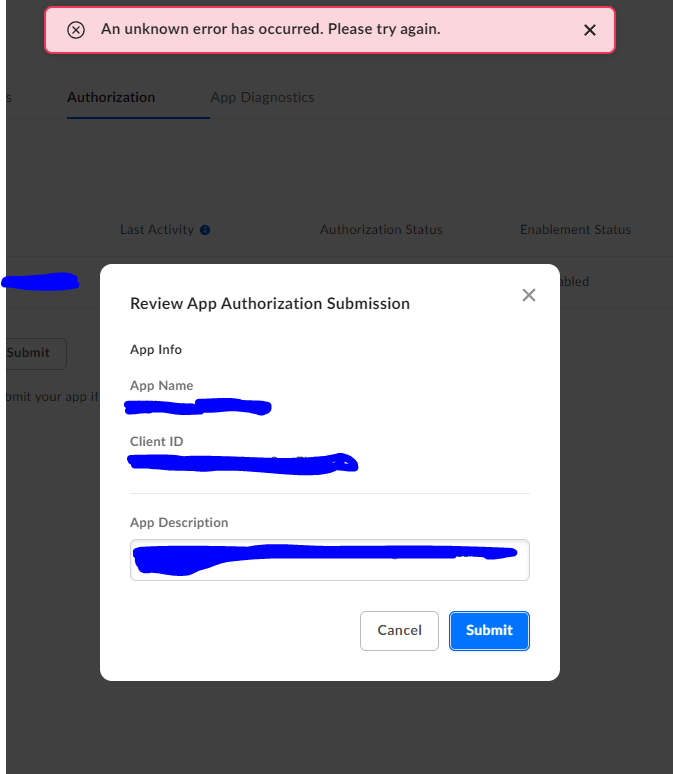
Hi Team, I am planning to connect Box application using O-Auth method with a BI tool. However, while doing so I am running into some errors which should not be the case. Could someone help explain why this is happening. Attached are few screenshot for reference.
Hi, I am running this API call. ‘https://api.box.com/2.0/workflows?folder_id=FOLDER_ID’. When I run it, I am getting a 404 error. Here’s what I’ve done so far. I know it’s not an authentication issue because I can run ‘https://api.box.com/2.0/folders/FOLDER_ID/items’ just fine. I know it’s not an issue of there not being a workflow in the folder. I was able to successfully make this call yesterday. And I can SEE the workflows on the front end. I had our company box admin run this API call with his root account and got the same 404 error. What am I missing? Again, it’s super odd to me because I ran this just fine yesterday morning.
Hi I’m building a PHP app and I implemented the OAuth flow described in the documentation developer.box.com OAuth 2.0 without SDKs - Box Developer Documentation Explore the Box APIs and SDKs to use for app development, API documentation, developer support resources, and access the Box Developer Console however, after I successfully receive my refresh token, it only works for one request, the following request always fails Any reason why it won’t allow me to use the refresh token again in offline mode? Thanks
I want to to know if there is a webhook that can notify similar information that following: status.box.com Box Status Welcome to Box's home for real-time and historical data on system performance. because this status usually has too much delay. What do you think about, as a workaround, just use some general webhook, and finally if I didn’t receive a response it sounds like the service is unavailable?.
Hello, I’m using the cloudsync by synology for mirroring files. On 29/11/2023, I have noticed that one or two out of ten files are synced after 4 hours since the files was uploaded to the Box(Others was synced immediately). That problem persists for half a day. After some investigation, I have got to know that cloudsync uses the box event api and the event was delayed. I got the event data below by calling the api using curl command. The event data shows that recorded_at is about 4 hours later than created_at. { "type": "event", "event_id": "6a6e8892b56aa016e60dac75973e3c16ac06148f", "created_at": "2023-11-29T23:42:29-08:00", "recorded_at": "2023-11-30T03:43:23-08:00", "event_type": "ITEM_UPLOAD", "session_id": "v5wegwhkd6bo63sk", ... Now, I have the following questions below. How often does similar event delay occurs? How long is max expected event delay? Regards,
Hi all, I was wondering whether the Events API call has the same rate limits as described here. Due to its potential huge-size in enterprise environments, i wondered if it really falls under the 100K per month for an enterprise for example. If an enterprise with a lot of users has a SIEM tool and a few more integrated tools, this can be reached easily. Also - how the rate limiting of a client-credentials authenticated app is measured? is the app considered as a “user”? Another question i had, is whether i can filter out events based on their type (for example filter out login events etc). Thanks a lot.
Hi Team, I am working on an app integration to poll and parse Enterprise Event Stream API. I found the documentation for the list of events at the following link: https://developer.box.com/guides/events/enterprise-events/for-enterprise/#event-types 👍 Just wondering if there is documentation that explains the JSON response document for each event as it seems to vary a little based on event - example: CONTENT_ACCESS/LOCK/UNLOCK/EDIT has additional_details field. Thanks Andy
Hello all, I am using the download file API with a downscoped token to allow the user to download files directly from their browser as part of an application where box is hidden from the user (https://developer.box.com/guides/downloads/in-browser/). This works fine, except that the response includes a Content-Disposition header with the value set to “attachment;filename=…”. Ideally, I would want a response with Content-Disposition set to “inline;filename=…” so that the default behavior for browsers would be to preview the file rather than downloading it. So my questions: Is there a way to force box to return an inline disposition? If not, is there another endpoint/workaround I can use to achieve this (without recreating a preview system myself)?
I am trying to post comments on files in box using rest api callouts.It is asking for auth token.I have already authorized the app in box.I am not sure how it will work.if anybody has a working example in postman etc.
Already have an account? Login
No account yet? Create an account
Enter your E-mail address. We'll send you an e-mail with instructions to reset your password.