

Box Hubs update and roadmap - Community Roundtable highlights

  • Apr 9, 2025 11:16 PM UTC
  • Jul 2, 2026 9:59 PM UTC
  • 6 replies
  • 360 views
  • Translate All

thomasdeely Box
Forum|alt.badge.img

Thanks to Michelle Syu, Steve Chiou and ​@Olya Kryvtsova Box for todays overview of Box Hubs and upcoming features. Thanks to all our guests who joined in the Q&A. Please see below for slides and recording clips. 


Topics covered:-

  • Box Hubs Overview
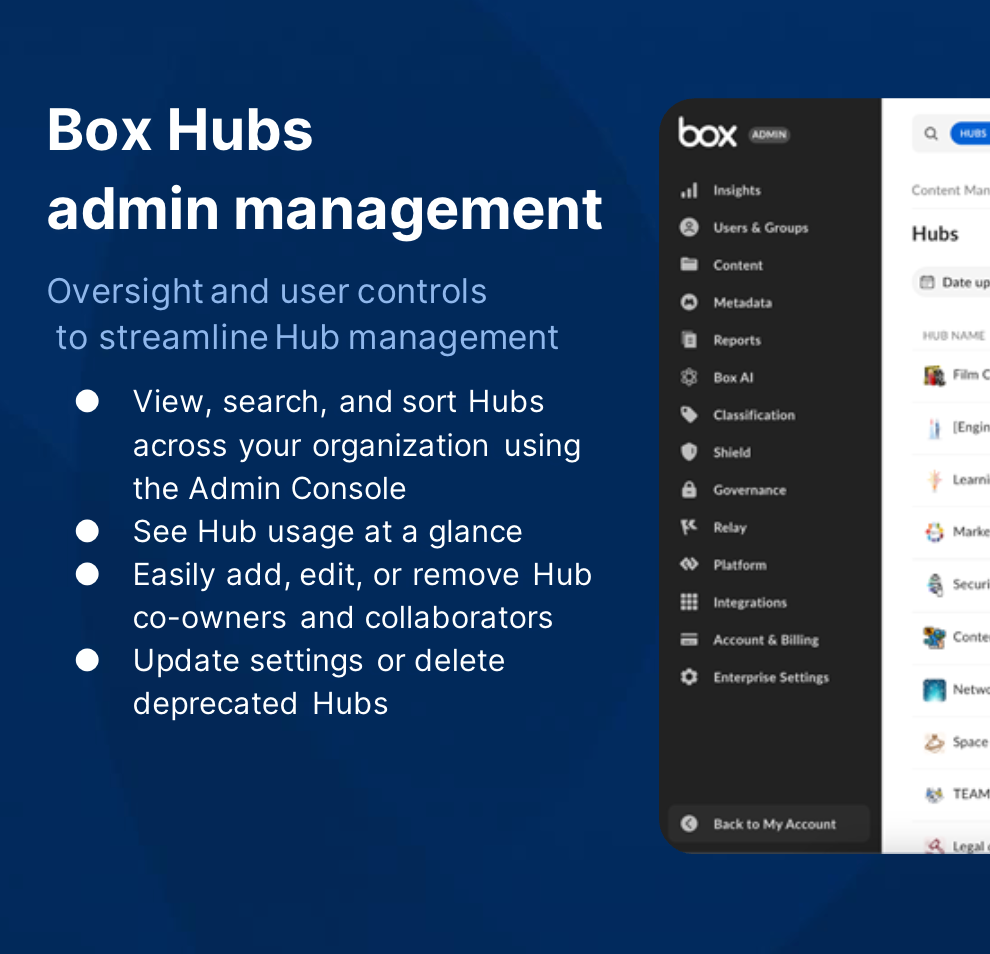
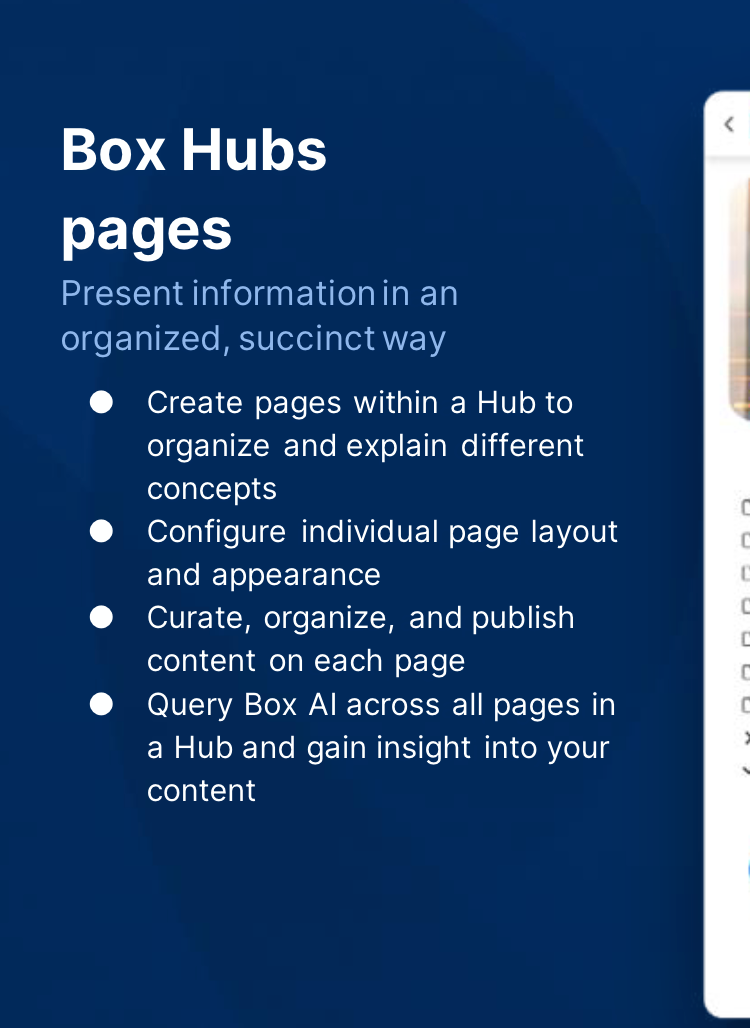
  • Admin Management and Box Hubs Pages
  • Customer Q&A
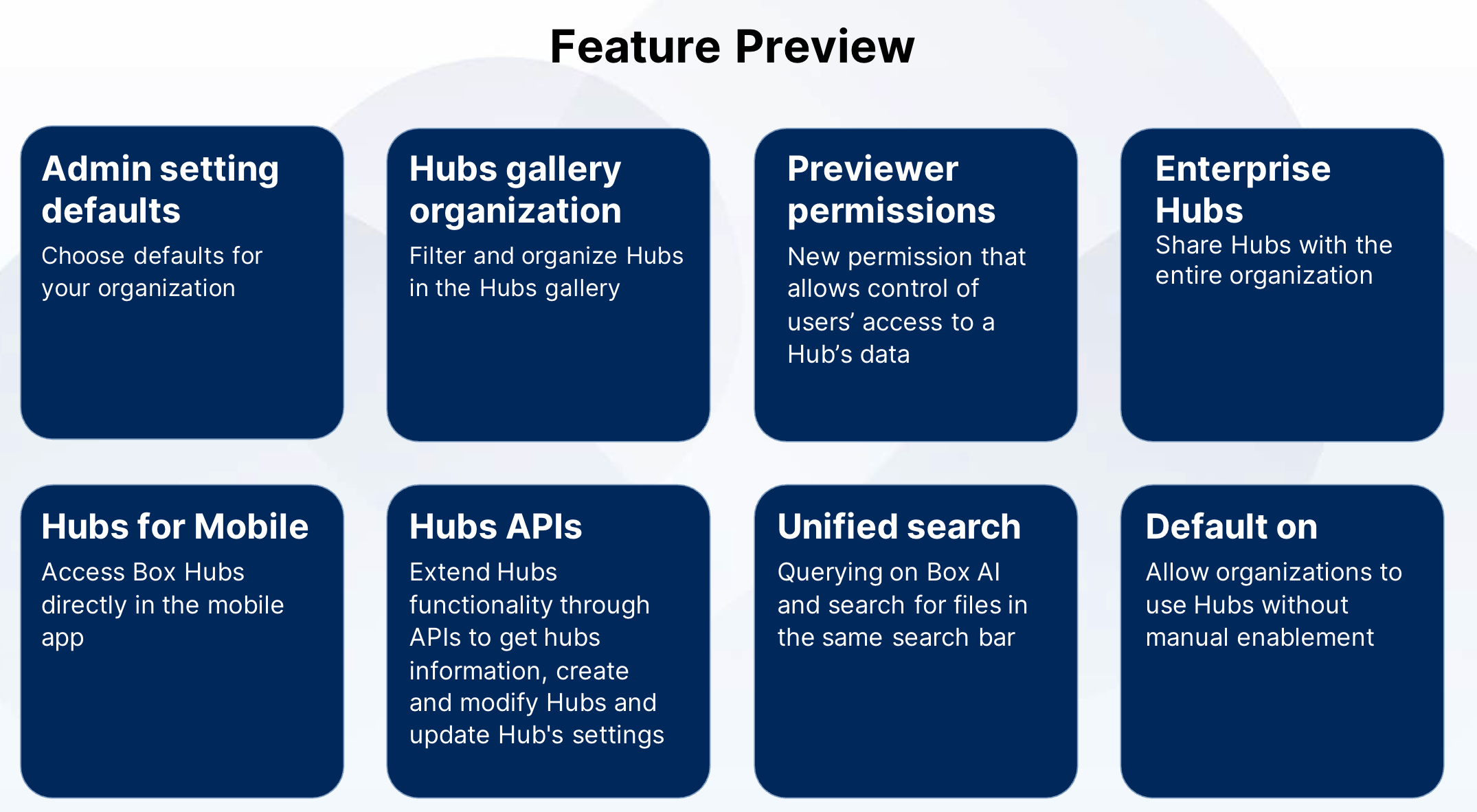
  • Feature Preview
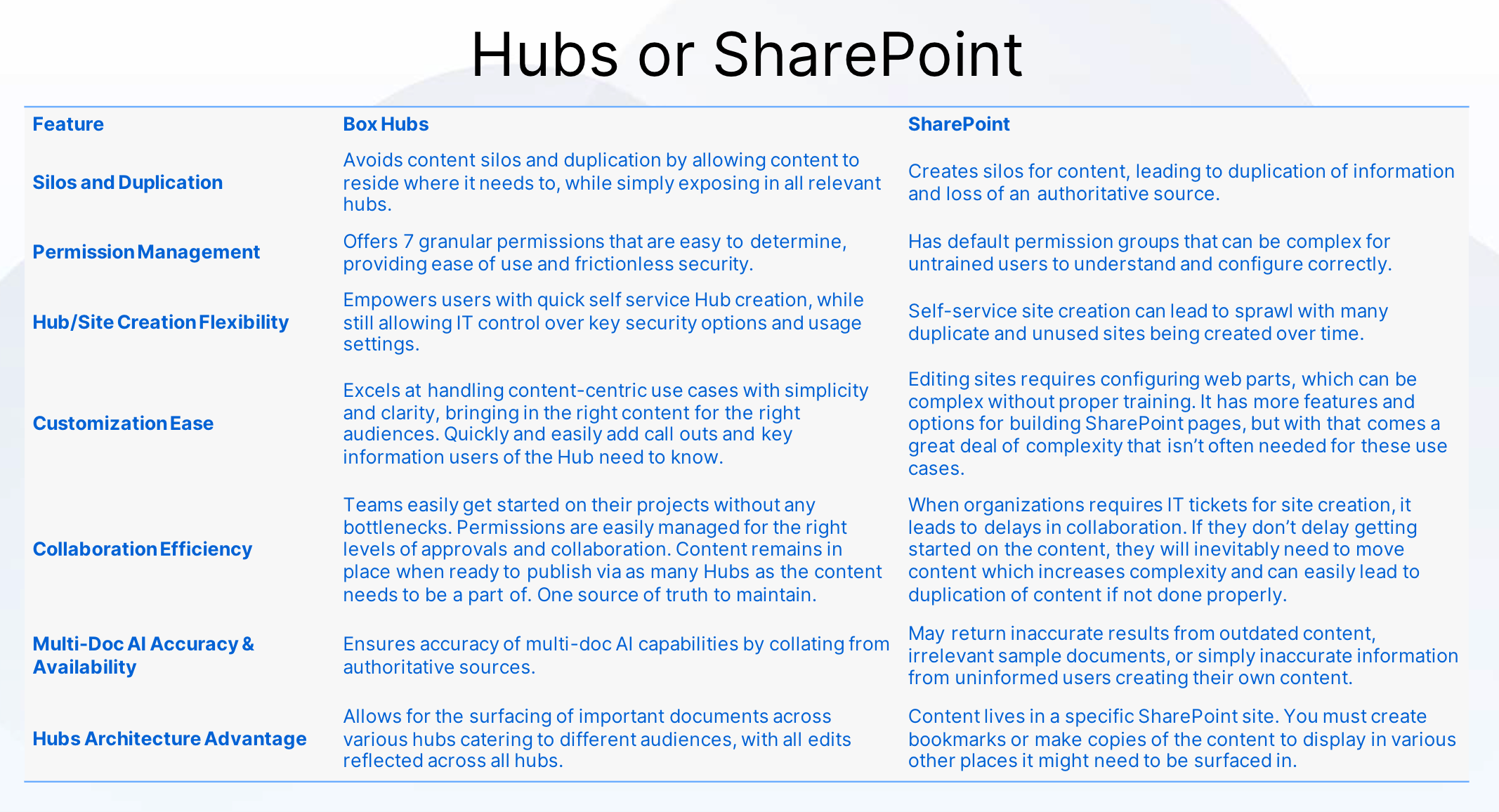
  • Box Hubs and Sharepoint comparison 


Topic Slides

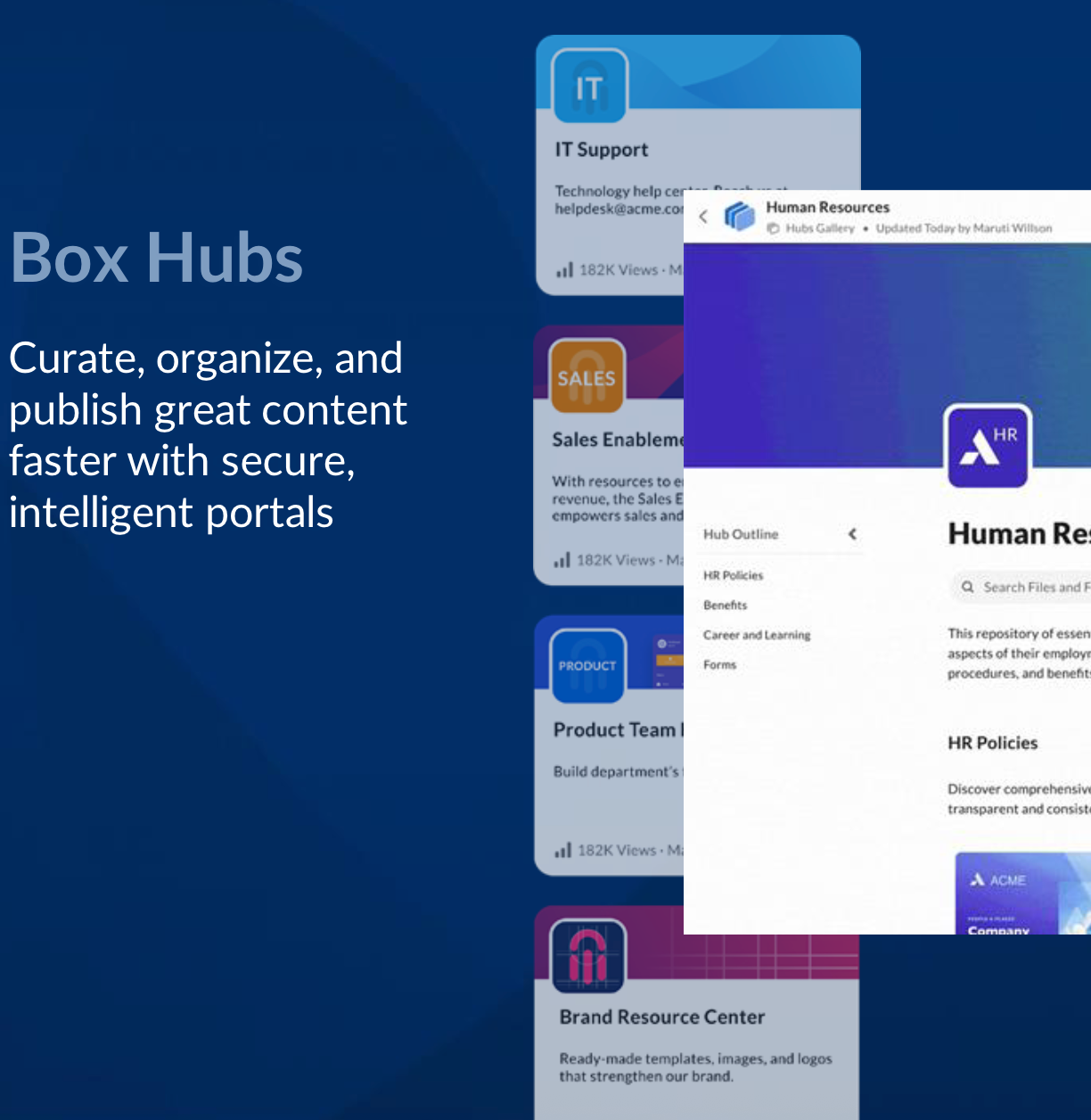
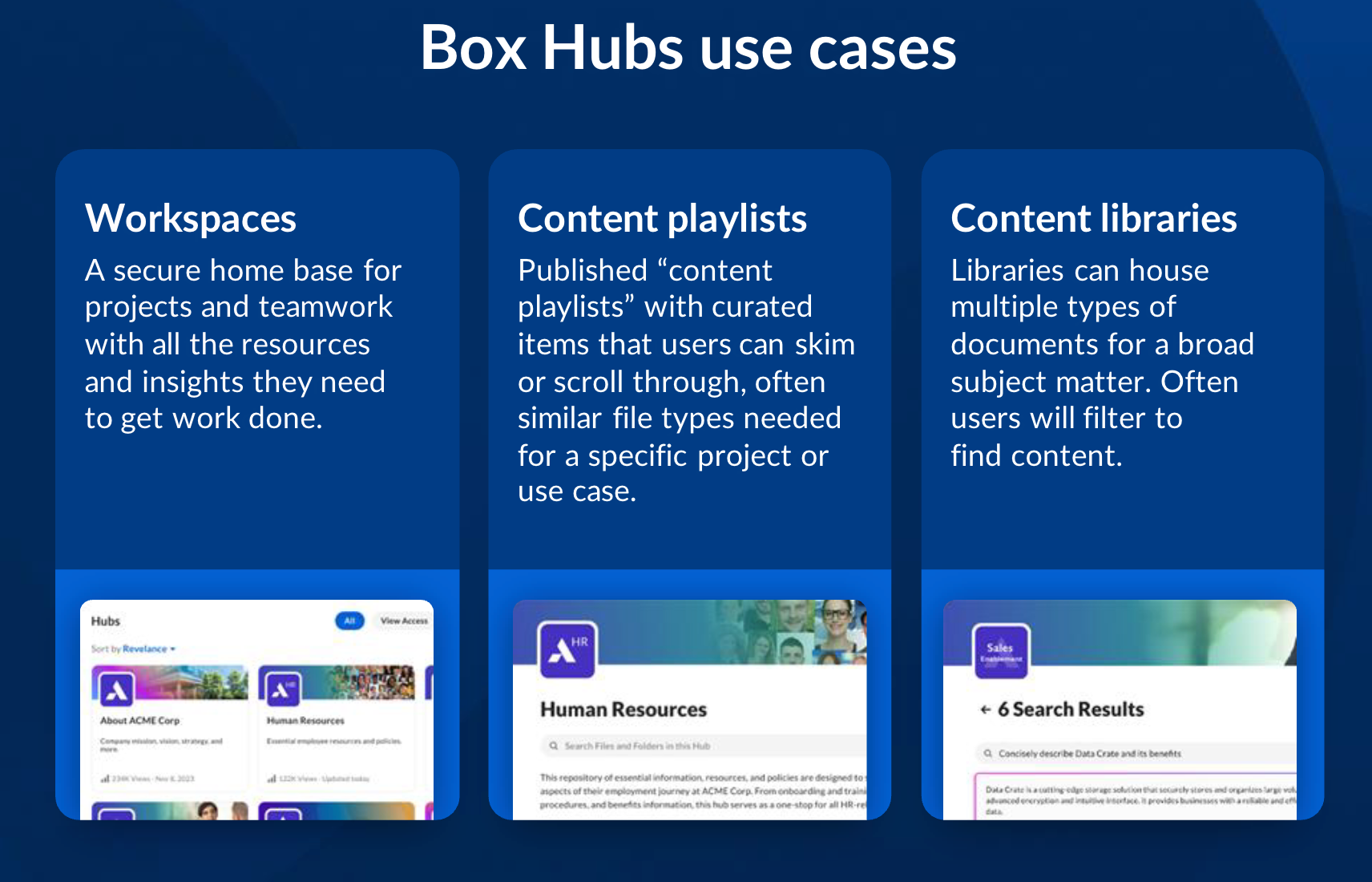
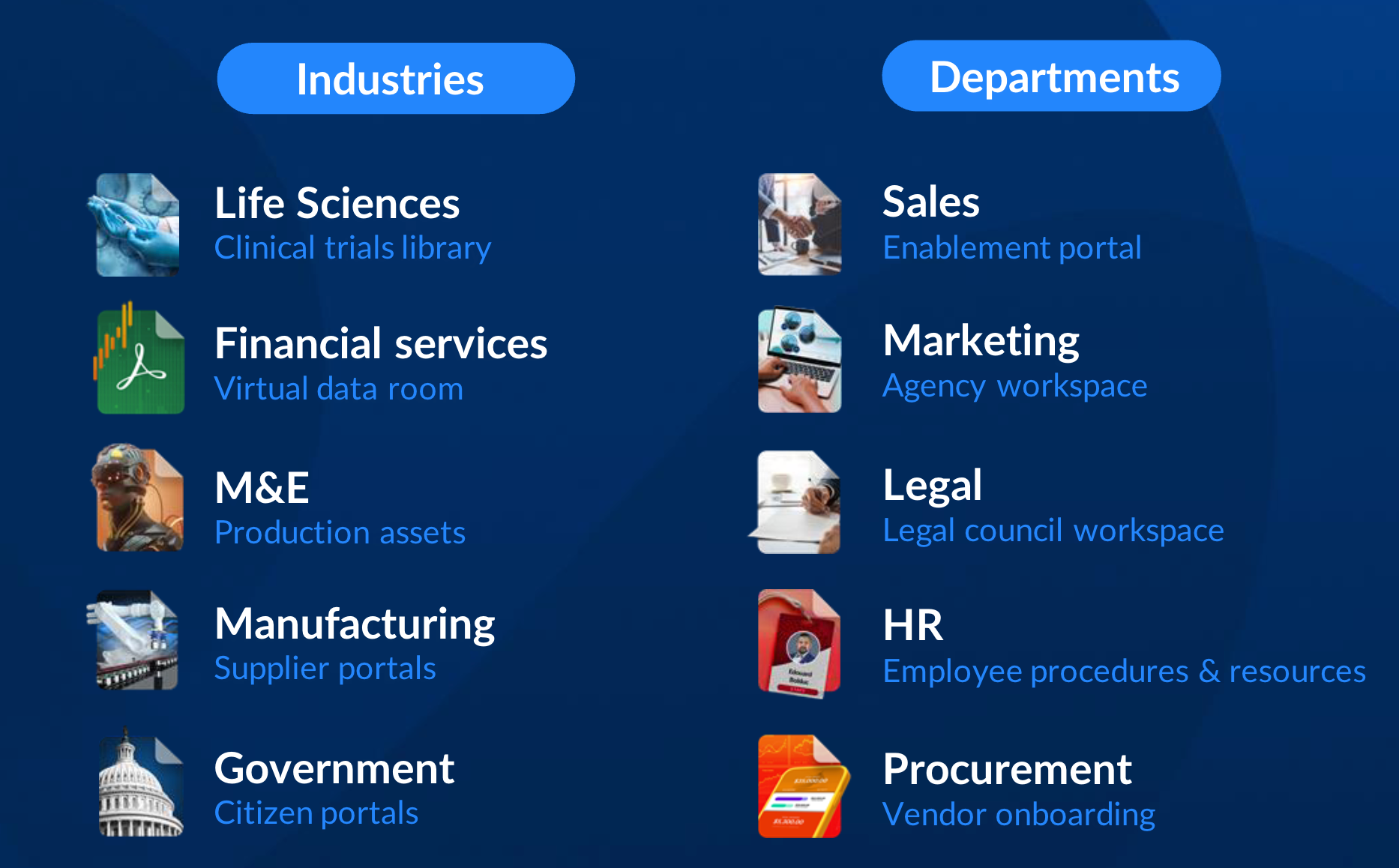
Box Hubs Overview


Recording clip here


Here are some great university Box Hubs use cases from Baylor University


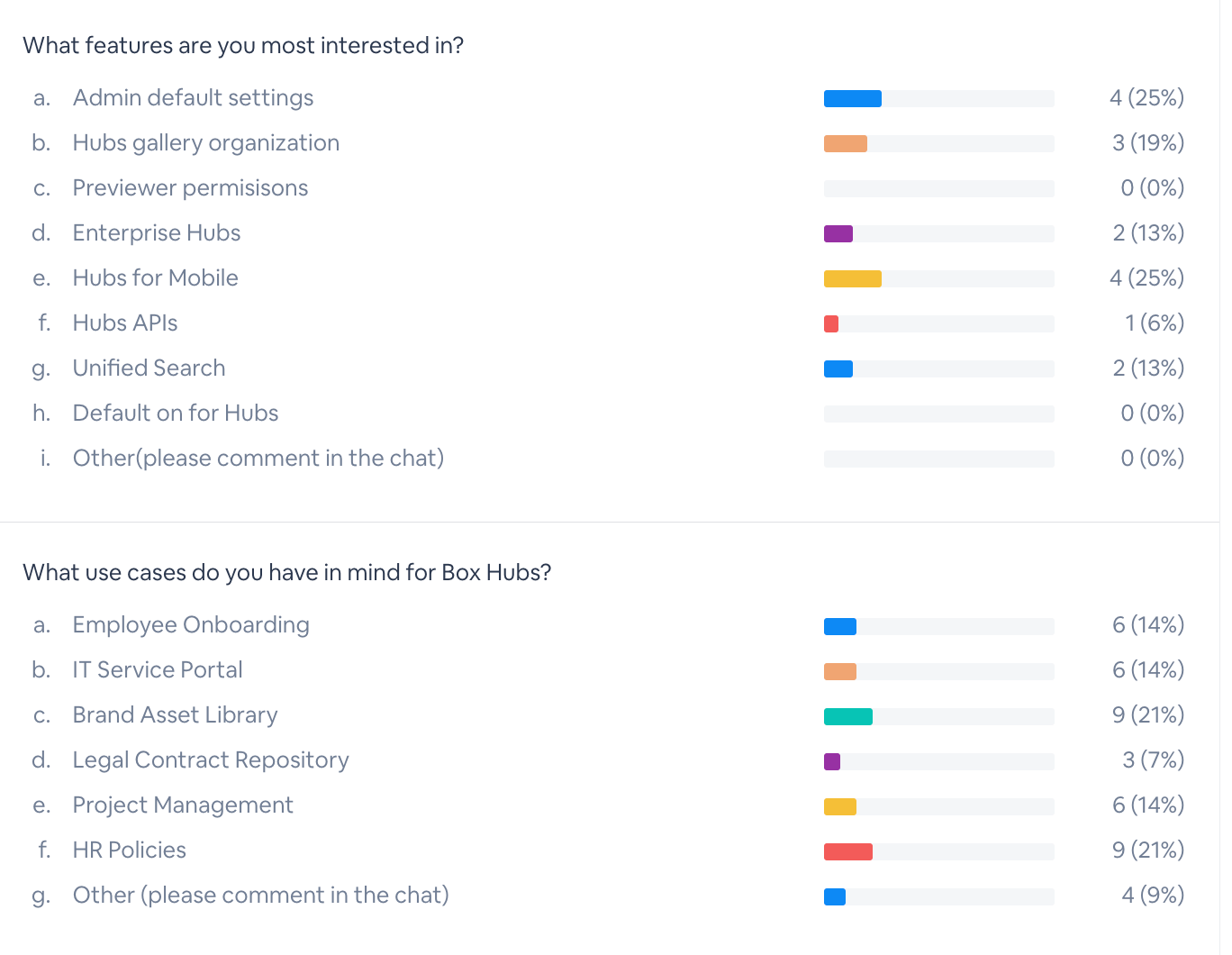
customer polls

Admin management and Hubs Pages


Recording clip here


 Checkout ​@Olya Kryvtsova Box post on Admin Management here and FAQ here


Customer Q&A

Hubs vs Folders

Permissions

Recording clip here


Upcoming feature preview and Poll


Recording clip here


Box Hubs and Sharepoint compare


6 replies

thomasdeely Box
Forum|alt.badge.img
  • Author
  • Sr. Community Manager
  • Apr 10, 2025 1:32 PM UTC

If you don’t see Box Hubs or want to learn how to enable, please read this post: 


Translate

​@thomasdeely Box ​@Olya Kryvtsova Box 

Hello! I was on the search for a roadmap of Box Hubs and stumbled across this forum post. I’d love to know if there’s anywhere I could submit a couple of suggestions for future features?

We are building an Employee Onboarding Hub and would love if we could:

  1. Have a page icon that can be customized for each page rather than it applying to the whole hub.
    • This would allow a more ‘on theme’ approach to pages. For example if we had about booking office space, we could have an office or desk icon. This small change makes hubs feel much more professional and visually appealing.
  2. Enable a search option which instead of showing only files and folders, will search for page and/or headers within pages.
    • This would allow users to quickly find the page/section relevant to them without having to have a file referenced on that page with a similar naming format.


Translate

thomasdeely Box
Forum|alt.badge.img
  • Author
  • Sr. Community Manager
  • Sep 11, 2026 6:31 PM UTC

Hi ​@michael.dxion welcome! We will share with the product team. Please also submit here as there may be similar requests you can add your vote to, help with prioritization  https://support.box.com/hc/en-us/articles/360044196573-Box-Pulse-How-to-submit-product-feedback


Thanks for the feedback. 

Translate

thomasdeely Box
Forum|alt.badge.img
  • Author
  • Sr. Community Manager
  • Sep 14, 2026 3:45 PM UTC

Also adding ​@Andrew Lavrov our product manager 

Translate

  • New Member
  • Oct 12, 2026 2:48 PM UTC

The admin controls and permission settings sound really useful, especially for teams managing lots of shared files. I’d be interested to see how Box Hubs compares with SharePoint in everyday use.

Translate

thomasdeely Box
Forum|alt.badge.img
  • Author
  • Sr. Community Manager
  • Oct 13, 2026 8:53 PM UTC

Based on my knowledge, here's how the two compare across the areas that matter most for teams managing shared files:

Content Organization

  • Box Hubs organizes content using a centralized, user-friendly structure that eliminates the "site sprawl" often seen in SharePoint. Features like metadata tagging, content curation into Hubs, advanced filtering, and AI-powered content discovery make it easier to find and manage content without relying on complex folder structures.
  • SharePoint relies on sites and subsites, which can become difficult to navigate and maintain at scale.

Security & Compliance

  • Box is built security-first, offering zero-trust security architecture, data encryption at rest and in transit, advanced threat detection (Box Shield), and regulatory compliance (HIPAA, FedRAMP, GDPR, FINRA, etc.) — all on by default.
  • SharePoint compliance settings often require manual configuration, adding administrative overhead.

Replacing SharePoint

Box Hubs can serve as a SharePoint replacement for many use cases - particularly document management, content organization, and secure collaboration. It simplifies content structure, reduces data sprawl, and provides cross-platform access without the complexities of SharePoint sites and subsites. However, organizations relying on SharePoint for intranet pages or deep Microsoft ecosystem workflows may need complementary tools.

Microsoft 365 Integration

Box integrates natively with Microsoft Teams, allowing users to view, share, collaborate, and manage Box files directly within Teams. Admins can even configure a Box-only experience in Teams by removing OneDrive and SharePoint entry points -  giving teams a consistent, secure content home.

Migrating from SharePoint to Box Hubs

If your team is considering a migration, Box Shuttle (Box's official migration tool) supports SharePoint Online as a source system and can transfer files while preserving permissions and metadata.


If a SharePoint migration is on the table, this covers content migration from OneDrive, Dropbox, SharePoint, and Google Drive.
🔗 https://training.box.com/resources/019220a1-7ed0-7745-bfe9-67a8ec581d25


❓ One Quick Question

Before I go deeper - are you a Box Admin for your organization, or are you an end user exploring what Box Hubs can do for your team? 


Translate