Hi @Nate H,
Welcome to Box Community and we’d gladly help find your missing files.
You should start by locating your missing files, as we begin I have a few reminders:
- When items are deleted from a collaboration folder, both the owner and the person who deleted the item can recover the items from the Trash.
- If you are removed as a collaborator from a file or folder that you've deleted, you no longer see that item in Trash. To see the item in Trash, you must be again added as a collaborator to that item.
You need to determine if your missing files are owned or shared folders. If it’s the latter, please reach out to the owner.
Meanwhile, for the deleted files present in your trash please follow the steps below:
The steps below apply whether you’re selecting from search results or from all Trash items.
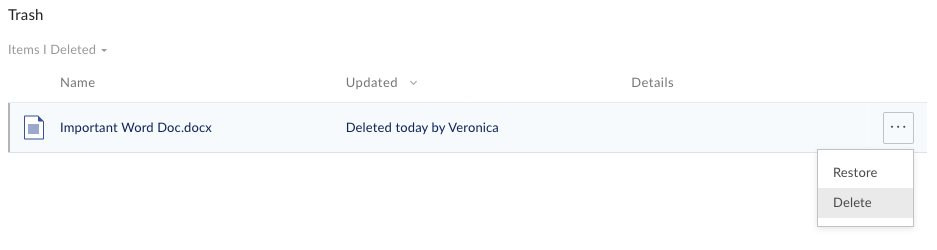
- Hover to highlight the row of the item you want. The More Options ellipsis (…) displays.
- Click the ellipsis (...). Then:
-
- To return the item to its original location in Box, click Restore.
- To delete the item permanently, click Delete.
- At the prompt, click Okay.
For more details, please see this article.
Hope it helps! Please let us know if you need additional assistance.