
Hello,
It has been a few years since Windows 11 is widely used, but since at least 3 years that I am using box.com for work on my Windows 11 laptop, every time I need to do anything box related with file that I have on box, via Windows File explorer and Box.com integration, I always need to right click a file once to see normal (modern? I guess) context menu of a file, and then click “Show more options” to see “old skool” context menu, and Box.com shortcuts are only available there.
I’ve experienced many apps that embraced the change, and made their app’s shortcuts also available in the “modern” context menu of a file in Windows Explorer (take NanaZip for example). But Box.com didn’t. Box.com shortucts remain available only from old style context menu, which requires an extra step from a user to get access to them.

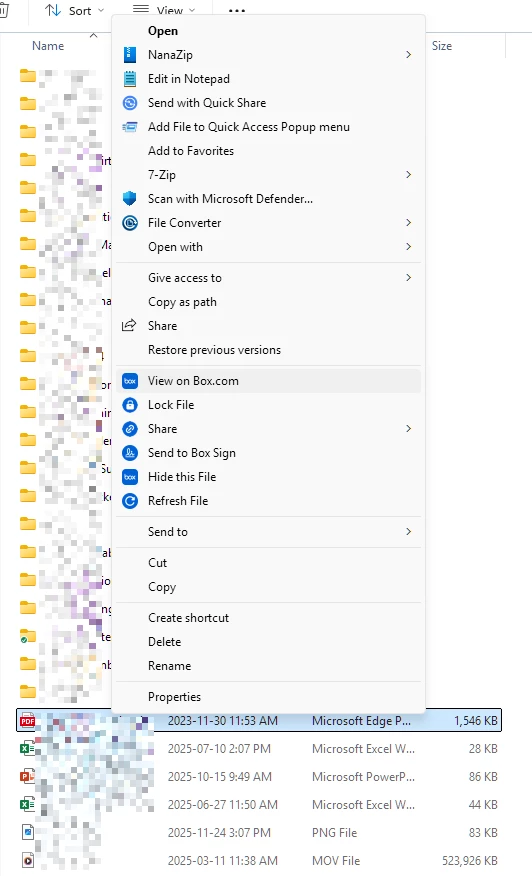
It bothers me. How can I make a feautre request? If anyone experiences the same issue, please drop a note, maybe Box.com would hear us and finally add this.
Thank you for your time reading this!

