Question

What types of files can be printed with Box Ui Elements

  • May 22, 2025
  • 6 replies
  • 22 views

Forum|alt.badge.img

Hello. In my application I use Box UI Elements and I want to add print functionality. I have called print() method, but it works only for .txt files, nor for .pdf, .doc, .odt etc. What I am doing wrong?

6 replies

Forum|alt.badge.img

Hey ,


Would you be able to share an example via CodePen? Here's all of ours:

https://codepen.io/box-platform/pens/tags/?grid_type=list&selected_tag=example


And you can see our Content Preview example (w/ print) here:

https://codepen.io/box-platform/pen/rmZdjm


By comparing your example and ours, hopefully we can find the difference! If you find it on your own, let us know!


Thanks,

Jason


Forum|alt.badge.img

Thank you for reply. When i click to print button in your example, file had downloaded, but not printed. So I ask: pdf files cannot be printed with Box?


Forum|alt.badge.img

Interested to hear box's reply on this as I am also seeing issues with the print function. Testing the codepen examples confirms it's a problem on box's end.


Forum|alt.badge.img

Hi  ,


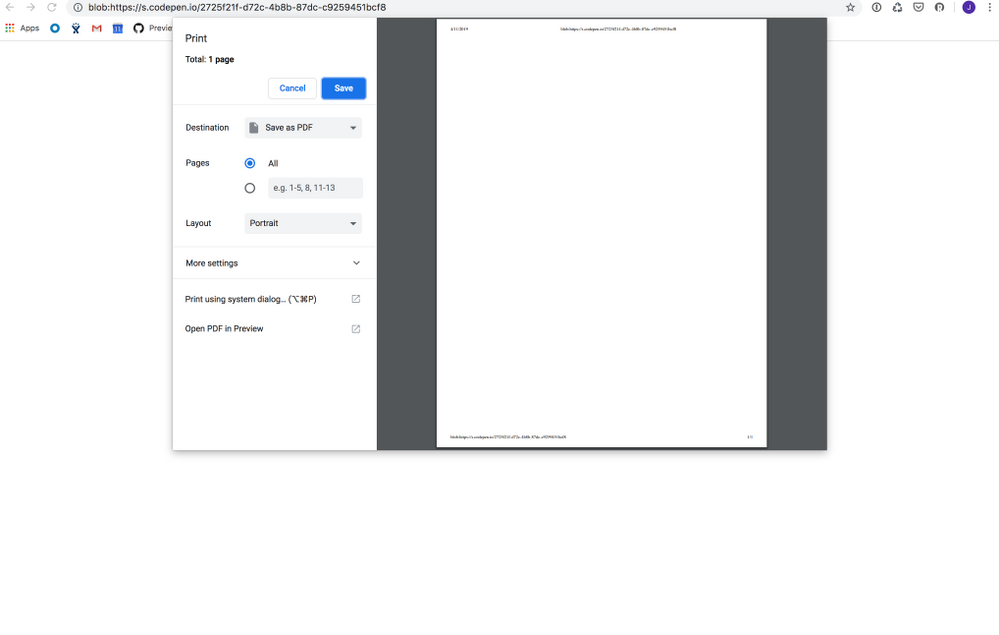
In what browsers are you seeing this issue? The expected behavior is for the PDF to be opened in a new tab, prompting the native browser print functionality. Unfortunately, the fact that codepen wraps our example in an iframe prevents it from grabbing the actual PDF content to print, so the example attempts to print a blank page. However, I am seeing the print dialog in codepen, and I've confirmed the correct behavior in other instances of the UI Element (e.g. our first party application which uses the same component).


BOX_6x8m18atlnd64w3o2pn7fwi7u9ipsy5r.png


Forum|alt.badge.img

Thanks for the quick reply. Turns out adblock is the culprit.


Forum|alt.badge.img

Reopening this again as the screenshot you shared above is now what I am seeing all of the time within our app and I can also confirm it does not work within the box admin environment either.