Question

Using API to upload image to a shared folder

  • May 21, 2025
  • 9 replies
  • 66 views

Forum|alt.badge.img

Hi everyone, folow the guide here, I had created a box aplication and upload image to it normally using python jwt library. But the problem is I need to upload images to a shared folder from my collaborator. I can use web widget to upload image manually. The question is how to using API to upload image to a shared folder. Any suggestion with references is nice. Thanks!

9 replies

Forum|alt.badge.img

 Here are the steps to do this with JWT authentication:

- Create an App User

- Add the App User as a collaborator to the folder with the "uploader" permission

- Generate an access token for that App User and call the Upload File endpoint with that access token


Forum|alt.badge.img

 You can also use a Service Account for this use case, instead of an App User as I mentioned above.


Forum|alt.badge.img

Thanks for very helpful information.

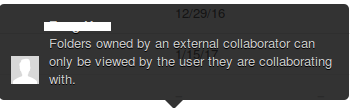
I folowed your referrences and I can upload image to a shared folder that my enterprise account has created. But the user from App User still cannot access to an external shared folder, it's keeping show that "Folder owned by an external collaborator can only be viewed by the user they are collaborating with". Is it possible for App User to access to a folder shared from external collaborator and how. Thank you for spending your time to help me.


Forum|alt.badge.img


I has a Developer Account. I had created a Box Aplication and a Service Account


Case A: I had created a "Test" folder, then sharing it for my Service Account via Service Account email => Ok, I can use API to upload image to it. BOX_h8nh2996yfwmckenmdk9gt0eks2mwg80.png


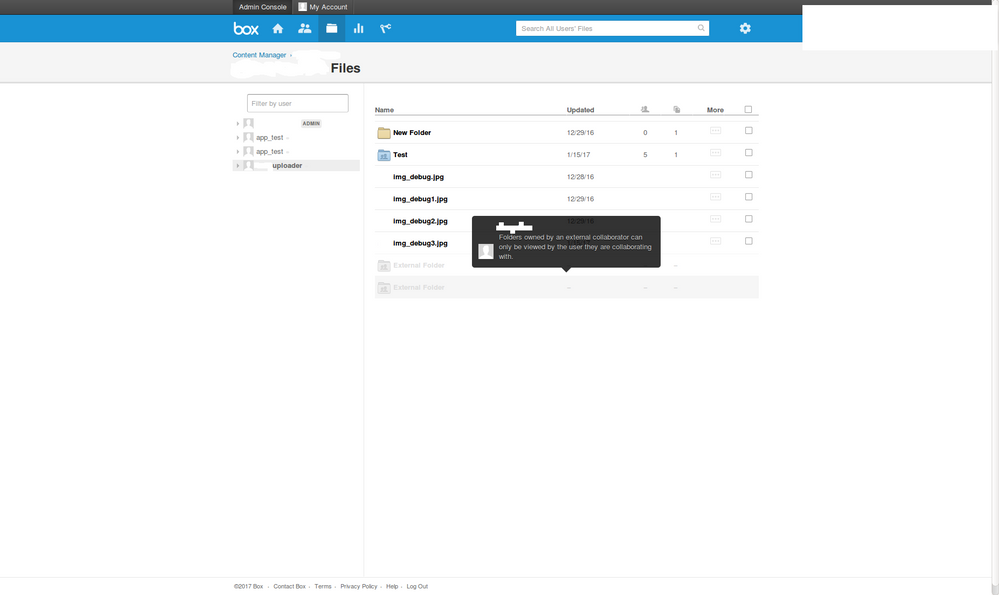
Case B: Another Box User had created a "TestB" folder, then sharing it to my Service Account via Service Account email => Not Ok, I can't use API to upload image to it. I go to "Dev Console -> Admin Console -> Content Manager, It shows "Folders owned by an externel collaborator can only be viewed by the user they are collaborating with." BOX_d5mbz28180nmy88zcikh2k4qqe5p2778.png


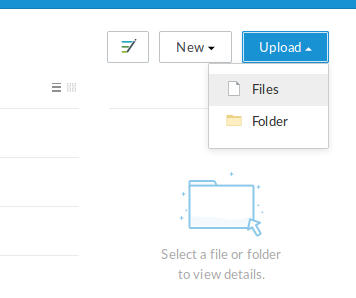
Problem: I can use Web Widget BOX_wm7djuv7tizg9yj56hmge42gdv4dwzmy.png to upload image to both "Test" folder and "TestB" folder, but when I use API, I can only upload image to "Test" folder.


Help: Please help me to use API to upload image to "TestB" folder which is shared by another Box User. It had taken me a month stuck with it.


Overview:

BOX_u7xuzfgqlkhko1hx3mbngkmymxz7cbhx.png


Forum|alt.badge.img

Hello daotran,


which role has been asigned to your service account on the TestB folder? Is uploader or editort?


I have done right now a test with the API with a shared folder from an external user and I could upload documents without any problem.


Thank you.


Forum|alt.badge.img

Thanks for reply ,


The Service Account is assigned as Uploader.


Can I know that if you can see the external user's folder in "Content Manager" or not. In my case, I cannot see the external user's folder in "Content Manager" but the admin account can see it in the main Box interface. I try to get folder ID of the external folder and upload image with it but the response is invalid folder ID


Forum|alt.badge.img

Hello Daotran,


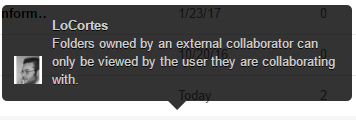
the same that you explained happens to me. From the Content Manager view I can not see the folder.


BOX_mcrmdl5tvrbqx9ypsfklijj59ifow17t.png


I took the ID of the folder from the URL of the folder itself. I did an upload through API with the configured user and no problem at all to upload it. Strange that you receive an invalid folder ID.


Thanks


Forum|alt.badge.img

thanks for your enthusiasm, LoCortes,


Maybe I was wrong in choosing folder ID in my previous tests.

Now I try it again and success in upload data to it.


Forum|alt.badge.img

Thank you 🙂


I hope that you can solve it 😉


Regards