Solved

Trouble accessing a shared file

  • May 20, 2026
  • 1 reply
  • 18 views

Dear whom it may concern


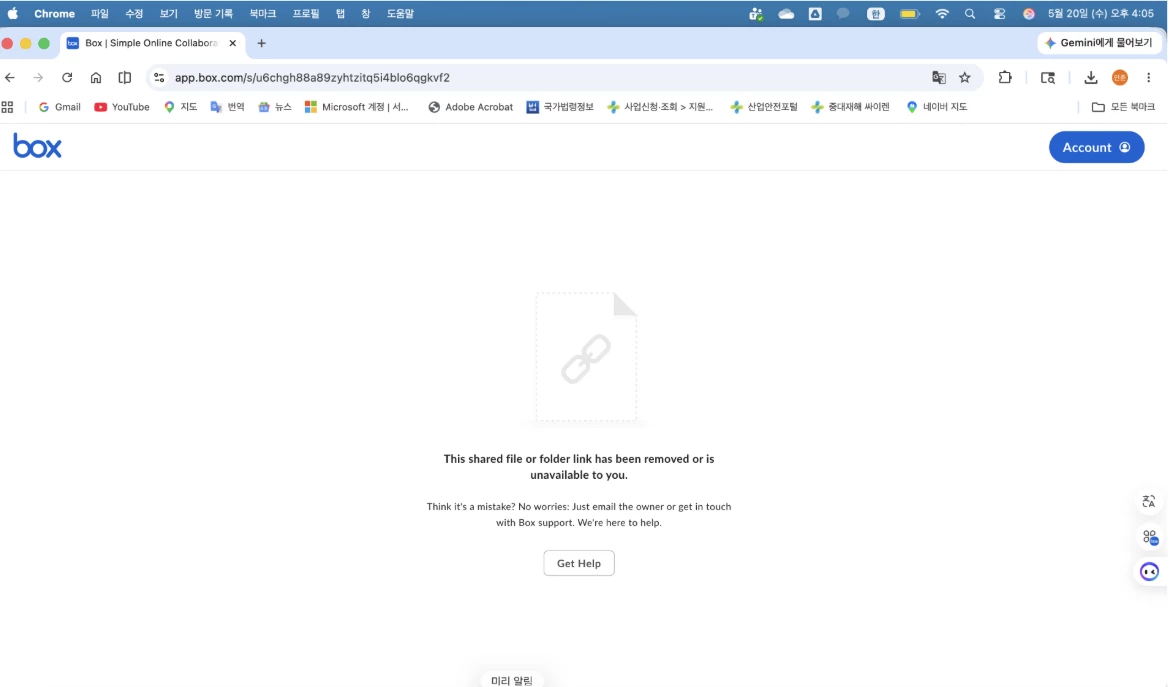
One of our members using the BOX folder is having trouble accessing a shared file or folder link.

The user mentioned that the exact same folder was accessible yesterday, but it is no longer working today.

Please see the attached screenshot and assist in restoring the user’s access to the folder.

User account: <removed personal information>

Thank you

Best answer by Rona Box

Hi ​@ELIN

Welcome to Box Community, and we’re glad to help in accessing the shared file or folder. 


This error typically is caused by one of 3 things:

  1. Incorrect sharing permissions on the shared file. In other words, whoever created the link did not set the correct access level on the link. If you are not already a collaborator in the folder (or file) the link points to, the link would need to be set to "people in the company" (if that person is also at your company) or "people with the link" (if that person is not part of your company).
  2. The person who created the shared link has since removed it.
  3. You are attempting to access the shared file with a personal Box account instead of the account with which the file was shared.


Here’s how you can resolve this:

  1. Verify you are logging into Box with the account to which the file was shared. Typically this will be your company Box account.
  2. If that doesn't resolve the issue, contact the individual who owns the file. Ask them to either to review and revise the file share permisions or to send you the correct link to the file.
  3. If that doesn't resolve the issue, contact your organization's IT admin for help locating the file and fixing the permissions.


This error can be common for anyone who has trouble accessing shared links. To find out more please checkout the Shared Links Frequently Asked Questions


Hope it helps! Let us know in the Community for your additional concerns and clarifications. 

1 reply

Rona Box
  • Community Manager
  • Answer
  • May 26, 2026

Hi ​@ELIN

Welcome to Box Community, and we’re glad to help in accessing the shared file or folder. 


This error typically is caused by one of 3 things:

  1. Incorrect sharing permissions on the shared file. In other words, whoever created the link did not set the correct access level on the link. If you are not already a collaborator in the folder (or file) the link points to, the link would need to be set to "people in the company" (if that person is also at your company) or "people with the link" (if that person is not part of your company).
  2. The person who created the shared link has since removed it.
  3. You are attempting to access the shared file with a personal Box account instead of the account with which the file was shared.


Here’s how you can resolve this:

  1. Verify you are logging into Box with the account to which the file was shared. Typically this will be your company Box account.
  2. If that doesn't resolve the issue, contact the individual who owns the file. Ask them to either to review and revise the file share permisions or to send you the correct link to the file.
  3. If that doesn't resolve the issue, contact your organization's IT admin for help locating the file and fixing the permissions.


This error can be common for anyone who has trouble accessing shared links. To find out more please checkout the Shared Links Frequently Asked Questions


Hope it helps! Let us know in the Community for your additional concerns and clarifications.