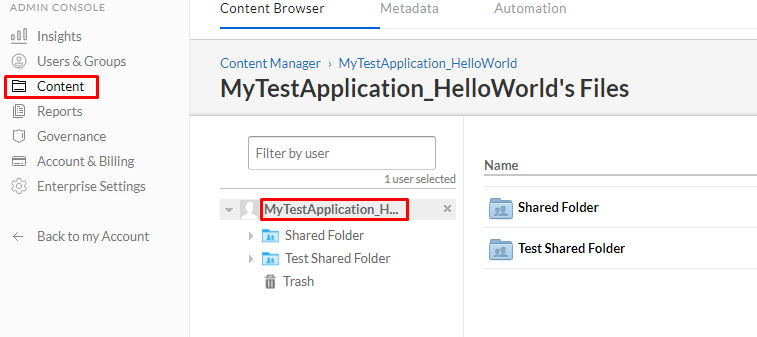
I've created an enterprise application using the developer console that has permissions to Read and write all files and folders stored in Box. I'm trying to write a quick guide on how to share files and folders with the app, but I am having difficulty finding a straightforward way of doing this.
So far I've been able to:
- Create a group in the Admin Console
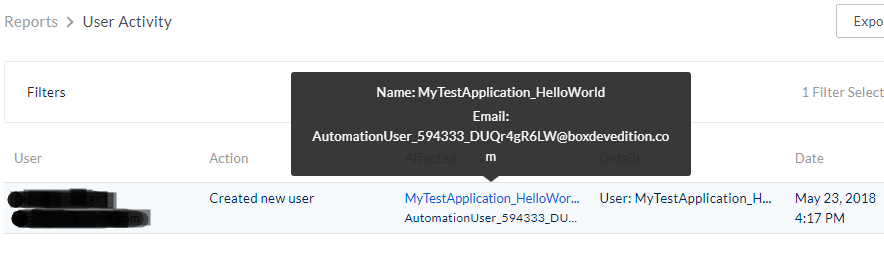
- Add my application to the group by typing in my application name, which then autocompletes to what I'm guessing is the Automation User's email (AutomationUser_@boxdevedition.com).
- Share the files and folders with the group.
When I try to share an individual file or folder with the app using Share > Invite Collaborators, I don't get that autocomplete functionality. I also can't seem to find the Automation User in the Users & Groups portion of the admin console.
Is there an easy way in the web UI to share one or more folders with the app user that doesn't involve adding them to a group? Or alternatively a way to find the automation user's information (email, etc) through the web UI?
Thanks!