Question

Service Accounts - how to create one, and how to use it through .NET SDK

  • May 21, 2025
  • 2 replies
  • 56 views

Forum|alt.badge.img

I can successfully create an App User through the .NET SDK but reading up on what I need (server-to server access to all users' files) it looks like I would be better served with a service account.

I've read up on them (https://docs.box.com/docs/service-account) and followed the steps in the setup guide.  But at the end of following the steps: I don't have a service account.  Nowehere in that setup guide does it actually create an account.  Those steps all describe how to set up the app, but don't create an actual account to use.  The setup guide ends with "Once you’ve completed the authorization for the new application, you can begin using Box Platform with Service Accounts."

How?  Where do I create the Service Account?  And how do I then use it through the API.
2 replies

Forum|alt.badge.img

I think the docs are confusing on that too but here's my understanding.


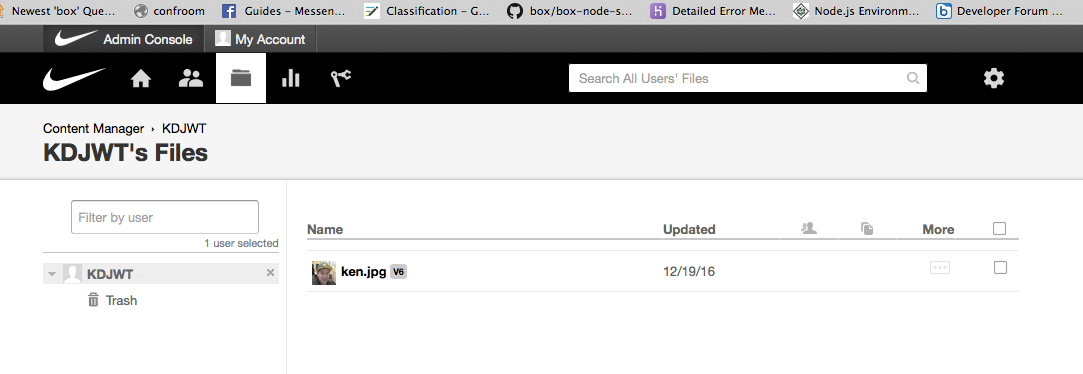
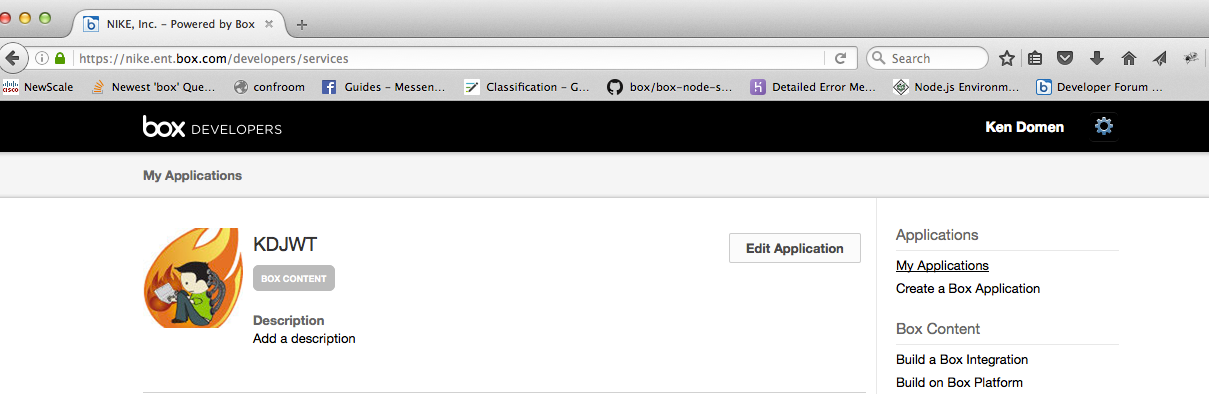
App == ServiceAccount. 


BOX_i7irldjyf4n1xej44tfldobnh8i4onao.png


BOX_auqzriwdrev5urb5vs53uixfgzdjpicy.png


So for example, adminClient == ServiceAccount.


 static async Task MainAsync()
        {
            // rename the private_key.pem.example to private_key.pem and put your JWT private key in the file
            var privateKey = File.ReadAllText(PRIVATE_KEY_FILE);

            var boxConfig = new BoxConfig(CLIENT_ID, CLIENT_SECRET, ENTERPRISE_ID, privateKey, JWT_PRIVATE_KEY_PASSWORD, JWT_PUBLIC_KEY_ID);
            var boxJWT = new BoxJWTAuth(boxConfig);

            var adminToken = boxJWT.AdminToken();
            Console.WriteLine("Admin Token: " + adminToken);
            Console.WriteLine();

            var adminClient = boxJWT.AdminClient(adminToken);  // adminClient == serviceAccount
           
            var userDetails = await adminClient.UsersManager.GetCurrentUserInformationAsync();
            Console.WriteLine("\tAdmin User Details:");
            Console.WriteLine("\tId: {0}", userDetails.Id);
            Console.WriteLine("\tName: {0}", userDetails.Name);
            Console.WriteLine("\tStatus: {0}", userDetails.Status);
            Console.WriteLine();
           
            var users = await adminClient.UsersManager.GetEnterpriseUsersAsync();
            users.Entries.ForEach(i =>
            {
                Console.WriteLine("\t{0}", i.Name);
                Console.WriteLine("\t{0}", i.Status);

                if (i.Status == "active")
                {
                    var userToken = boxJWT.UserToken(i.Id);
                    var userClient = boxJWT.UserClient(userToken, i.Id);

                    Task u = getUserItems(userClient, i.Id);
                    u.Wait();                                       
                }

            });
        }

https://github.com/kendomen/BoxDotNetGetManagedUsersItems


Forum|alt.badge.img

Thanks for detailed message;

Can you also help me to understand creating a Service Accounts using JAVA SDK? provide the sample code as well?


Regards,

Raj