Question

Not able to Integrate Microsoft Information Protection

  • May 19, 2026
  • 3 replies
  • 47 views

The goal is to integrate Microsoft Information Protection(MIP) with Box, so that Box can read the MIP labels applied to a file and apply the corresponding Box Classification.
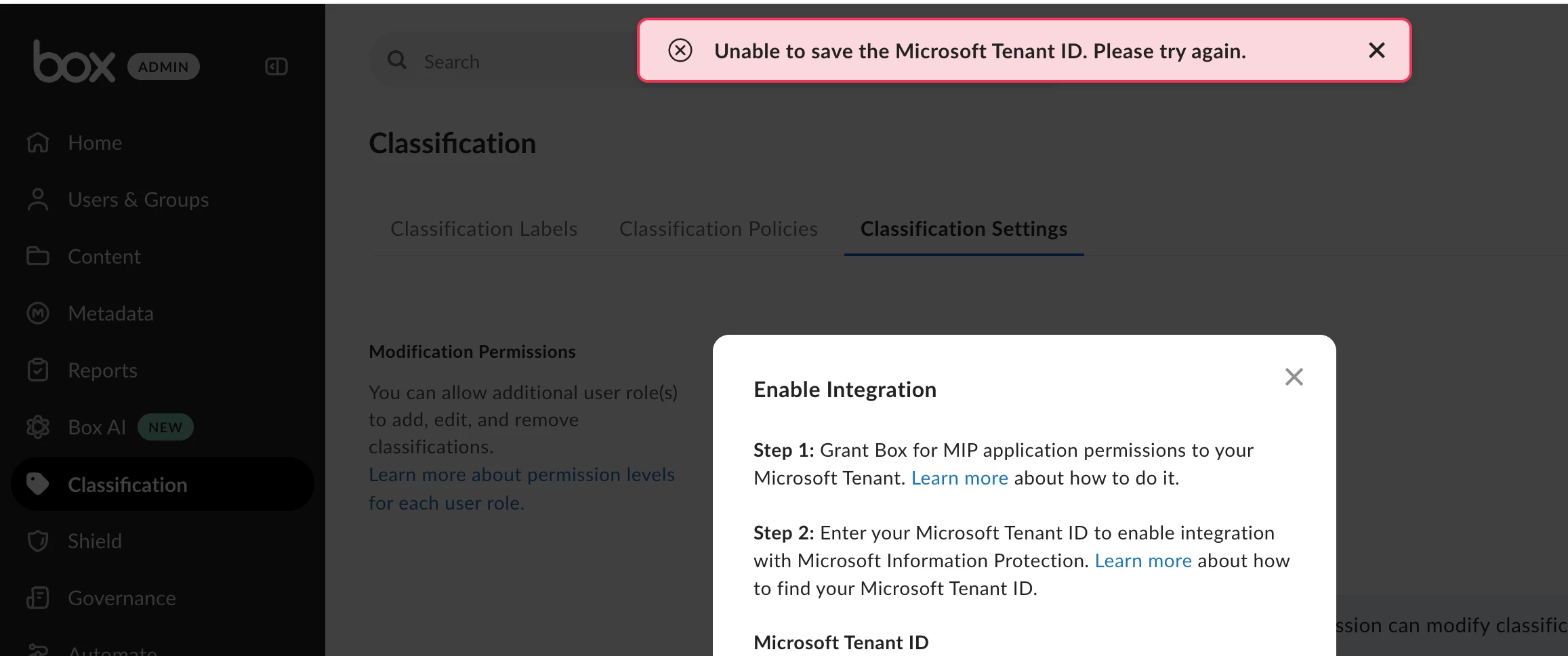
Under Classification Settings tab, when I:

  1. click on Enable Integration in Microsoft Integration Protection section
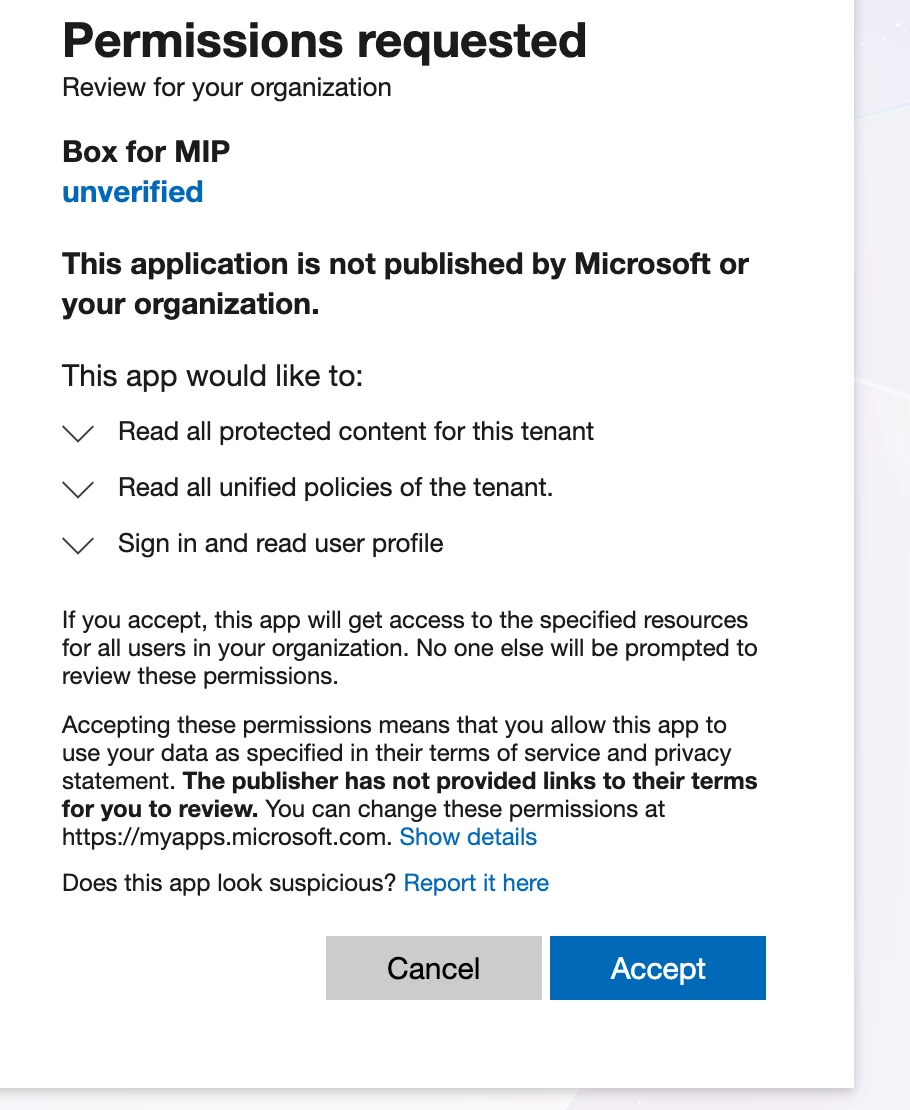
  2. grant these permissions:
     
  1. and enter my tenant ID here, I get below error:
     

3 replies

Rona Box
  • Community Manager
  • May 21, 2026

Hi ​@ritikraj

Welcome to Box Community, and we’ll be assisting you in setting up your MIP integration!


Don’t forget the prerequisites in enabling and configuring the Microsoft Information Protection Integration: 


Install and Configure the Box for MIP Application in Azure Active Directory

You must be an Azure Active Directory administrator.

  1. Click https://login.microsoftonline.com/common/adminconsent?client_id=963a4eb2-b128-4d26-8893-f3d8621a5ea8.
  2. If necessary, sign in to Azure Active Directory.
  3. Review and approve the permissions required for the Box for MIP app to work correctly. Specifically, the following permissions are listed:
    • Read all protected content for this tenant.
    • Read all unified policies for this tenant.
    • Sign in and read user profile.

      Note

      Sign in and read user profile is a generic permission required only at the time of granting permissions and does not grant Box permission to read all your users' profiles. You can view the actual permissions granted to the Box for MIP app in Azure Active Directory > Enterprise applications > Box for MIP > Permissions.

  • Click Accept.

Important

The Azure registration process once you've completed installation and configuration of the Box fo MIP application may take some time, from a few minutes to somewhat longer, to complete. Registration in Azure must finish before you can successfully enable the integration in Box with your Microsoft Tenant ID in the procedure below.


For more details, please check out this article


Hope it helps! If you’ve completed the steps above and that error occurred please reply in  the Community thread. 


  • Author
  • New Participant
  • May 22, 2026

I have followed the exact same steps.
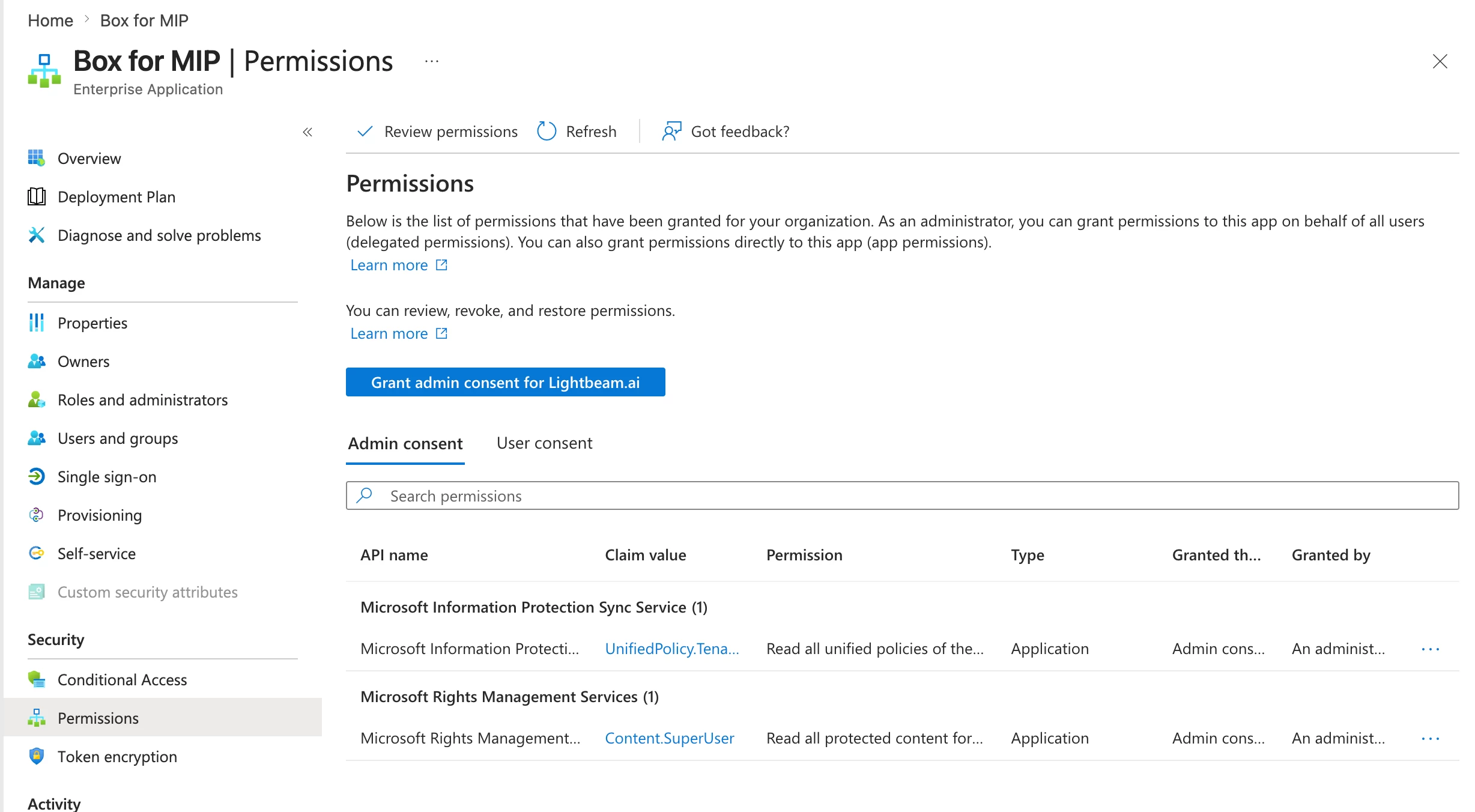
Below is my “Azure Active Directory > Enterprise applications > Box for MIP > Permissions” screen’s screenshot. You can see that the required permissions have been granted.
This has been done 3 days ago and I am still getting the same error.


Rona Box
  • Community Manager
  • May 22, 2026

Hi ​@ritikraj, thank you for the responding! 


It indicates that you have already collaborated with one of our team members, and please keep an eye out. We will continue to get in touch with you while resolving this case. 


Thanks for posting, and we hope that this will be sorted out very soon!