

Question

Network error when using the official uploader UI

  • May 22, 2025
  • 5 replies
  • 49 views

Forum|alt.badge.img

The official uploader UI (React included version) gives "A network error" on each upload try.


What happens (as seen in the dev tools) is: it starts the upload, makes a call to

https://upload.box.com/api/2.0/files/content

with file size, gets 404 (file not found BECAUSE IT WASN'T UPLOADED YET) and decides it's a network error.


I changed a line in the uploader source code from 


this.uploadPreflight()

to

this.uploadPreflightSuccessHandler(e))

in the upload function.

And now it meets a network error after the upload is finished. (The file is not uploaded anyway)

Uploader is at version 1.0.2
 

5 replies

Forum|alt.badge.img

Hello oreolek, do you have some sample code for your use case? You can also try plugging in your developer token and folder ID into the sample CodePen here: https://codepen.io/box-platform/pen/QvqGwr


The first call to https://upload.box.com/api/2.0/files/content is correct since that's how the Box Upload File API works (https://developer.box.com/reference#upload-a-file). The preflight call checks whether the file you want to upload will be accepted by Box before you have to send the bytes over the wire.


Forum|alt.badge.img

Tried it on CodePen (folderId: 0). Still a network error.


Forum|alt.badge.img

Two possibilities that I can think of:


Forum|alt.badge.img

Added the domains to CORS and converted folder ID to string. I even changed my Internet provider to open all ports and get a white IP.

Still a network error.


Forum|alt.badge.img

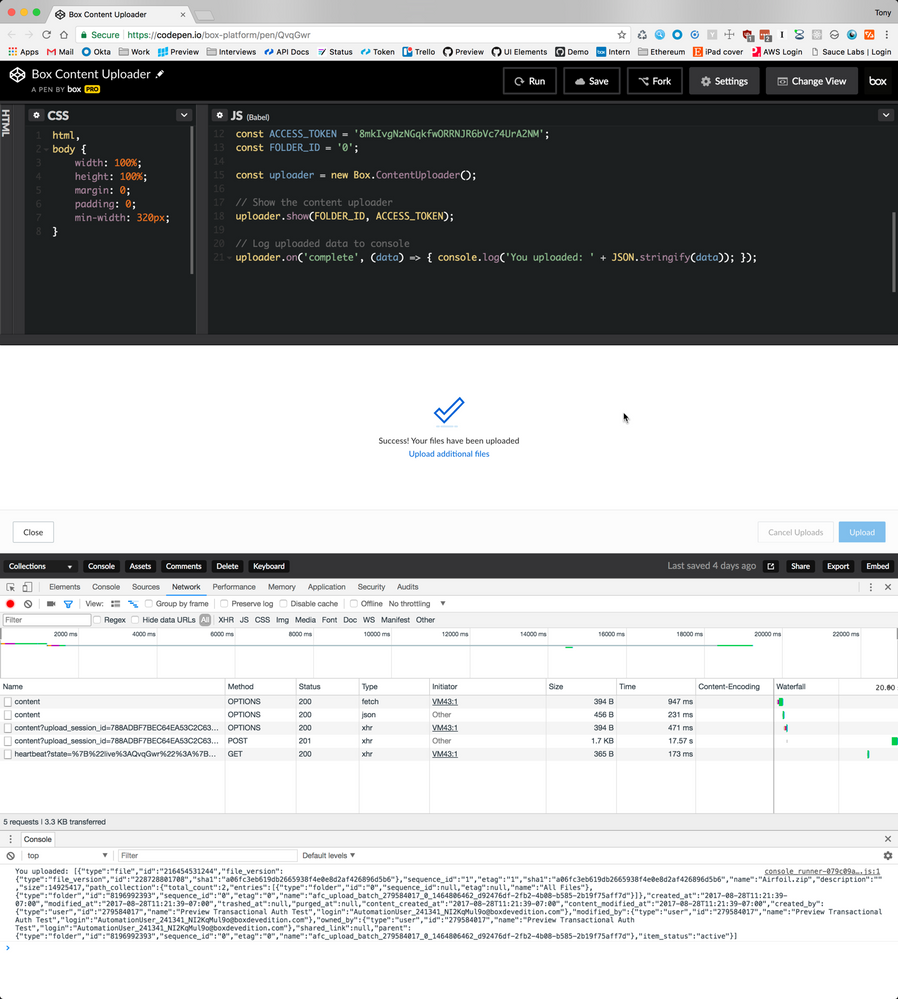
That's unfortunate. Do you mind sharing a screencast of your process with the network panel open? Otherwise a screenshot of the network error with the network panel and console logs both visible works as well.


Example:

BOX_o24a860fq85ygd4hww3yqwvfy7oc3a53.png