
Solved

Issues changing permissions for External User

  • April 22, 2026
  • 1 reply
  • 6 views

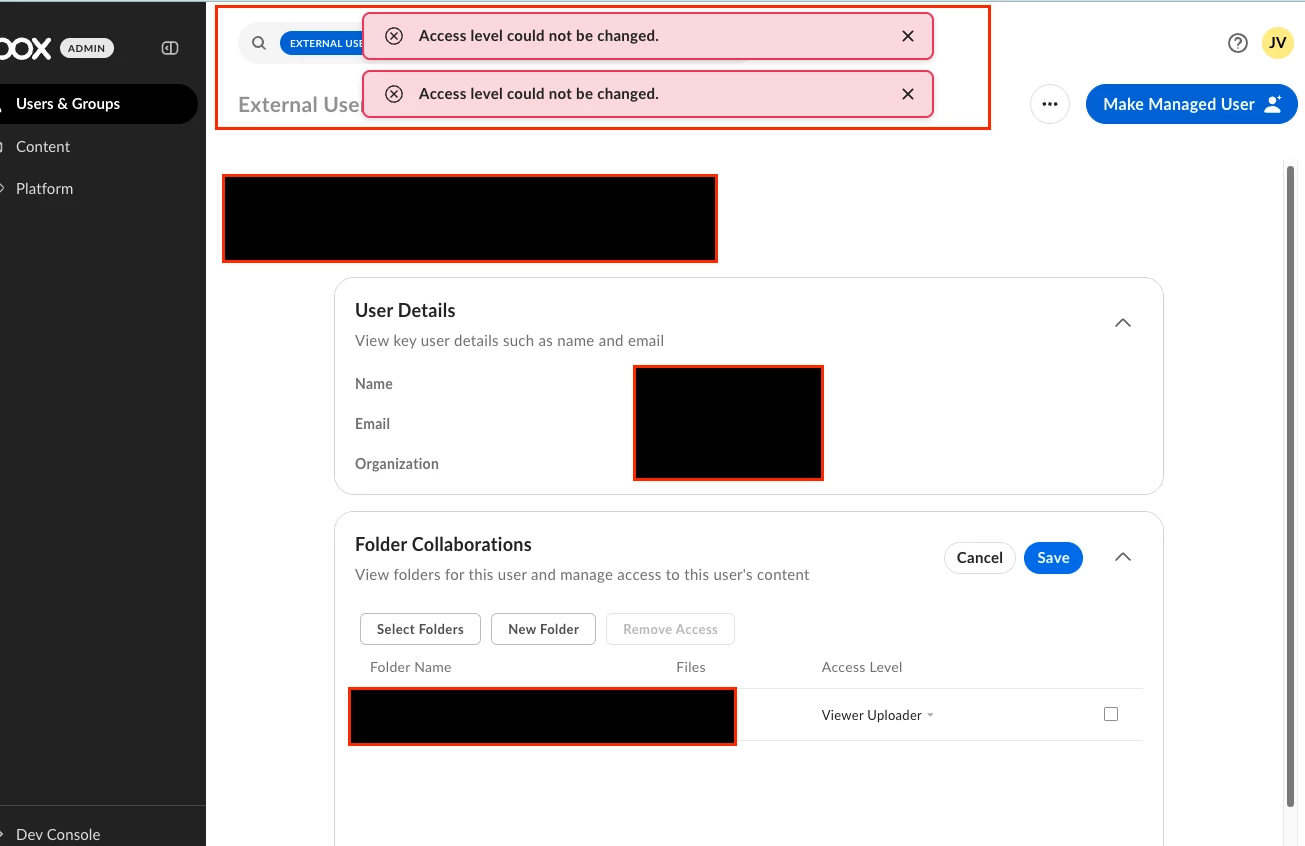
I am trying to adjust an external user who is a Collaborator on a Folder between them and my company. When I go into their External User profile, than go into the Folder, permissions and try to change them from “Preview Uploader” to “Viewer Uploader” I am hit with the error pop up “Access level could not be changed”. 

The external user said they use to be able to edit or delete files if they accidentally uploaded the wrong ones to the folder, but as of the past few weeks they are no longer able to do so. Did something change with the level of permissions that are allowed for an External User?

 

Best answer by Rona Box

Hi ​@JVance

Welcome to Box Community, and we’ll assist so you could modify your external user’s folder permission. 


It appears that you have limited Admin access to be able to modify the external user’s permission via Admin Console. At this rate, it’s best to reach out to the folder owner in order to change the user permission to Viewer Uploader. 


In addition to this, Previewer Uploader can only preview, add comments, add tasks, and upload content. If this user used to have edit or delete permission his/her permission may have changed. 


To understand collaboration permissions, please visit this support article


Hope it helps! Let us know if you have additional questions. 

1 reply

Rona Box
  • Community Manager
  • Answer
  • April 22, 2026

Hi ​@JVance

Welcome to Box Community, and we’ll assist so you could modify your external user’s folder permission. 


It appears that you have limited Admin access to be able to modify the external user’s permission via Admin Console. At this rate, it’s best to reach out to the folder owner in order to change the user permission to Viewer Uploader. 


In addition to this, Previewer Uploader can only preview, add comments, add tasks, and upload content. If this user used to have edit or delete permission his/her permission may have changed. 


To understand collaboration permissions, please visit this support article


Hope it helps! Let us know if you have additional questions.