Question

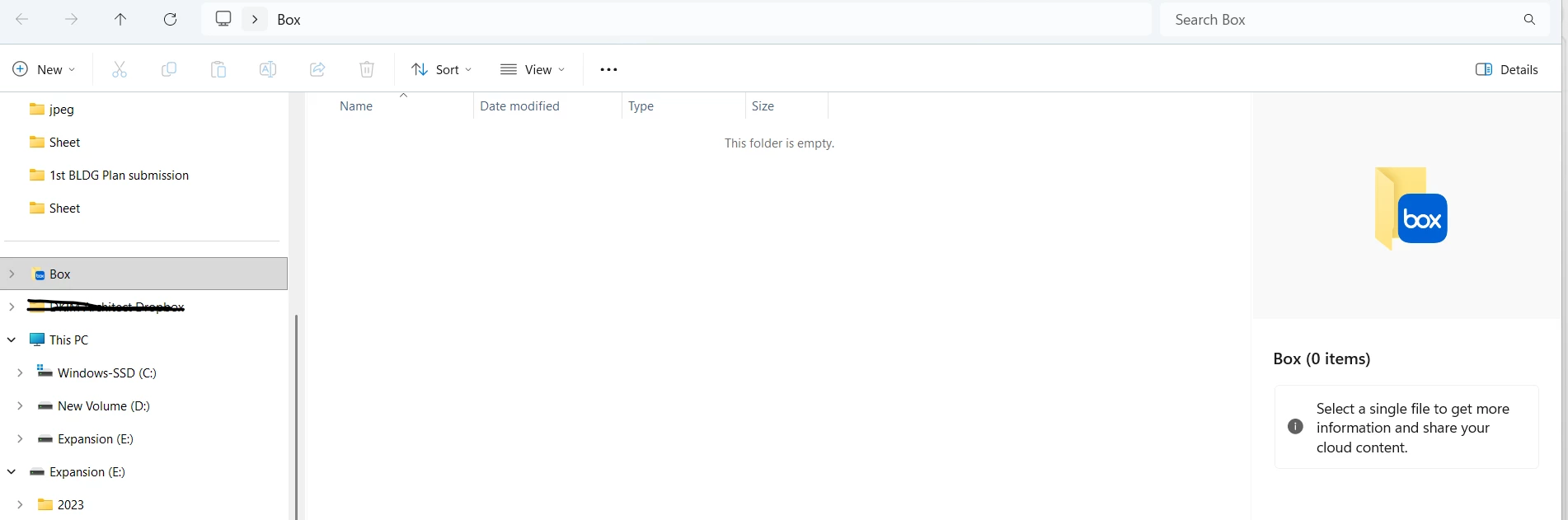
I installed Box app but it shows empty

  • April 3, 2026
  • 1 reply
  • 7 views

So  Installed the box app, whenever I open it is shows folder empty, but when I try to open on website the files are all there. How can I fix this? Thank you!



1 reply

Rona Box
  • Community Manager
  • April 4, 2026

Hi ​@AnikaB

Welcome to Box Community, and we’re glad to assist! 


Refresh your Box Drive cache by logging out of the Box Drive application: 

  1. Navigate to the search menu by going to the system tray and clicking the Box icon.
    • Alternatively you can use the keyboard shortcut Ctrl + Alt + Shift +B.
  2. Click the gear icon, and from the list that displays click Log Out.

Box Drive prompts you with an alert about the following types of files:

  • Open Files - You can save and close these files to prevent the loss of any work.
  • Items Uploading - You can wait for these to upload to Box. Box Drive cancels any uploads that do not complete before you log out.
  • Problem Items - These are local files or folders that cannot be synced back to Box. Logging out deletes these items. To view these items, navigate to the Search Menu, click the gear icon, and from the list that displays click Error Updating an Item.


And log in again to Box Drive after. 

If the issue persists then you can manually reset your Box Drive application


Hope it helps! Let us know if you have additional questions.
