Question

Hide buttons

  • May 21, 2025
  • 3 replies
  • 41 views

Forum|alt.badge.img

Hello,


We have developed a small application using the Box Java SDK.

Using the SDK we fetch certain files in our Box account, and generate a sharedLink with a limited availability time. To generate the link we use following code:


BoxSharedLink.Permissions permissions = new BoxSharedLink.Permissions();
permissions.setCanDownload(true);
permissions.setCanPreview(true);
					        
BoxSharedLink sharedLink = file.createSharedLink(BoxSharedLink.Access.OPEN, unshareDate, permissions);


This works as expected, but when we embed the sharedLink in our application there are "Sign up" and "Login" buttons visible next to the "Download" button. Is there a way to hide these "Sign up" and "Login" buttons?
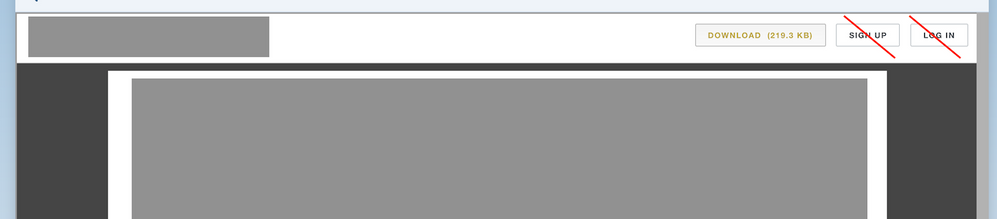
 

BOX_sxt6enmv2jwe12rgmv9u2ydi5nqej34p.png


3 replies

Forum|alt.badge.img

Hi 


It really depends on the type of use case you are trying to solve here.  Let me know if you want to arrange a quick 15 mins platform consulting call to better understand your wider goals?


In the mean time, you should check out our "Get Embed Link" API endpoint : "https://developer.box.com/reference#get-embed-link


With this request you can return an expiring link which you can insert into an iframe to display a custom preview to your users


Request Example: 


curl --request GET \
--url 'https://api.box.com/2.0/files/?fields=expiring_embed_link' \
--header 'authorization: Bearer YOUR-ACCESS-TOKEN' \

Response Example


{"type": "file",
"id": "YOUR-FILE-ID",
"etag": "2",
"expiring_embed_link": {
"url": "https://rocks-demo.app.box.com/preview/expiring_embed/gvoct6FE!fIh6KjorCgWyIIDehFtWrn0o_Uz8YxmF_nFnXzSxWitU_B_U7ylCoYFxGFeJnkjcDDWqysCbgUd-90fweV4I2X0za_9K_oGwfWBYa_5rSEy2WkU0bQh32P-bexSbsJUsetY_aRqSkXGsH1cocLB0rwhlxLnfCQOI0721h5ITNdWZ0tMLgzMN07RVv72fZ9FGabQkGUgkeSfCHpkNxp8NQkfdcuX18xD-4KpkFP2tbdVLe-Co5uIgB-_skxRf3EfEP8ukxQ4Za06rwviD_HUuv8Qy0Wqa2u0nDz06hgxwOt5r6JY5iTi9JDTX5xYCYAXCs_fhiqDhHHbvCZSjYDb485J8_4_mjif1qoawEPG9rotj4uCi8tRe7fHfdcwq9yZJJ_QXYlqS-JwhCSO5yEEmR6LcIf9L32Lb2WmATJ9A--JJvovRuRF6iVFqeU2ob2r2MLqIpNjfp3uJlsJZ-gJDdcN9jTV2xuE-I-aFgAXF4MfHr3hBxqT_O-2Mnt46B2voKLUbmNL5Kl4OTtUt0rmU99P6tGnmip3ditKmPe50ezze0ccT6LFqLSNTfFF_odyS5MxgWijEnyEnR-yHIcuup2gsy9zPcMWlPyIvQzFxIizrBjqXXMWm0Jmf8-xQ658OFsbs41nAVPM2LXazvp1lLQ_RWwpA-kqNXg.."
}}

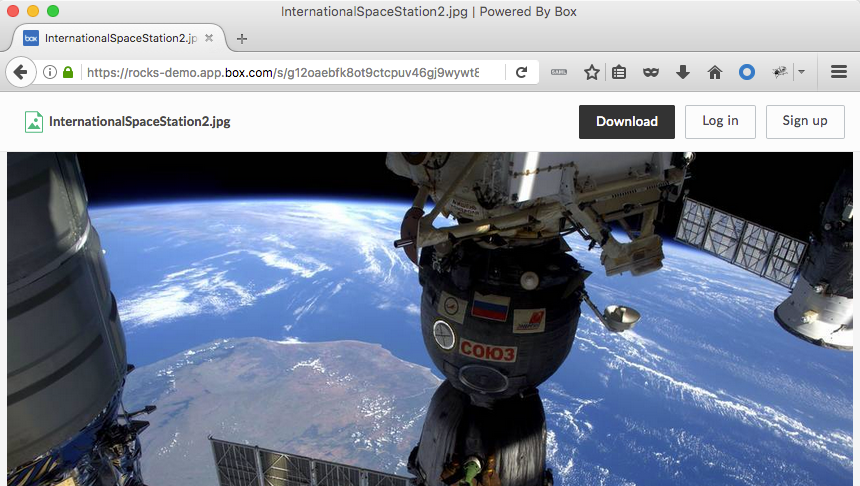
Here is a regular (open) shared link which has 


BOX_7mjai9eg10g829bt25lks6fungkeopzc.png


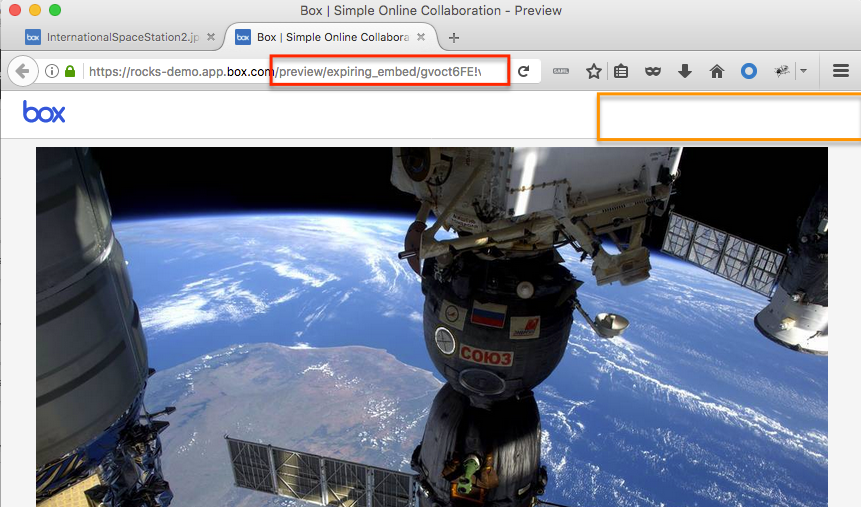
Here is the same file as an expiring link using API call above (with no "SignUp" or "Login" buttons) :

You can also choose to show your own custom logo on the left hand side.


BOX_kohnyjyn4ypzvr5kzgb9e0otlz2oi2ex.png


Please also check out our new UI kits, especially the "Box Content Preview" UI component which you can play with using this demo link:


Hope this helps,

Peter


Forum|alt.badge.img

Thanks  for that great post!  did this solve your question?


If so, give 'em props and tell the community by clicking the Accept Solution button beneath  post!


Forum|alt.badge.img

This above code doesn't work for me. I want to embed PDF in html and hide the login and sign up button from that embedded link. 


Please help me !