

Question

File uploaded successfully, but do not see it in box

  • May 22, 2025
  • 2 replies
  • 52 views

Forum|alt.badge.img

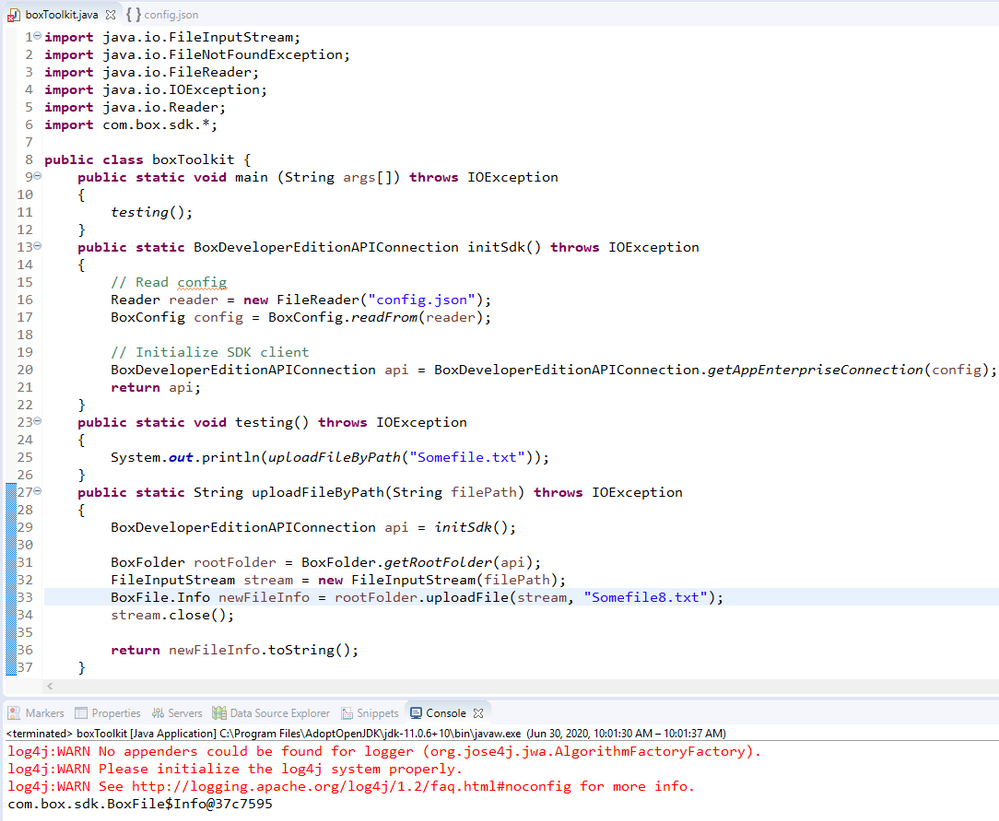
Hello, I am using a Custom App with JWT and the Java SDK. I'm uploading a file and it appears to upload successfully, however I do not see it in my box.com drive. Previous files uploaded in the screenshot were uploaded when I was using a developer token, I have since moved to JWT. You can see that I'm uploading my local test file as "Somefile8.txt". uploadFile returns a file object, but it's not in my Box folder. What am I missing here?
 

BOX_qmsssl37ykwo2ldvrzzh8w4yrdtsh91j.png

2 replies

Forum|alt.badge.img

Hi ,


This is one of the subtle differences with the tokens. With a developer token, it points to you (the developer) and your Box account, hence why you see the files in box.com. When you called getAppEnterpriseConnection that pointed to your application service account, which is the programmatic account / space behind your app. 


You can see the files in the service account with the following:

  • Go to the content section of the admin console (you'll need enterprise admin access for this)
  • Click on the "Users" dropdown, then click on the name of the user that matches your application name.
  • The file you uploaded should be present there.

If you instead want to upload to your box.com account, you'll need to perform the upload action as a user. You can either generate a user access token instead of the one for the service account that you have (docs here) or just use an As-User header with the call (docs here).


Hope that helps,

Jon


Forum|alt.badge.img

Hi,

Even i am facing the same issue and when I try to upload the same file again, it says file already exists. However, i don't see it in box.com

When I go to content section (with admin access), I don't see any users dropdown. Where do i check the file ?

Thanks.