Hello,
I am currently trying to give external users access to several folders in our Box account, but when I try to send them an invitation, it will not go through.
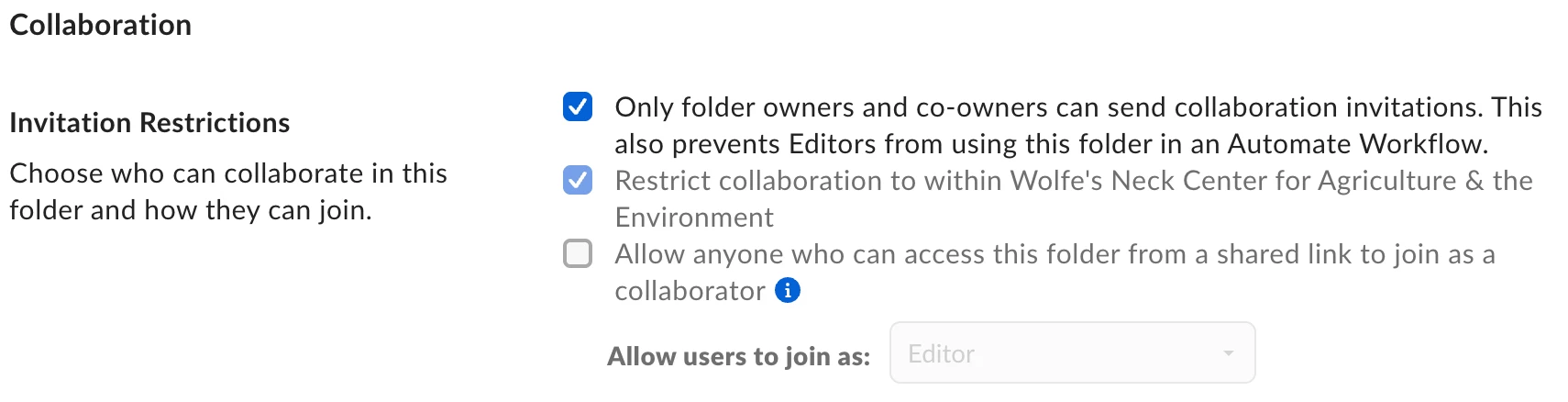
I am the owner of the folders and a co-owner of the Box account. I have also tried checking the invitation restrictions in the folder settings, but I am unable to check or uncheck the “Restrict collaboration to within _____” option. I asked the account owner to try as well, but they are unable to change the setting either.
How can I give external users access to these folders? Is there an account-level restriction that may be preventing us from changing this setting?
For context, these external users already have access to other folders within our Box account, so they are able to collaborate externally with our account.
Thank you!