I am putting this here in hopes that it will save anyone a headache in the future.
Do you have an issue with an Excel file locking unexpectedly, changing to read-only, then being ‘locked’ for 45 min to an hour?
I had one user out of hundreds who was continually plagued with Excel Spreadsheets locking him out when he saved them to and opened them from Box. This continued for months.
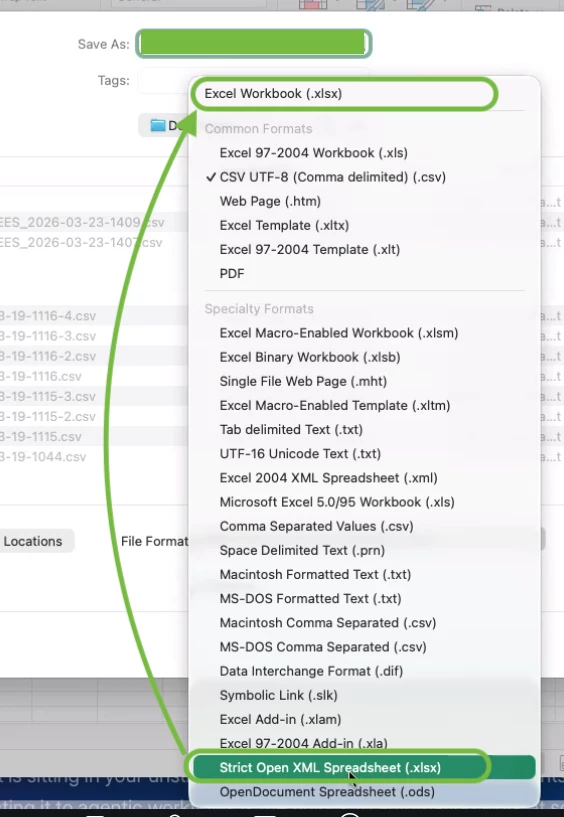
In the end, his issue was that he was not saving it as the generic Excel Workbook (.xlsx) format seen at the top of the “Save As” list, but rather was choosing the Strict Open XML Spreadsheet (.xlsx) which has the EXACT SAME FILE EXTENSION, but different encoding that does not play nicely with Box Co-Authoring, auto save or otherwise.
This took weeks of investigation and escalations to discover. The issues went away once he saved as the file format seen at the top of this drop down selection menu.
Moral of the story: stay away from saving Strict Open XML encoded xlsx Excel spreadsheets into Box.