
Question

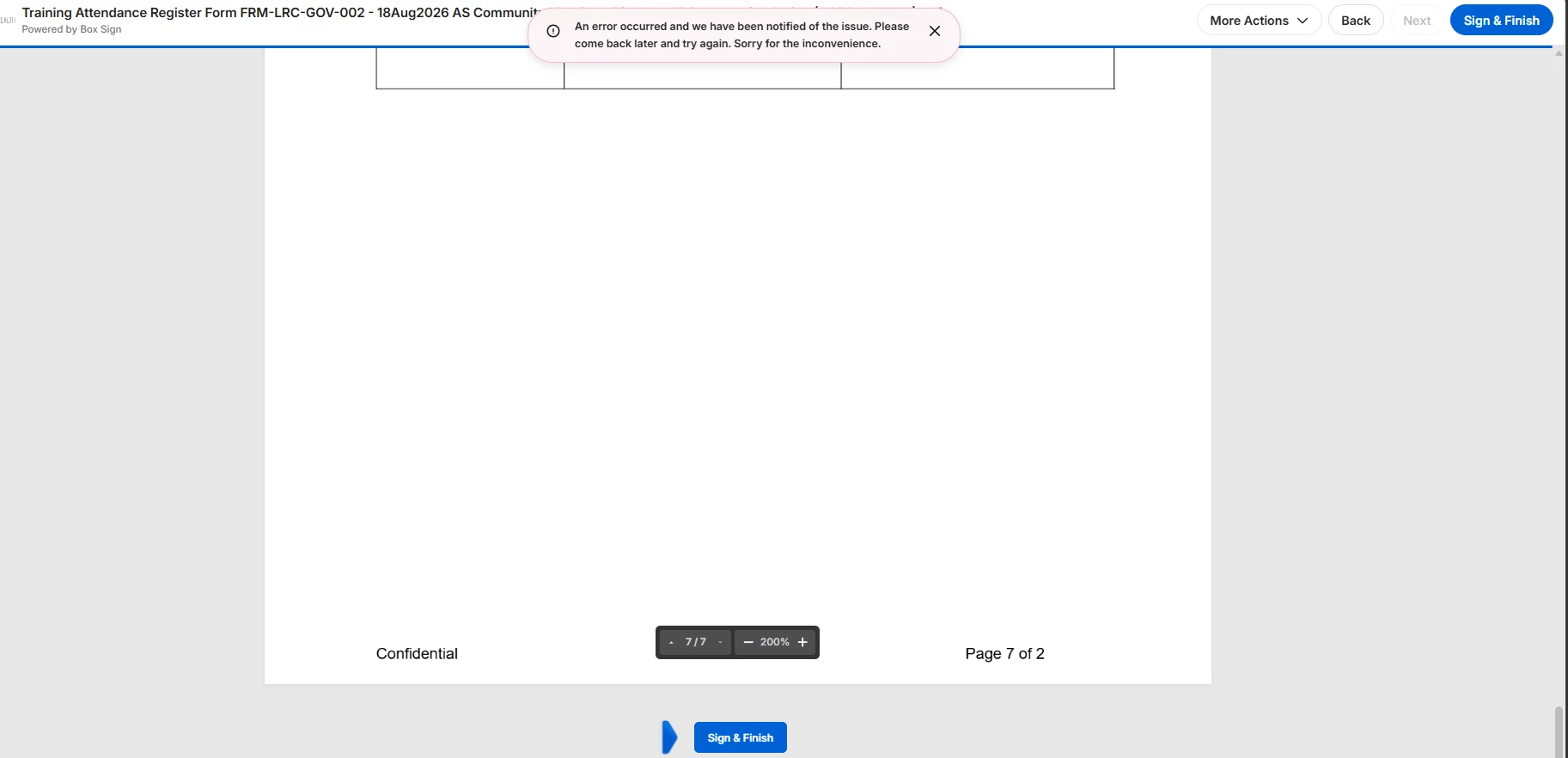
Error for One Specific User While Signing Box Document: 'Please come back later and try again

  • October 6, 2026
  • 2 replies
  • 33 views

Forum|alt.badge.img

Only one user is facing an issue while signiing the file, all the other users signed the file/

 

2 replies

Forum|alt.badge.img
  • Author
  • New Participant
  • October 7, 2026

hi ​@Rona Box 

can you please help on these

this is happening to many user in our company for diff document


Jey Bueno Box
Forum|alt.badge.img
  • Community Manager
  • October 9, 2026

Hi ​@Prathyusha, thank you for reaching out! I’d be glad to assist.


When signers encounter errors like ‘Please come back later and try again' or find themselves unable to access/sign a Box Sign document while other signers or documents are affected, the issue typically stems from account-level settings, network/browser restrictions, or authentication configurations.


Here are the key causes and step-by-step troubleshooting recommendations:
 

1. File version limits (most common cause for multi-signer issues)


Box Sign automatically creates and uploads a new file version every time progress is made on a signature request (e.g., when a recipient signs, initials, or completes a field):

  • If your enterprise or the folder where the document is stored has a restrictive file version limit (such as preserving only 1 or 2 versions), earlier versions are automatically deleted to enforce the limit. When Box deletes the original/earlier version before the signature workflow finishes, Box Sign loses its reference point, preventing subsequent signers from accessing or completing the document.
  • A Box Admin should navigate to the Admin Console and increase the file version limit (recommended: 10 or more, or unlimited). If version limits caused the reference point to be lost on an in-flight document, the sender will need to initiate and send a new signature request once the version limits are adjusted.

2. Browser and local network / security settings

  • Chromium / browser permissions: Users on recent browser versions (such as Chromium/Chrome 142+) or restrictive enterprise environments may encounter permissions prompts or security blocks preventing local access or script execution required by Box tools/signing interfaces.
  • Network and firewall restrictions: Ensure your corporate network, VPN, proxy, or firewall allows traffic to standard Box domains (*.box.com, *.boxcloud.com, and *.ent.box.com if using customized Box Verified Enterprise subdomains).
  • Browser troubleshooting: The affected user should try opening the signing link in an incognito/private browsing window, clear browser cache and cookies, or test across another supported browser to rule out extension conflicts.
     

3. Signer authentication and access controls

  • Login requirements: If the signature request was sent with recipient authentication requiring a Box login, the user must be logged into the specific Box account that matches the email address the signature request was sent to.
  • Information barriers / security controls: If the user is part of a restricted segment subject to Box Information Barriers or Shield classification policies, access to the signing workflow or save location may be blocked.


If the issue persists, please submit a ticket to our Product Support for further investigation. If you’re unable to open a case, click here to access the ticket form. Thank you!

