I tried to change the box sync location from C:\Users\XXX\Box to another path on the same drive.
After restarting BoxDrive the sync location is still the same.
How can I change the location?

I tried to change the box sync location from C:\Users\XXX\Box to another path on the same drive.
After restarting BoxDrive the sync location is still the same.
How can I change the location?
Best answer by Rona Box
Hi
Welcome to Box Community, and we’ll help you modify your Box Sync’s folder location!
Note: This feature is only available for Box Sync application, not with Box Drive.
First, uninstall your Box Sync application and reinstall it.
When you first log into Box Sync (the first time after installing Box Sync or when you log in as a different user) you have the option to customize the location of the "Box Sync" folder where Box Sync will store your synced content.
If you decide to change your folder settings, follow this procedure:
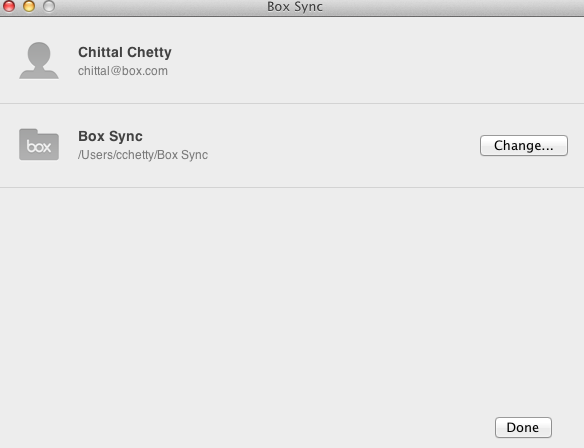
Hope it helps! Let us know in the Community if you have additional questions.
Already have an account? Login
Enter your E-mail address. We'll send you an e-mail with instructions to reset your password.
