Question

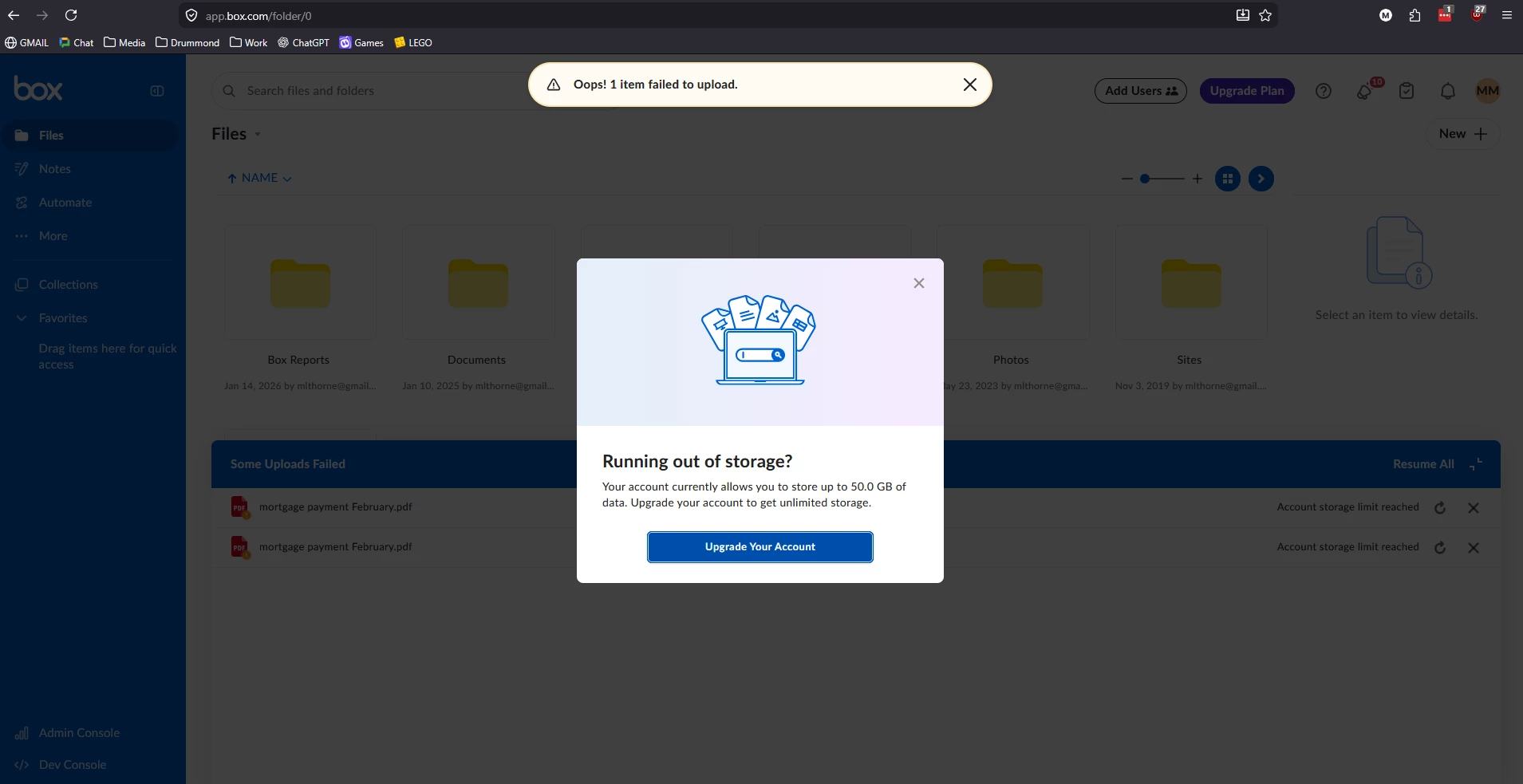
Cannot upload files, says I am over my storage usage, but I'm not

  • January 14, 2026
  • 2 replies
  • 52 views

I have been using my 50GB Free for Life developer account for many years now, and I am using ~28GB of it, but when I attempt to upload more files it says I am over my storage allowance for the account. Most of the admin screens show the correct usage vs max allowed, but one of the settings screens says I am using 28gb out of 25GB allowed. 


How do I fix this discrepancy?

2 replies

Rona Box
  • Community Manager
  • January 19, 2026

Hi ​@MLThorne

Welcome to Box Community, and we’re glad to help with your upload error. 


Upon review, it appears that you still have available space. Could you confirm if you’re uploading files into one of your own folders or shared folder? If it’s the latter, please reach out to the folder owner. 


Note: Your ability to upload files will vary according to the folder owner’s available storage. 


Hope it helps, and please let us know how it goes. 


  • Author
  • New Participant
  • April 29, 2026

Sorry for the delay in reply, life got complicated.

Best I can tell, I only have one box account, the one I signed up for all those years back, with the account name [removed by moderator] and the accountID in the screenshot above.

I was checking the network traffic for trying to upload a simple PDF file (approx 60 kb file size) I get the below error in the UI, and I see the below info in the network traffic.

URL data was sent to
https://api.box.com/2.0/files/content

Response received:
type "error"
status 403
code "storage_limit_exceeded"
help_url "http://developers.box.com/docs/#errors"
message "Account storage limit reached"
request_id "9rhtr0icnfuyxrj3"