Question

cannot access file

  • January 6, 2026
  • 2 replies
  • 23 views

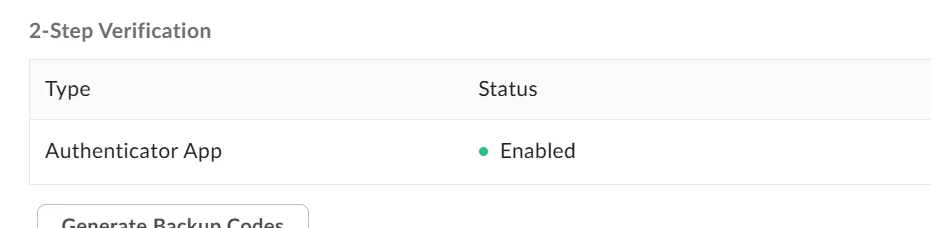
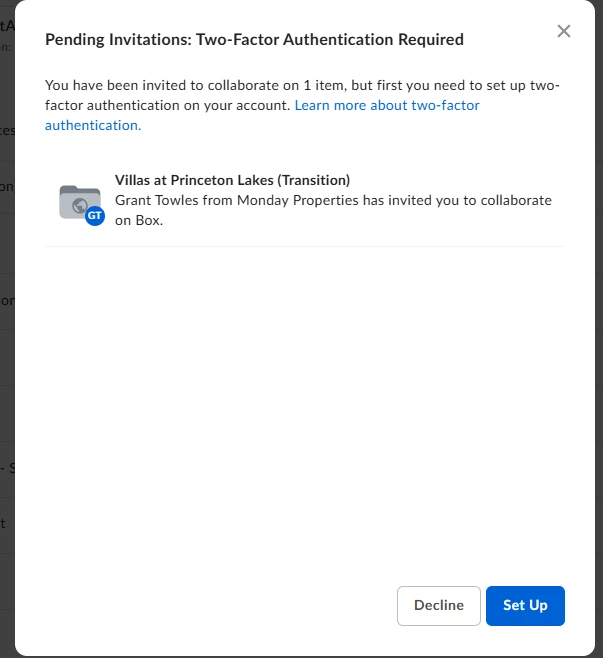
I have had many files shared with me through Box. I just got a new one and it tells me i need to setup my 2 way authentication. But when i go to setup, it’s already enabled. I can access older files but just not the new one



2 replies

Rona Box
  • Community Manager
  • January 6, 2026

Hi ​@AnnaP

Welcome to Box Community, and we’ll be more than willing to assist with your collaboration invite. 


Since you have the Multi-Factor Authentication configured. Make sure to log in first, then accept the invitation. 


Aside from accepting the invite through the email notification you received. You can also go directly to the Box website and accept pending invites.


To find and resolve a pending invitation:

  1. In the left menu of your Box account window, click Files.
  2. In the pending invitations panel under ACTION REQUIRED, hover on the name of a file or folder.
  3. To see details about the invitation, click the ellipses, "...", and select View Details.
  4. To decline the invitation, click the ellipses, "...", and select Decline All.
  5. To accept the invitation and gain access to the project's content, click Accept.


viewDetailsDeclineAll_Highlighted.png


accept_Highlighted.png


Hope this method helps! If there’s anything else, please don’t hesitate to reply! 


  • Author
  • New Participant
  • January 12, 2026

that did not work. When i click view details, I have the option to setup or decline. i am then back to where i started. i am going to the Box site directly. I am not given the option to accept. only to setup the authentication, which is already enabled.