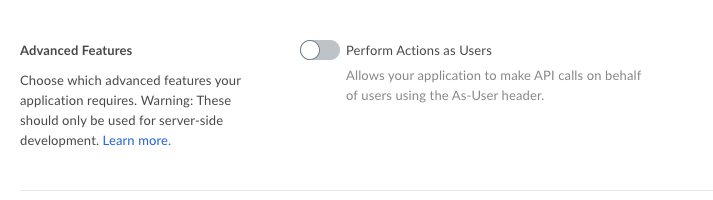
I have created a new app (so I am the admin). I am using the Java SDK 2.32.0. I am using JWT as the authentication method. I successfully generate a token and can successfully create a BoxAPIConnection.
However, I can't use "api.asUser()" because it always gives me the following error:
access_denied_insufficient_permissions
What I need to do is asUser an existing user so I can process their files (in Java) after a webhook signals that a new file is available. The problem is I can't asUser so I can't access that user's folders or files.
Do I have to be a Box Enterprise Admin to use this feature? Right now I am only a Box App Admin, not an Enterprise Admin.
UPDATE:
I have resolved the issue using the following code:
Reader reader = new FileReader("config.json");
BoxConfig boxConfig = BoxConfig.readFrom(reader);
BoxAPIConnection api = BoxDeveloperEditionAPIConnection.getAppUserConnection("1234567890", boxConfig);
It doesn't appear as though asUser works correctly, but the above code achieves the same goal.