

Question

Box Web App Integration Not Showing For Other Developers

  • May 21, 2025
  • 2 replies
  • 51 views

Forum|alt.badge.img

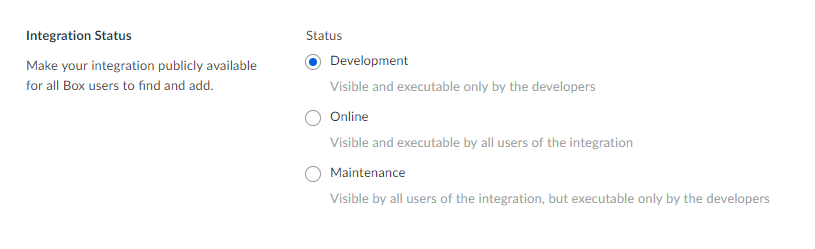
The status of my Web App Integrations is currently set to 'Development', which says it is visible only by the developers.  I added additional collaborated developers in the "General->Collaborators" section of the application, but I am the only one who can see the context menu option for the Web App.


How do I allow other developers to see the Web App context menu?
BOX_22trug12o7v8kqgpt8olnjxhqrbc6udl.png


2 replies

Forum|alt.badge.img

I have the same issue, did you find a solution  ?


Forum|alt.badge.img

Hey  and ,


Thanks for posting to the forum! Great question and I can see it's not entirely clear from the documentation. I'll see where's a good place to put this, if you have any suggestions definitely let me know. 


Putting a web app integration in development mode allows other developers to see the app's page listing, but they still must navigate to the page and actually "Add" the app to their account before it will show up in the right click menu. 


To get to the app's page on Box, visit https://app.box.com/services/YOURAPPNAME where your app's name goes at the end. If your app's name has spaces, Box replaces those with underscores. For example, here's my test web app integration:

app.box.com/services/jpanweb_appintegration


But the "Add" button is disabled because I've set it to be open only to collaborators/developers. For your own app however, you'll be able to add it.


Hope that helps!


Thanks,

Jason