
Question

Box UI Elements

  • May 22, 2025
  • 4 replies
  • 26 views

Forum|alt.badge.img

Hey there,


I'm working on Angular 5 app with UI Box Elements, and i wonder how i can  put this variable isFolderUploadEnabled: false to true in the file  :  

box-ui-elements/src/components/ContentUploader/ContentUploader.js


Thanks for help.
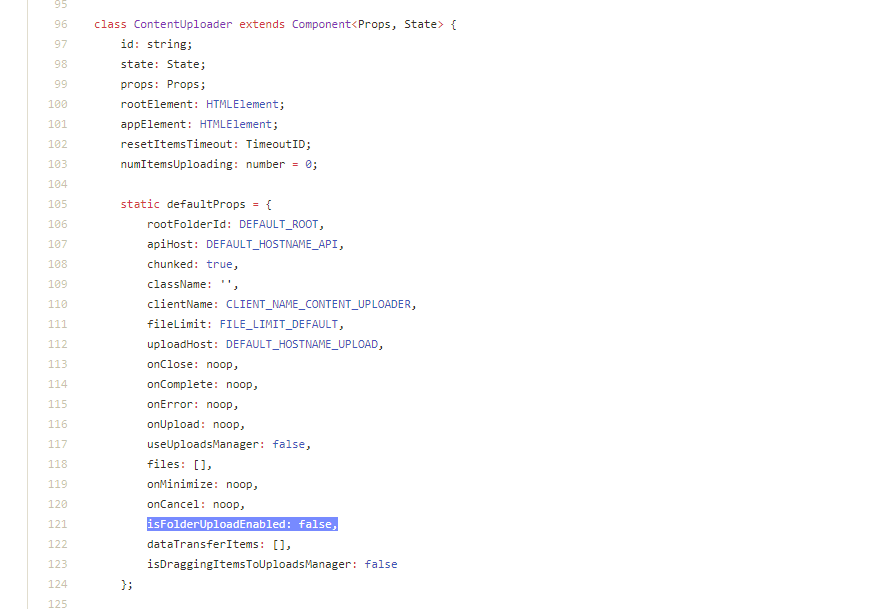
BOX_eyb8t7127xn89lf7lrbk8f8hqx8ucl5f.png

4 replies

Forum|alt.badge.img

Up Up I'm looking for the same thing ...


Forum|alt.badge.img

Hi , you can add this option in your show call.


Example


      	uploader.show(folderId, accessToken, {
            container: '.container',
            isFolderUploadEnabled: true
        });

Also, ensure you're on the latest version as this is a relatively new feature. 

https://developer.box.com/docs/box-content-uploader


Hope this helps!

Jeremy


Forum|alt.badge.img

Can you share how you imported Box UI Elements into you Angular project?


I'm using Angular 7 and tried to add to the build > script but when it tries to transpile I get this error: "preview.js:22 Uncaught Error: Missing or malformed preview.js library"


how do I make my angular project recognize the box ui element .js library?


Forum|alt.badge.img

Box is the global variable when the box-ui-element script loaded, you can declare one variable as
declare var Box:any; in component file
Then you can invoke the required classes and methods.

Refer this repository.
https://github.com/bojjakaseenadhreddy/integrate-box-ui-elments-in-anugular
