
Question

Box Drive: Files are opening but cannot be saved and are not syncing on second user profile

  • May 5, 2026
  • 1 reply
  • 14 views

Hi,

I have a Windows PC with two user profiles. Box Drive works perfectly for one user, but on the second user profile, we are having the following issues:

  • Files can be opened, but they cannot be saved (permission/access errors).

  • No synchronization: Any changes made do not sync to the cloud.

  • No cloud icons: The sync status overlays are missing from the files and folders.
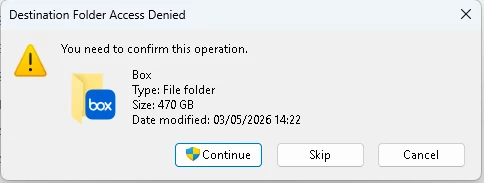
 

After I click cintinue:
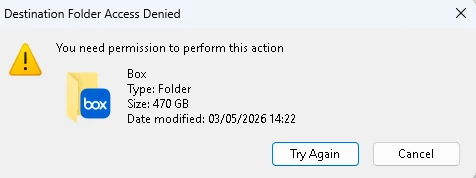
The first user on the machine has no issues at all. Why is the second user unable to save or sync files even though they can open them?

Thanks.

1 reply

Rona Box
  • Community Manager
  • May 5, 2026

Hi ​@Orna.lab

Welcome to Box Community, and we’ll assist in ensuring that folders are correctly syncing through Box Drive. 


In your second Box account, you need to ensure that the Box account has access to those folders you’re working on. 


You mentioned that files and folders aren’t syncing, don’t get confused if the Box user (A) has access to the said folder but not when Box user (B) is logged in. 


To narrow down the syncing issue, we have quick questions for you, 

  • Is the Box folder that Box user B is working on locally can be accessed in Box.com? If not, the user needs to be invited to the folder first. 
  • To check the folders the user has access to. Launch your browser, go to Box.com and log in to the account the review the folders. Are the same folders not showing in the local Box folder? If that’s the case -- we can proceed and troubleshoot. 


Thanks for posting, and we look forward to your reply!