Question

Box CLI Error: no default environment found

  • May 22, 2025
  • 3 replies
  • 51 views

Forum|alt.badge.img

Hi all,


I have configured a PowerShell script to use the Box CLI instead of buggering on with trying to configure theWindows SDK to be used for REST calls.

When performing this on my local machine it works like a charm.


But I am writing the script to automate the creation of users via a Selfservice Product; HelloID.
So I perform the PowerShell task from a website on which I can request this task, then the agent service will perform the PowerShell task.

So whenever i request the task to perform the action on my local pc, i get the following error message:

System.Management.Automation.RemoteException: No default environment found.

Any ideas on how to fix this?

3 replies

Forum|alt.badge.img

 Did you configure the CLI on the remote server?  It looks like that instance of the CLI has not been configured with an environment (and the associated auth information).


Forum|alt.badge.img

,
Hi, thanks for your quick replies.

But yes, I have set this, on the remote server, when I run the command in cmd it works like a charm.

But whenever I perform this through my Selfservice solution I get the error message described as above.


Any idea?


Forum|alt.badge.img

I have set my default environment, although my Selfservice product does perform it as another user, is this an issue?
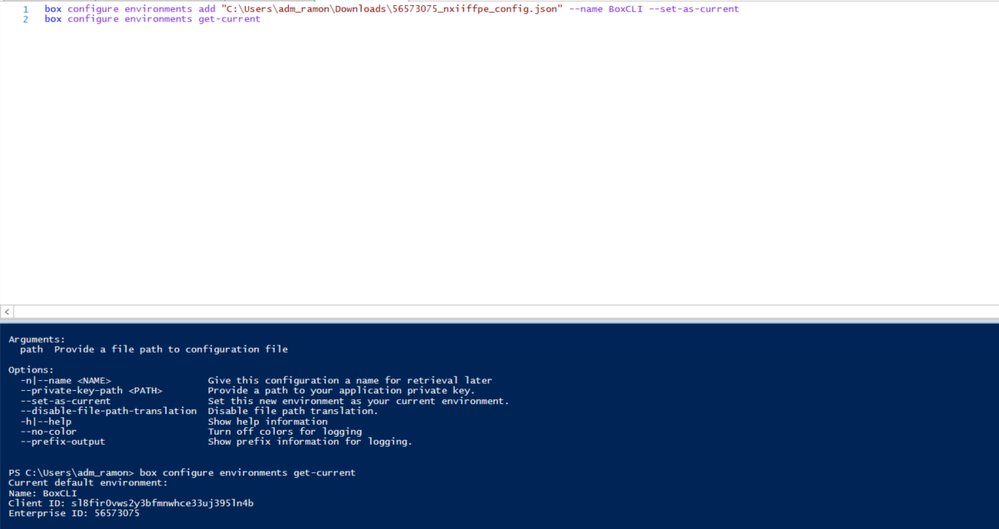
I have set the default environment like this:

box configure environments add "C:\Users\adm_ramon\Downloads\56573075_nxiiffpe_config.json" --name BoxCLI --set-as-current

BOX_x9cu4xdnlov0fg4qi3rsqm9m56pi9izc.png


The Selfservice Solution performs the action as local system and the PowerShell task which it uses is stored at C:\ProgramData\Tools4ever\HelloID Directory Agent\tasks
Perhaps this may raise some ideas?