having an issue where every time I open a MS office doc it wants me to "Log in to grant access to Box." It does it every time I open a Word doc and doesn't seem to register. I've had this set up this way for months/years, so I'm not sure why it's being finicky all of the sudden. This dialog comes up both when I fire up a file from a Box/Explorer folder and when I open Word first and navigate to a folder within the Box Drive. This issue is not a problem on my other laptop.

Solved
Box and MS Word
Best answer by pbg
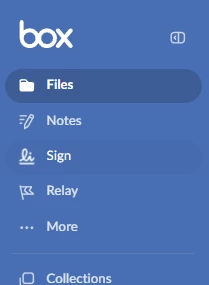
I may have found a fix. In box on the web, click on … More in the blue sidebar, then Integrations.
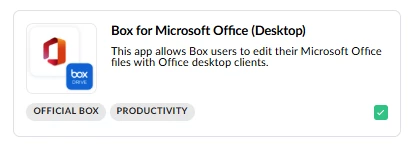
On the Integrations page look for the Box for Microsoft Office (Desktop) card. It may be easier if you click on My Integrations first, which will filter the page by the optional ones that you have enabled.
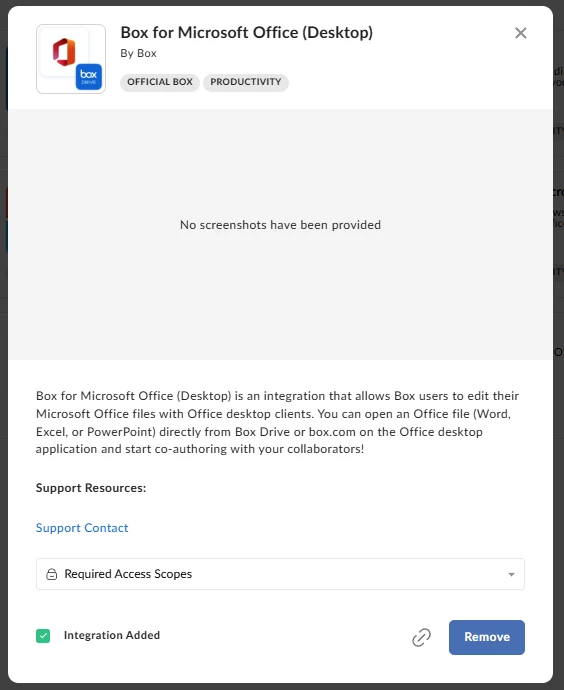
When you click on the card, a window opens where you can click on a Remove button. I had to reboot for the change to take effect.
Sign up
Already have an account? Login
Community access is available only with a Box Account.
Sign in with your Box AccountSign in to the Box Community
Community access is available only with a Box Account.
Sign in with your Box AccountEnter your E-mail address. We'll send you an e-mail with instructions to reset your password.