Question

[API]Upload files using API in python

  • May 22, 2025
  • 2 replies
  • 40 views

Forum|alt.badge.img

Hi,I'm Japanese.

I'm not good at English, but I want you to tell me this problem.


I want to upload files from log server to box using boxAPI in python at regular intervals.


First, I try this code using docs.

 #coding: UTF-8

from boxsdk import JWTAuth
from boxsdk import Client 

# JWT認証オブジェクトを構成する
sdk = JWTAuth(
client_id="XXXX",
client_secret="XXXX",
enterprise_id="XXXX",
jwt_key_id="XX,
rsa_private_key_file_sys_path="XXXX",
rsa_private_key_passphrase=str.encode("XXXX")
)

# 認証クライアントを取得する
client = Client(sdk)

# アップロード値を設定する
file_path = '/box/upload/testfile20190204_1'
file_name = 'testfile20190204_1D'
folder_id = '0'

box_file = client.folder(folder_id).upload(file_path, file_name)

I can upload files related to the application.(test-boxapi)
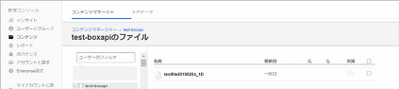
BOX_617sa7zj84am6a72itqvwg7sfrp618pi.png


but I want to upload box user's folder like this.
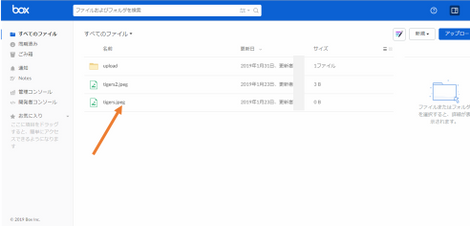
BOX_aacem2441itjaxji7fhcaqukn4kr67su.png


I'd like some advice.

Thanks.


2 replies

Forum|alt.badge.img

 When you use JWT authentication, you are authenticating as a special user related to your application called a Service Account .  This user has its own folders and files separate from any other user, including your own account.  Files uploaded by the Service Account do not automatically show up in the web application.


If you want the files to be uploaded into a specific account other than the Service Account, you will need to do two things:

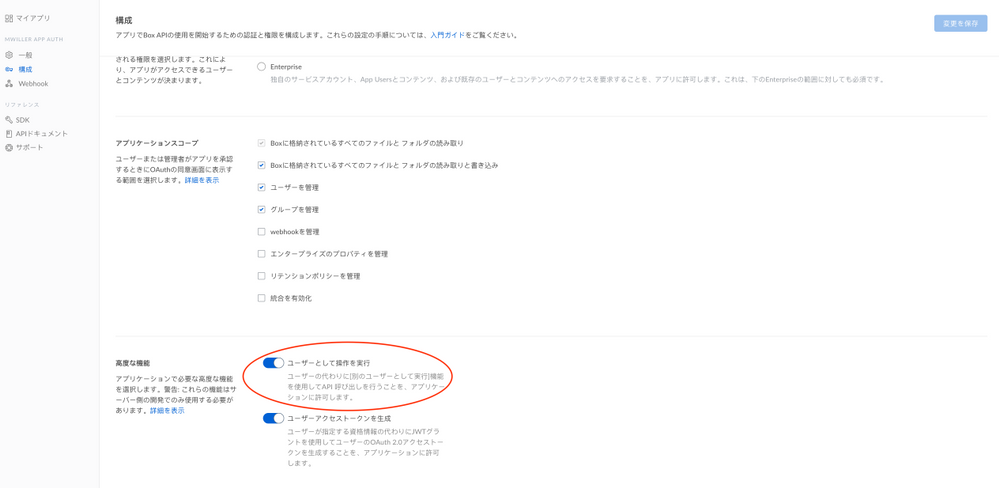
  1. Make sure that your application has the ability to make calls as different users enabledBOX_dilzn2shqldq03glbxu04zmw5wew8p81.png


  2. Re-authorize your application in the Box Admin Console

  3. Make the upload API call with the user ID of the account you want to store the files in

     #coding: UTF-8
    
    from boxsdk import JWTAuth
    from boxsdk import Client 
    
    # JWT認証オブジェクトを構成する
    sdk = JWTAuth(
    client_id="XXXX",
    client_secret="XXXX",
    enterprise_id="XXXX",
    jwt_key_id="XX,
    rsa_private_key_file_sys_path="XXXX",
    rsa_private_key_passphrase=str.encode("XXXX")
    )
    
    # 認証クライアントを取得する
    client = Client(sdk)
    
    # アップロード値を設定する
    file_path = '/box/upload/testfile20190204_1'
    file_name = 'testfile20190204_1D'
    folder_id = '0'
    
    user_id = 'PUT_THE_USER_ID_HERE'
    box_file = client.as_user(user_id).folder(folder_id).upload(file_path, file_name)

I hope that helps!


Forum|alt.badge.img


Thanks!!

I Succeeded using 'As-User'