Question

API calls with JWT hanging

  • May 21, 2025
  • 10 replies
  • 56 views

Forum|alt.badge.img

I am using Nuget packages for Box API integration from my .net application. I am succesfully getting access token but API calls to create users, folder are just hanging and not working. I am just following the documentation. Not sure what am I missing. 
 

10 replies

Forum|alt.badge.img

Sorry, here's the error message that I am getting when trying to create an app_user


A first chance exception of type 'Box.V2.Exceptions.BoxException' occurred in Box.V2.dll

Additional information: Bearer realm="Service", error="insufficient_scope", error_description="The request requires higher privileges than provided by the access token."


Forum|alt.badge.img

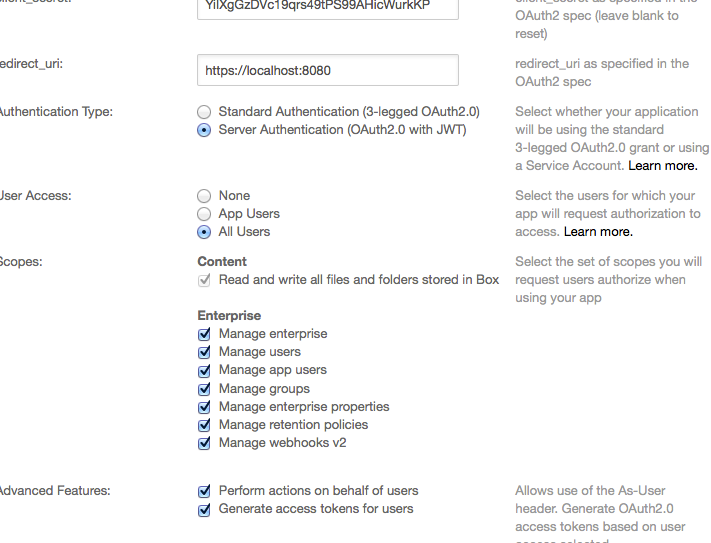
I was wondering what User Access and Scope you gave your app.

If you go to the dev console and edit your app, did you do something like this?


BOX_tapk0my934g9fuzyh96aw9npawp69860.png


and then,

go to admin console -> enterprise settings -> apps and Authorize App with your client_id.


Forum|alt.badge.img

Thanks for the response. I am making progress.


Earlier I gave User Access to "App Users" as per documentation and now selected "All Users". I also selected all options for scopes and advanced features.


I reauthorized the app in the admin console.


I am now able to create an app user but getting 403 for creating a folder withe the following message.


A first chance exception of type 'Box.V2.Exceptions.BoxException' occurred in Box.V2.dll

Additional information: {"type":"error","status":403,"code":"access_denied_insufficient_permissions","help_url":"http:\/\/developers.box.com\/docs\/#errors","message":"Access denied - insufficient permission","request_id":"removed for privacy2583f38e2cb0f2"}


Forum|alt.badge.img

So I had to get the user access token using the user_id as a parameter (instead of the enterprise_id) and use that APIConnection do stuff like create folder.  Are you using the enterprise access token or user access token.


Forum|alt.badge.img

User access token.


Here's my code.

//using an app user that I created already

var userToken = session.UserToken(app_user_id);

var userClient = session.UserClient(userToken, app_user_id);


var newFolder = await CreateAFolder(userClient);


private static Task<BoxFolder> CreateAFolder(BoxClient userClient)

{

var folderRequest = new BoxFolderRequest

{

Description = "Test folder",

Name = "My Test",

Parent = new BoxFolderRequest { Id = "0" }

};

return userClient.FoldersManager.CreateAsync(folderRequest);

}


Forum|alt.badge.img

 I need a little bit more help on this. I have tried to use the APIs as-user and got insufficient permissions error. I even setup the user as an admin in admin console and received the same error.


When I used the enterprise access token, I was able to create the folder but it is not showing up in our folder structure. Is the folder created in a different environment? Not sure what am I missing.


Forum|alt.badge.img

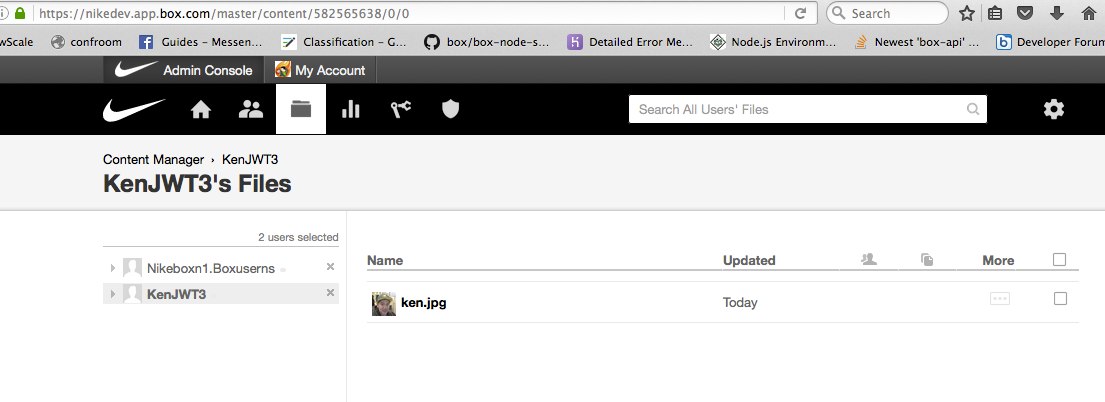
If you go to admin console -> console manager, you'll see your AppUser with the folder you created.


I suspect that the other error is "as-user" calls may not work with the .NET SDK just like the Java SDK.


Forum|alt.badge.img

When I create a folder with enterprise access token, who would be the owner of the folder?


Forum|alt.badge.img

The App a.k.a Service Account
 

https://github.com/kendomen/BoxJavaJWTExamples/blob/master/src/com/nike/box/UploadFileAsEnterpriseAdmin.java


output:

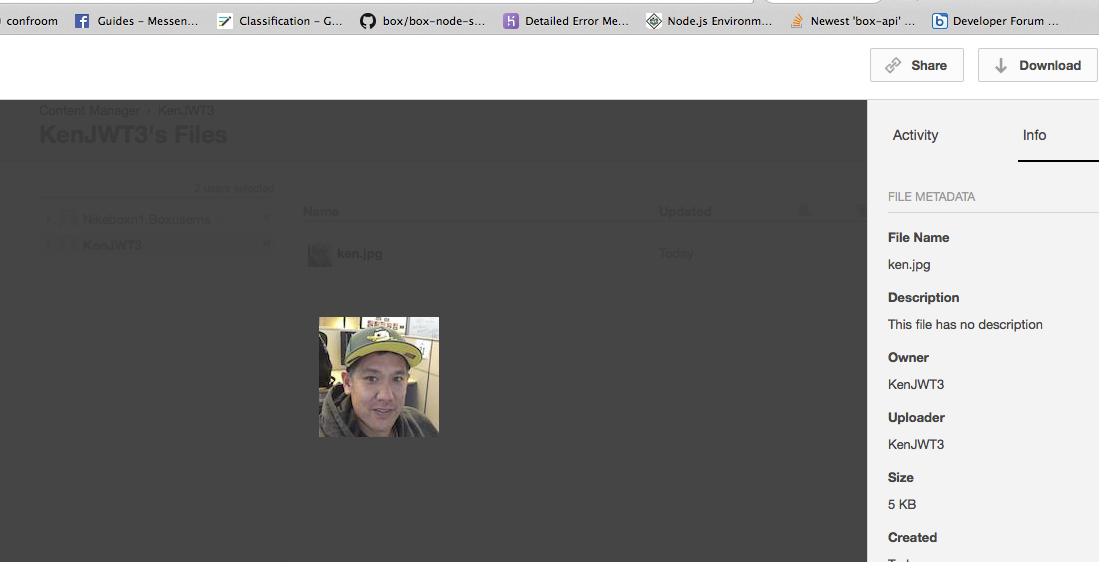
folder owner: KenJWT3
file owner name: KenJWT3


BOX_q7b5y22qhq1880f6asz2ncukon6fp0tu.png


BOX_4pdzxt3snh8yz796gb9lueru8iqro47g.png


Forum|alt.badge.img

,


Thank you so much for your responses.


I finally was able to sort out the issue. I found that the .net SDK is not creating the user with appropriate permissions. When I used a different user which is setup correctly in Box, I was able to create folders.