
Question

2-step verification - After click "Next" at Authenticator App no QR code is shown

  • November 28, 2025
  • 3 replies
  • 36 views

I am trying to setup 2-step verification with the next action but it can not work.

  1. Click “Set up” at 2-Step Verification on Account Settings
  2. Clich “Next” at Set Up 2-Step Verification
  3. Then I see 3 vertical bars on the window at Step 1 instead of QR code which should be shown on the window.

I re-stared my PC but no change. I tried the same with my Mac but no change. (same situation)
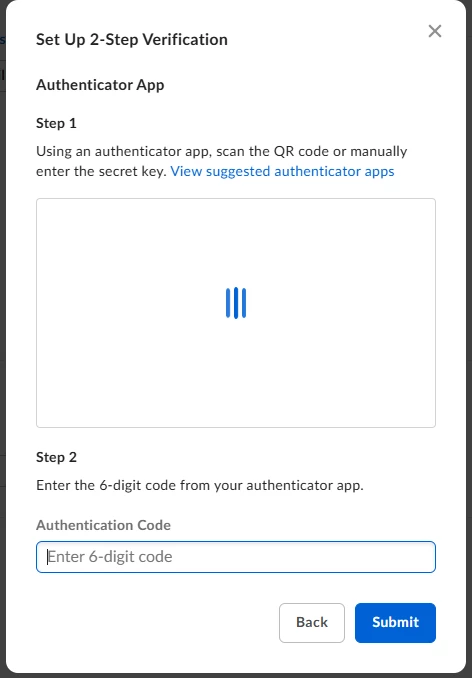
I would very much appreciated it if someone could give me any suggestions to fix this problem.

3 replies

  • Author
  • New Participant
  • November 28, 2025

Leage it about 30 minutes, only my Mac showed the QR code then i could successfull setup 2- step verification. my Windows PC still shows 3 bars…

Could someone know the reason why this strange situation was happened?


  • Author
  • New Participant
  • November 28, 2025

Sorry it was a typo Leave it not Leage it. 


Rona Box
  • Community Manager
  • November 28, 2025

Hi ​@tami2025

Welcome to Box Community, and we’ll assist regain your Box access. 

To help with your Multi-Factor Authentication, I opened a new case and a member from the Box Product Support team will reach out through email. 


Thanks for posting, and we hope to get this sorted out very soon.