


Thanks to Genia Albre and
User Feedback: Standalone App and Accessibility Requests
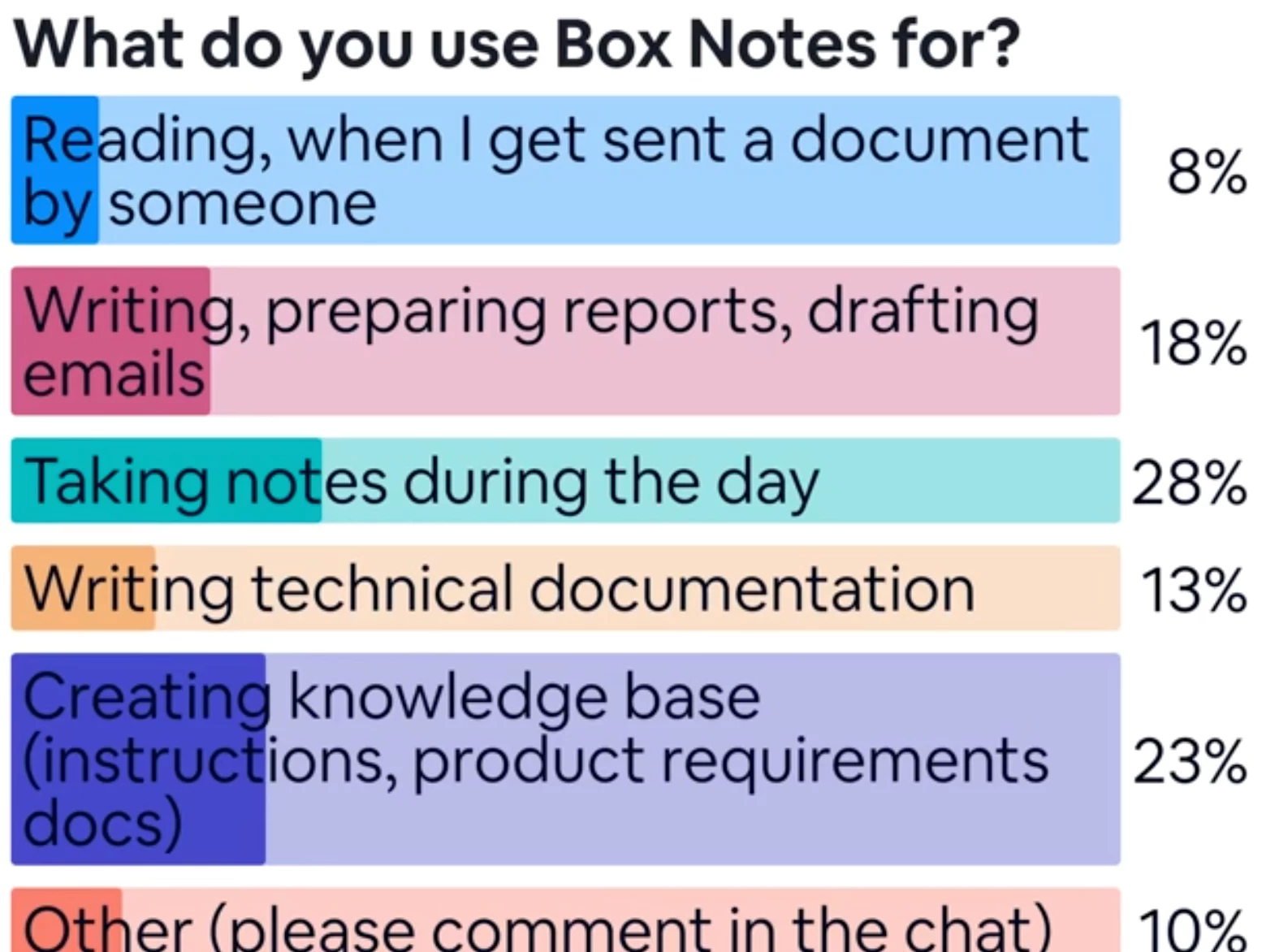
The roundtable started with live polls to gather user feedback on frequency of use and use cases.
Customers shared requests for a standalone desktop or mobile app version of Box Notes.
-
Ryan (User) reminisced about the older desktop version: “I remember the days when it was standalone, and it helped me to see it all day long. I think if it were just sitting in my taskbar as an icon, I’d use it more.”
-
Other users echoed similar sentiments, comparing Box Notes to Apple Notes, OneNote, or Notion due to the accessibility of dedicated apps.
Genia acknowledging the desire for greater visibility and promising that feedback would be heavily considered. She added: “The more people use [Box Notes], the more ideas we’ll have to improve.”
Showcasing Recent Features: A Live Demo
Genia led a comprehensive demo of Box Notes’ newest features, including the following:
-
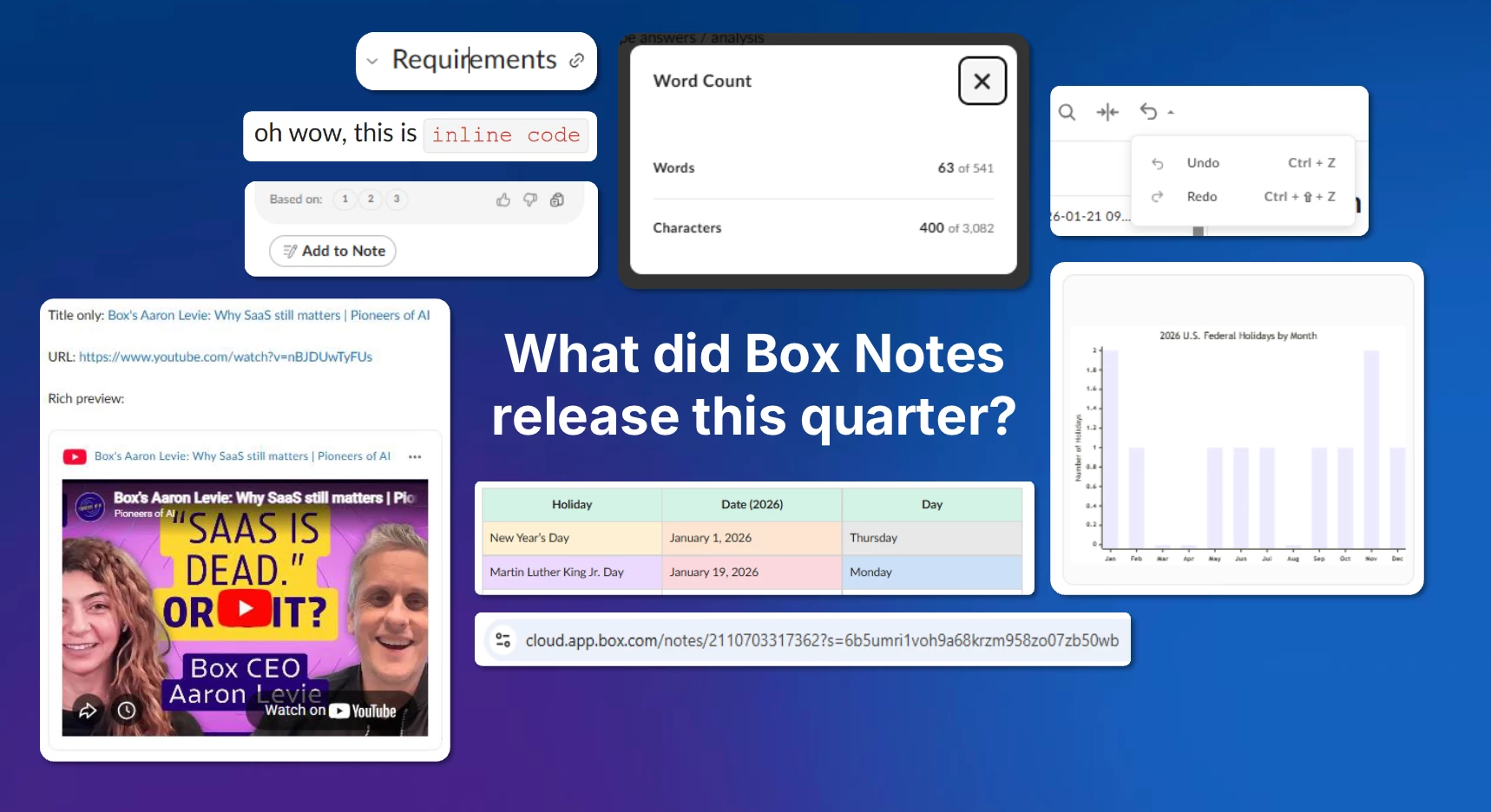
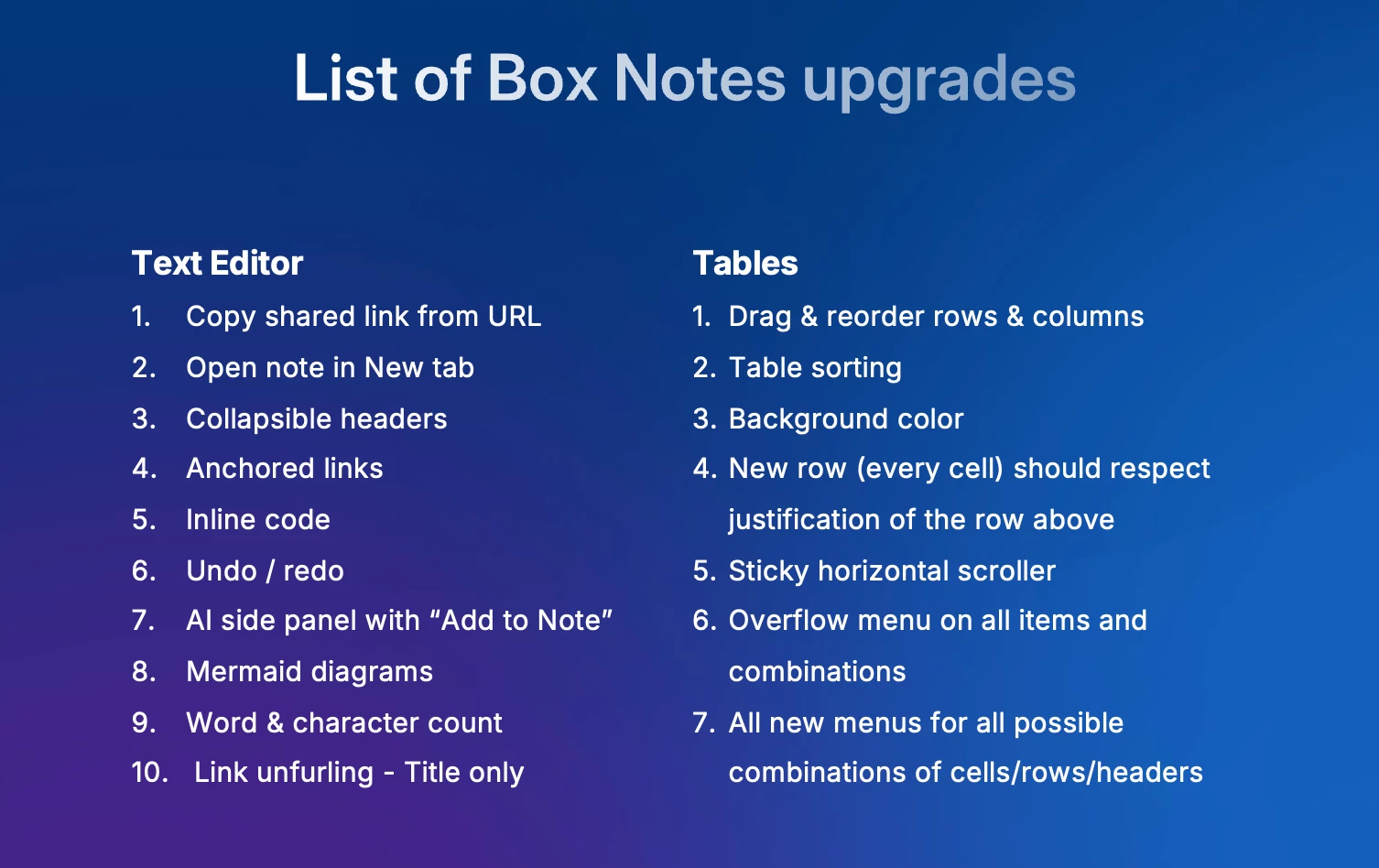
Tables Customization: The ability to color-code rows, columns, and cells for enhanced visual organization. Genia showcased how easy it is to drag and drop rows and sort columns. “Can you imagine we didn’t have a good drag-and-drop before? Now it works perfectly.”
-
Inline Code Blocks: A developer-friendly addition, inline code styling was introduced for technical documentation.
-
Word and Character Count: A new tracking feature helps users fit content within specific character limits, with support from AI for rewriting text.
-
Mermaid Chart Integration: Ideal for technical users, Genya demonstrated how AI helps generate correct syntax for advanced diagramming.
-
Anchor links: a clickable hyperlink that instantly takes a user to a specific section on the same page or a different page. Often used for tables of contents or navigation, these links enhance user experience by allowing quick access to relevant content without scrolling.
Roadmap Highlights: User-Driven Priorities
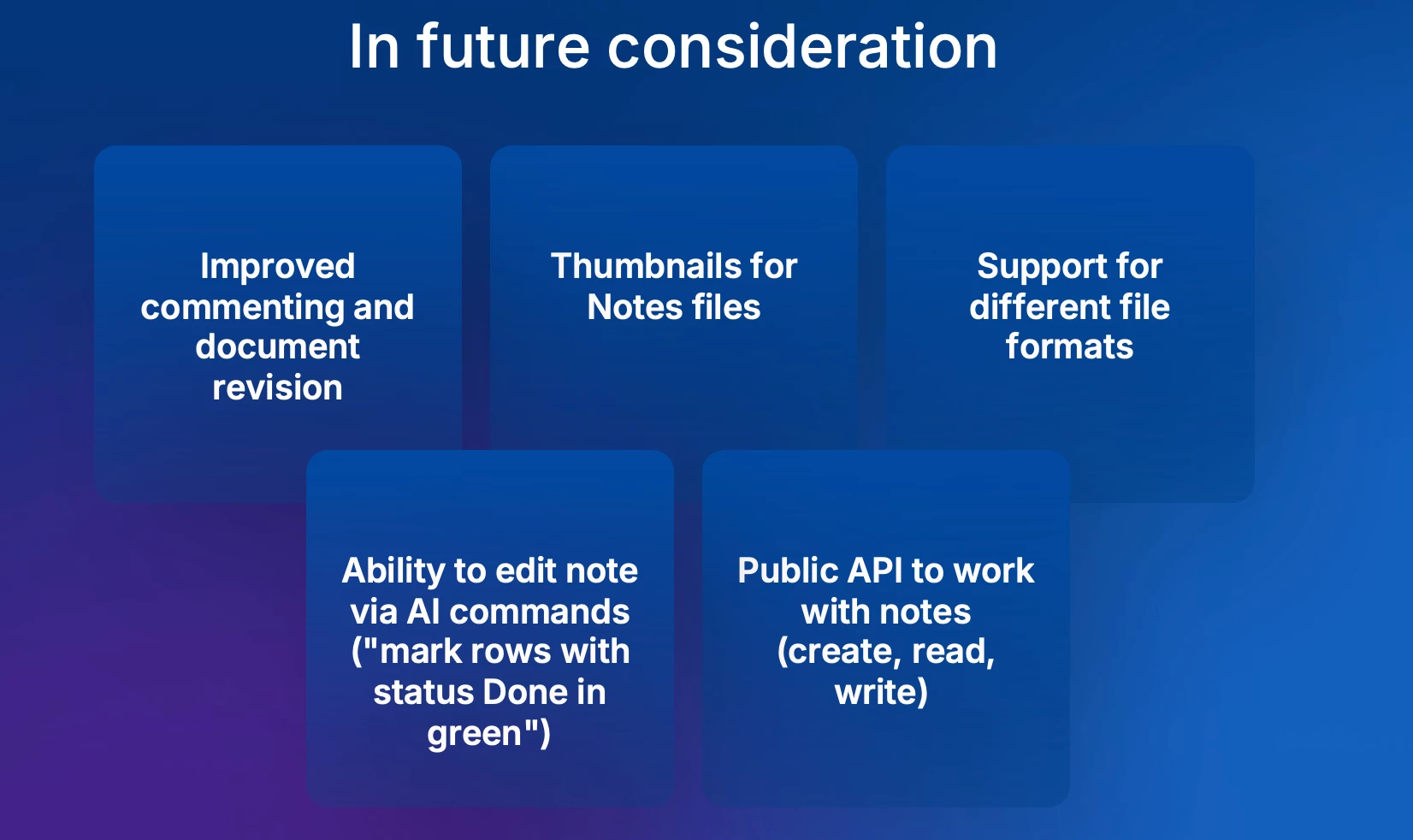
To shape the future of Box Notes, Genia presented a roadmap of potential features and asked attendees to vote on priorities. Discussions touched on improvements to collaboration, exporting formats, accessibility, and AI-powered functionalities:
Key Features Discussed:
-
Comment Threading: Expanding the ability to resolve comment threads, fostering document collaboration.
-
Thumbnail Previews: Visual previews for better recognition of note files.
-
File Format Exports: Options to export notes in Microsoft Word or PDF formats. One user, AJ, emphasized: “If Box Notes is a place to collaborate and draft documents, sharing externally in Word should be seamless.”
-
AI-Powered Enhancements: Inline AI to automate workflows like color coding tables or filtering lists.
-
Public API: Making Box Notes programmable for developers and integrations.
Community CTA
Feel free to share your thoughts or feedback on Box Notes in the replies…!