How do you set up a folder to receive files that include name, email and description from sender? I want to set up our file request just like the SBA has their account set up

How do you set up a folder to receive files that include name, email and description from sender? I want to set up our file request just like the SBA has their account set up
Best answer by Jey Bueno Box
👋 Hi
The File Request form currently does not offer a built‑in name field. I recommend creating a custom metadata template, where you can add additional fields and then apply that metadata to your File Request forms. You can refer to the support article on creating metadata templates for guidance.
Kindly reach out to your admin if you need further assistance enabling users to start using metadata in Box.
In addition, when editing a File Request form, you can add fields to collect extra information such as the sender’s email address or a description of the files being uploaded.
To edit your File Request form and apply the metadata template, go to the folder where the File Request is enabled. In the Sharing pane on the right, under File Request, click File Request enabled. When the File Request window opens, click Edit → Add a Field → File Metadata, then select the metadata template you created → Add metadata fields → Save.
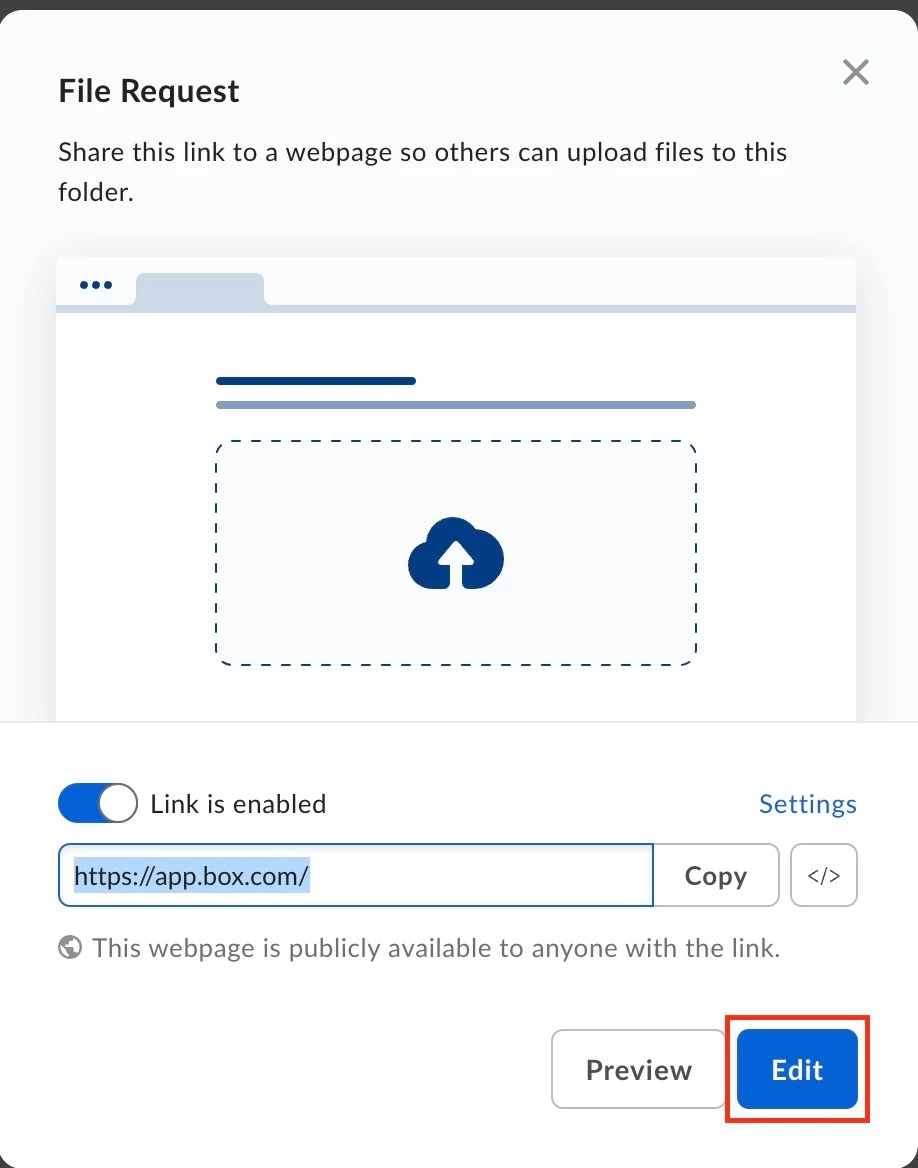
Check out Using File Request to get Content from Anyone to learn more.
Feel free to reach out if you have any other concerns. Happy to help!
Already have an account? Login
Enter your E-mail address. We'll send you an e-mail with instructions to reset your password.

