


Introduction
The roundtable introduces the Box MCP (Model Context Protocol) server as a tool to increase productivity. The session, led by product experts including Alvin Han, Fernando Cerenza, and Biswaroop Palit, aims to explain what the MCP server is, demonstrate its capabilities, and answer audience questions. Thanks to our guests who joined and participated in the Q&A
Slide deck here
An initial poll revealed that while many attendees had heard of MCP, most had no current plans to use it, highlighting an opportunity for education.
Main Topics
What is the Box MCP Server?
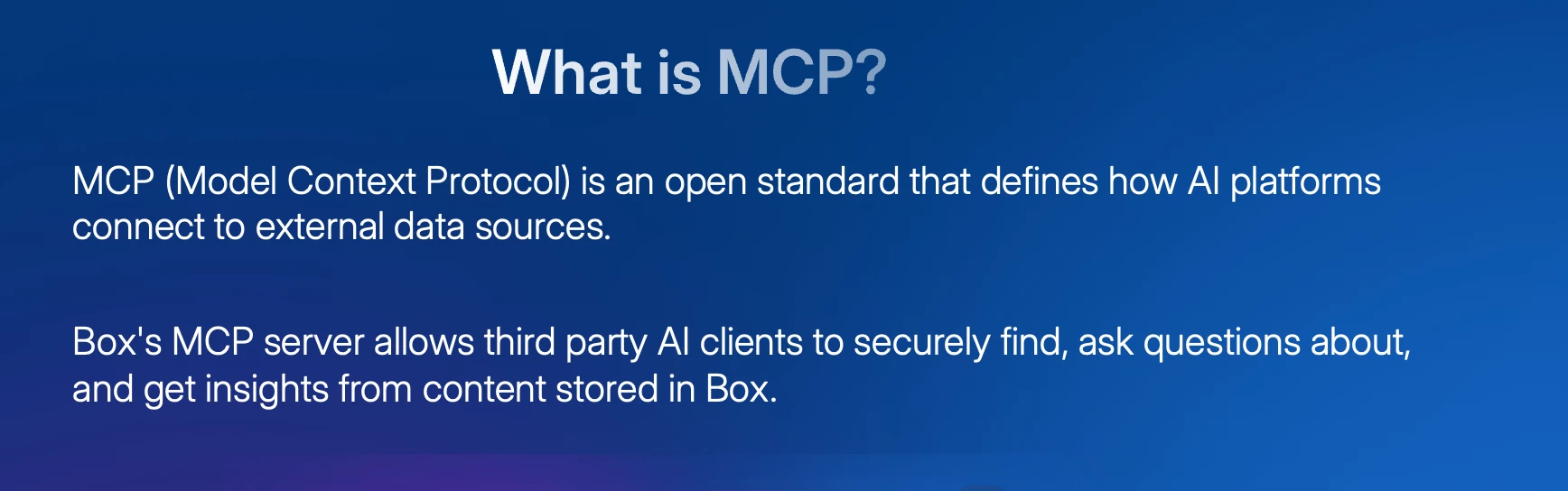
Alvin Han began by defining MCP as the Model Context Protocol, an open standard that defines how external AI clients can connect to data sources. The Box MCP server is an implementation of this standard, allowing users to securely connect their content in Box to AI clients like Claude, ChatGPT, and Microsoft Copilot. The connection is handled via OAuth, a secure protocol that ensures the AI agent only has access to the same content and permissions as the user who authorized it. This prevents unauthorized access to confidential files and maintains enterprise governance.
Key Capabilities and Tools
The MCP server exposes a wide range of 'tools' or actions that an AI agent can perform within Box on the user's behalf. These capabilities include:
-
File & Folder Management: Viewing file contents, getting metadata, previewing documents within the AI client, and performing write actions like creating, copying, moving, and uploading files.
-
Search: Searching for content by keyword, metadata, or file name.
-
Box AI Integration: Using Box AI directly from the external client to ask questions about documents or use Box's powerful 'Extract' feature to pull structured data from content.
-
Collaboration: Managing collaborators, creating shared links, and updating collaboration settings.
-
Other Box Features: Interacting with Box Hubs (curated content portals) and Box Doc Gen (document template generation).
Fernando Cerenza clarified that this provides a 'plug-and-play' package, saving developers from building complex, custom API integrations for each AI client.
Demonstrations
Two demos illustrated the server's power:
1. Claude AI Demo: A user asked Claude to find a specific technical report in Box. The AI located the file, displayed an in-app preview for confirmation, and then answered a detailed question about a chart within the document by reading its content.
2. Figma Demo: A user prompted an AI agent in Figma to build a customer-facing landing page using a Box Hub as the single source of truth. The agent accessed the files in the Hub, understood the context, and generated a complete, well-designed landing page. A follow-up prompt instructed the AI to add a timeline based on another document in the same Hub, which it did seamlessly.
Admin Controls and Security
The team stressed the importance of governance. Box provides administrators with granular controls to enable or disable specific MCP tools for their enterprise. Riskier tools, such as those that move or upload files, are turned off by default and require an explicit admin opt-in, providing an extra layer of security.
Q&A Highlights
The presenters addressed numerous audience questions, clarifying key points:
-
Permissions: The MCP server strictly inherits and respects the permissions of the authenticated user. It cannot override existing access rules.
-
MCP vs. Box AI: They are complementary. Box AI is a powerful tool for tasks within Box, and the MCP server can act as an orchestrator, delegating tasks to Box AI or combining Box's capabilities with other services like Jira or Gmail.
-
Cost: Using the MCP server with official, published partner integrations (like Claude or Copilot) is free. Costs are only incurred for the underlying services used, such as Box AI, which consumes AI units at the same rate as using it through the web app.
-
Authentication: Users authenticate once via a standard OAuth flow, after which the connection is persistent.
-
Integrations: The team confirmed support for Microsoft Copilot Studio, an upcoming official integration with Workato, and the ability to create custom connections for any client.
Resources
MCP Server overview, platform specific setup guides, available tools, FAQ, Pricing, etc
Links:
- https://docs.box.com/en/box-mcp/about-box-mcp-server
- https://developer.box.com/guides/box-mcp
Box Blog
Updates on the latest and greatest from Box, including MCP
Links: https://blog.box.com
MCP Spec
Full specification for MCP
Links: https://modelcontextprotocol.io
Questions? Please comment in the replies!