


Thanks to Chirine
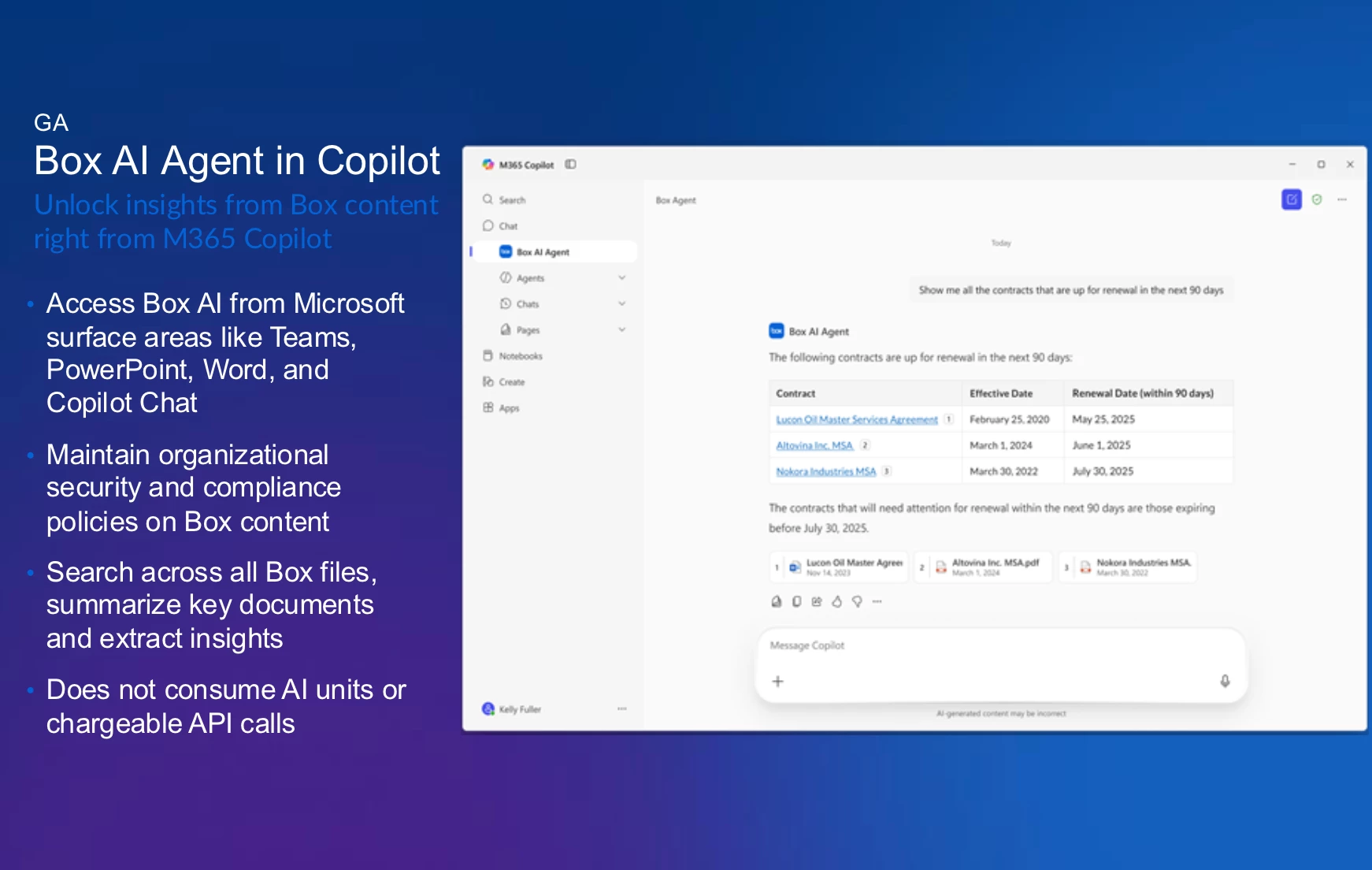
Box AI Agent for Microsoft Copilot
Chirine unveiled updates regarding the integration of Box AI Agent with Microsoft Copilot, to deliver intuitive search, summarization, and insights across Box content.
What’s New in the Integration?
-
Box AI Agent Available for All Box Plans: Chirine clarified that this integration is accessible to all Box customers, regardless of their license tier. Even users with the free Copilot chat license can make use of the Box AI Agent without needing a full Copilot license.
-
Enhanced Permissions and Admin Controls: Through admin settings, organizations can enable or restrict access to the Box AI Agent for individuals or groups. Additionally, the agent respects Box’s strict permission model, allowing users to access only files they are authorized to view.
-
Features in the First Release: The initial rollout of the integration focuses on read-only capabilities, including:
-
Searching across Box files.
-
Summarizing key documents.
-
Extracting insights from content.
-
-
No AI Unit Consumption: using this integration does not consume AI units or chargeable API calls—making the functionality cost-effective for businesses.
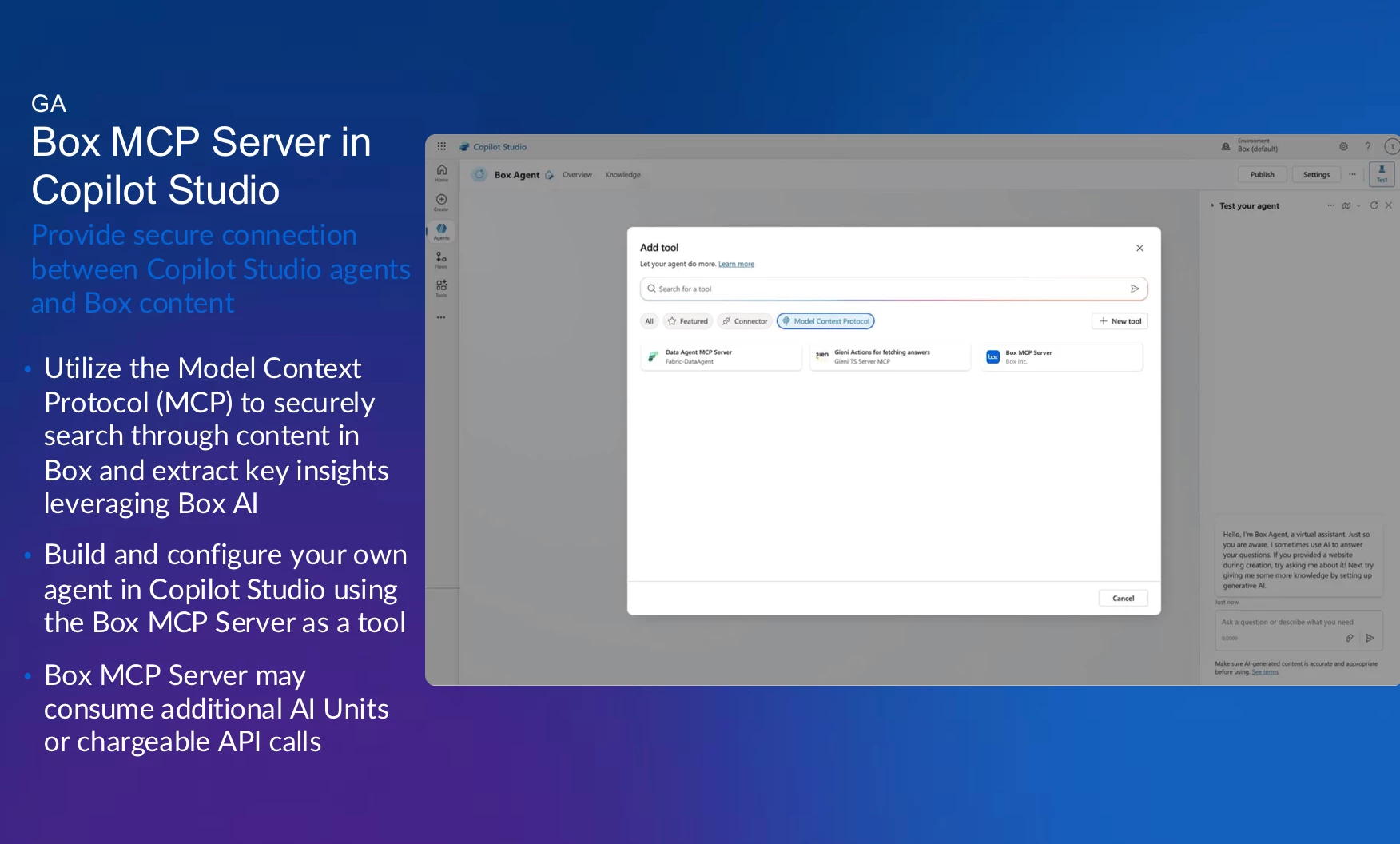
Box MCP Server in Copilot Studio
For organizations with complex use cases, Chirine presented the Box MCP Server integration within Copilot Studio. Unlike the Box AI Agent, this integration allows teams to create custom AI agents for advanced workflows:
-
Custom Agents: Enterprises can build bespoke agents tailored to specific departments or roles, such as HR, leveraging multiple knowledge sources like Box, OneDrive, and SharePoint.
-
Supports Advanced Use Cases: Ideal for businesses that require multi-source data interaction or deeper configurability.
-
Consumes AI Units: Unlike the Box AI Agent integration, custom agents using the MCP Server do consume AI units and chargeable API calls.
Chirine recommended testing both integrations to determine which best suits organizational needs before deploying.
Co-Authoring with Office Files
Next was the integration of Microsoft with Box for co-authoring Office files. Chirine explained the current limitations, future plans, and steps being taken to enhance functionality:
-
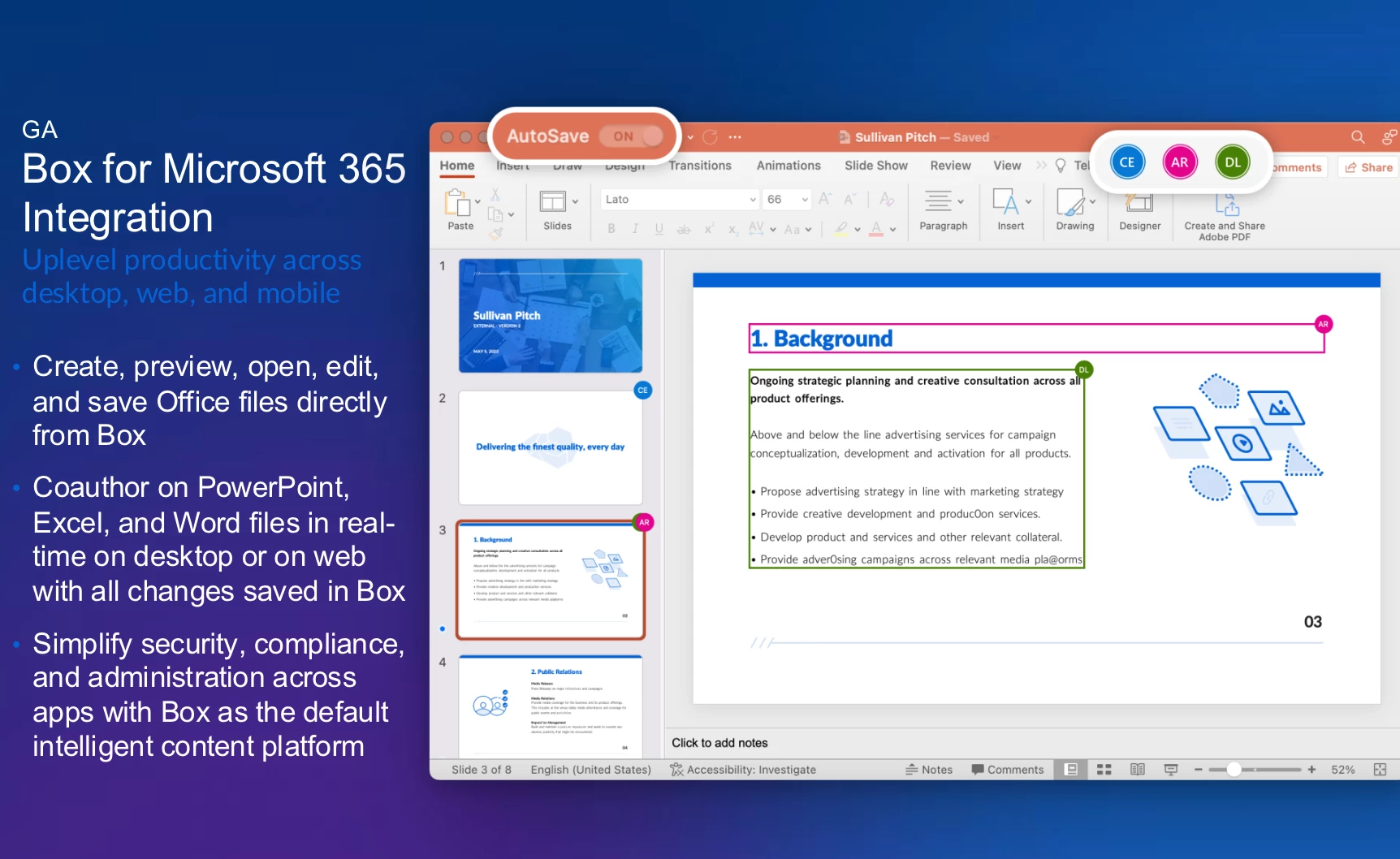
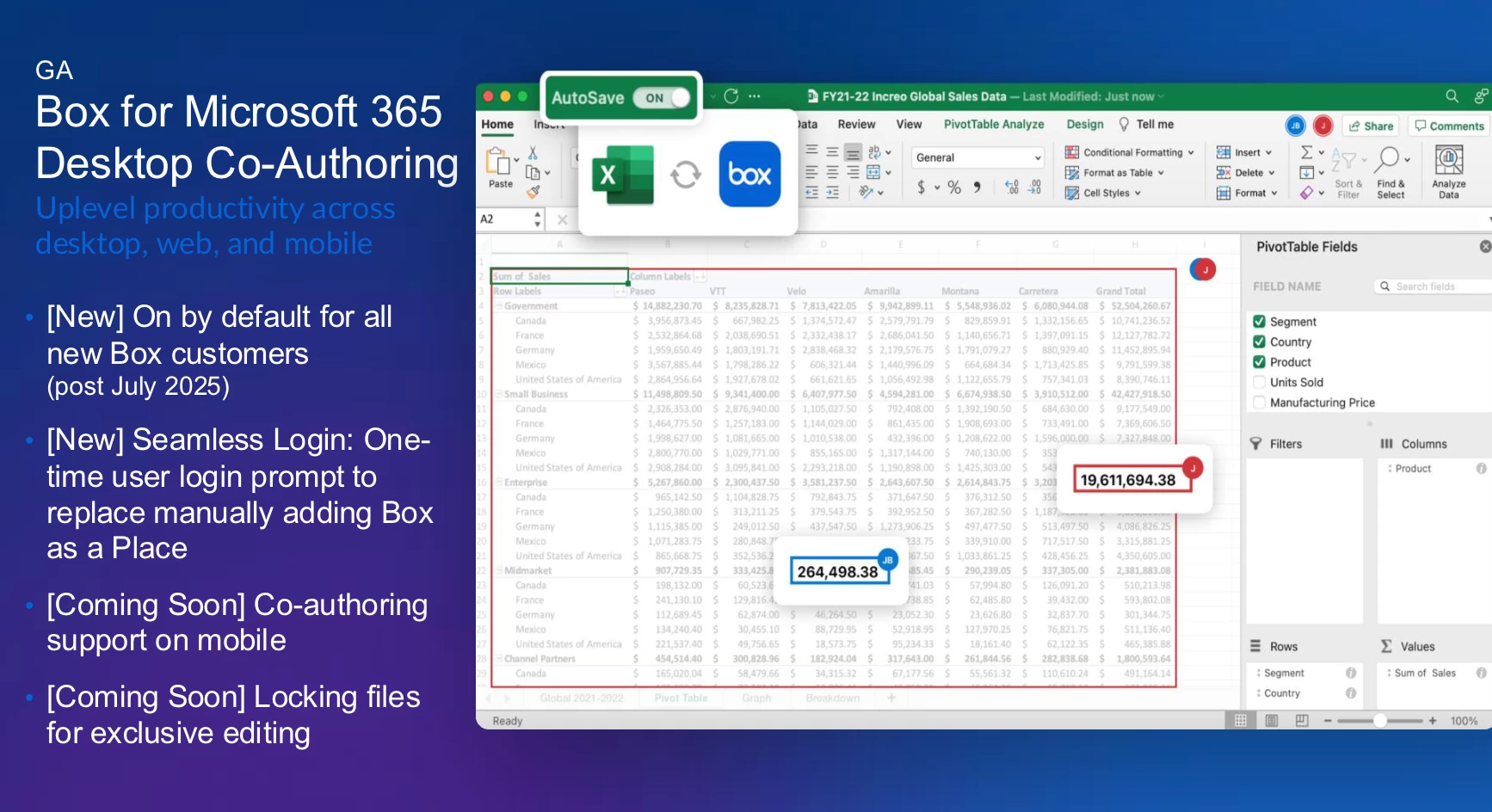
Simplifying User Experience: To reduce friction, co-authoring now features a one-time login prompt for first-time users, eliminating prior onboarding delays.
-
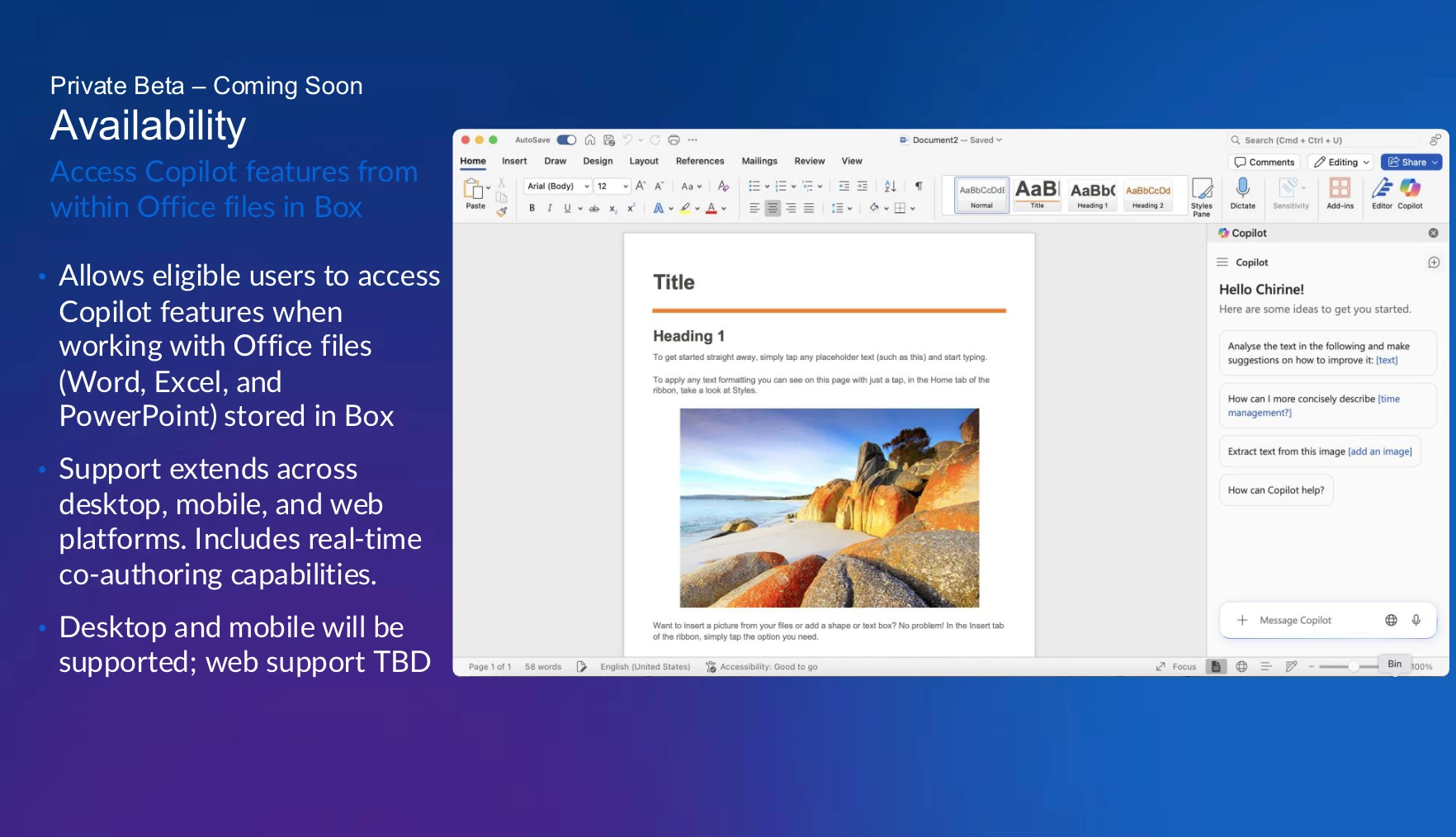
Private Beta Launch: A private beta focused on desktop and mobile co-authoring is expected to launch in the coming weeks. Web support remains under consideration and TBD.
-
Current State with Copilot:At present, Copilot cannot be used with Office files (Word, Excel, PowerPoint) stored in Box. However, the Box team is actively working with Microsoft to address this limitation.
-
Feature requests: mobile co-authoring, file locking for exclusive editing by single users, and @mention functionality for collaborative workflows.
Addressing User Feedback: Polls and Q&A Highlights
The roundtable included live polls and Q&A. Key insights included:
-
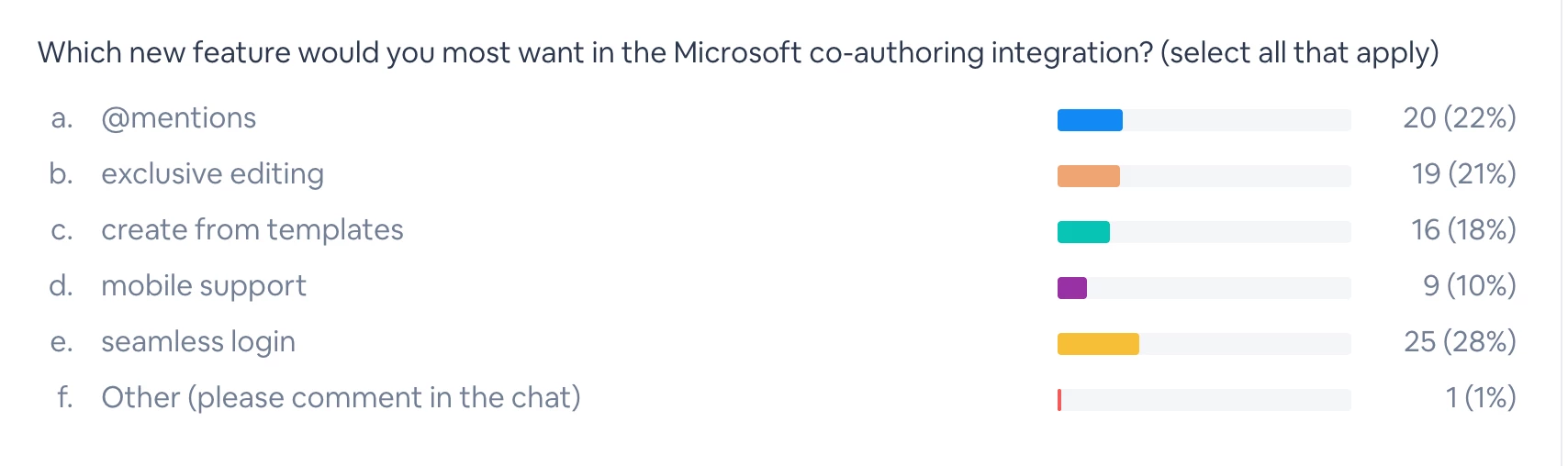
Popular Use Cases: A poll revealed “searching Box content” as the most favored use case for Microsoft Copilot integrations, followed closely by exclusive editing and seamless login functionality. There was also a poll on feature requests, with seamless login as the top vote.
Summary of the presentation:
- Box AI Agent in Copilot - now GA, uses Box APIs, end users can search in Agent store. Admins can configure who can use (all, set of users, etc). Does not consume AI units or use chargeable API calls.
- Box MCP Server in Copilot Studio - utilize MCP to search through content in Box; used for more complex use cases and customized agents - like deploy for a specific set of users. Does consume AI units and chargeable API calls.
- Access Copilot from Office files (Private Beta coming soon) - addresses co-authoring + Co-pilot. First phase: Desktop and mobile
- Box for MSFT 365 Desktop Co-Authoring: GA, on by default for all new Box customer, New seamless login (one-time user login prompt to replace manually adding Box); for word and powerpoint (excel coming soon); Also coming soon = mobile and locking files for exclusive editing
Share your thoughts and feature requests on the Box Community platform to actively shape the next generation of the Box and Microsoft integration!