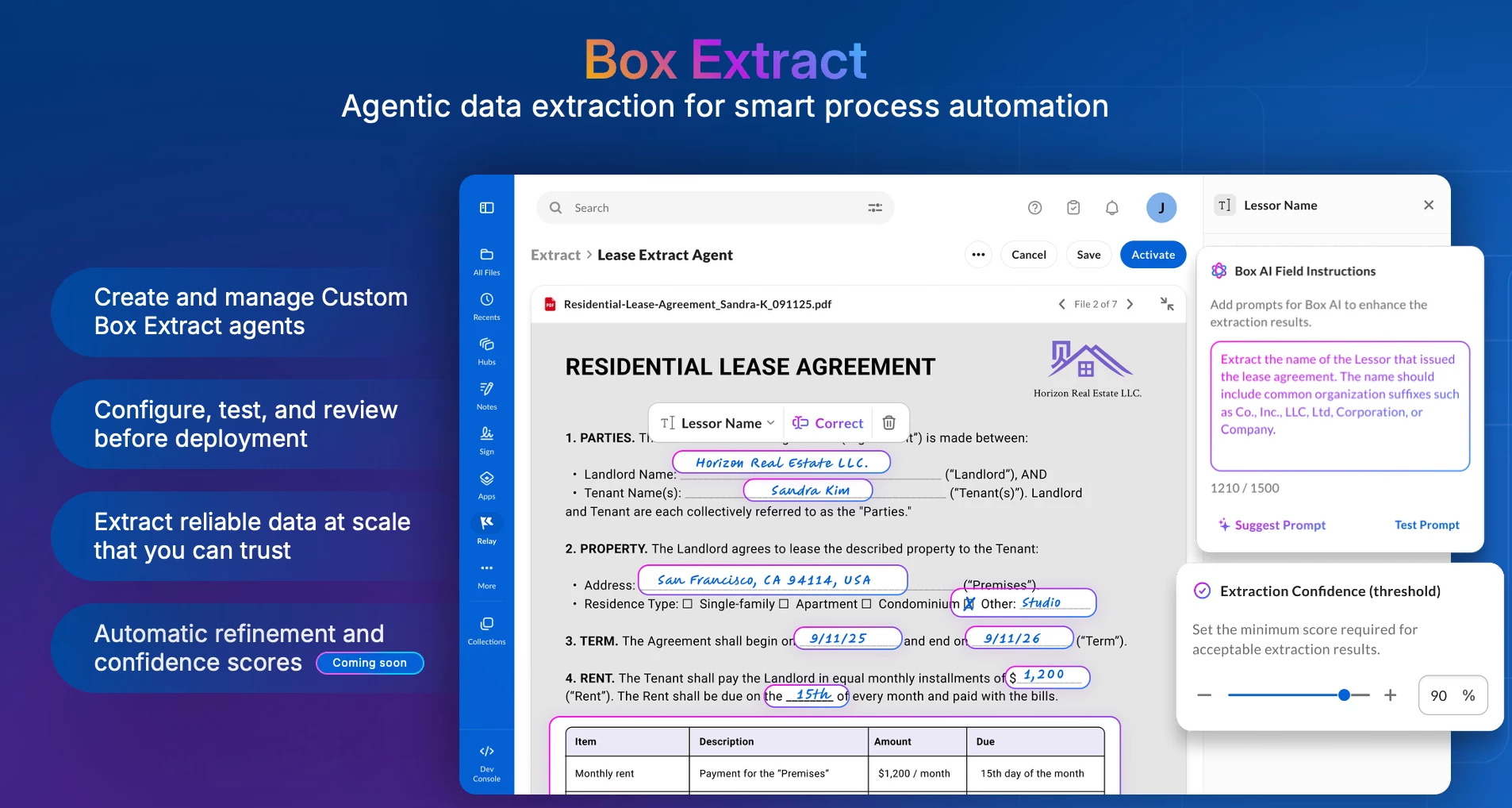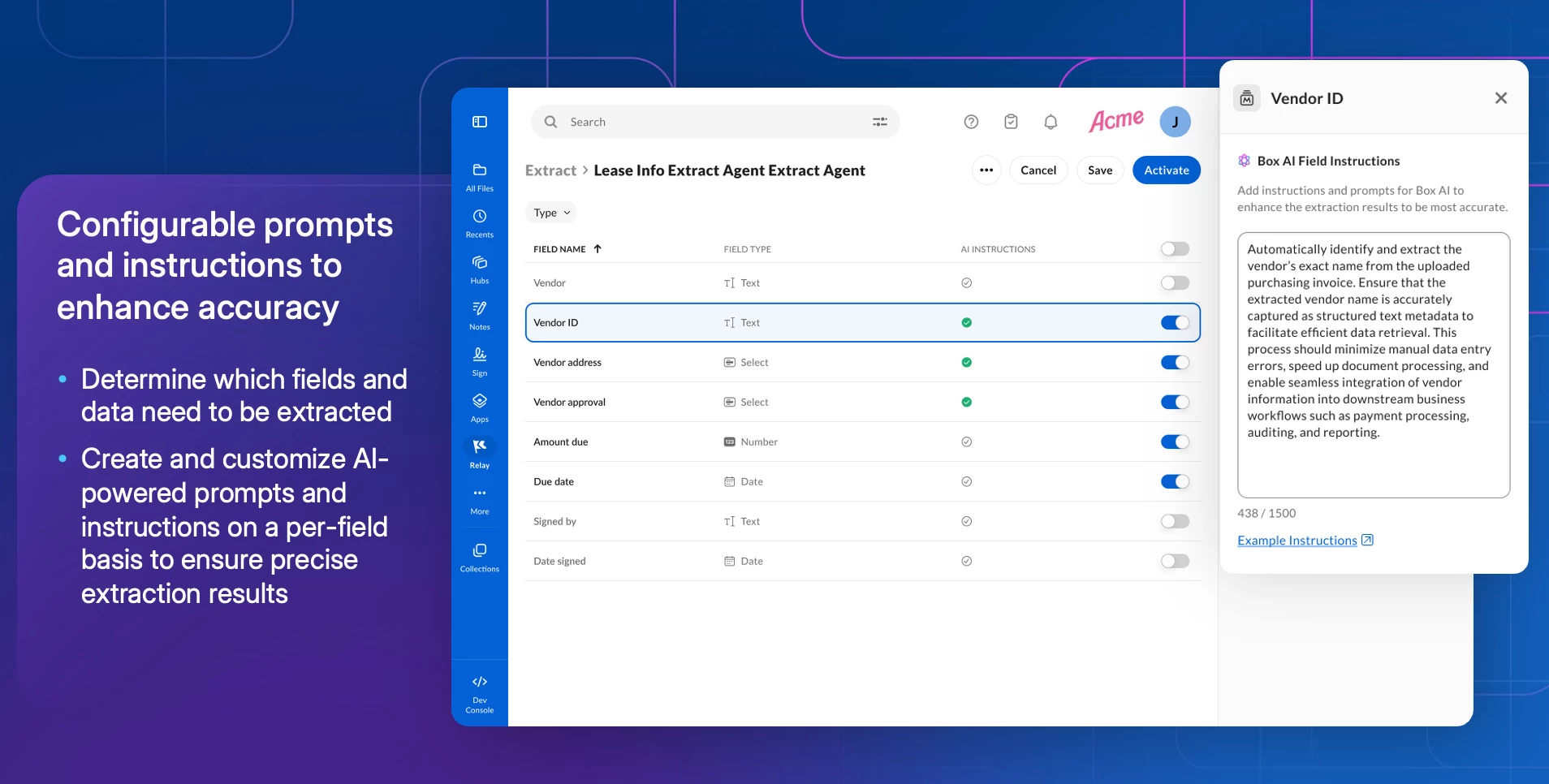

Recording and Highlights: Mastering Box Extract for accurate metadata at Scale

  • March 27, 2026
  • 3 replies
  • 99 views

thomasdeely Box
Forum|alt.badge.img

Thanks to Jack Robbins for yesterday’s overview and demo of Box Extract. You can find the recording and highlights below.


Agenda

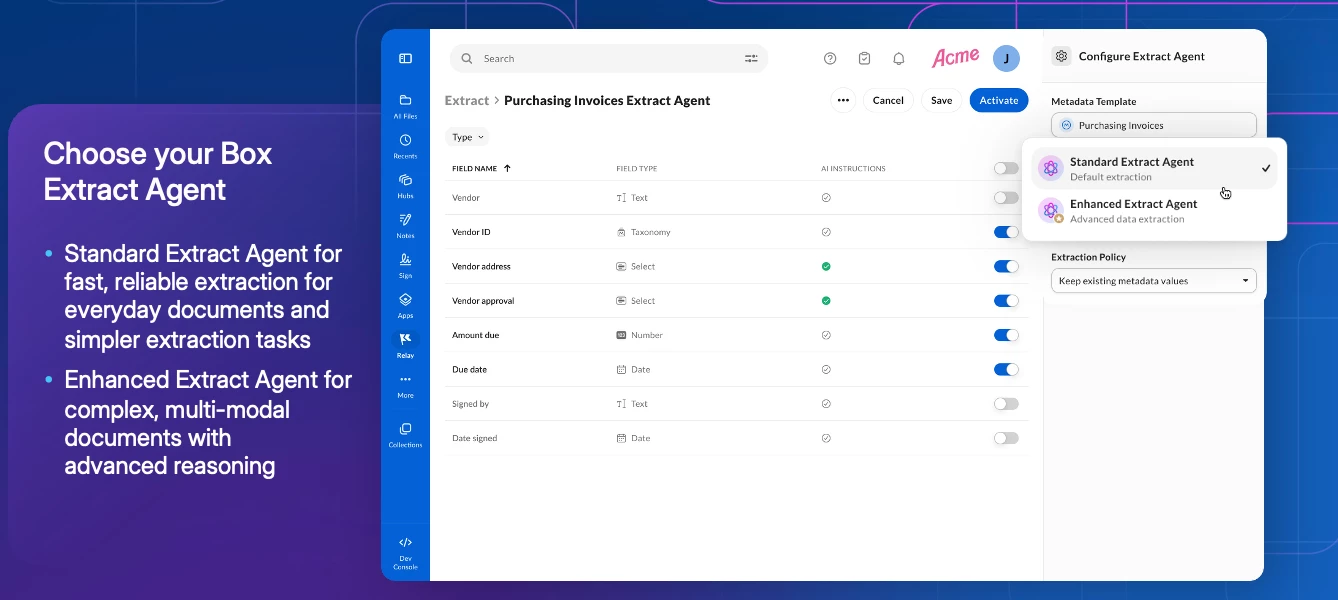
  • Overview of Box Extract
  • Recent releases
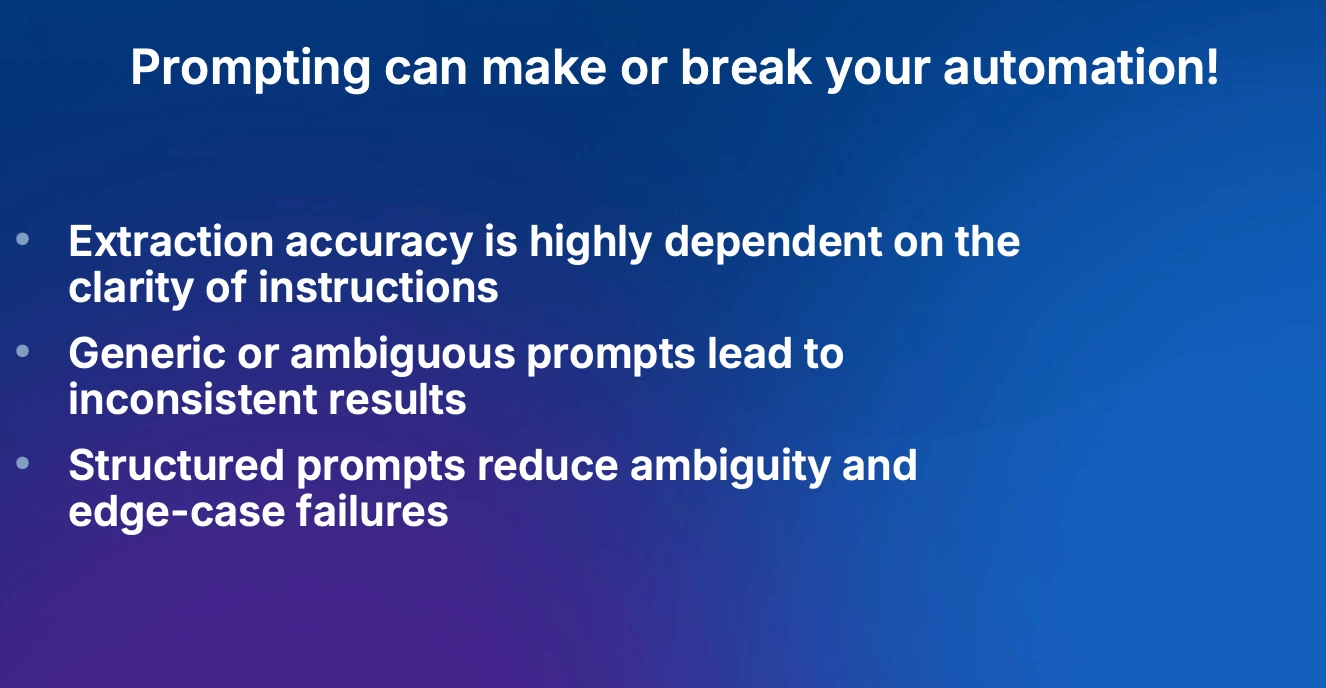
  • Prompting best practices for metadata extract with customer Q&A
  • Iterative Prompt Refinement
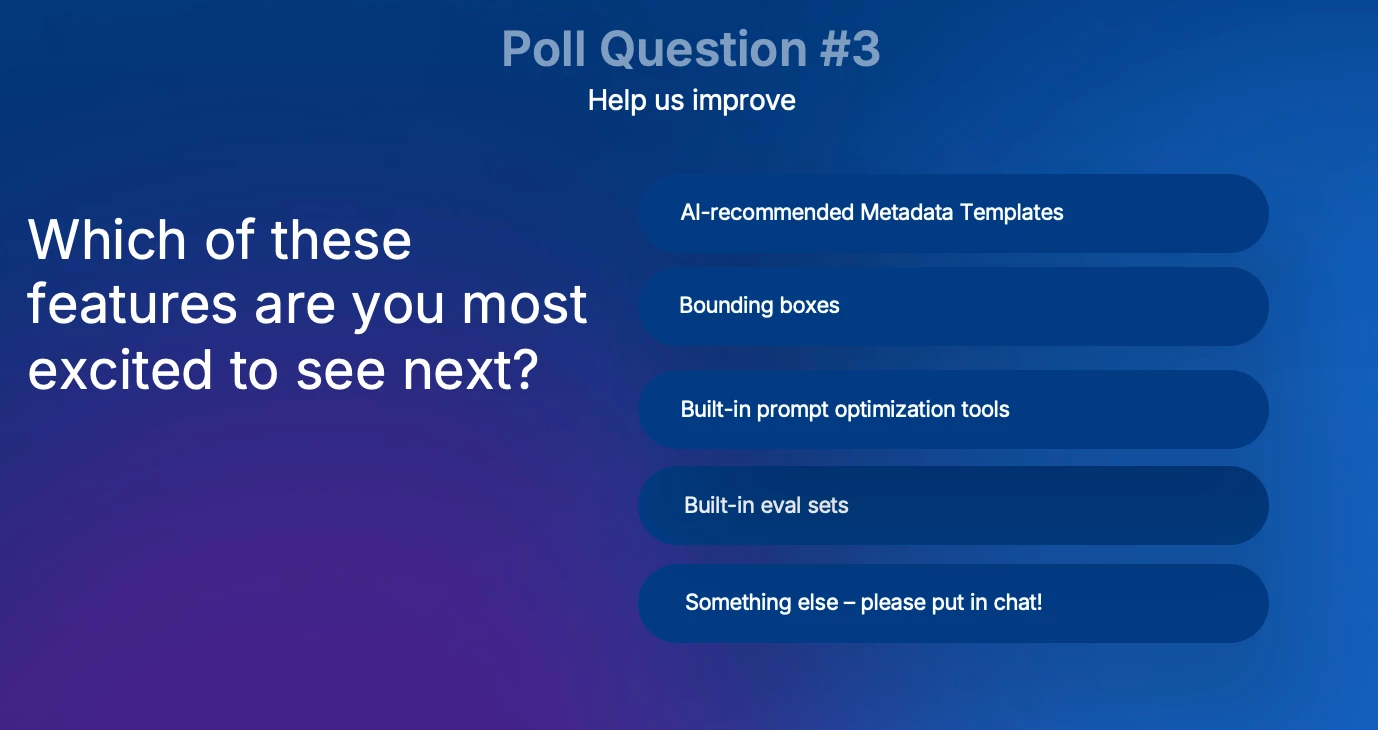
  • Upcoming features


Challenges with metadata extract? Please share in the reply…


We will also share some of the resources asked for yesterday here...



3 replies

thomasdeely Box
Forum|alt.badge.img
  • Author
  • Sr. Community Manager
  • March 30, 2026

Summary of recent enhancements:

  1. Scrollbar in AI instructions input field — Added a scrollbar to the field instructions input so users can scroll through longer instructions that extend beyond the visible input area.

  2. Product branding updated to "Box Extract" — Updated the browser tab favicon and product name to correctly reflect "Box Extract" instead of the previous product name.

  3. Improved discoverability of the Configure button — Relocated the Configure button to appear near the "Add Source Folder" option and moved it out of the overflow menu (…) to make it easier to find and more intuitive to use.

  4. Localization: English strings sourced for translation (SharedFeatures) — Confirmed and resolved missing English strings in the extract-client repository so they are properly sourced out to the localization pipeline.

  5. Localization: "Today at" timestamp string — Resolved an issue where the "Today at" timestamp string was appearing in English within the Japanese UI; the string has been sourced out for localization.

  6. Improved error messaging for source folder limits — Enhanced error messaging to clearly communicate the maximum folder limit (10 folders) when a user attempts to add more than the allowed number of source folders.

  7. Localization fix for English (UK) — Fixed an issue where "Add source folders" was displaying in the wrong language for users with their settings configured to English (UK).

  8. Localized date format in Run History — Updated the date format in the Run History page to be properly localized (e.g., Japanese date format) to match the user's language settings.

  9. Unified Extract Agent terminology — Standardized the naming across the product so that "Extract agent" and "Custom Extract Agent" are consistently referred to as "Extract Agent" throughout the UI.

  10. Full metadata template name on hover — Updated the metadata template selector so that hovering over a template name displays the full name, making it easier to distinguish templates that share similar prefixes.

  11. Fixed placeholder text displayed when removing a source — Resolved a bug where removing a source folder displayed an unintended screen with placeholder/lorem ipsum text.

  12. Added confirmation dialog for automatic extraction on folder add — Introduced a confirmation dialog that warns users when adding a source folder will automatically trigger bulk extraction, allowing them to make an informed decision before proceeding.

  13. Fixed Custom Extract Agent creation failure on IP Allowlist environments — Resolved an issue where creating a Custom Extract Agent failed in IP Allowlist-restricted environments, even when using the same metadata configuration that worked in standard environments.

  14. Documentation links updated — Fixed in-product documentation links that were previously redirecting to the Box homepage instead of the intended support knowledge base articles.

  15. "Extractions Completed" count display — Addressed an issue where the "Extractions Completed" column showed 0 even after successful extractions. (Note: This counter has been removed from the UI.)

  16. Metadata template field updates reflected in Extract Agent — Fixed an issue where changes made to a metadata template were not being reflected in the Extract Agent associated with that template. Newly added fields now appear as disabled in the Custom Extract Agent configuration page.

  17. Extract Agent naming — removed auto-appended "Extract Agent" suffix — Updated the new Extract Agent creation flow so that "Extract Agent" is no longer automatically appended to the name, improving consistency with other Box products and reducing unnecessary manual editing.

  18. Localization fix for confirm/continue button — Resolved an issue where the confirm/continue button was displaying in the wrong language for certain users.

  19. Increased AI instructions character limit to 5,000 — Expanded the maximum character limit for AI instructions from 1,500 to 5,000 characters, enabling users to write more detailed and expressive prompts, particularly for complex field-level instructions and enumeration logic.

  20. Expanded file type and event type support — Extended Box Extract beyond PDF-only and new-file-only processing. Extract now supports metadata extraction from a wide range of file types including images (PNG, TIFF, JPG, WEBP), documents (DOC, DOCX, PDF, ODT), presentations (PPT, PPTX), and spreadsheets (XLS, XLSX, ODS), as well as existing files in a folder.

  21. Improved "skip" policy behavior in Run History — Fixed the Run History display so that files skipped due to an existing metadata template (under the "skip" policy) are no longer logged as successes, reducing confusion about whether an extraction actually occurred.


thomasdeely Box
Forum|alt.badge.img
  • Author
  • Sr. Community Manager
  • March 30, 2026

Also, including the prompt to that lets Box AI improve extract prompts 
 

AI to help write prompts
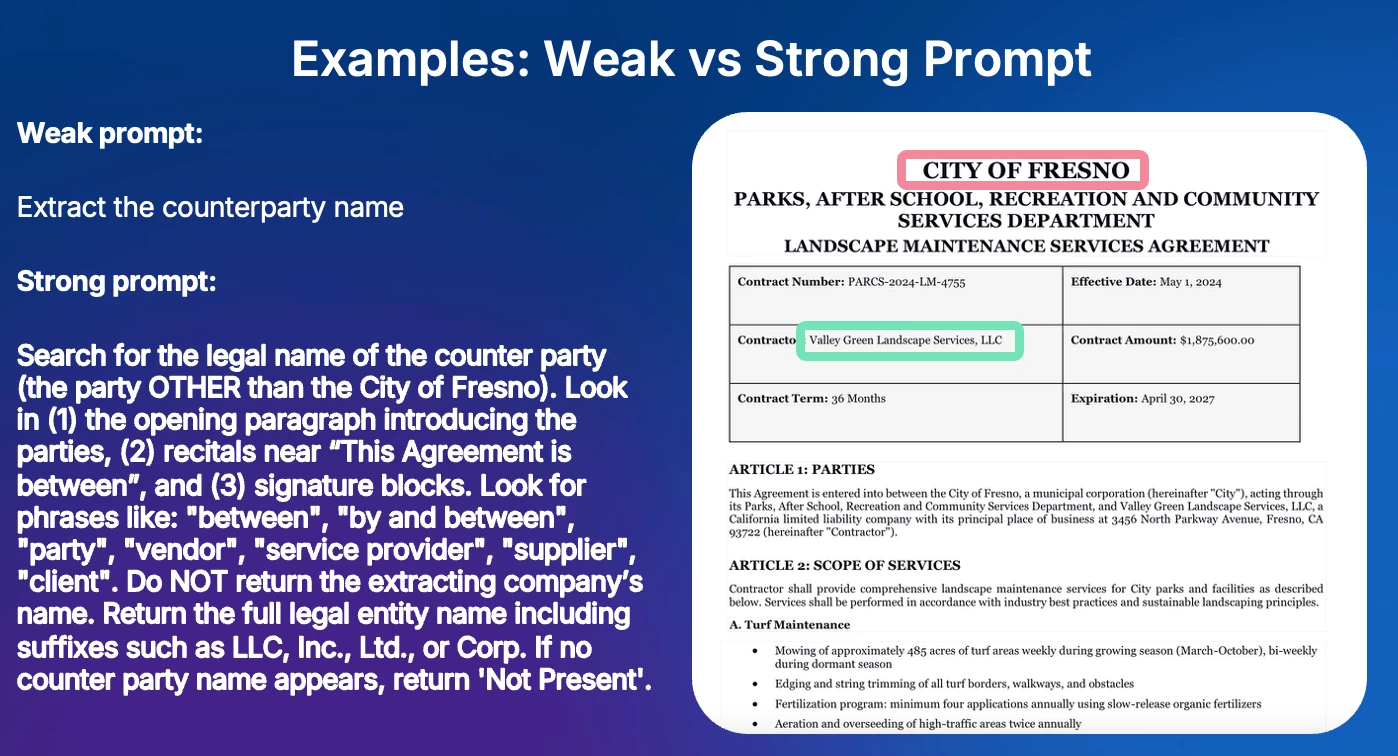
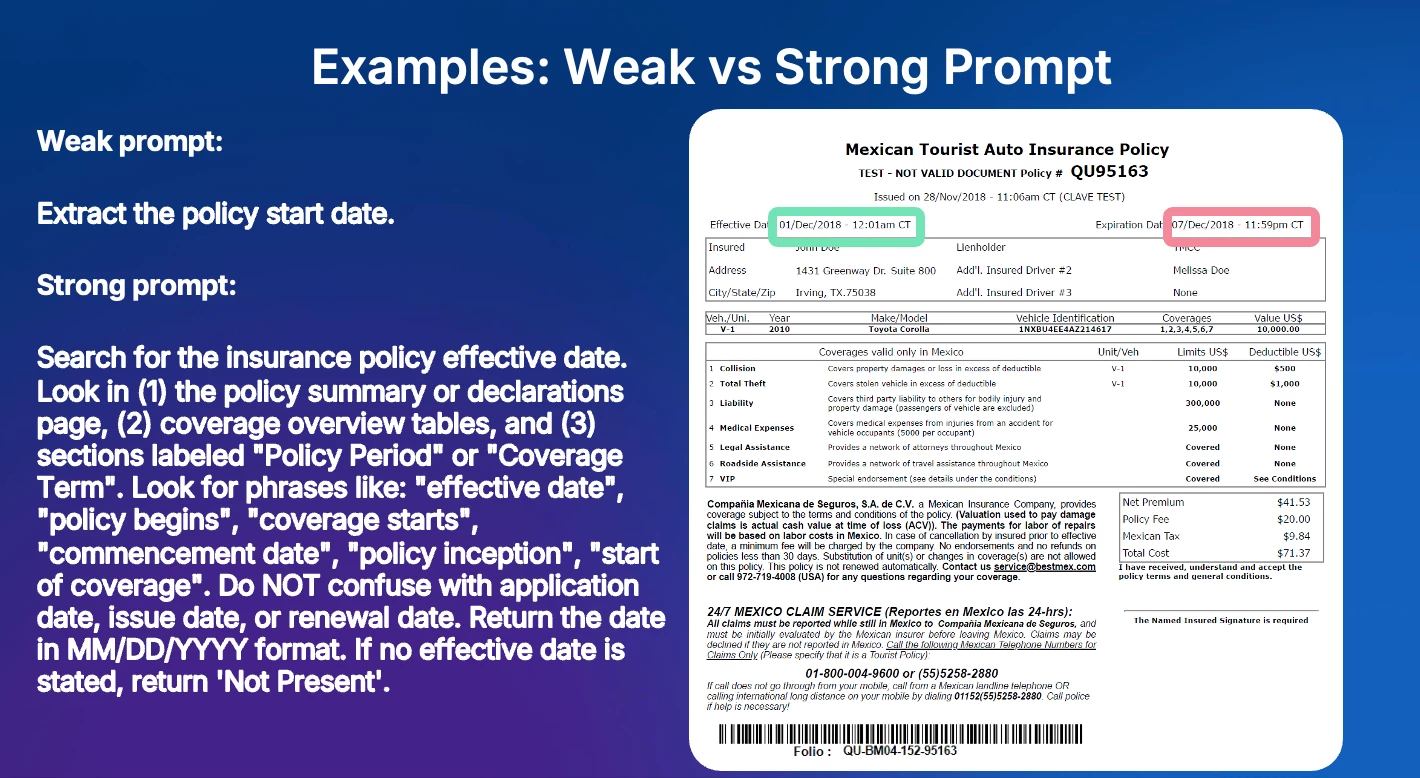
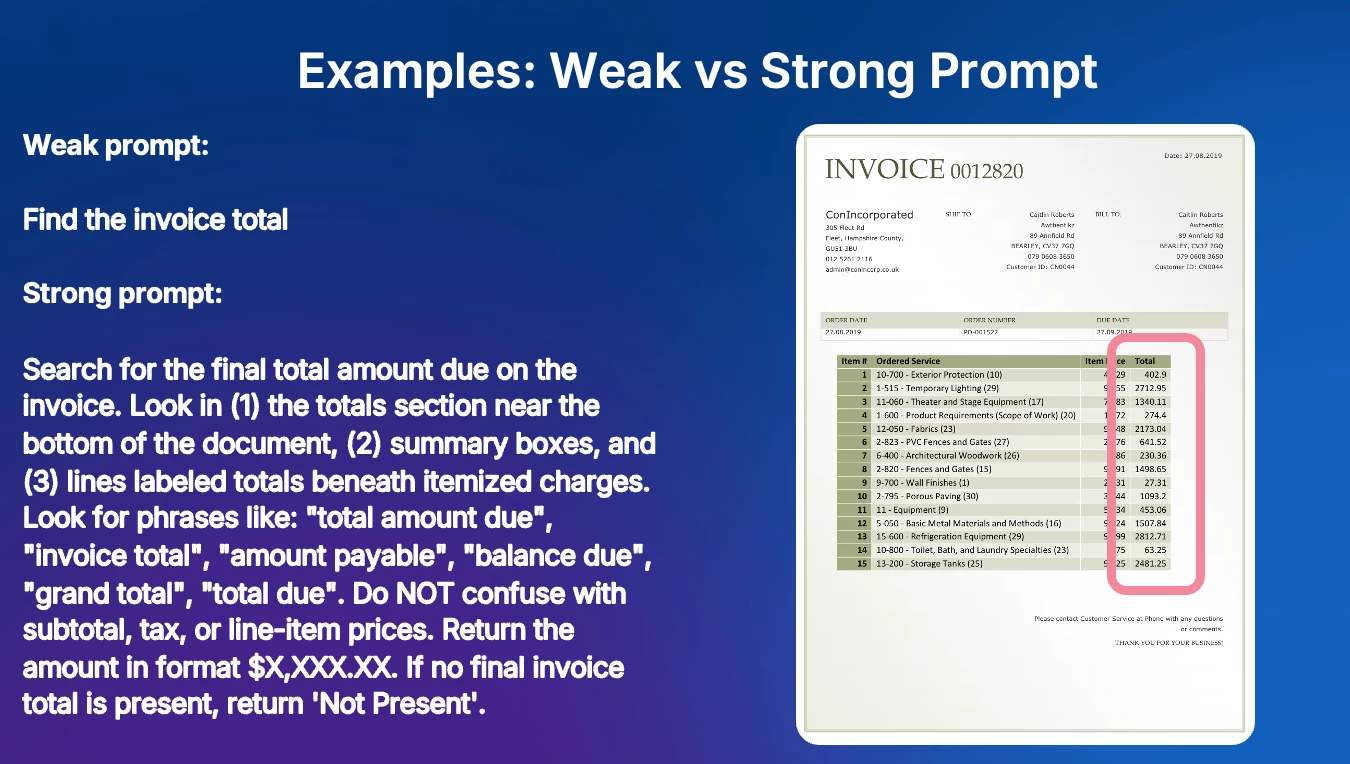
You are an expert extraction prompt engineer. Rewrite this current prompt to extract more accurately, using the expected result as a reference for what correct output looks like.
Field: <field name>
Current prompt: <current prompt>
Expected result: <expected result>
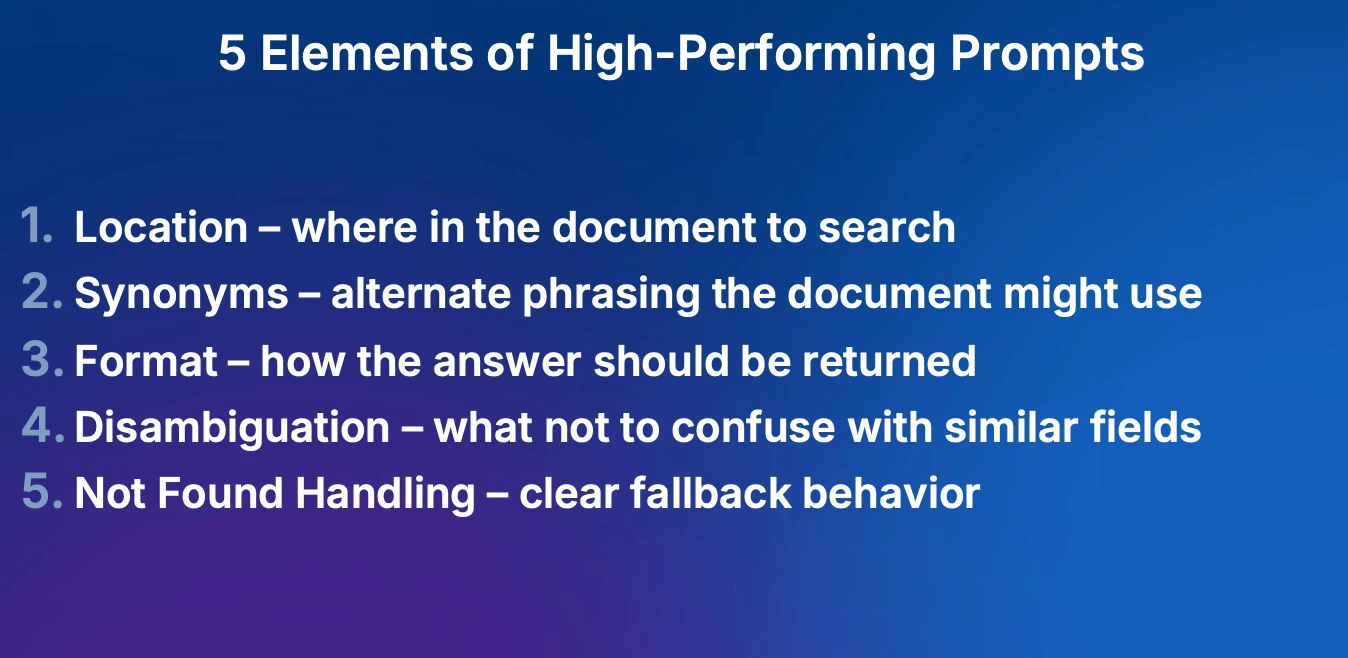
EVERY prompt MUST include all 5 elements:
1. LOCATION – specific sections to search
2. SYNONYMS – 6-8 alternative phrases
3. FORMAT – exact output format
4. DISAMBIGUATION – what NOT to confuse it with
5. NOT FOUND – return 'Not Present' if missing
TARGET LENGTH: 350–550 characters. Under 300 = too vague. Over 650 = too complex.
STRUCTURE: "Search for [FIELD] in [LOCATIONS]. Look for phrases like: '[SYN1]', '[SYN2]', '[SYN3]', '[SYN4]', '[SYN5]', '[SYN6]'. [DISAMBIGUATION]. Return [FORMAT]. If not found, return 'Not Present'."

Jey Bueno Box
  • Community Manager
  • April 17, 2026

Top questions during roundtable were addressed here:


Feel free to reach out if you have any other questions. 🙌