


Thanks
Live Polls: Insights into Attendee Usage
Highlights from the live polling included:
-
Industry Representation: Most attendees came from tech, followed by professional services.
@msyu Box pointed out other industries such as education and private family offices -
OS Usage: Windows is the dominant provider, though Mac has strong representation.
@andriy box highlighted the importance of maintaining functionality parity between the two platforms. -
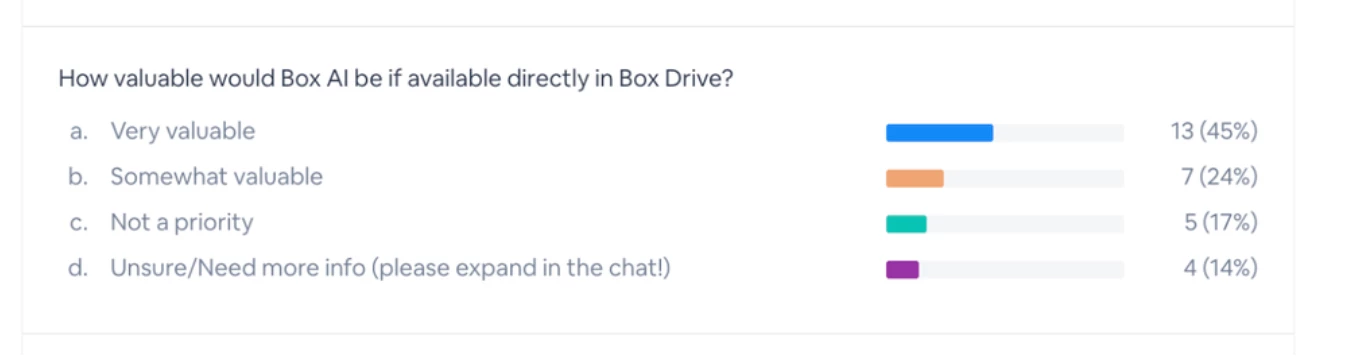
Interest in Box AI: Immediate reactions showed significant interest in Box AI integration for desktop applications, which Andre addressed enthusiastically:
"We’re excited to explore applications for Box AI on desktop—it’s very valuable, and we’re working on use cases around this capability."
Box Drive Updates
1. Rebuilt Architecture for Windows
-
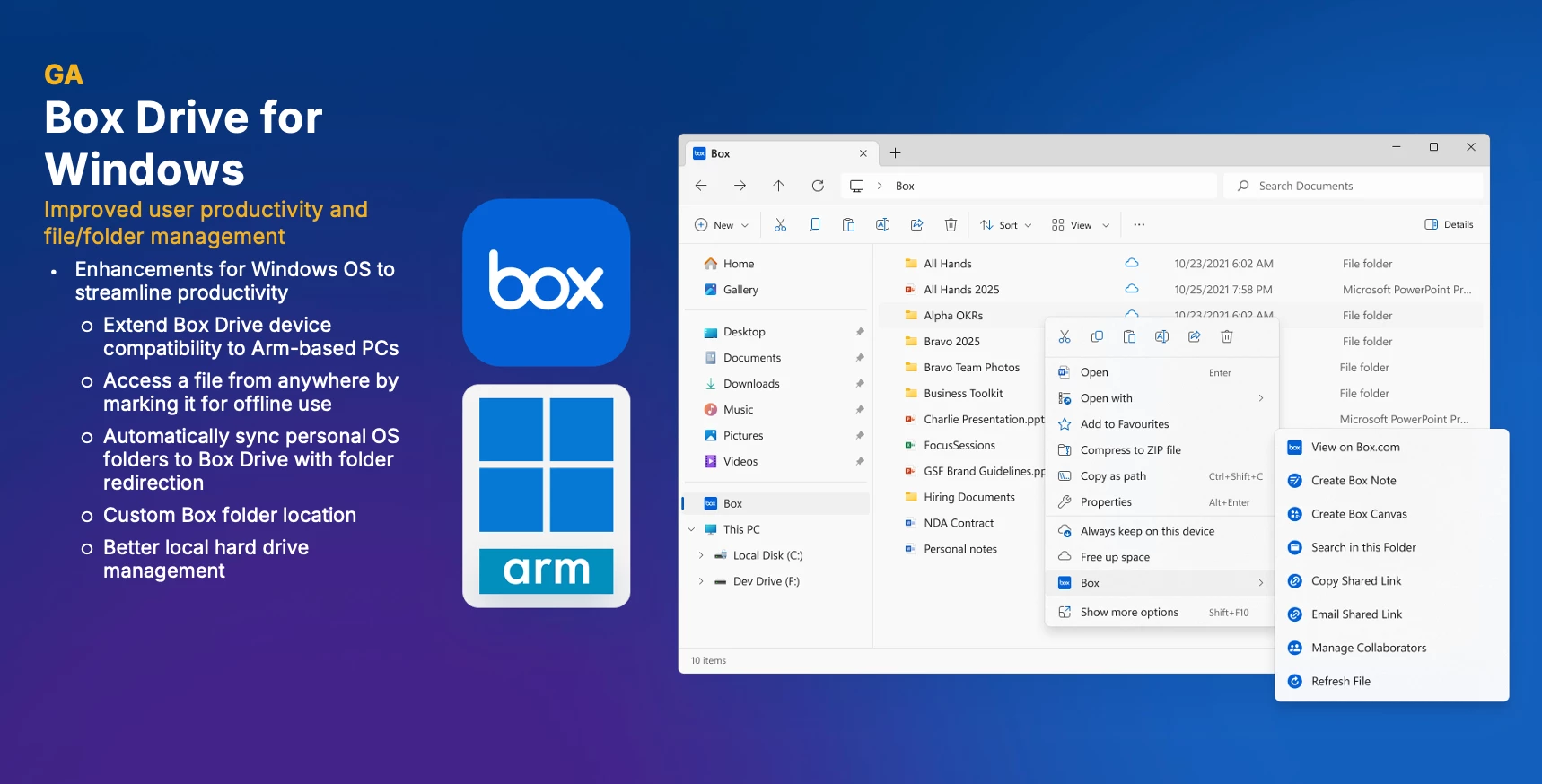
Support for ARM-Based Devices: Users on ARM laptops like Microsoft Surface can now fully install and utilize Box Drive.
“Our users can finally make use of Box Drive on Surface laptops, and broader ARM support adds flexibility,” Andre shared.
-
Enhanced Local Storage Management: Users can now move their Box folder to non-system drives, optimizing space on primary disks:
“You can save valuable space by moving content to external drives or secondary disks.”
-
Offline File Access: A much-requested feature now allows individual files to be made available for offline use, previously unavailable.
-
Improved User Interface (UI):
“We’ve introduced new icons, status indicators, and download animations to improve content visibility and user understanding.”
Box customers have the option to opt into this new program.
“I highly recommend opting in, testing it within your organization, and exploring the knowledge base for the full feature list.”
2. Upcoming Features: Addressing Customer Pain Points
Introduction of ‘Hide and Unhide’ Feature
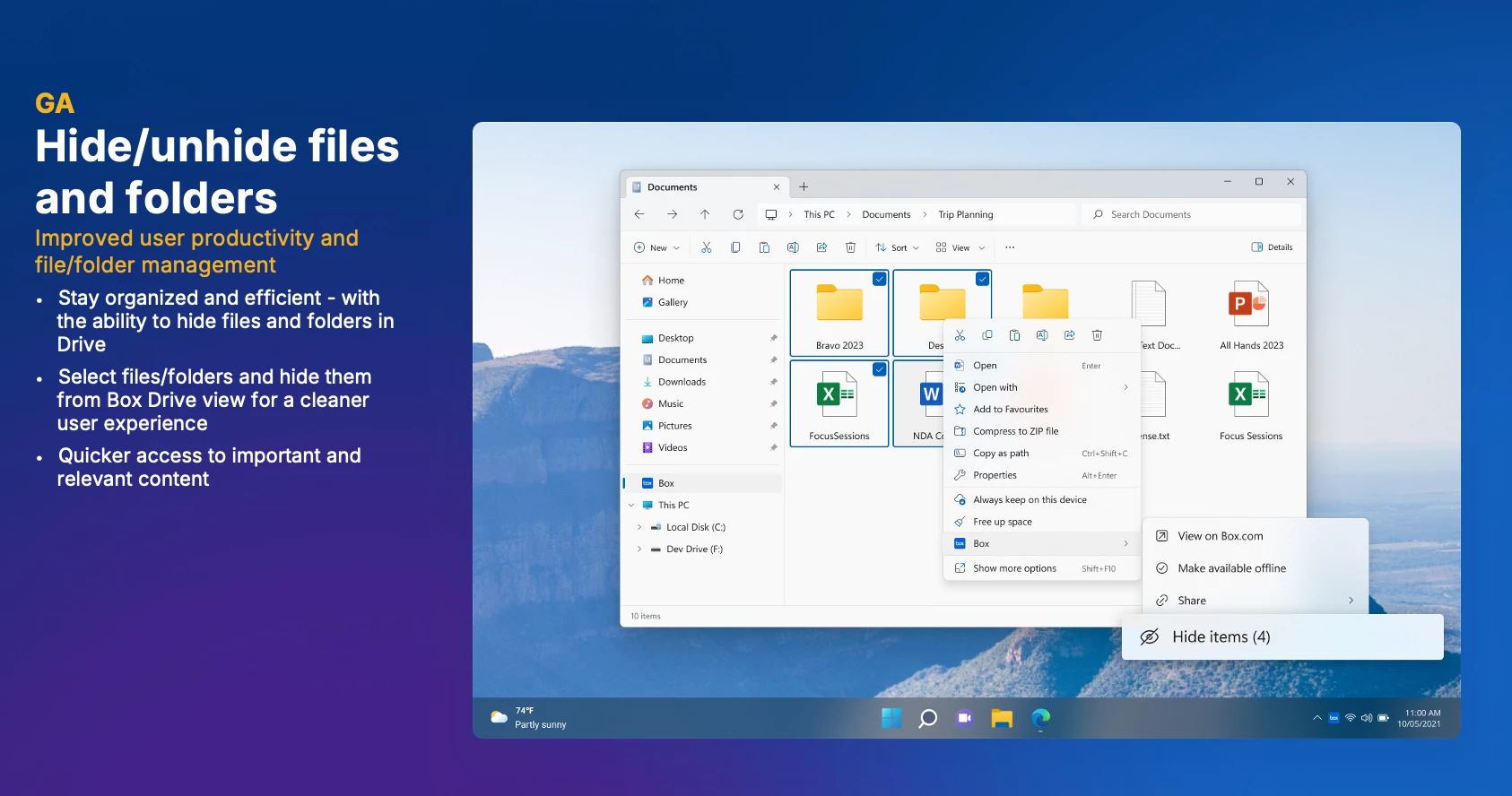
To tackle content sprawl, Box Drive now includes the ability to hide files or folders. Hidden folders remain accessible via Box web or can be unhidden as required. This innovation directly responds to customer requests for better organization tools.
“One of the biggest pieces of feedback was content management difficulty, and this feature makes it much more manageable,” a guest noted.
Beta Release: External Drive Support for macOS
Mac users can participate in a private beta program to store Box Drive folders on external drives.
“This feature addresses local disk space limitations. Interested users can drop their email to join the beta test.”

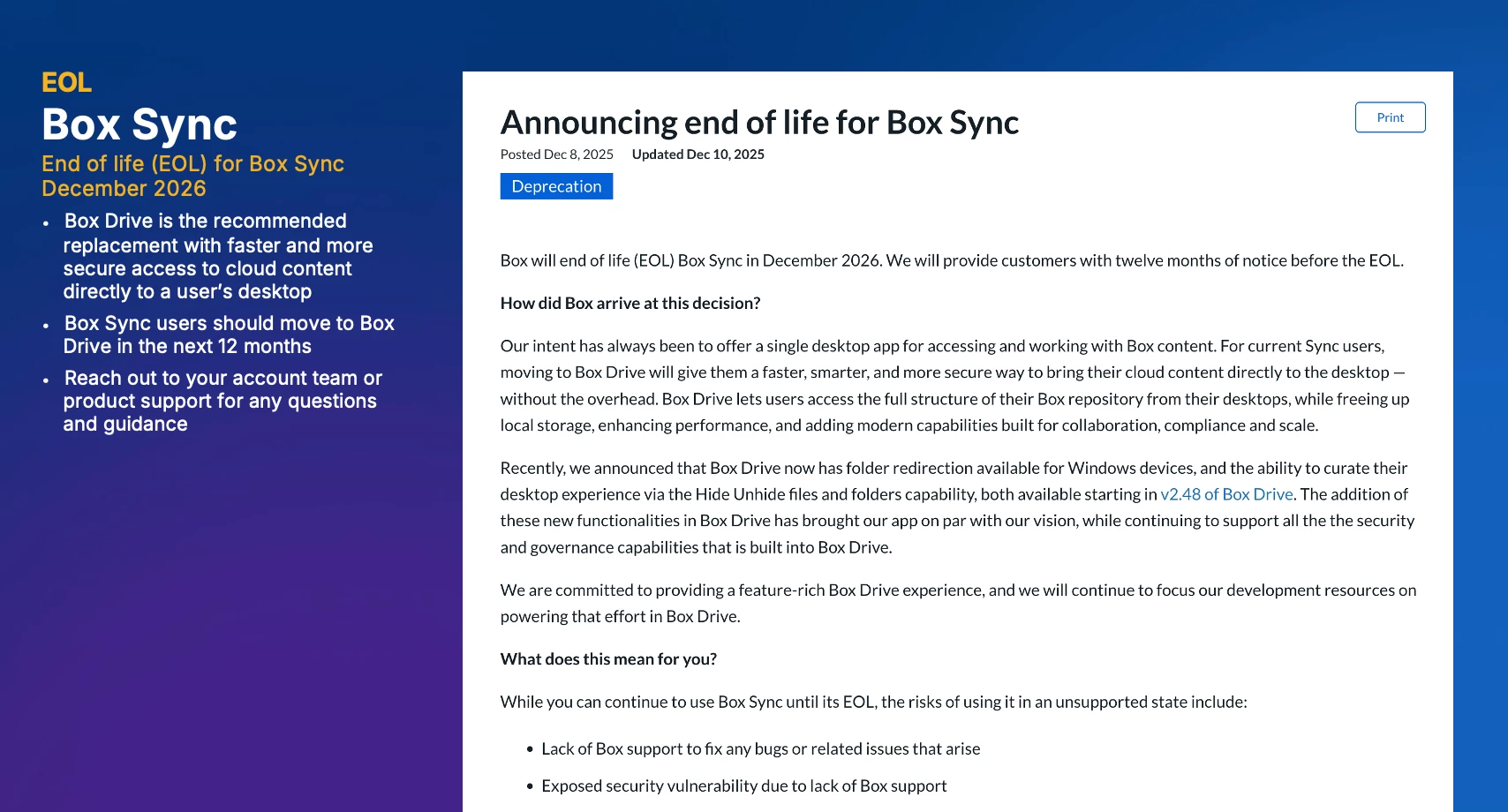
3. End-of-Life Announcement: Box Sync
“Box Drive is faster and far more secure, so we’re encouraging all users to migrate.”
Admins will periodically receive reminders, and support teams are equipped to assist with migration efforts.
4. Future Considerations
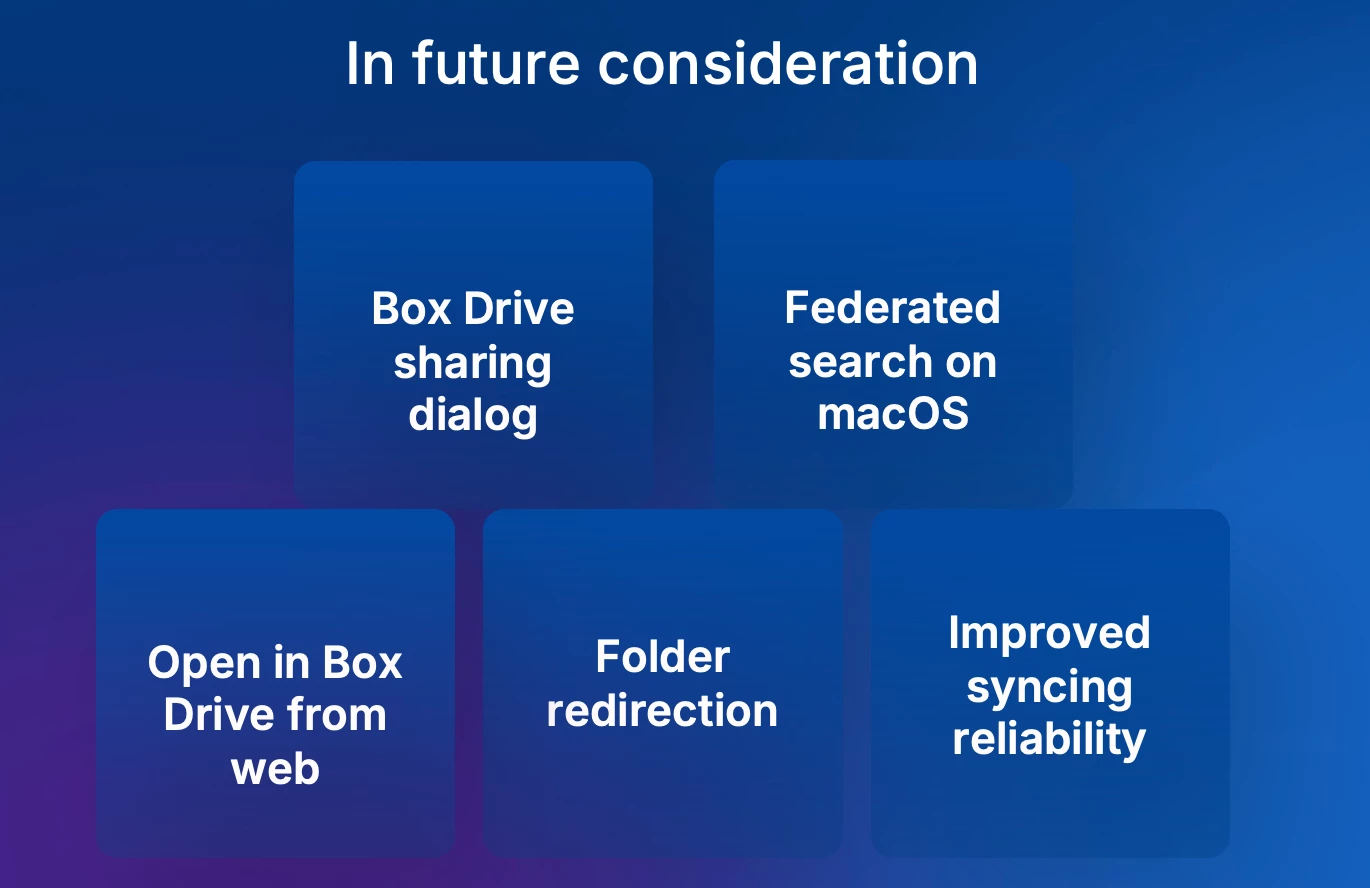
Ideas were shared for upcoming improvements, many driven by user feedback:
-
Box Drive Sharing Dialog: Sharing and collaboration options, currently available only on the web app, will soon be integrated into Box Drive on both Windows and Mac. Users will be able to manage collaborators, create shared links, and access all web features directly from the desktop app.
-
Federated Search for macOS: Mac users will gain the ability to use Spotlight search across Box Drive content.
-
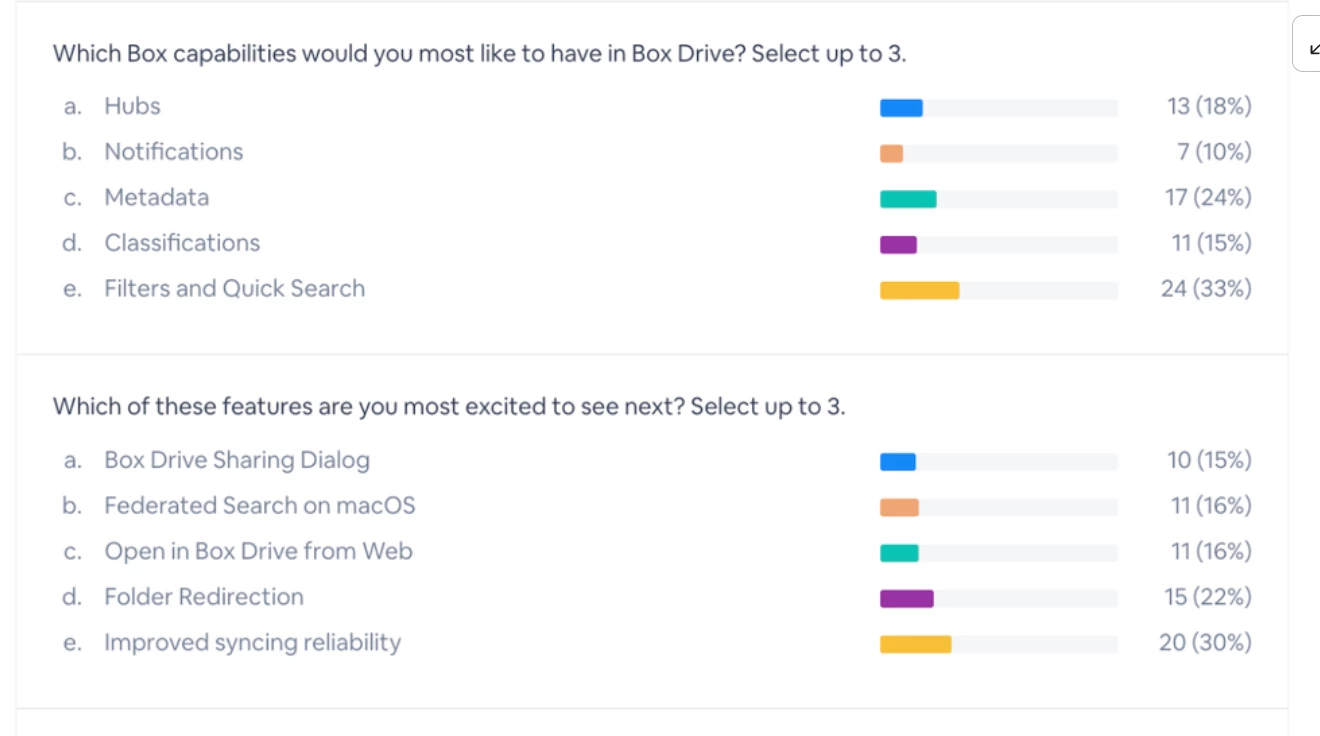
Sync Reliability: Voted as the top priority by users, sync performance will continue to be refined for smoother workflows.
“Your feedback shapes the roadmap. Let us know what features like AI tools, metadata filtering, or notification enhancements you feel are critical.”
Key Takeaways: Customer Q&A
Beyond technical updates, the session included Q&A moments addressing specific customer concerns:
-
Adobe Creative Cloud Workflows: Teams requested fixed folder paths to streamline workflows.
-
Search Enhancements: Slow desktop search compared to Box Sync provided action items for engineering follow-up on indexing improvements.
-
Auto Locking: Users in architecture sought better auto-locking functionality for CAD files, which will undergo further exploration.
Resources
Next Steps:
-
Test the New Box Drive Version: Opt into the program to explore rebuilt architecture and features.
-
Join Beta Programs: Especially for macOS external drive support, connect with Box for early access.
-
Stay Active in Feedback: Share preferences here to help shape roadmap priorities.