


Thanks to Roger Schmitt and Darryl Clark from Box for yesterday’s overview and hands on workshop, also thanks to our guests who joined and shared in the discussion.
Box AI Studio
Roger Schmitt introduced the core offerings of Box AI. Recording clip here
-
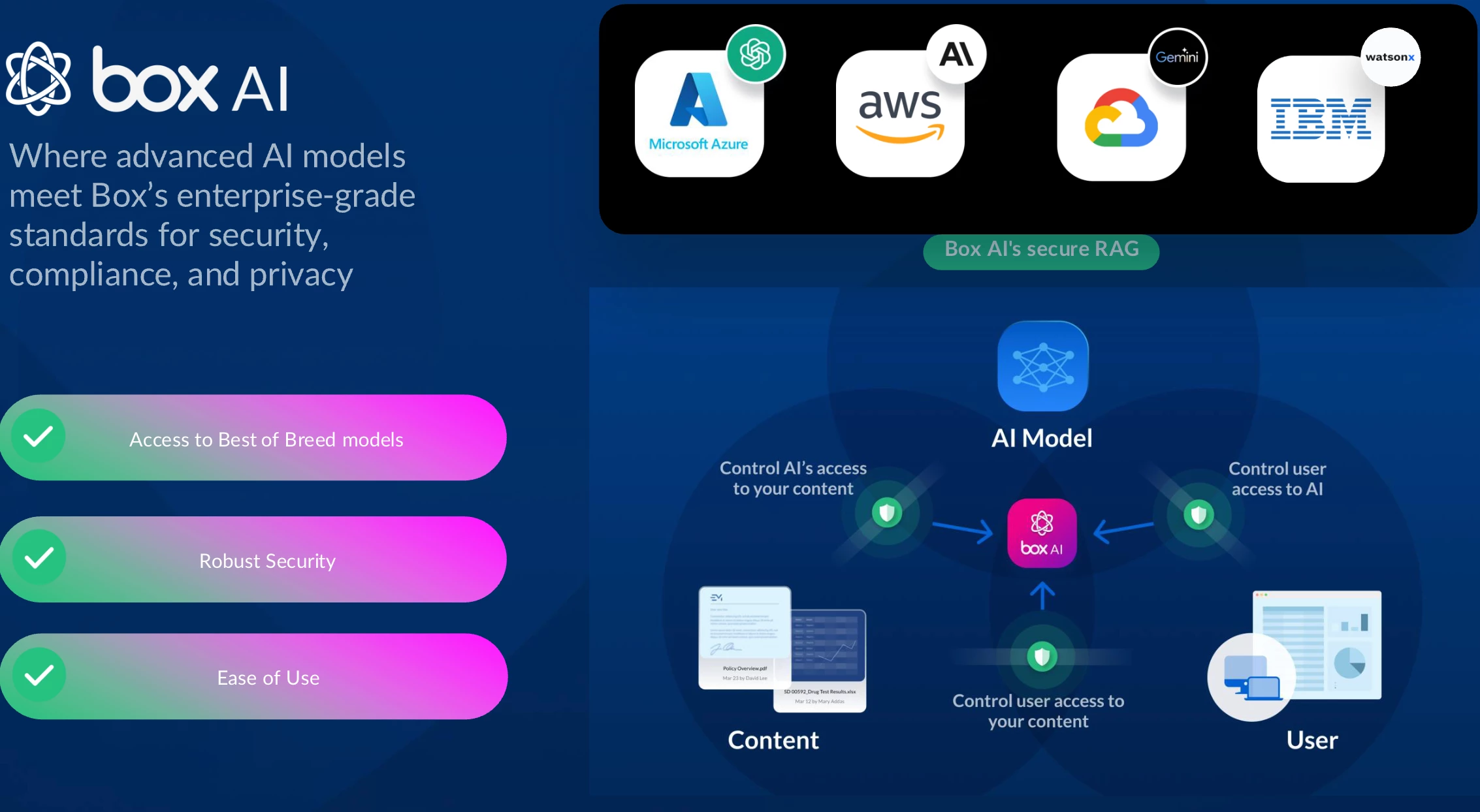
Unified Content Platform: Box serves as a secure cloud-based platform, managing unstructured data (including contracts, policies, operational documents, CAD drawings, and images). This content becomes directly accessible through Box AI, enabling users to query, summarize, and generate insights without coding or developer involvement.
-
Security and Compliance: A major advantage of Box AI is its adherence to enterprise-grade security protocols. Box AI does not train on customer data, and the existing permissions and security frameworks are honored throughout. This aspect is essential for organizations, such as the Reserve Bank of Australia, which rely on stringent privacy and compliance standards
-
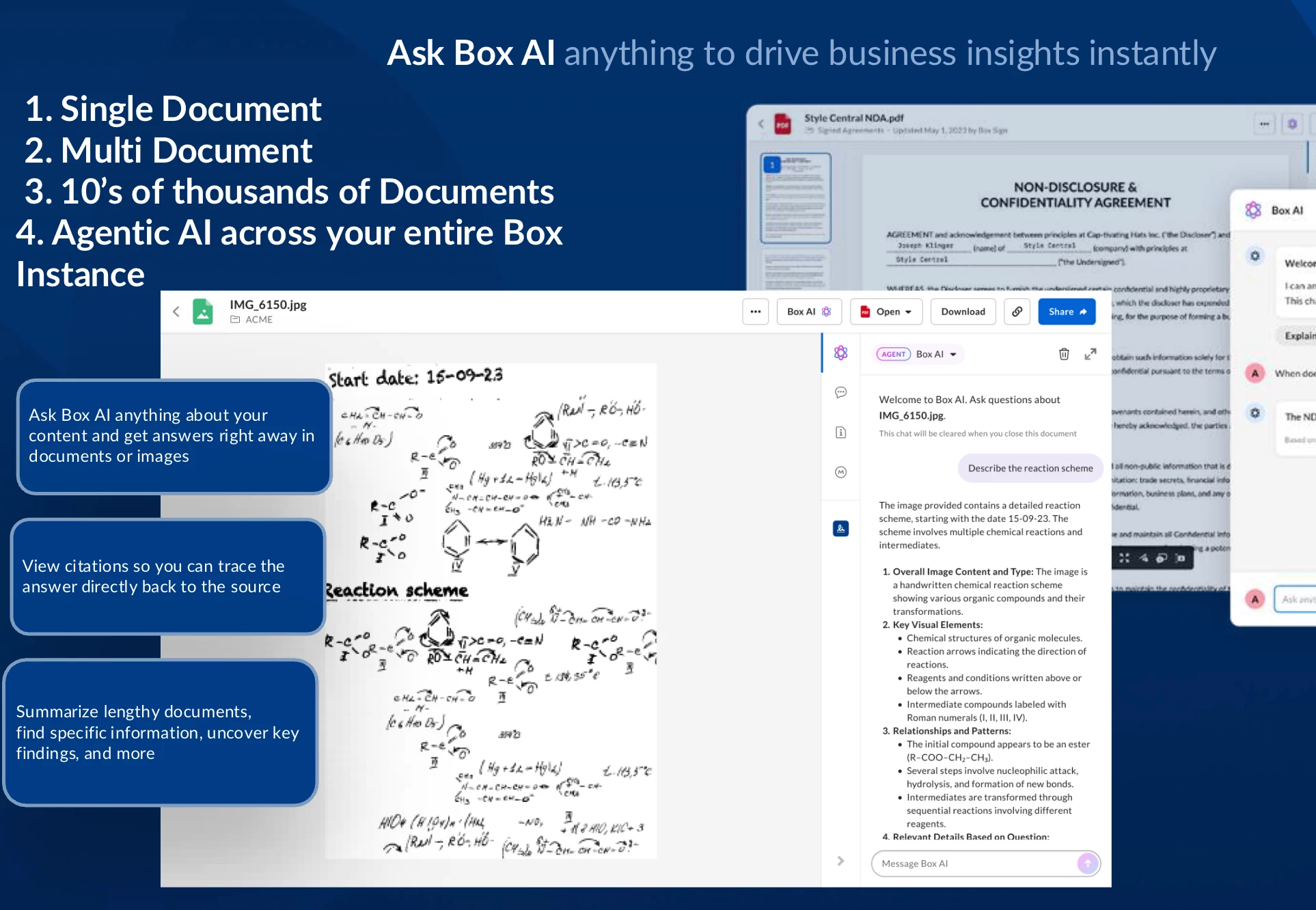
Scalability: Box AI can analyze individual files through single document queries, multi-document assessments, and large-scale content hubs (up to 20,000 objects).
“We have integrated through rigorous protocols 37 different models and counting into box so you can choose and access the best and most accurate AI models of your choice . Another advantage of an integrated platform is robust security” Roger highlighted
Hands-On Demo
Roger then transitioned to a practical demonstration, with customer Q&A. Recording clip here
Key Features and Demonstrations:
-
**Single Document Querying: Roger showcased the power of Box AI when analyzing specific contracts. For instance, users learned how to invoke AI prompts like "summarize this document," where AI provided key information such as parties involved, term dates, and risk factors. Demo included advanced queries, such as assessing risks or extracting structured summaries, all of which help users make sense of complex content quickly.
-
Multi-Document Analysis: Box AI’s multi-select functionality enables querying across several contracts simultaneously—for example, filtering contracts based on jurisdiction or value thresholds.
-
Image and Handwriting Recognition: Box AI interprets images (such as post-car accident scenarios for insurance purposes) and handwritten notes. The tool not only extracts text but also analyzes content contextually, whether calculating repair costs or summarizing formulas from technical documents.

-
AI Integration with CAD Drawings:
Box AI can extract bill of materials from engineering drawings to speed up project reviews, a helpful feature for industries dealing with construction, manufacturing, or design. Transparency was emphasized here, as the tool flags assumptions and enables users to understand the basis of AI-driven results.
-
Enterprise-Wide Querying (Box Hubs): The session concluded with a demo using Box AI across entire content hubs containing thousands of documents. Whether summarizing diversity programs or extracting actionable workflows, Box AI automates insights for large-scale operations, improving efficiencies across organizational bottlenecks.

Building AI Agents: Getting started
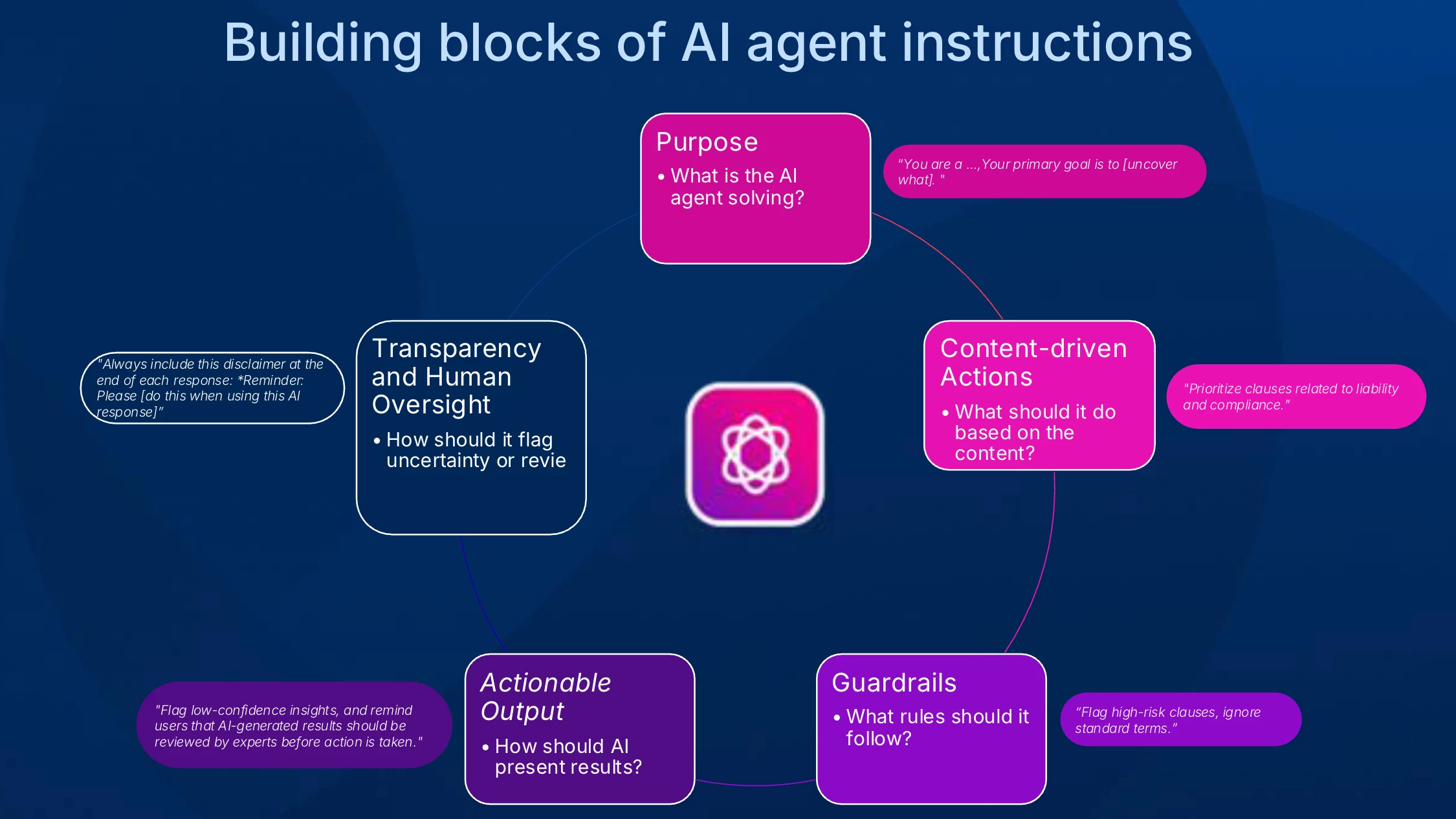
Roger described Box AI agents as customizable tools capable of performing multiple tasks based on defined purposes, personas, and prompts.
Agent Setup Process:
-
Access: Users need to navigate to Box’s admin console to access Box AI Studio, where agents are created and managed.
-
Persona Assignment: Custom personas help set the tone for agent operations—for example, defining an agent as a “legal analyst for contract review.”
-
AI Models: Box integrates more than 37 industry-leading AI models, empowering users to switch and select the best-fit model based on evolving needs.
-
Prompt Engineering: The session highlighted best practices for crafting precise and effective prompts, leveraging Box AI itself to refine queries and fine-tune output expectations.
-
Testing and Deployment: A built-in test lab allows iterative refinement of agents before granting access to specific teams or the entire organization.
Final Thoughts:
“It’s very easy to set up, very easy to share, very easy to execute—and truly a productivity time-saver. Having AI on your side is super beneficial.” concluded Roger
Resources
Box AI in Action series episode 16 to 19 cover examples of how to create agents.
Box Enterprise AI playbook Part I and II
Question for Box Community
How is your team using agents? feel free to share or ask a question in the replies.