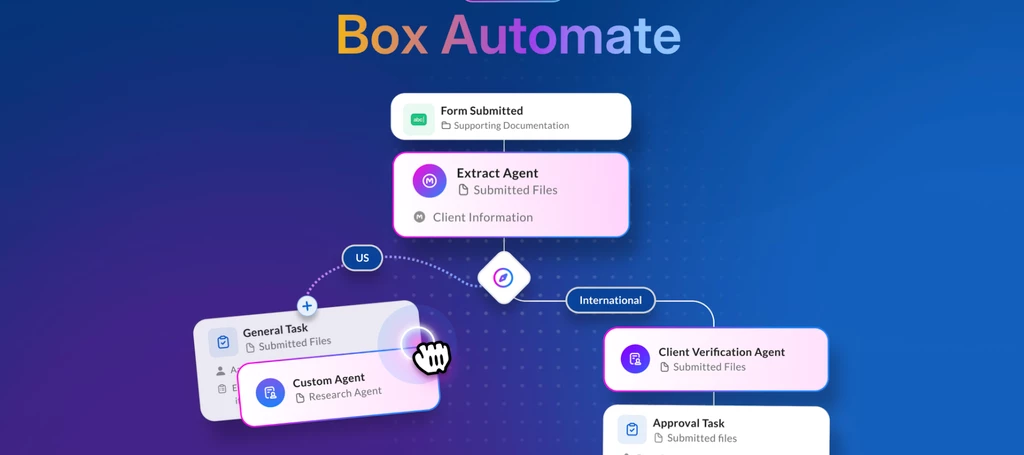

Introducing Box Automate!

  • April 28, 2026
  • 13 replies
  • 527 views
Scott Sugimoto at Box

We are incredibly excited to announce the general availability of Box Automate, enabling organizations to automate content-driven work end to end, from document intake and AI extraction to approvals and final output.

Every business runs on content. Contracts, invoices, onboarding packets, claims forms, compliance files, and reports all contain the information teams need to make decisions and move work forward. But the workflows built around that content are still often manual. Teams spend hours reading documents, extracting data, routing files, updating systems, and chasing approvals across disconnected tools. The result is slower cycle times, inconsistent outcomes, and work that is difficult to scale.


Box Automate changes that.


Built for the age of AI, Box Automate is a new product designed from the ground up for agentic, content-powered workflow automation. It turns AI from something teams use one-off into something that runs business processes continuously. Instead of treating documents as static inputs, Box Automate treats content as the source of truth and the trigger for action.

With Box Automate, organizations can build workflows that understand content, extract what matters, make decisions, and move work forward automatically, all within Box’s security and governance.
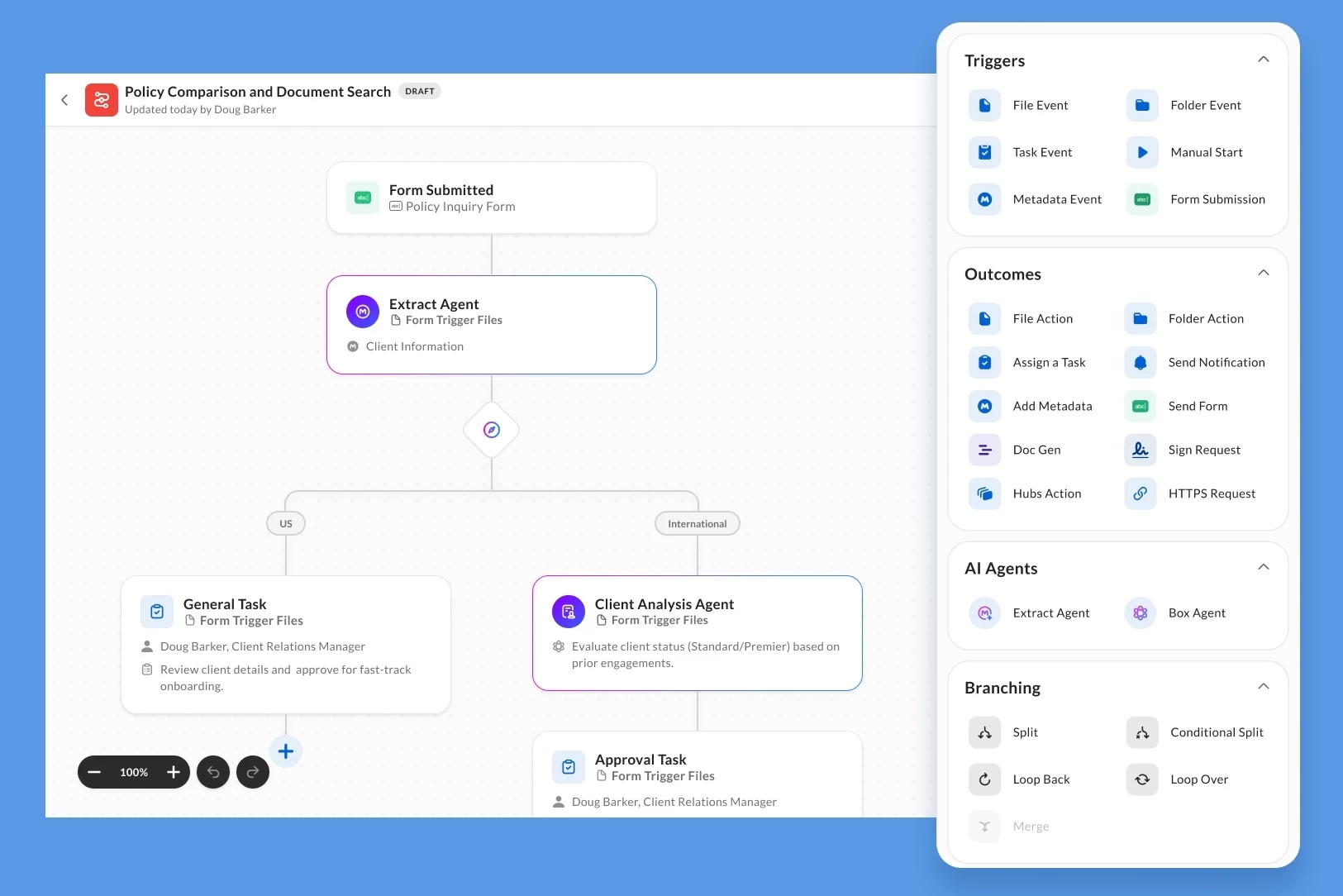
 

Box Automate Builder

What makes Box Automate different?

Box Automate combines AI, workflow orchestration, and Box-native content services in one secure platform. It includes:

  • A drag-and-drop workflow builder to design and manage workflows visually with an intuitive, no-code interface

  • Custom AI Agents using Box AI, Box Agent, and Box Extract for specialized workflow needs

  • Dynamic routing to move work between AI agents, people, and systems using conditional logic and parallel branching

  • Box-native end-to-end automation with Box Forms, Box Doc Gen, Box Sign, and Box Hubs

  • Inherited permissions and governance so workflows automatically respect Box’s enterprise-grade security, permissions, and compliance controls

This means business users can go from idea to live workflow in minutes, not weeks, without needing to rely on rigid rules, long development cycles, or constant IT involvement.


Built for real-world process variability


Most automation platforms are built for consistency: fixed templates, predictable fields, and structured data. But real business content does not show up that way. Contracts vary by vendor, invoices come in dozens of formats, and policies evolve across teams and regions.

Box Automate is designed for that reality.

Organizations can combine multiple AI agents for extraction, reasoning, and task execution, including:

  • Box Extract to pull structured data from contracts, invoices, and forms

  • Box Agent to read and interpret content, answer questions, and make decisions in the workflow

  • Custom Agents built with defined instructions and context for specialized use cases

Together, these capabilities allow workflows to interpret unstructured content, adapt to variation, and keep work moving without constant human intervention. And where judgment matters, people stay in the loop to review and validate AI-driven decisions.


Automates work from start to finish

In many organizations, automation handles isolated steps, not entire processes. Box Automate connects the full workflow so work runs continuously instead of stopping and starting between handoffs.

Workflows can be triggered by:

  • file uploads
  • form submissions
  • metadata changes
  • AI-detected information inside documents

From there, Box Automate can:

  • extract and validate key data
  • summarize and analyze content
  • assign tasks and update metadata
  • route files for approval
  • generate and finalize documents with Box Doc Gen and Box Sign
  • trigger next steps across systems and tools

The result is a more connected way to run document-intensive processes across AI, people, and systems.


Available now


Box Automate is now generally available for all business accounts. Organizations must be on Enterprise Advanced to access the full suite of agentic workflow automation capabilities.

If your teams are spending too much time managing documents instead of moving work forward, Box Automate offers a better way forward.

To learn more:

Questions? Feel free to reply to this post.

13 replies

Jey Bueno Box
  • Community Manager
  • April 28, 2026

Exciting launch 🙌 Box Automate looks like a big step forward for content-powered workflows.


@Chandler Hansen Box Automate is officially GA! 


thomasdeely Box
Forum|alt.badge.img
  • Sr. Community Manager
  • April 28, 2026

I love that I can use the new Box Agent to build content workflows with Box Automate


Jey Bueno Box
  • Community Manager
  • April 28, 2026

Also see Box Automate in action as it streamlines employee verification with AI-powered document review, routing, and no-code workflow automation. Watch how Box agents help teams move faster with smarter HR processes:


  • Box Employee
  • April 28, 2026

Very excited for our customers to get their hands on this!


Gmoore-77
Forum|alt.badge.img
  • New Participant
  • April 29, 2026

Boxers. Great work. I was lucky to be part of the beta and the final release had even more than I saw in the beta. A lot of great features. I need to go back through and rethink how we are doing some workflows. This opens up a lot of opportunities for us. The addition of metadata as a trigger event is clutch for us. Very nice. I also like the addition of the HTTPS request to integrate with other systems. 


Hi, I’m currently unable to create a new workflow when I go to the Automate section. I can see that the latest update has been applied when I log in to the portal.

We are on an Enterprise Advanced plan but my account type is Enterprise Advanced Governance. Could it be that I don’t have the required permissions to create workflows or does it take time for GA releases to make it to governance accounts?


EDIT: I do not see Box Automate under Content & Sharing as outlined in this link. Enabling Box Automate – Box Support


Thanks,

John Castilla


  • Box Employee
  • April 30, 2026

Hi ​@John.Castilla - thank you for your question! This may be related to your account permissions if you’re not the Primary Admin on the account. The best next step would be for a Primary Admin to review and update your permissions by following these steps:

In the Admin Console > Users & Groups, select the account, and ensure they have permission to "Manage and create" workflows.

Once those permissions are updated, please try again and let me know if this resolves your issue!

Thanks,

Sammi 


Hi ​@sneff   

Thank you for the quick response, I logged in as an admin and confirmed I had the correct permissions. I did this by checking under role and access permissions then searching for the word workflows. I already have enabled the only two roles I found which are as follows:

View automations/Relay workflows set up for your company

Create, edit, and delete automations/Relay workflows for your company 

The later of the two is the only one enabled for my account in the Dev sandbox where I am able to create new workflows in the Box Automate section. 

Also, we have another co-admin who is also not able to create new workflows in our production account. Throwing this out there in case it’s not my user and instead account wide. Thanks and let me know if you have any other suggestions. 


  • Box Employee
  • April 30, 2026

Hi ​@John.Castilla - are you the primary admin of the account or co-admin? It might be that automate is not currently enabled by the primary admin, which they can do so by following these instructions here


Hi ​@sneff 

I am a co-admin on the account. I logged in as the primary admin and followed the instructions. However, there is no Box Automate as described in Step 3. 

Thank you


  • Box Employee
  • April 30, 2026

Hi ​@John.Castilla, I would recommend submitting a support ticket, and one of our support specialists will reach out to you with the next steps to troubleshoot this issue.You can submit a ticket here


Thank you,

Sammi 


  • New Member
  • May 1, 2026

Is there now a way to share an Automation that was set up by an admin with our users?


thomasdeely Box
Forum|alt.badge.img

Yes. Admins can share/admin-create Automate workflows for managed users, with a few options and caveats, as follows:

  • Invite users to collaborate on an admin-owned workflow.
  • Transfer ownership of a workflow to a specific user.
  • Share a workflow as a template (duplicate) so users can create their own copy.
  • Co-admins can view admin workflows when Automate for Admins is enabled.


Caveats:

  • Collaborators must have access to the specific Automate products/outcomes used (e.g., Forms/Extract/DocGen), otherwise they may see errors or be unable to activate.
  • Enterprise settings govern who can create/publish workflows and collaboration permissions.