


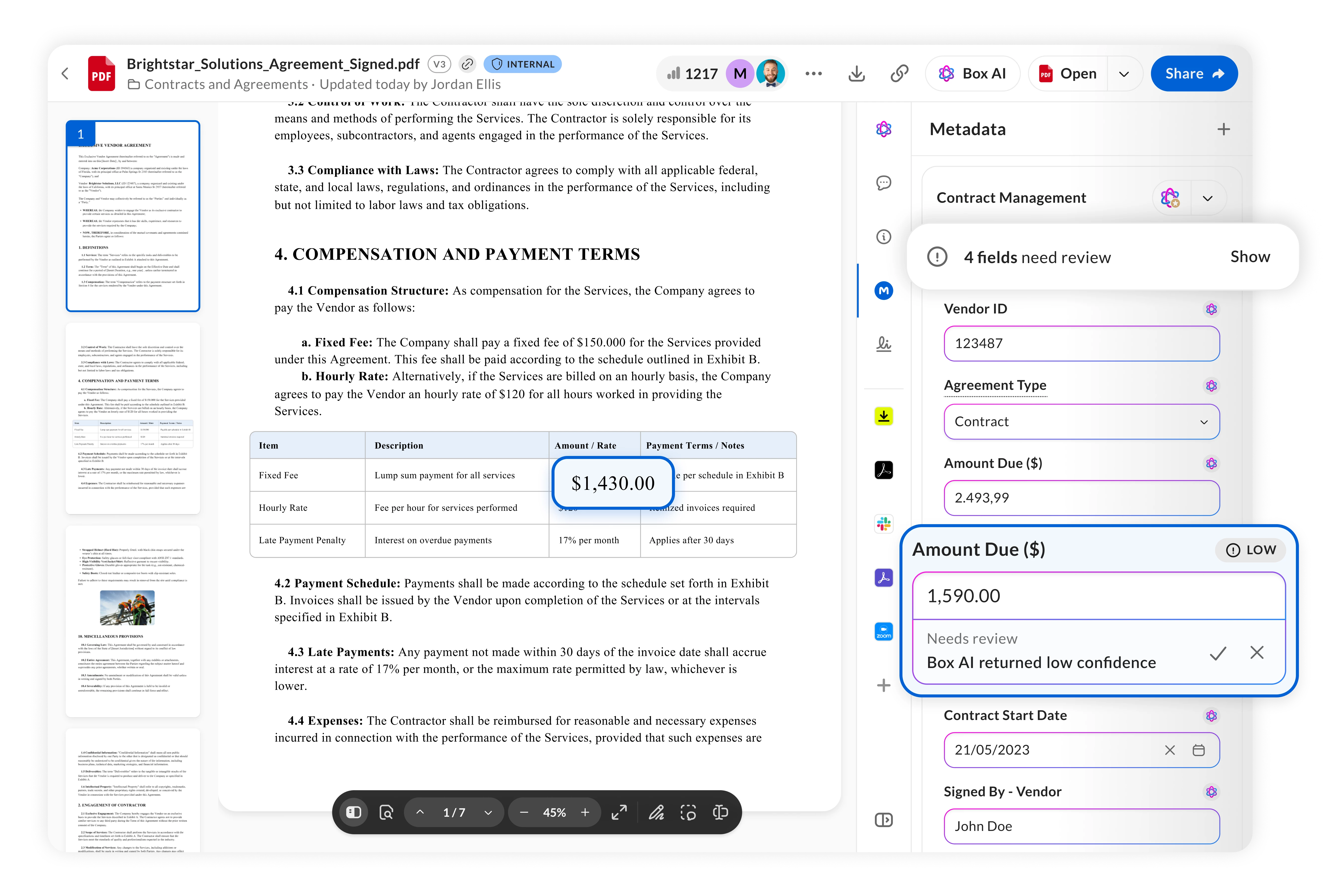
Customers can now more easily validate AI-extracted metadata with confidence levels and bounding boxes in Box Extract, helping teams quickly identify which extracted values may need attention, verify them against the original source, and confidently use extracted data in downstream business processes.
As organizations use Box Extract to automatically extract critical information from contracts, invoices, applications, forms, and other unstructured content, ensuring the accuracy of that information is essential, especially when extracted data is used to power business-critical workflows.
With this release, Box Extract provides users with greater transparency into extraction results and a streamlined way to review and validate extracted metadata directly within Box Preview.
With confidence levels, users can see how confident Box Extract is in each extracted metadata value. Confidence information is displayed directly alongside the corresponding metadata field in Box Preview, helping reviewers quickly identify values that may require additional attention rather than manually reviewing every extracted field.
Fields with low confidence are visually flagged, allowing reviewers to focus their attention where it matters most.
For fields requiring review, users can take action directly within Box Preview:
-
Accept an extracted value to confirm that it is correct.
-
Edit or delete an extracted value when a correction is required.
This human-in-the-loop experience makes it easier to incorporate review and validation into AI-powered document processing workflows while maintaining control over the final metadata.
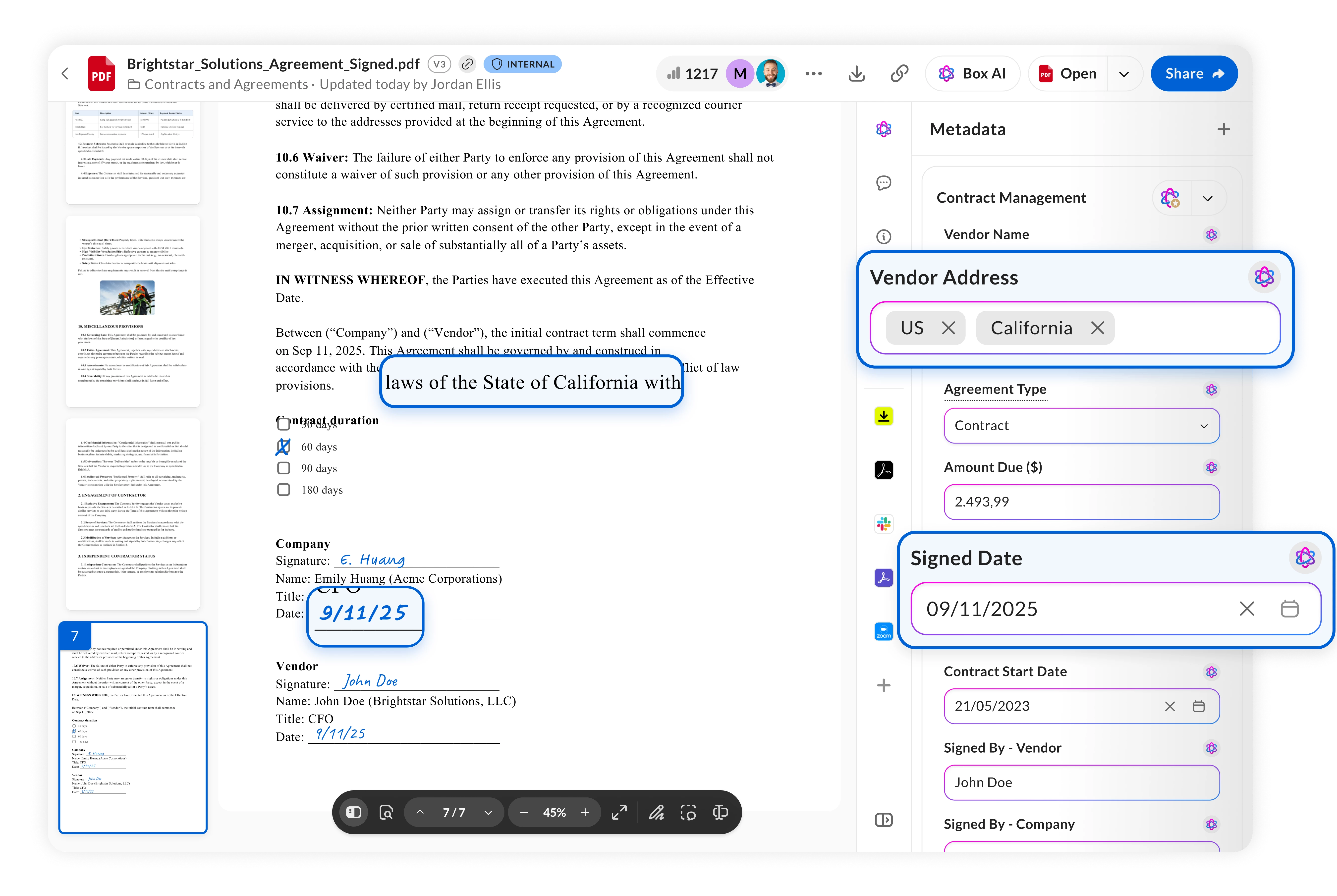
Citations and bounding boxes make validation even faster by showing users exactly where an extracted value came from in the original document.
When reviewing extracted metadata in Box Preview, users can select an extracted value and Box will automatically navigate to the corresponding page and visually highlight the source information with a bounding box.
Instead of manually searching through pages of a document to determine whether an extracted value is correct, reviewers receive immediate visual evidence connecting the extracted metadata to its source.
Together, confidence levels and bounding boxes provide a more intuitive review experience: confidence levels help users understand which values may require attention, while bounding boxes help them quickly verify those values against the original content.
Confidence levels and bounding boxes are disabled by default and can be enabled when building or configuring Custom Extract Agents in Box Extract. Admins can also control whether these capabilities are available when using Box Extract agents through Autofill in Box Preview.
Both capabilities consume additional AI units when enabled. Please see Understanding Box AI Usage: Daily Quotas and AI Units to learn more.
You can learn more about these new releases by leveraging the resources below: