


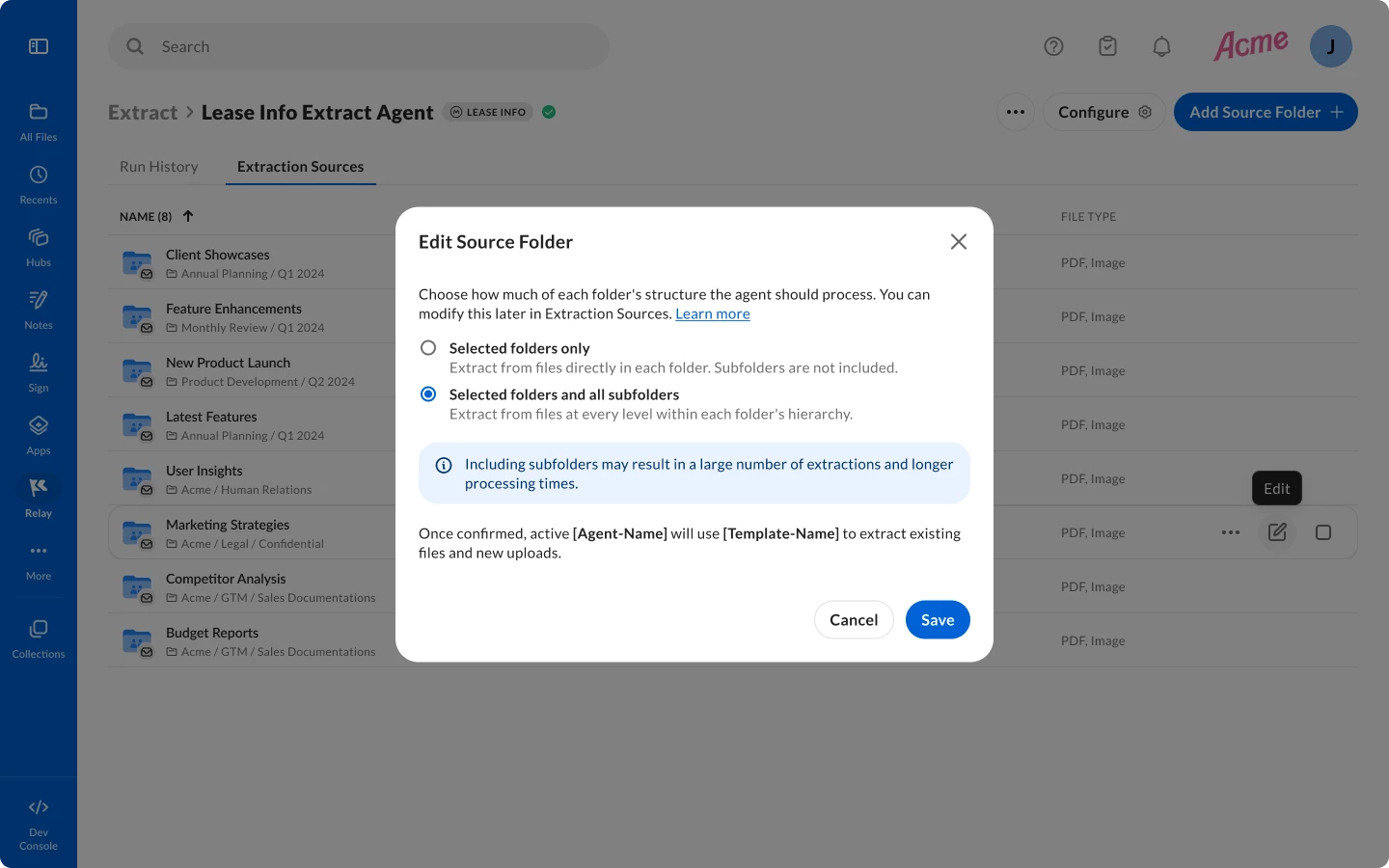
We released a set of improvements to how Box Extract manages folder-level extraction, bringing greater flexibility, reliability, and control to Custom Extract Agents. These changes lay the groundwork for more scalable and conflict-free metadata extraction across your content in Box.
Users can now apply Custom Extract Agents created in Box Extract to folders and subfolders to automatically extract structured data from both parent and subfolders at the same time, and apply that data as metadata in Box. Previously, Custom Extract Agents created in Box Extract can only be applied to parent folders to automate data extraction at scale. With this new feature, customers will be able to leverage Custom Extract Agents to automatically add metadata to existing files or new files added to a folder and its subfolders simultaneously, allowing a single Custom Extract Agent to automatically process files across all nested subfolders, and eliminating the need to configure separate agents for every subfolder. Users can view which subfolders a specific Custom Extract Agent is applied to, including the file types that are affected, the event type that triggered the extraction process, and the extraction policy for those subfolders.
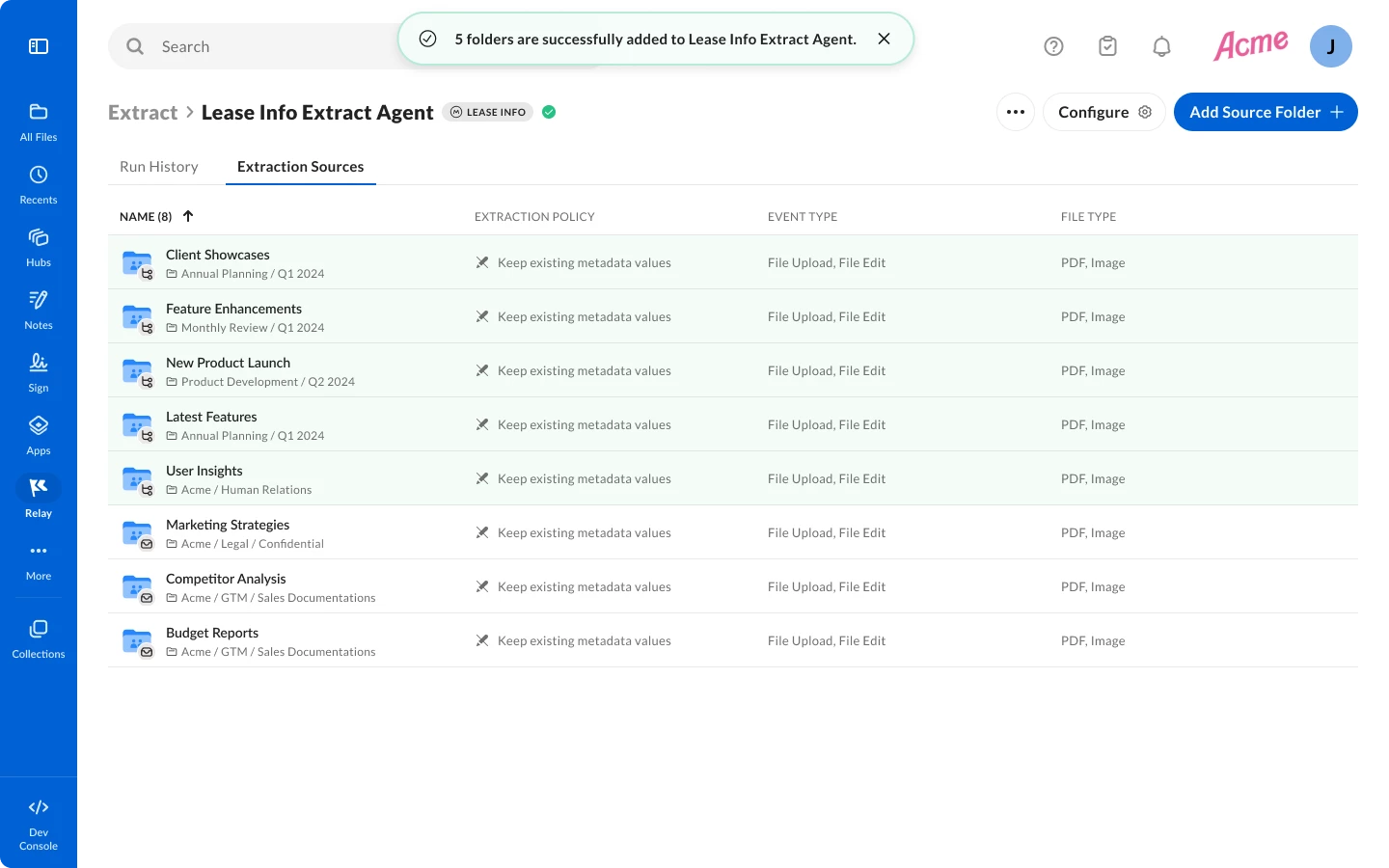
Moreover, extraction processes on files that already live in the folders are no longer be constrained by a per-folder file cap, enabling agents to process entire folder contents at scale.
To improve reliability and reduce configuration errors, Custom Extract Agents include built-in conflict detection. If users attempt to apply a Custom Extract Agent to a folder with an existing Custom Extract Agent using the same metadata template, they will be presented with the option of keeping existing metadata values or overriding those values within the parent folders and subfolders.
This release also introduces a set of guardrails to protect Custom Extract Agent configuration integrity:
- Metadata templates will be locked once source folders are attached to an agent, preventing accidental redundancies with Custom Extract Agent configuration.
- Users are required to add and save a metadata template before attaching source folders, ensuring Custom Extract Agents are always in a valid state before extraction begins.
Please note that the behavior of existing Custom Extract Agents created before the release of this capability are not impacted by this release, and structured data will continue to be extracted from content within specified parent folders only. However, users can modify Custom Extract Agent settings to automatically extract data from subfolders as well.
You can learn more about this new release by leveraging the resources below: