

We have some exciting news to share! Destination Folder is coming to Box AI on mobile. 📁📱
When you use Box Agent, Box creates files along the way. Destination Folder is how you choose exactly which folder those files are kept in. That folder is where the conversation lives.
Until you choose, everything stays in This session. Open the menu at the top of the conversation and you will see it there. Tap it to open the files from that conversation.
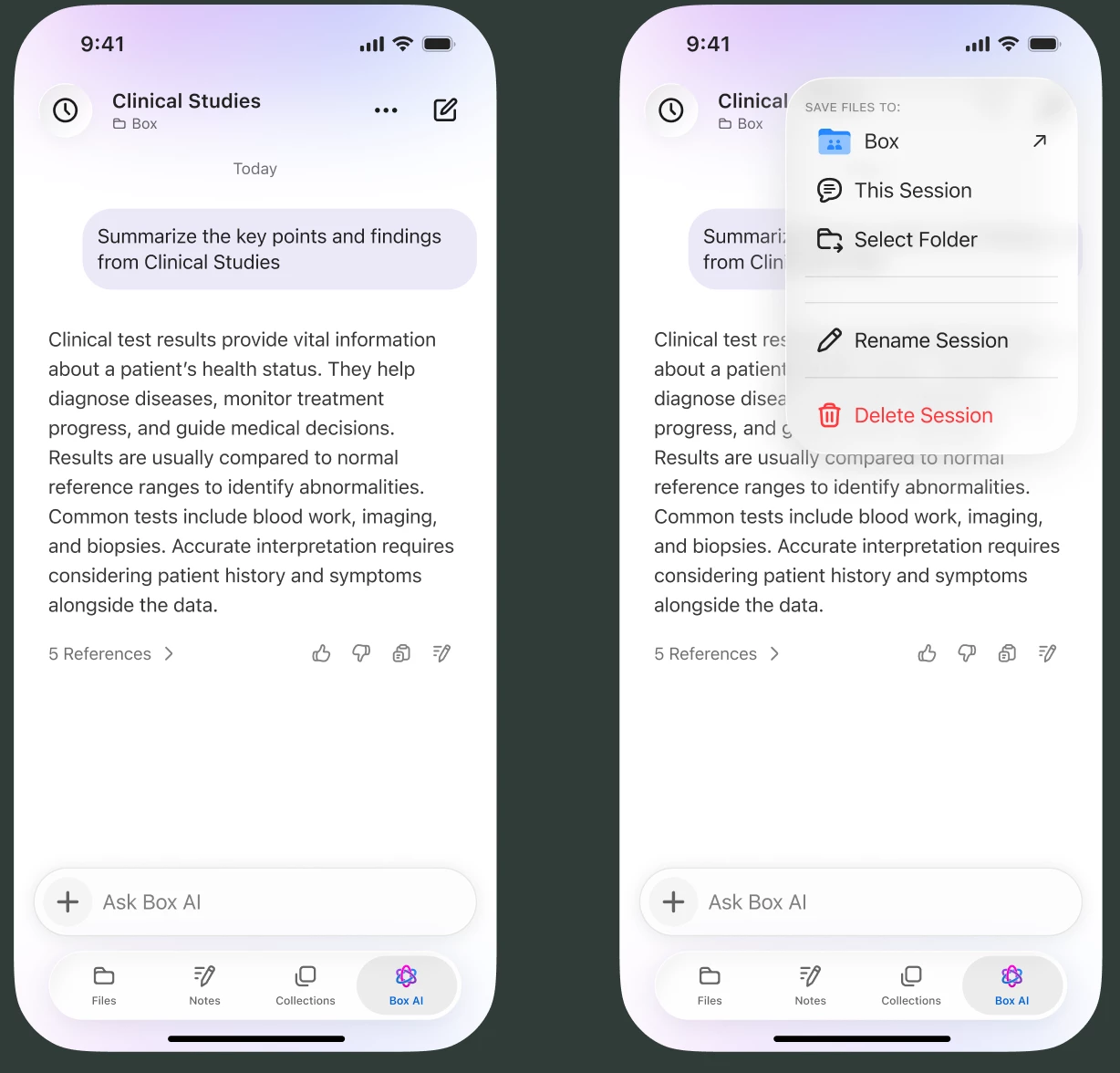
When you want them somewhere specific, tap Select folder, pick the folder, and confirm. Files created in that conversation from then on are stored in the folder you chose. The menu shows that folder’s name, so you always know where this conversation is kept. You can open it, pick a different folder, or go back to This session.
Where would you keep your next Box AI conversation? Tell us in the comments.

