

Box Notes now offers a seamless AI experience by unifying conversation history between the inline AI composer and the sidebar. Whether you start a conversation inline while writing or switch to the sidebar for a broader view, your AI session stays connected as one continuous thread. The inline view keeps things light by showing only inline turns, while the sidebar view displays the complete session history across both entry points, clearly labeling which turns happened inline.
This update benefits anyone who drafts documents with AI assistance and wants context to follow them wherever they work. Writers refining a section paragraph by paragraph, teams generating structured content, and Enterprise Plus and Enterprise Advanced customers leveraging the Box Agent will all find it easier to maintain momentum without losing track of previous prompts.
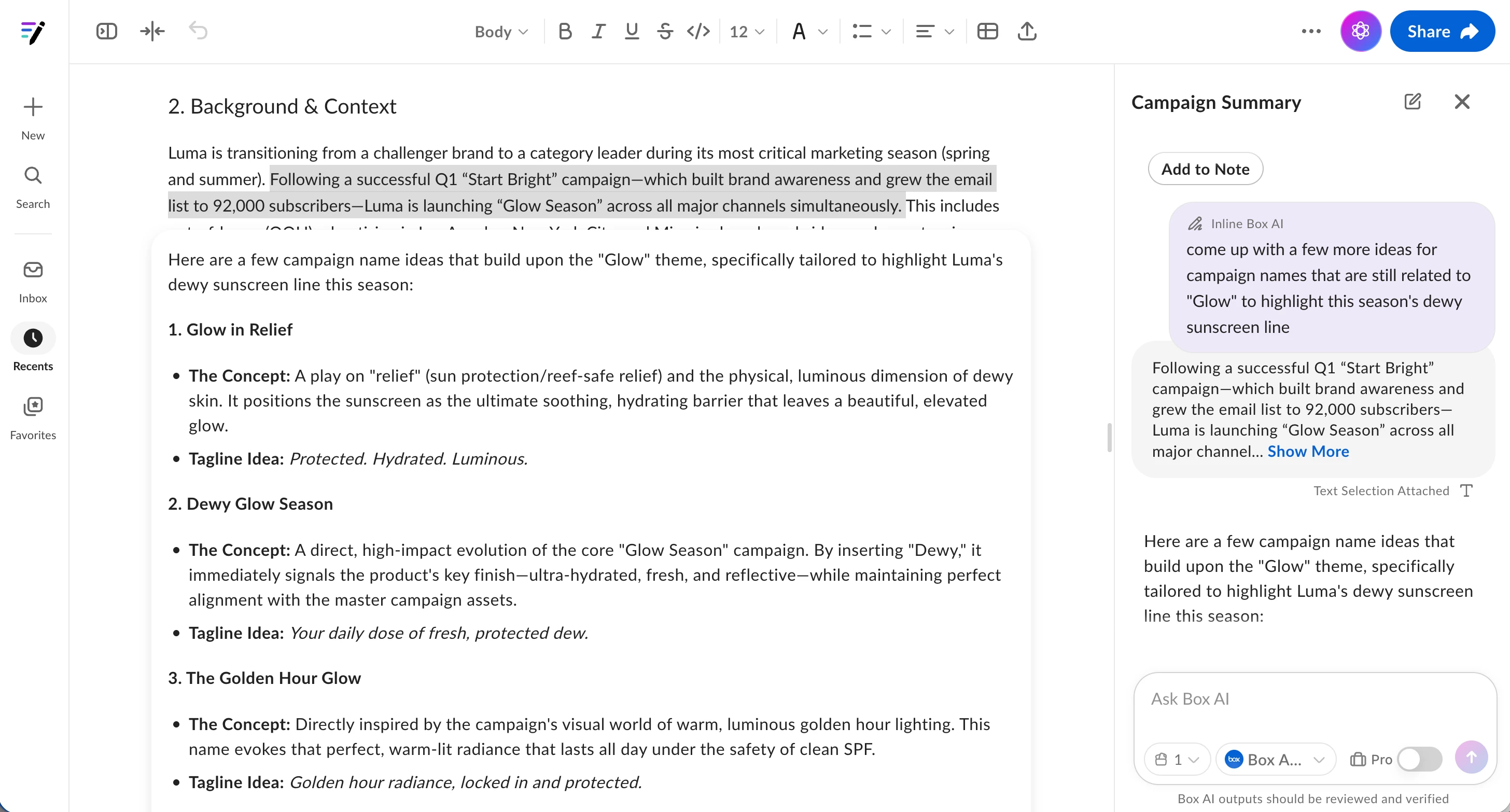
A couple of things to keep in mind: only one active AI turn can be in progress per note at a time. If one view is waiting on a response, you won't be able to submit a new prompt in the other view until it completes. Otherwise, simply use Box AI as you normally would from either entry point, and your history will stay in sync.